Harness the full potential of trend Indicators with single trend plots
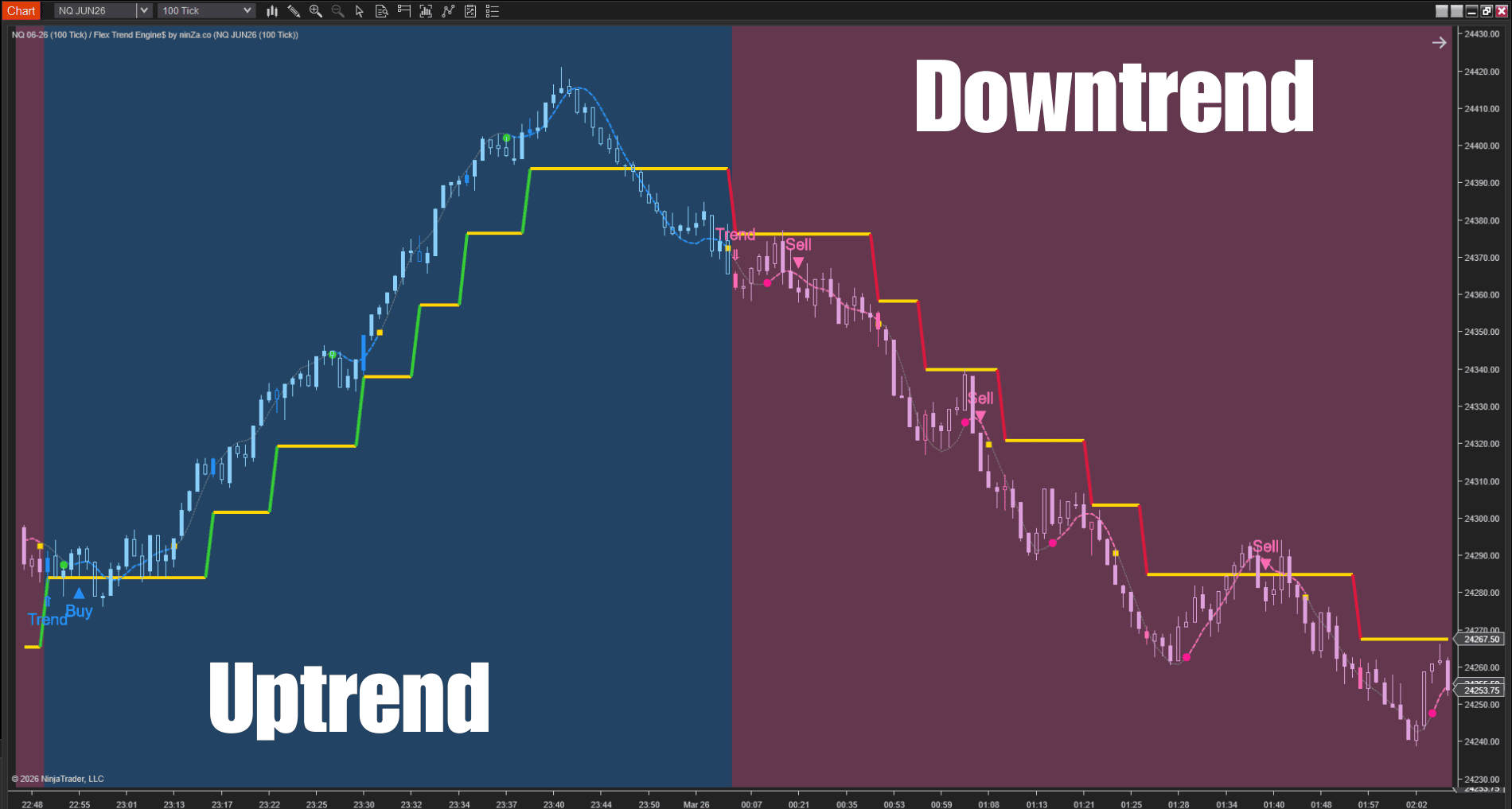
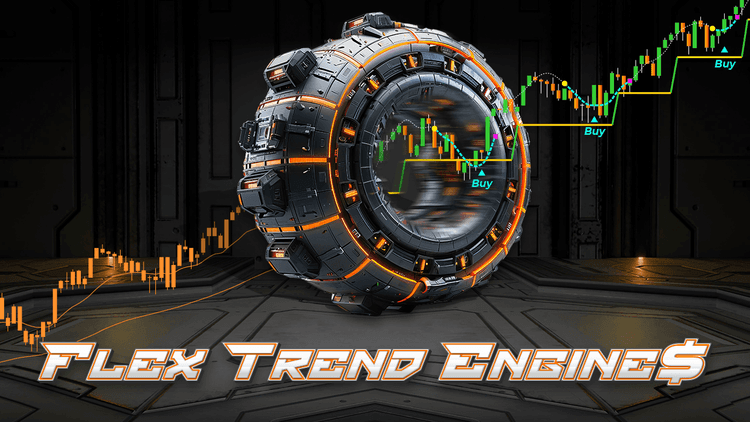
Flex Trend Engine$ is a valuable indicator that works best with trend indicators using single trend plots. It enhances your trend signals by converting the smooth curves of the plots into clear, structured vectors, providing you with a more defined and precise trend analysis.
This enables you to identify pullbacks and make confident trade decisions, all without needing additional indicators.
How it works
Flex Trend Engine$ doesn’t replace your current trend indicators – it enhances them for indicators with single trend plots.
It seamlessly integrates with any trend plot you already use, whether from ninZa.co, another provider, or a custom indicator.
Once added, it provides a clear structure for trend analysis, helping you make better-informed decisions.
Key features & benefits
1. Clear pullback signals
- Shallow & Deep retracements: Flex Trend Engine$ distinguishes between shallow and deep pullbacks, giving you better entry opportunities.
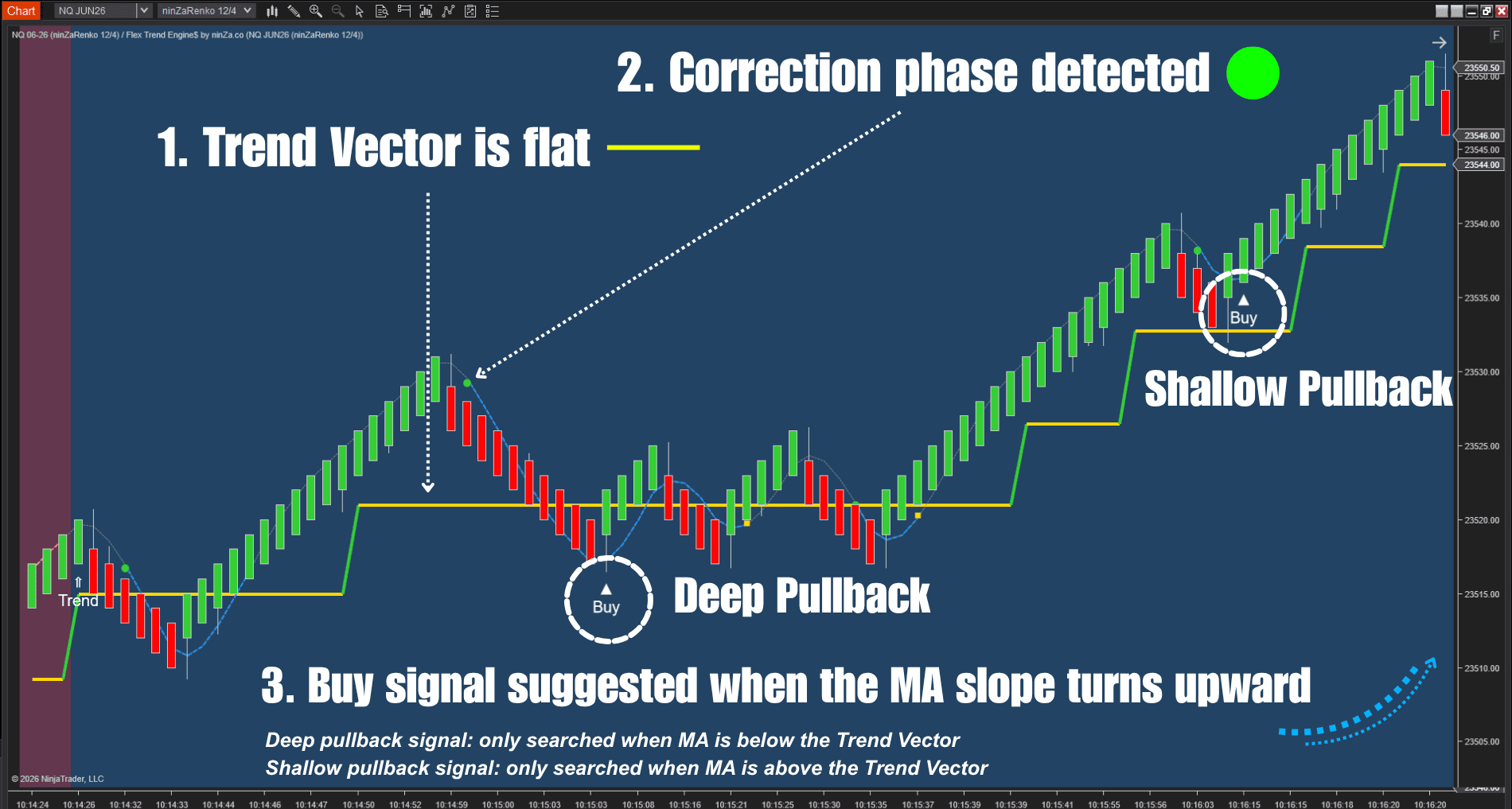
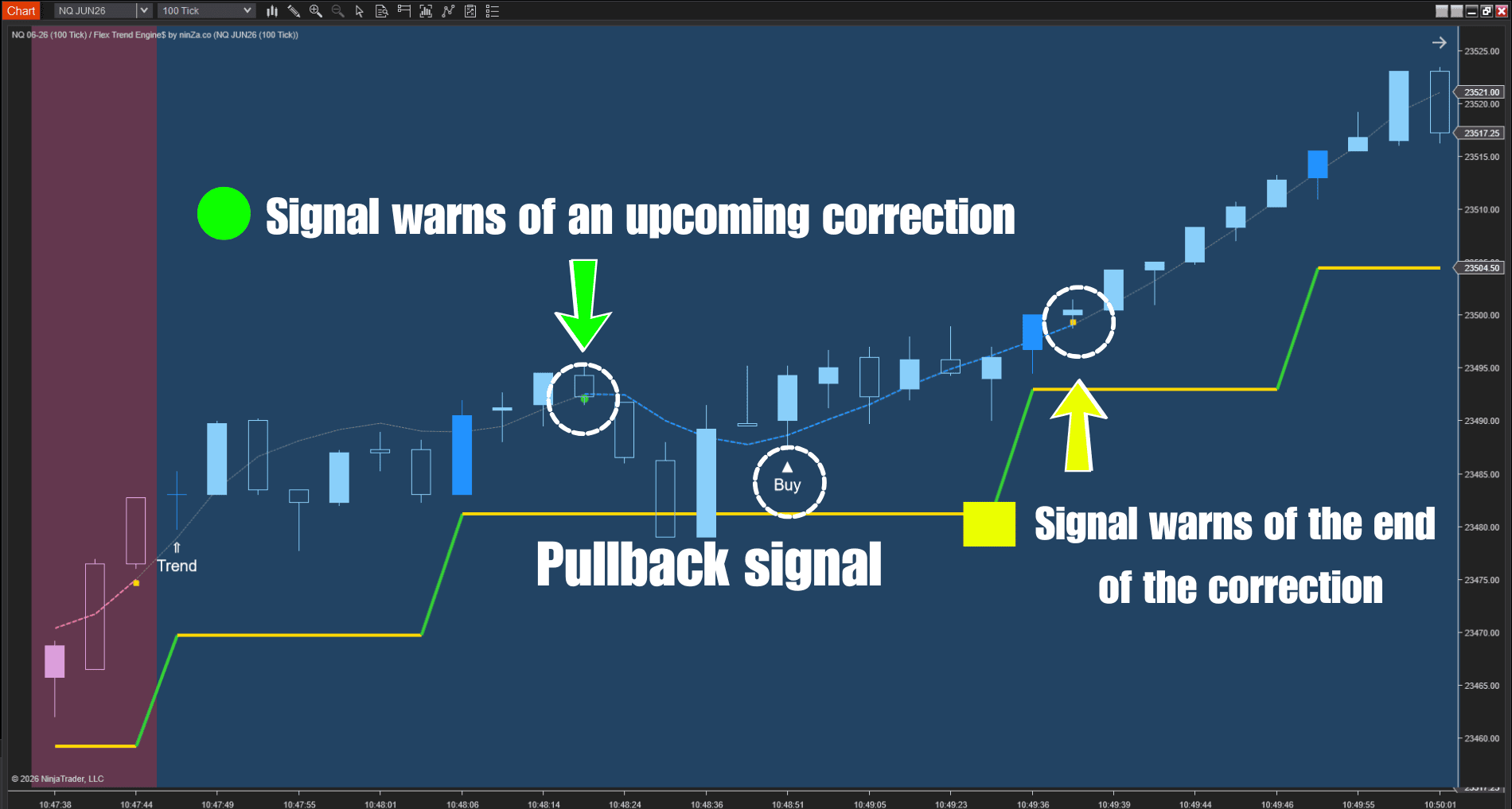
- Early Pullback warnings: The indicator provides alerts when pullbacks are likely, allowing you to act before the move happens.
2. Effective trend strength assessment
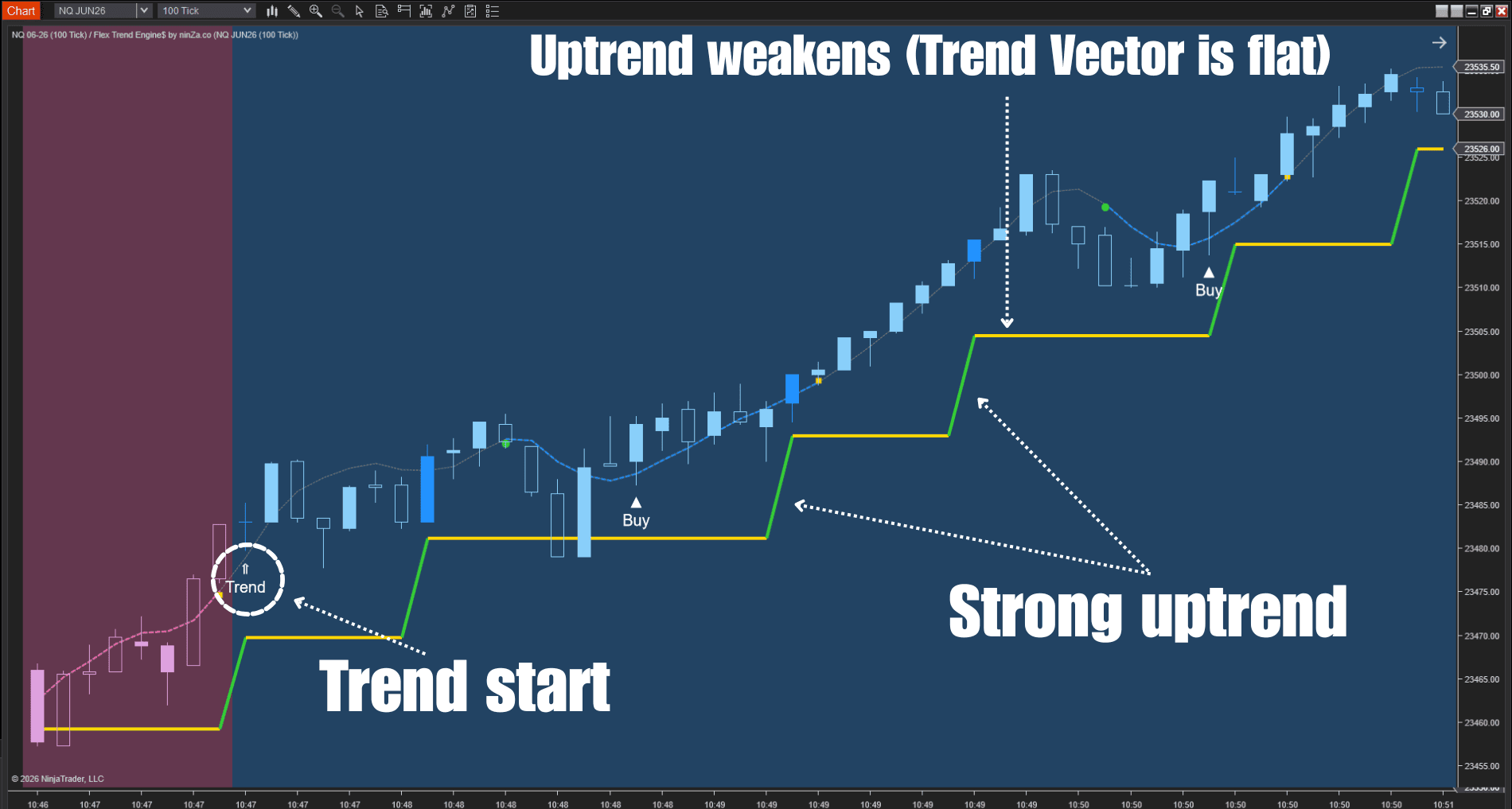
- Strong vs. Weak Trends: The engine helps you identify whether the market is in a strong or weak phase, so you can adjust your strategy accordingly.
- Trend Phases: Flex Trend Engine$ breaks trends into clear phases – trending up, trending down, or sideways. This helps you know when to trade and when to wait.
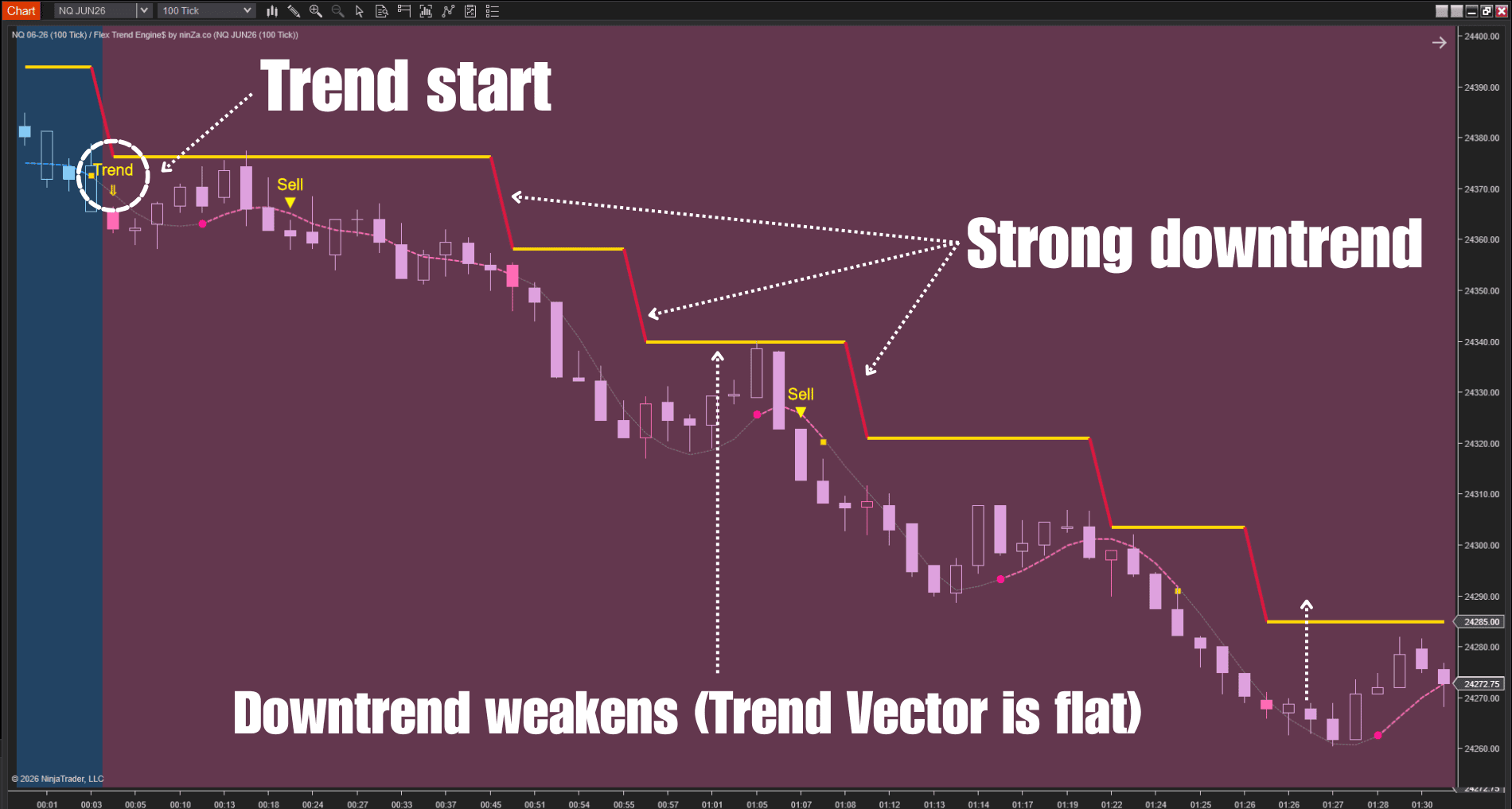
3. Improved timing & consistency
- Noise filtering: During sideways market conditions, Flex Trend Engine$ filters out irrelevant noise, allowing you to focus on meaningful pullbacks.
- Consistent Entries: Using a combination of Trend Vector and ninZaATR, the indicator delivers pullback signals with more precise timing, reducing missed opportunities or late entries.
4. Flexible and easy to use
- Works with any trend indicator: Flex Trend Engine$ works best with indicators that use a single trend plot. For indicators with 2 or more plots, Flex Trend Engine$ cannot capture the core trend mechanism.
- Stand-alone solution: Even without an input indicator, Flex Trend Engine$ works independently, providing reliable trend and pullback signals on its own.
Setup guide
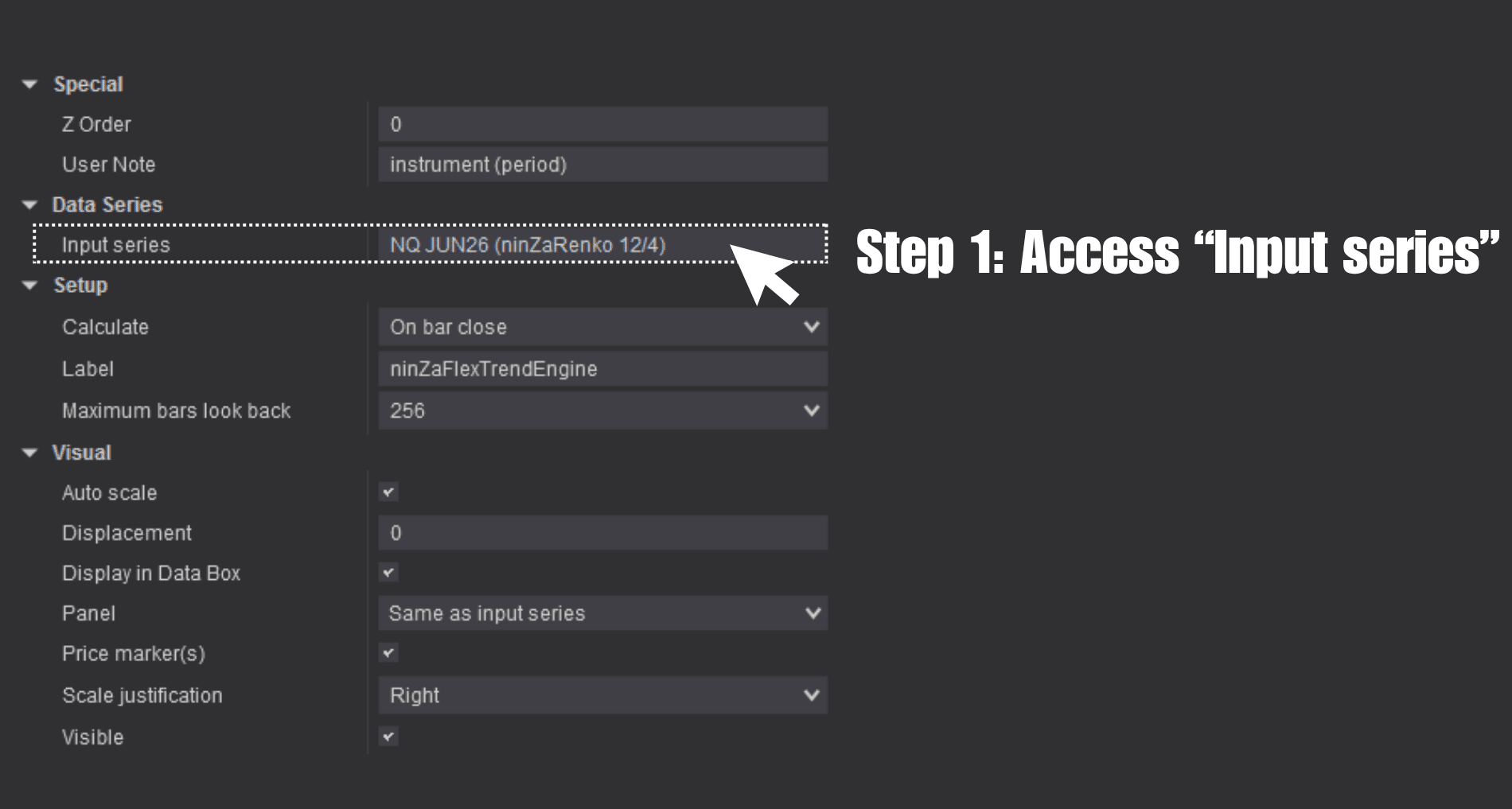
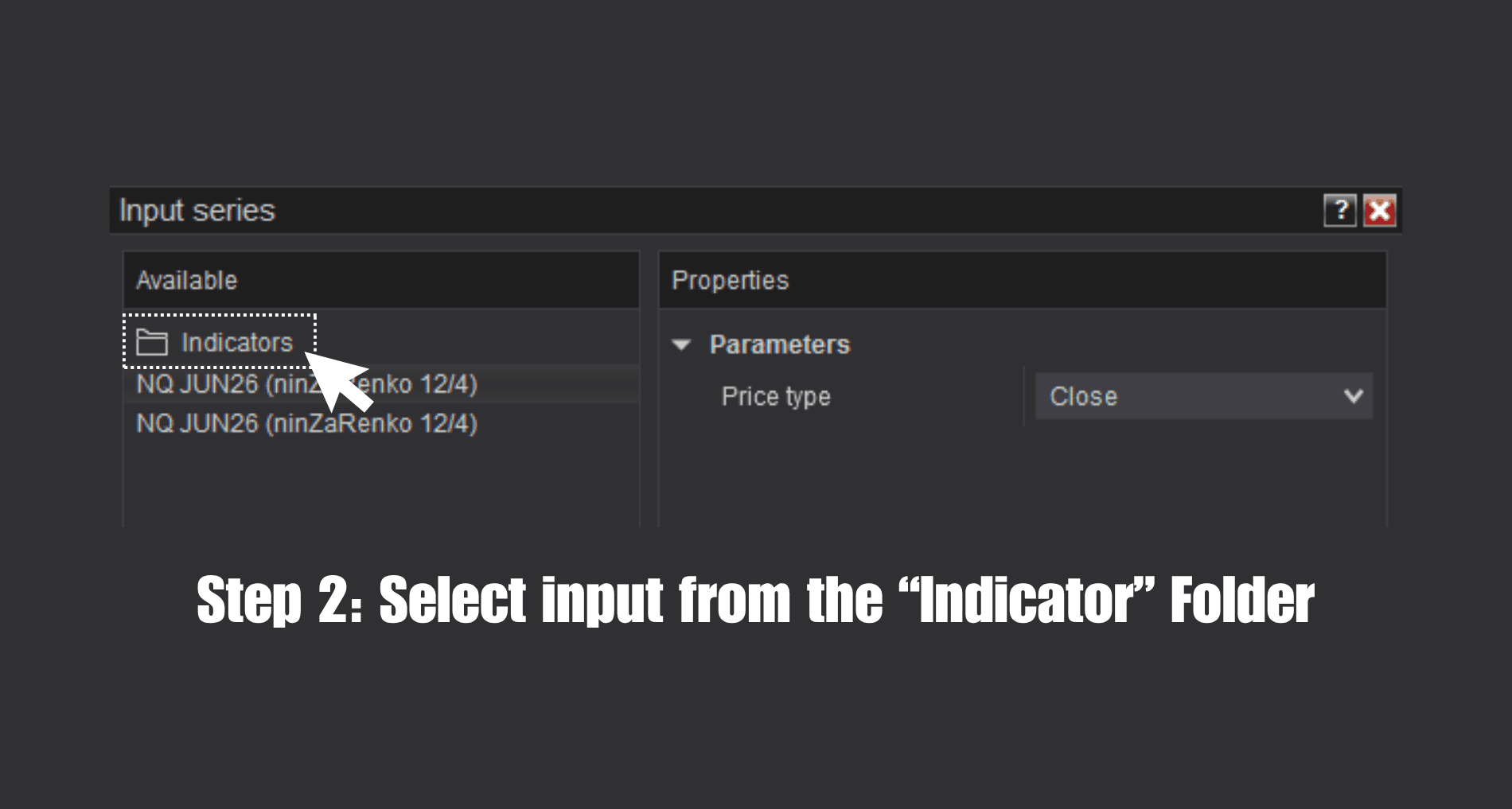
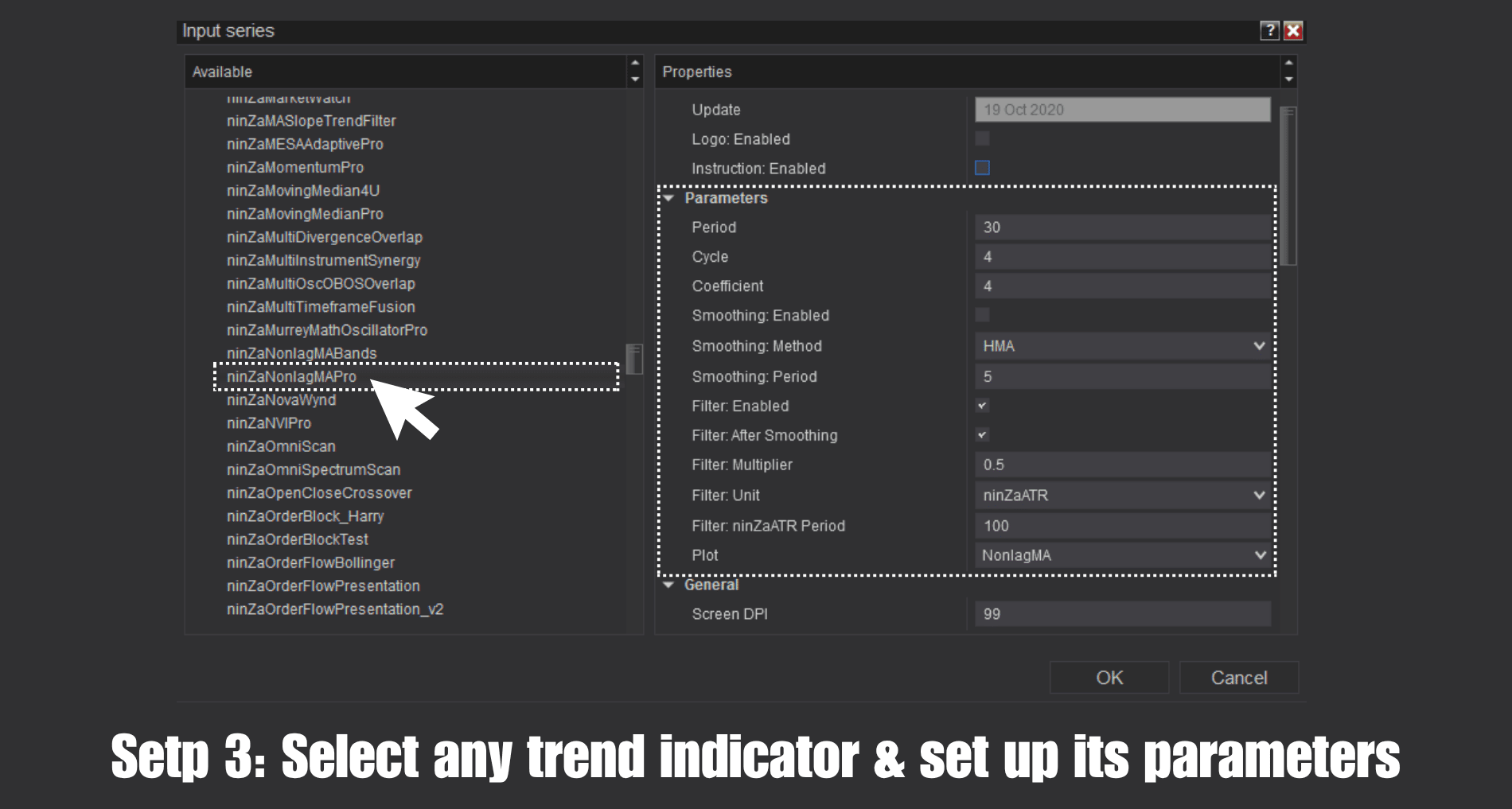
Setting up Flex Trend Engine$ is simple and only takes a few steps:
Example use cases
Below are 2 examples using popular single-plot trend indicators.
1. Flex Trend Engine$ + NonlagMA Pro
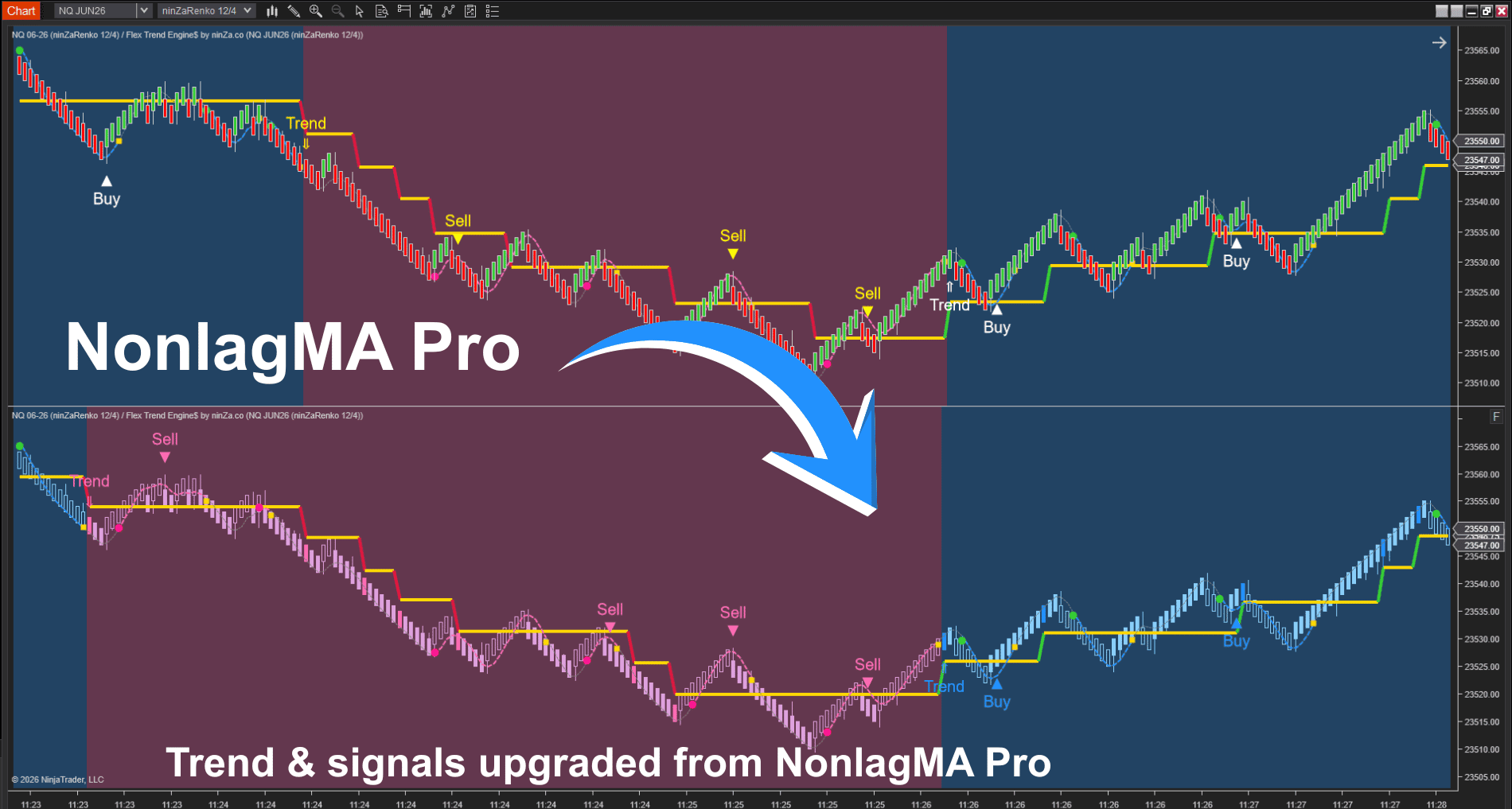
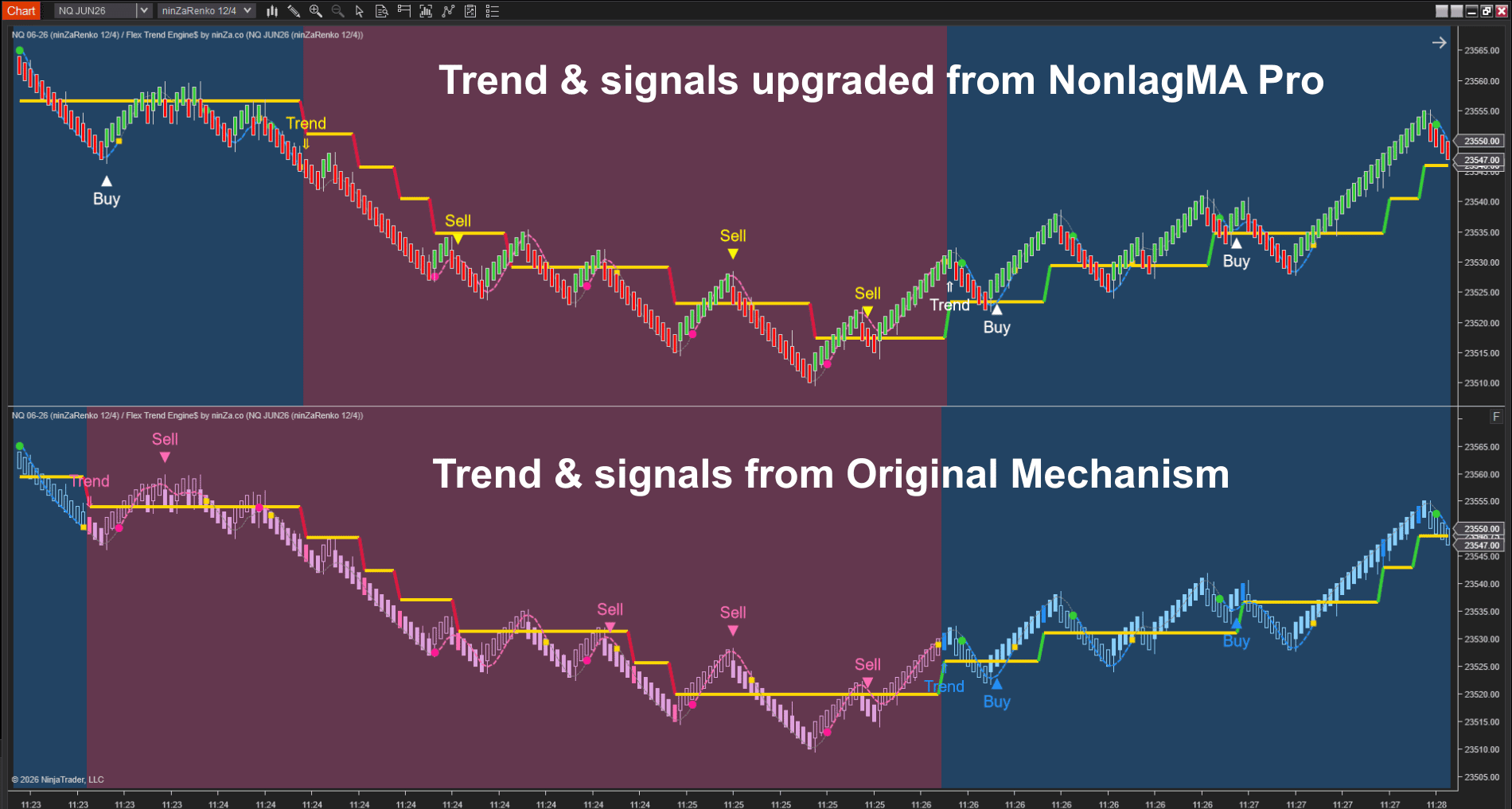
2. Flex Trend Engine$ + RMA Pro
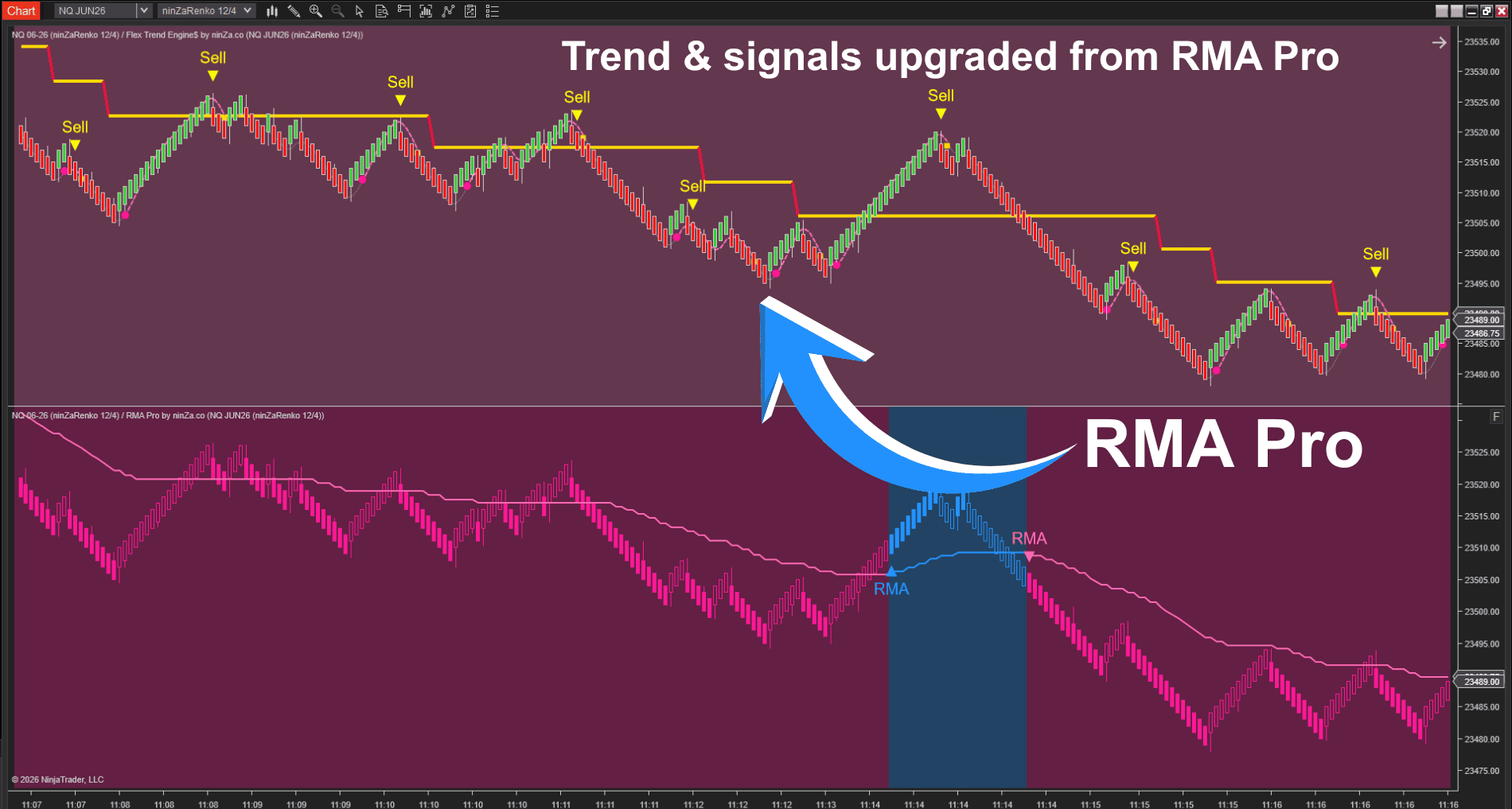
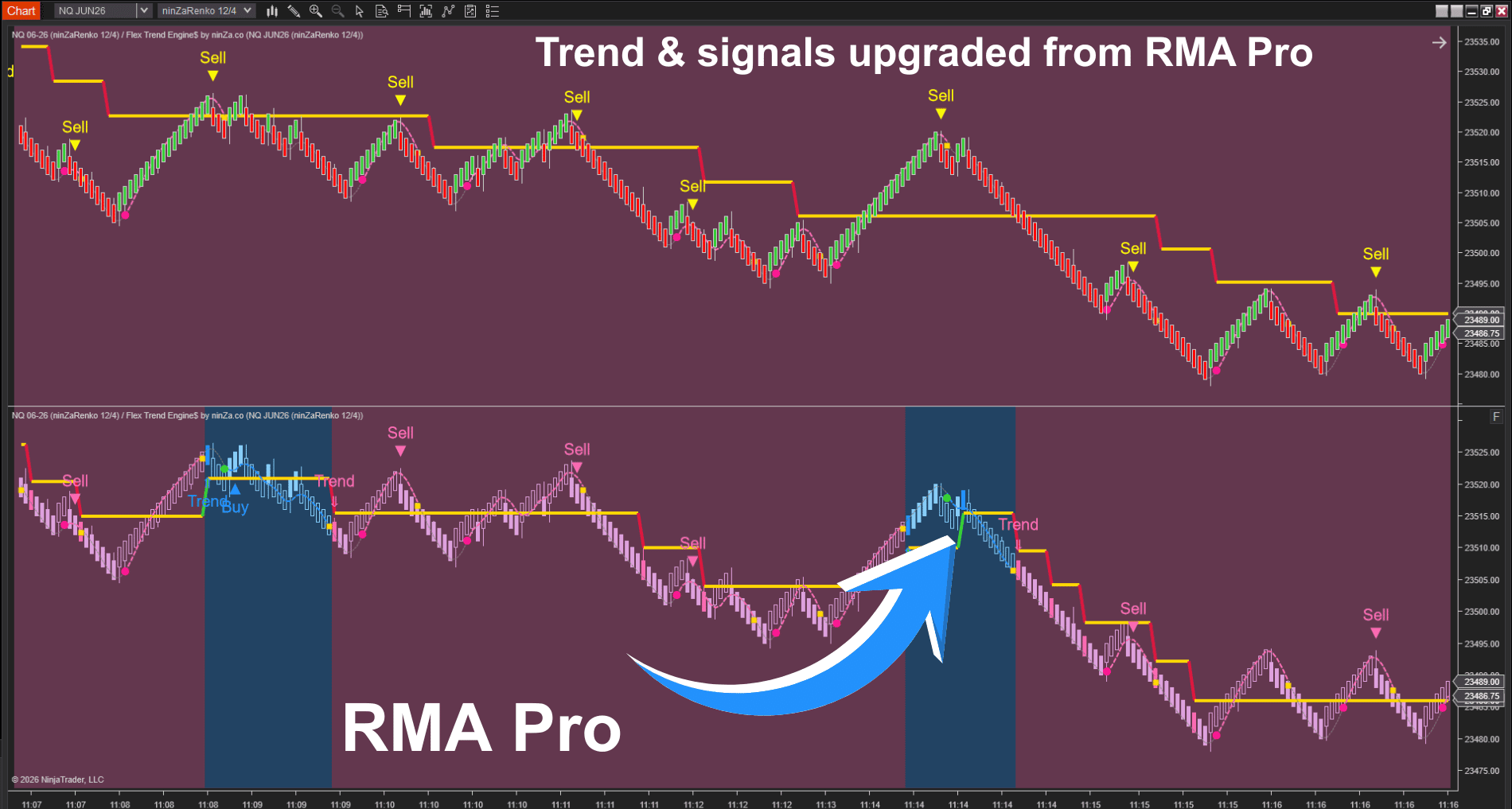
Why choose Flex Trend Engine$?
- No overcomplicated setups: Unlike traditional systems that require multiple tools and indicators, Flex Trend Engine$ combines everything into one simple solution, making your trading process more straightforward and efficient.
- Upgrade your trend indicator: Turn any basic trend indicator with a single plot into a more structured, stronger indicator that not only shows you market direction but also signals when to enter or exit based on pullback phases.
- User-friendly: Despite its advanced features, Flex Trend Engine$ is easy to set up and use, making it ideal for both beginner and experienced traders.
Conclusion
Flex Trend Engine$ is a strong indicator for traders looking to enhance their trend-following strategies.
Whether you're just starting out or are an experienced trader, this engine helps you spot pullbacks with greater accuracy, improves your entry timing, and simplifies decision-making – all while using the trend indicators with a single plot you already trust.



_1787026707358.svg)






