M.
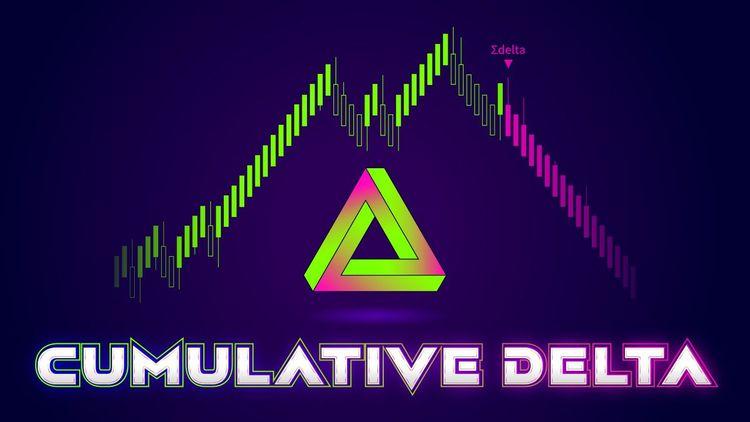
Obtain the whole dynamics behind market trends with Cumulative Delta for NinjaTrader 8
Please read Volume Delta's Trader Manual to understand how this indicator works.
What is Cumulative Delta for NinjaTrader 8?
NinjaTrader Cumulative Delta is an indicator that shows the difference between buying and selling volume over time. It helps you understand market sentiment and spot possible trend reversals.
Cumulative Delta for NinjaTrader 8 monitors the accumulation of bar-by-bar volume delta throughout the day. Every day is a new game, so the cumulative delta resets to count from zero on each day's start.Â
How NinjaTrader Cumulative Delta indicator works?
ninZa.co's version of Cumulative Delta for NinjaTrader 8 is special in that it decides market trends based on the analyses of cumulative delta + moving median of cumulative delta + price action. Though we cannot reveal the indicator algorithm, we can proudly say that this version of Cumulative Delta is a one-of-its-kind delta interpreter in the trading world. The awesome indicator frequently identifies trend phases so well that even we, the developers, are surprised!
More wonderfully, this special NinjaTrader Cumulative Delta indicator allows you to filter volumes by specifying a preferred range of volume sizes, so that you can track the footprints and know the behaviors of a special group of traders. Here are some sample volume filters that you can set up:
- Volumes from 1 to 5: Retail traders
- Volumes from 6 to 19: Big professional traders
- Volumes from 20 to 999999: Banks & hedge funds
You can also use the background highlight of uptrend/downtrend phases as a filter to approve or decline your trading signals. Candles are specially painted in colors of your choice to highlight periods when the market is in a strong uptrend/downtrend.
Join thousands of satisfied traders who rely on our best NT8 indicators to spot trends, manage risk, and execute with confidence.

Dedicated NinjaScript Signals
- Signal_Trend: 2 = uptrend strong, 1 = uptrend weak, -2 = downtrend strong, -1 = downtrend weak, 0 = neutral
- Signal_State: 1 = diff above positive threshold, -1 = diff below negative threshold, 0 = diff in between the thresholds
Key Features
- Plot cumulative delta
- Plot moving median of cum. delta (with configurable period)
- Plot the difference between cumulative delta and moving median
- Offer 3 modes of volume base for selection: BidAskPrice_RealVolume, UpDownTick_RealVolume, UpDownTick_UnitVolume
- Function on both historical & real-time data in BidAskPrice_RealVolume mode (you need to enable Tick Replay for the indicator to function on historical data)
- Function on both historical & real-time data in UpDownTick_RealVolume or UpDownTick_UnitVolume mode
- Function for instruments without real volumes - using UpDownTick_UnitVolume mode
- Let you define your favorite thresholds of strong positive difference & strong negative difference
- Let you define your own filter of minimum volume & maximum volume
- Paint background to show 4 phases: uptrend strong, uptrend weak, downtrend strong, downtrend weak
- Paint bars to highlight periods when the market is in a strong uptrend/downtrend
- Colorize cumulative delta to clearly show 4 plot states: uptrend strong, uptrend weak, downtrend strong, downtrend weak
- Print markers on trend start
- Trigger alerts on trend start
- Print markers on trend resuming
- Trigger alerts on trend resuming
- Be NinjaScript ready for advanced usage, only restricted by your imagination
- Expose dedicated NinjaScript signals
Software Changelog
- 28 Jan 2026:An error related to "Volume Filter" was fixed.
- 24 Dec 2025:The "No Tick Replay" technology was applied.
- 24 Oct 2022:The Volume filter was added.
Policies
Software license
Every purchase includes a perpetual software license, granting you the right to use the software indefinitely on the number of computers permitted by your license.
Installation & Onboarding
Every purchase includes guided installation assistance.
Purchases with Premium Services also include white-glove software setup and onboarding, along with personalized trading setup and workflow optimization.
Software updates & upgrades
Software updates & upgrades are provided at no additional cost.Â
For products with a modular structure, this coverage applies to the core product, while optional expansion modules may be offered separately.
Read the full policy
Customer service
Every purchase includes lifetime support via email & chat, delivered by our renowned Customer Care team â widely recognized throughout the trading community for its world-class service.
As your NINZA product collection expands, Premium Path unlocks a growing range of enhanced Customer Care benefits & privileges, available through dedicated channels.
Explore Premium Path
Remote assistance
Every purchase includes up to 3 complimentary remote assistance sessions, available within 30 days of purchase â with each session lasting up to 30 minutes.
Purchases with Premium Services include up to 6 sessions within 60 days of purchase, with priority scheduling and longer session durations.
Product exchange
Customers may request up to 3 product exchanges within 30 days of purchase, at little or no additional cost when exchanging for a comparable product.
Read the full policy
Returns & refunds
Due to the ease with which software products can be stored and copied, no returns will be accepted and no refunds will be issued.
ALL SALES ARE FINAL & NON-REFUNDABLE.