Overview
SuperTrend Optimus is a 3 supertrend strategy designed to help you follow strong trends with a simple and structured process.
Rather than relying on a single trend indicator, the strategy uses multiple SuperTrend layers to confirm market direction before a trade is considered valid.
This trading strategy combines SuperTrend Pro and Easy Trend to answer three of the most common trading questions:
- Is the market trending?
- Is this a valid pullback entry?
- Where should the stop loss be placed?
Why SuperTrend Optimus is different
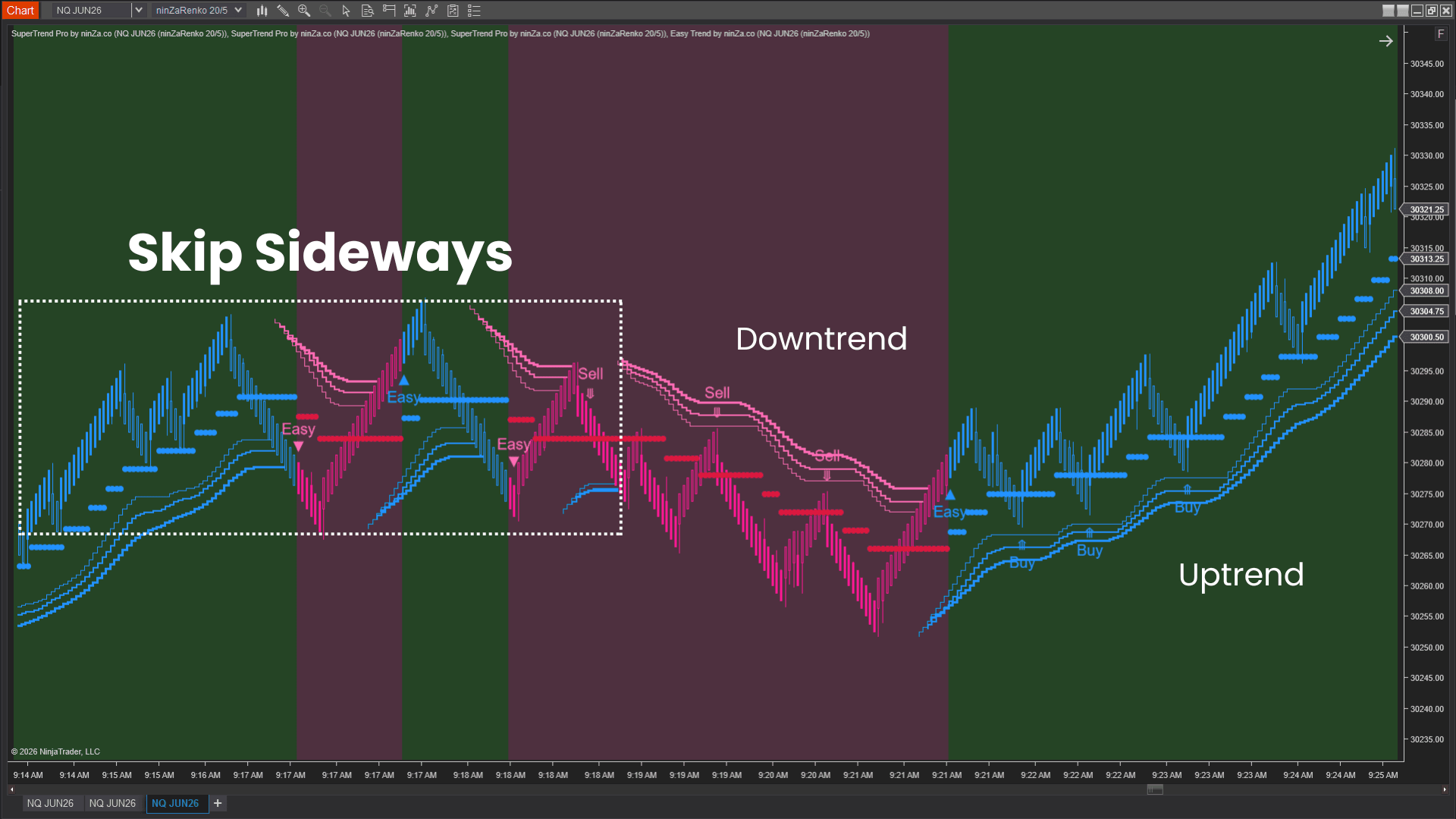
This strategy uses three SuperTrend Pro layers with different sensitivities to create a multi-layer trend confirmation approach. A trade becomes valid only when all layers agree on the direction of the trend.
This multi-layer approach helps you avoid many pullback opportunities that appear as a trend begins to lose strength.
The fastest layer often reacts first when trend strength begins to fade. As a result, the loss of alignment between the layers can provide an early warning that momentum may be weakening.
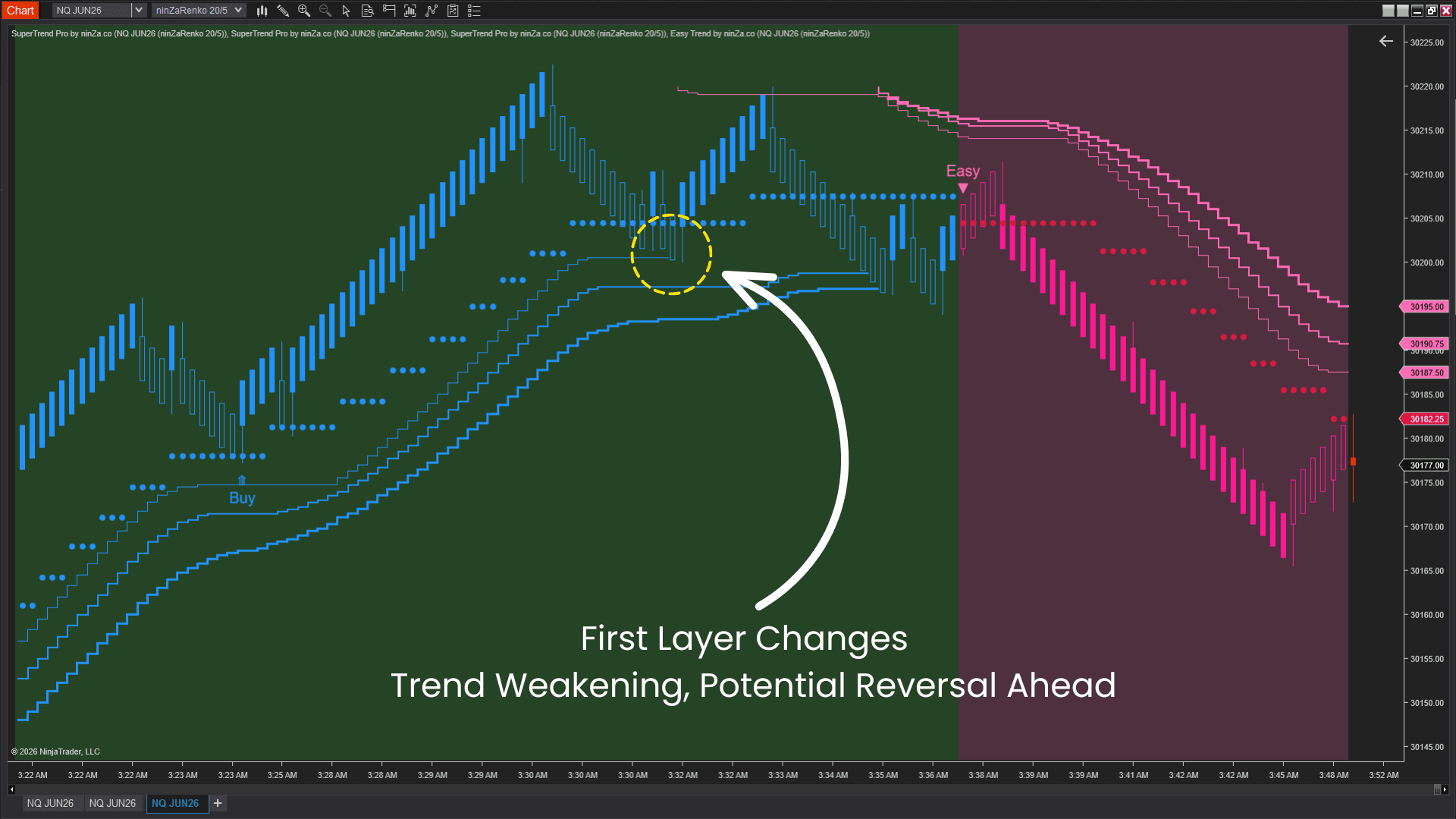
By requiring all 3 layers to remain aligned, the 3 supertrend strategy helps you focus on stronger trend conditions while reducing the likelihood of entering during the later stages of a move.
How this 3 SuperTrend strategy works
Trend identification
The suite uses 3 SuperTrend Pro layers to create a multi-layer trend filter, while Easy Trend provides additional confirmation.
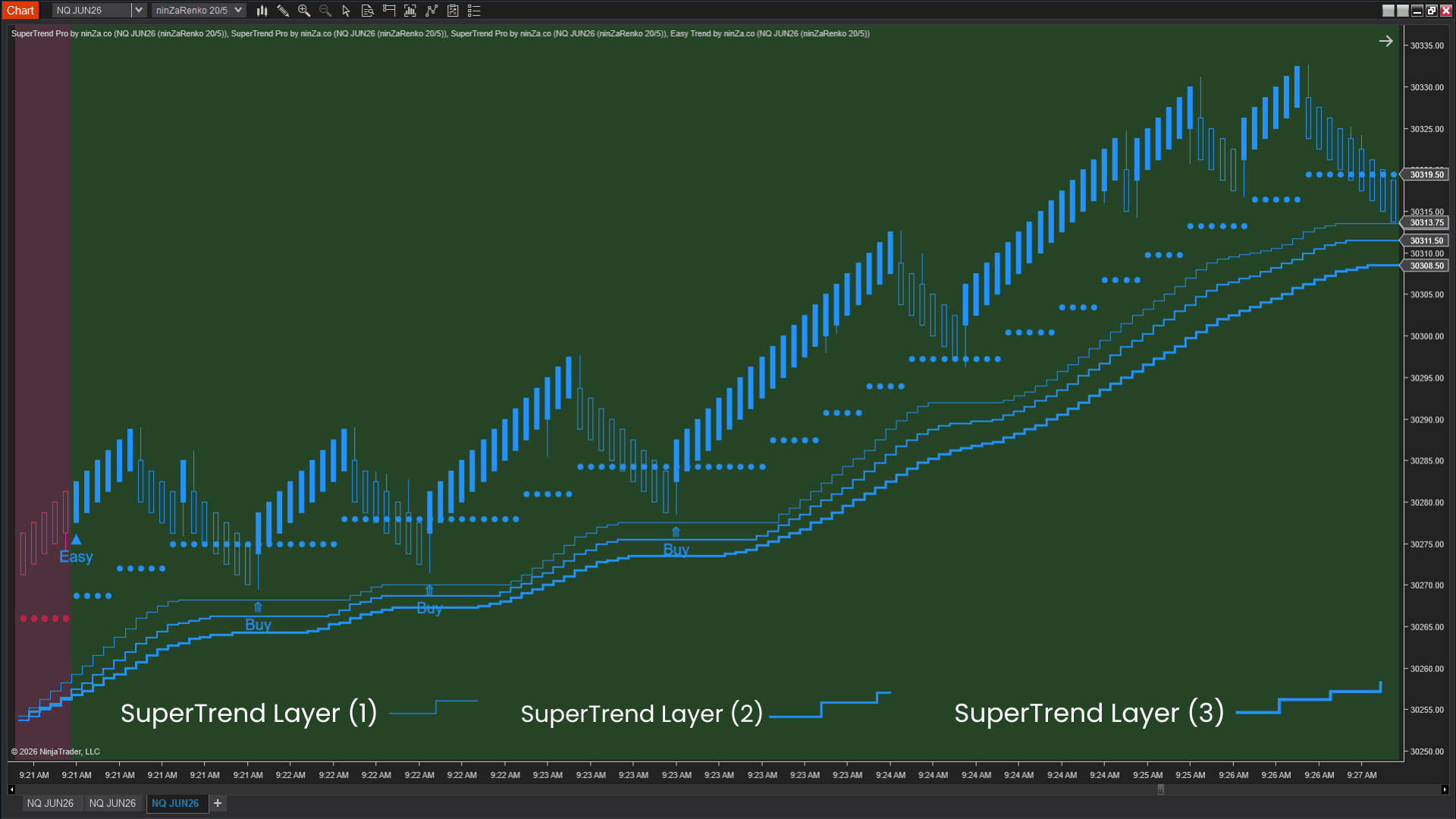
A trade is considered valid only when the trend direction is confirmed across all layers. The goal is to participate only when the market is showing clear directional momentum.
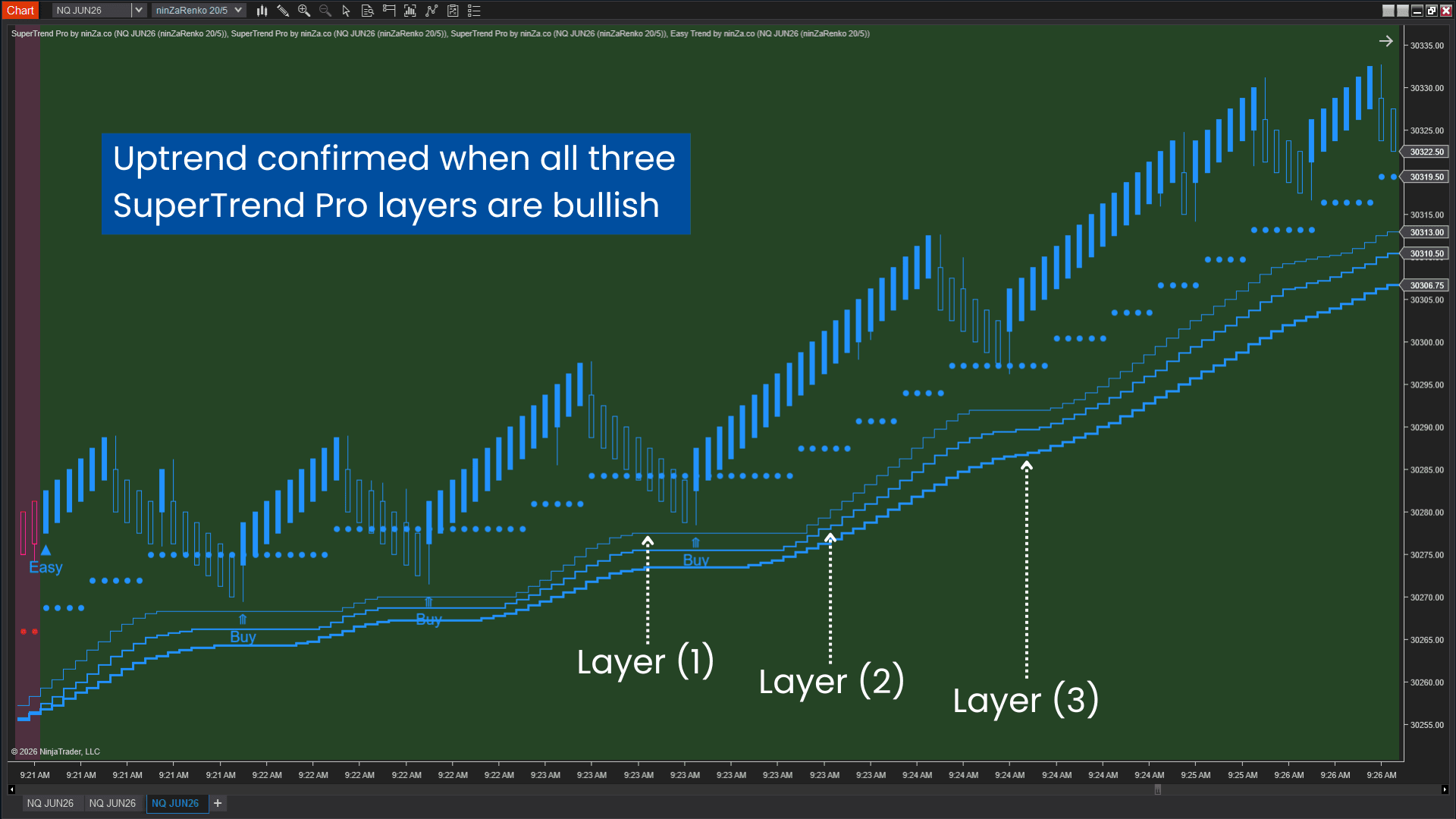
Pullback entries
Easy Trend provides the entry signals. A signal is considered valid only when it is aligned with the trend direction confirmed by all 3 SuperTrend Pro layers.
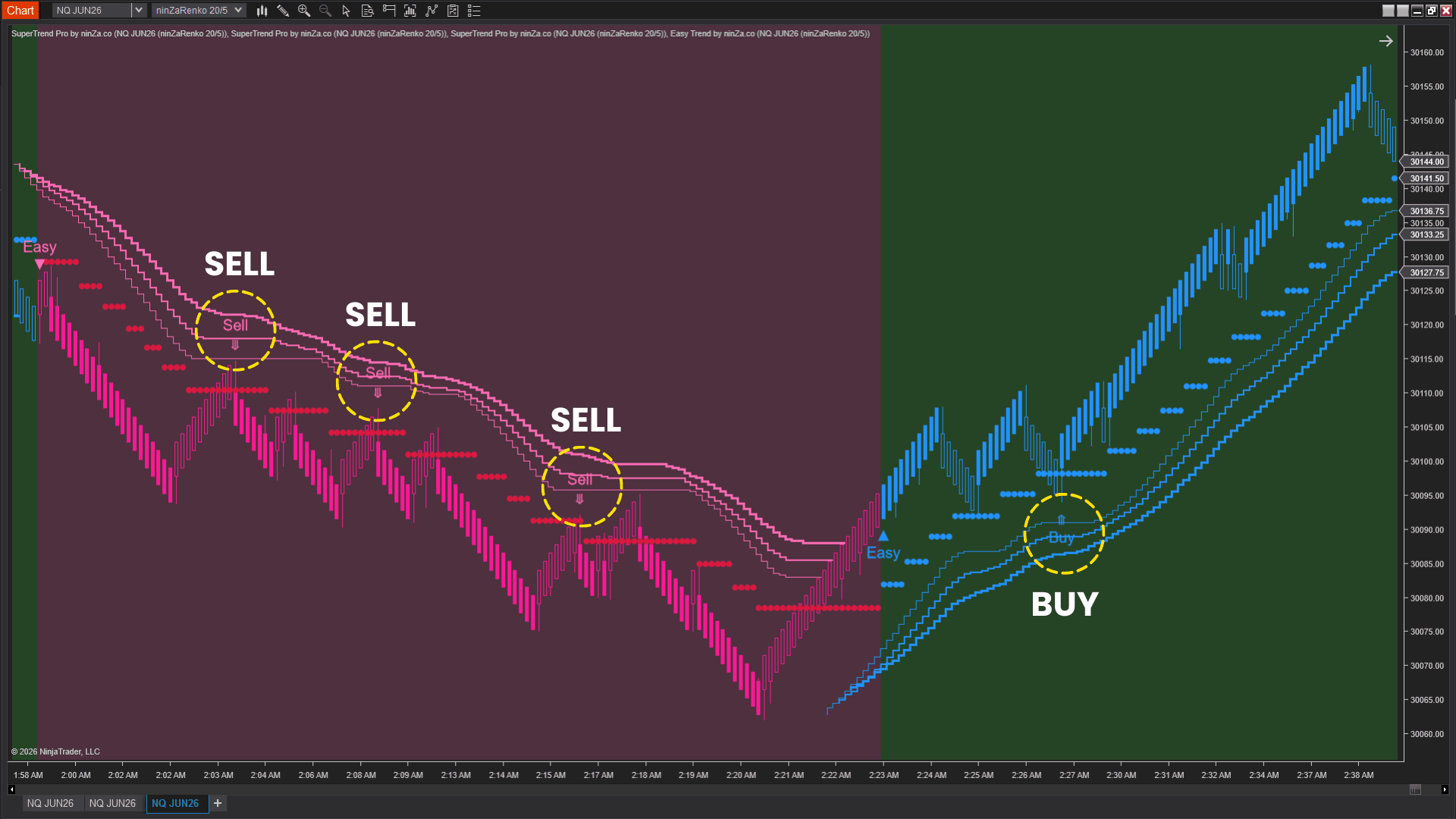
In this suite, Easy Trend is not responsible for identifying the trend. Instead, it is used to identify pullback entry opportunities within an already confirmed trend.
Risk management
Stop-loss placement is built directly into the strategy. Instead of manually identifying swing highs/lows, using ATR values, or choosing a fixed stop distance, traders can use the SuperTrend Pro layers as dynamic stop-loss levels.
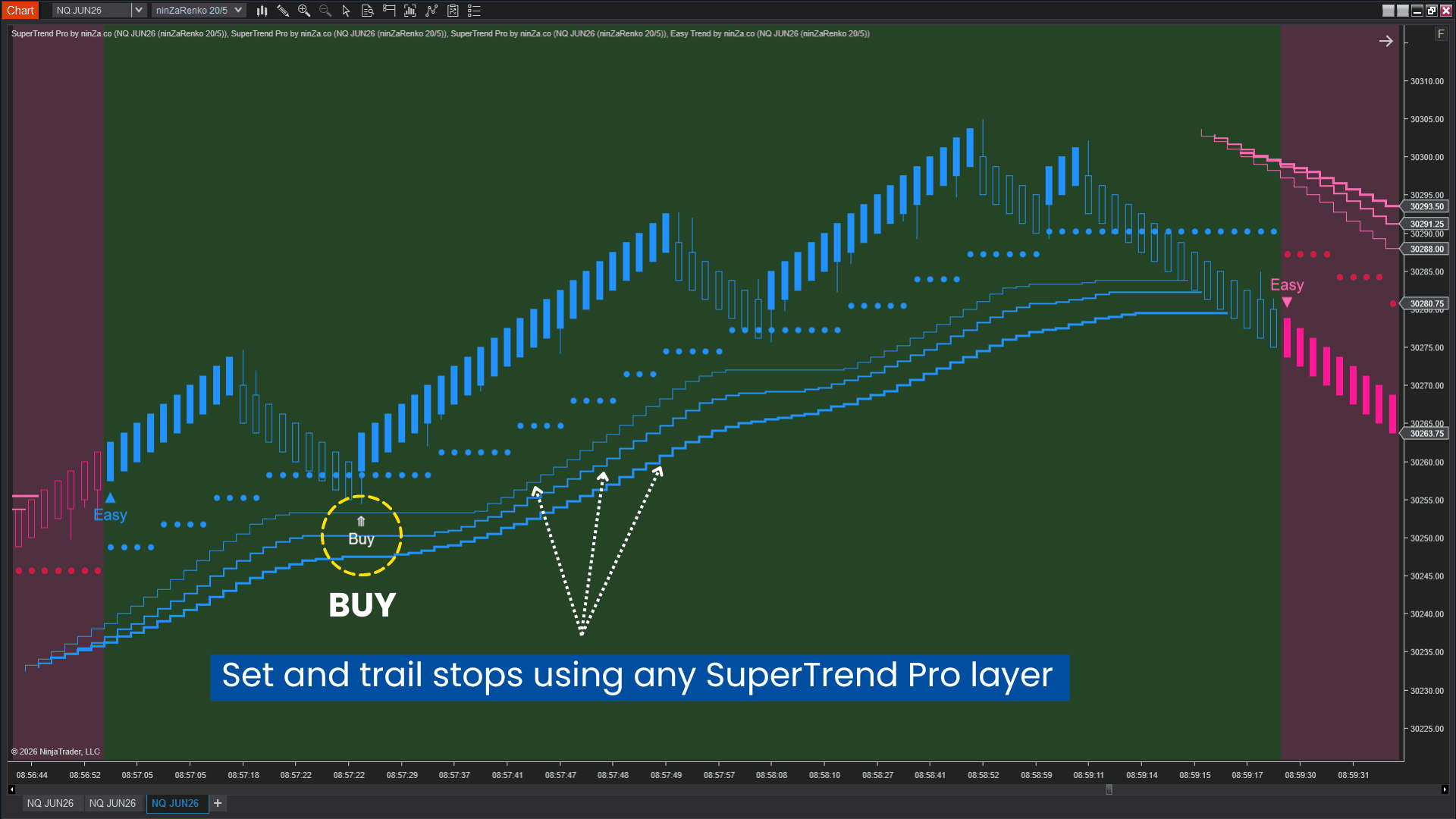
This allows stop placement to be adjusted based on trading style:
- Traders who prefer shorter-term trades can use a closer layer.
- Traders who prefer to stay with the trend longer can use a wider layer.
- Traders seeking a balance between the two approaches can choose an intermediate layer.
Optional trade automation
For traders who prefer automation, Captain Optimus Strong can execute trades automatically once all predefined conditions are met.
Key benefits
The strategy is designed to provide the following benefits:
- Trade with trend confirmation from multiple layers instead of relying on a single indicator.
- Reduce exposure to late-trend entries by requiring agreement across all three SuperTrend Pro layers.
- Focus on pullback opportunities within strong trends rather than chasing price moves.
- Adapt stop-loss placement to your trading style, whether you prefer shorter trades or longer trend-following positions.
- Follow a simple, repeatable process for identifying trend, finding entries, and managing risk.
Despite using just 2 indicators, SuperTrend Optimus provides a complete framework for trend identification, entry timing, stop placement, and trade execution.
If this one isn't quite right, something else among our futures trading indicators might be. Worth a browse.



_1787026707358.svg)






