Smart Elliott Wave indicator for NinjaTrader 8
ImpulseWave Radar, an Elliott Wave indicator for NinjaTrader 8, is built on the Dynamic 3-Wave Analyzer, which tracks 3 consecutive waves: the Base Wave (W0), Impulse Wave (Wi), and Correction Wave (Wr).
The indicator also incorporates trading velocity (ticks/s) & total volume to distinguish true impulse waves from minor fluctuations or market noise.
It is based on Elliott Wave principles, where the 3rd wave in a sequence is typically the strongest, helping traders identify early entry points with higher confidence.
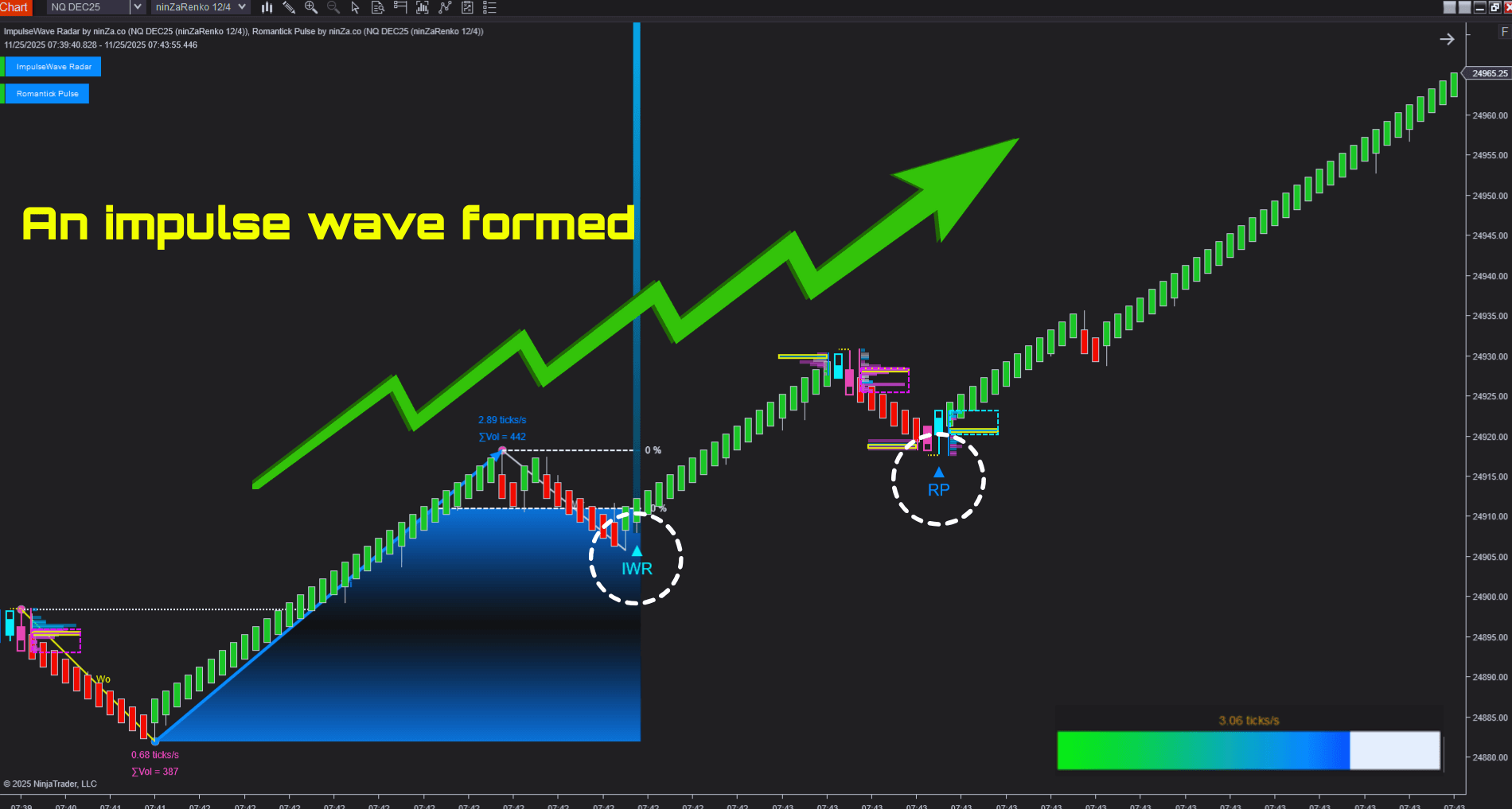
By leveraging this mechanism, you can spot genuine momentum, enter at the foot of the wave, and focus on high-probability trades without manually scanning charts for price patterns.
What is Elliott Wave theory?
The Elliott Wave theory is a method of analyzing market price movements based on recurring wave patterns. According to the theory, price moves in a series of waves, typically consisting of 5 “impulse” waves in the direction of the trend, followed by 3 corrective waves against it.
Among these, the 3rd wave in the sequence is usually the strongest and most extended, representing the clearest momentum in the trend.
Traders use Elliott Wave principles to identify trend continuation, potential reversals, and optimal entry points by understanding the structure and strength of these waves.
How ImpulseWave Radar works
The Elliott Wave indicator for NinjaTrader 8 identifies high-probability trading signals by analyzing 3 consecutive waves:
- Base Wave (Wo): The previous price move, which establishes the market context.
- Impulse Wave (Wi): A strong directional move that breaks the structure of W0, showing genuine buying or selling pressure.
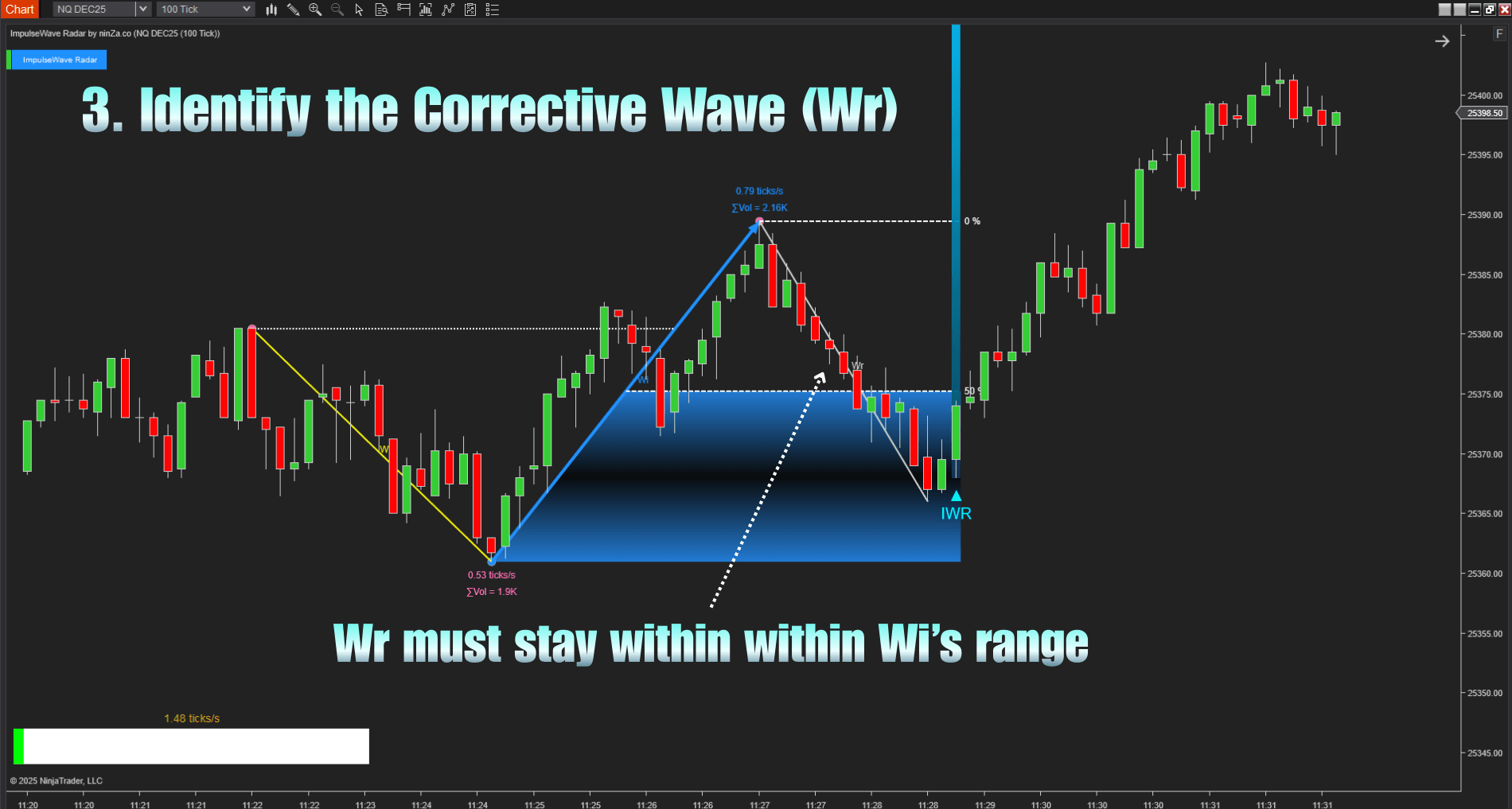
- Correction Wave (Wr): A pullback that remains within Wi’s range, confirming that the momentum from Wi is still intact.
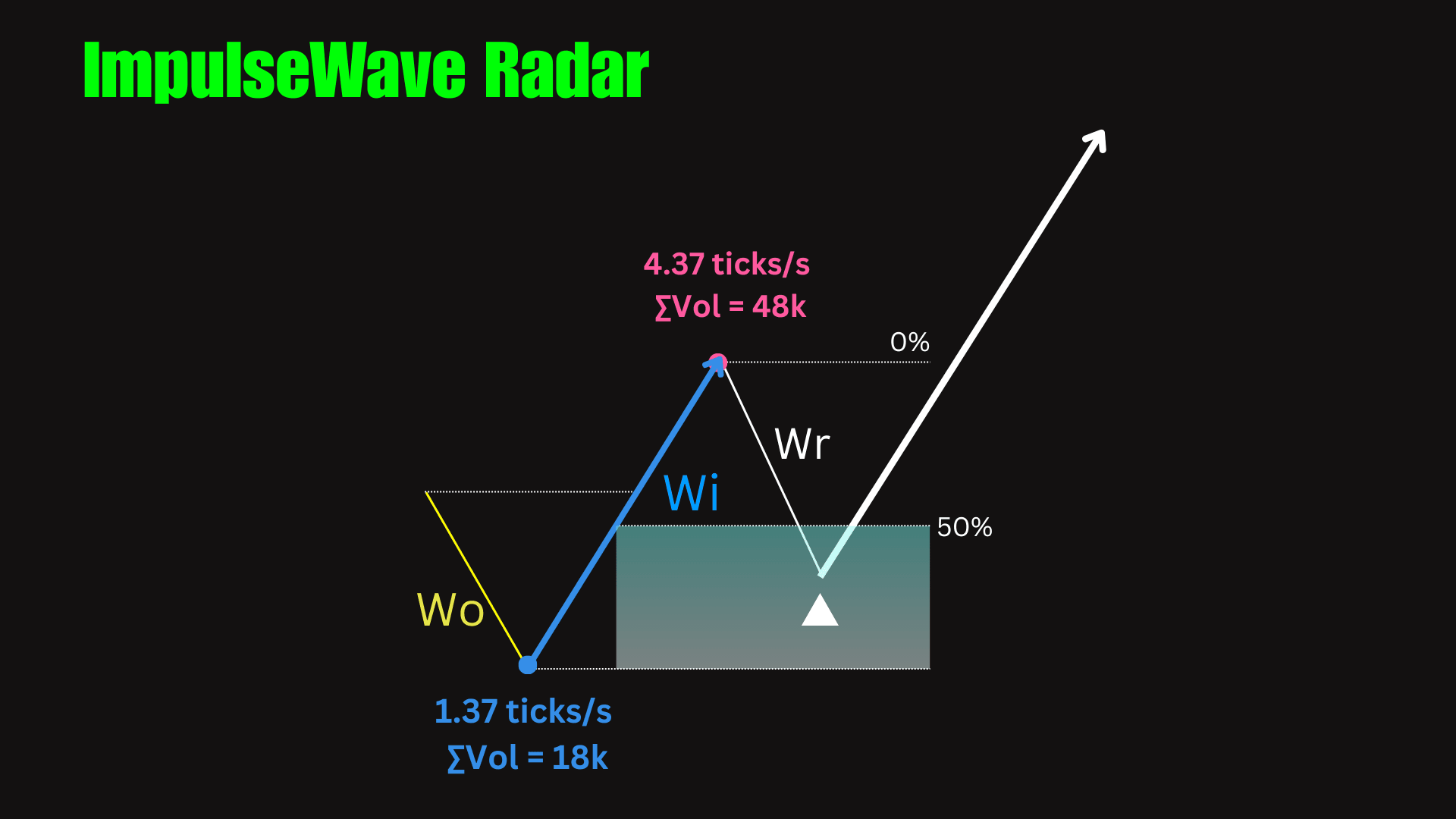
A Buy signal is identified by the following steps:
- Step 1: Identify the Base Wave (Wo) by finding a prior downward move.
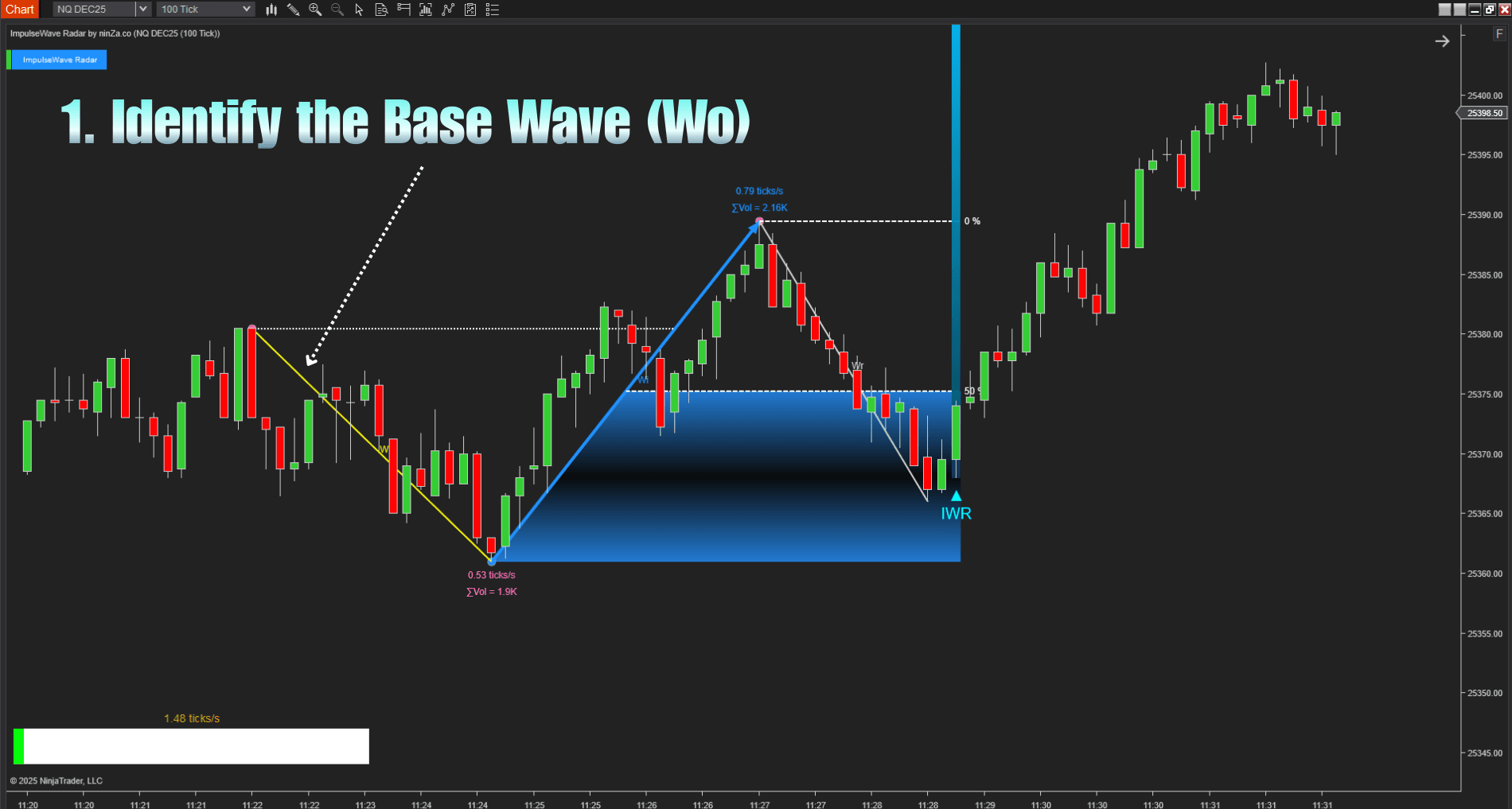
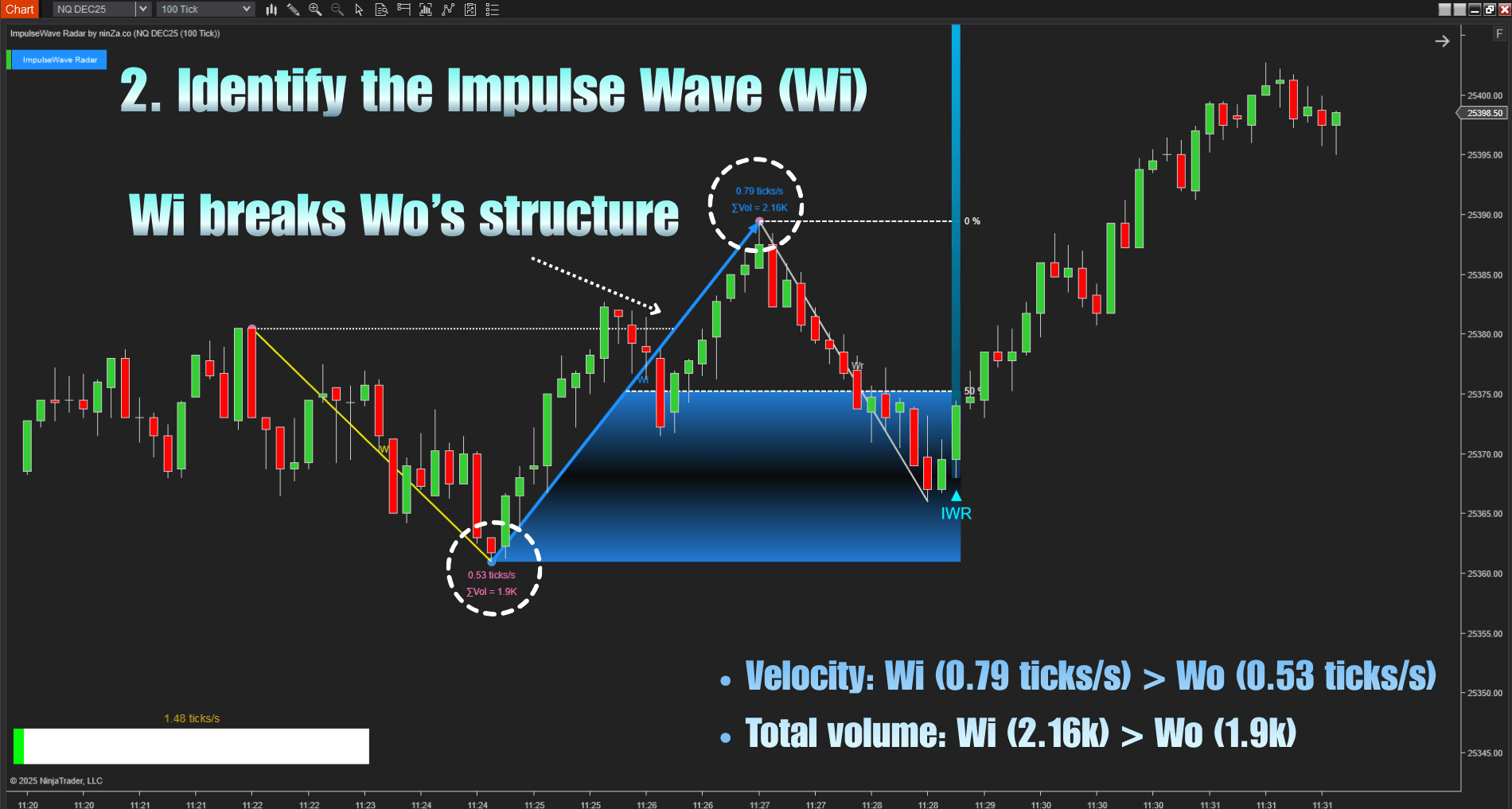
- Step 2: Confirm the Impulse Wave (Wi).
The next upward move must break W0’s structure, with velocity and total volume exceeding W0, ensuring it’s a real surge, not a minor fluctuation.
- Step 3: Validate the Correction Wave (Wr).
The pullback must stay within Wi’s range, validating that momentum remains.
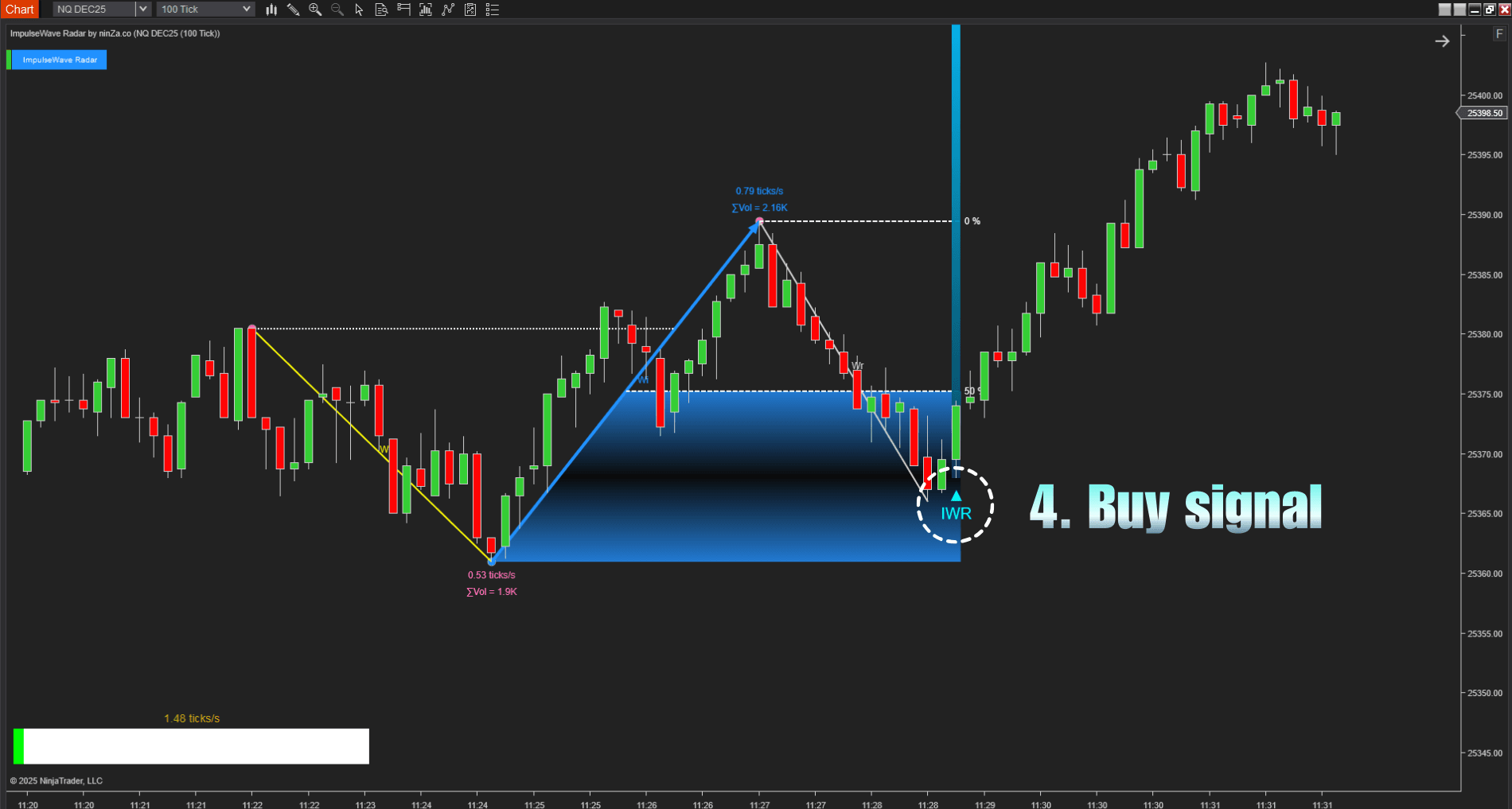
- Step 4: Generate a signal.
Once Wr concludes, a buy signal is generated, providing an early entry at the foot of a strong momentum wave.
What sets ImpulseWave Radar apart
1. Trading speed integration
The Elliott Wave indicator for NinjaTrader 8 uses velocity requirements to clearly distinguish between minor price fluctuations (noise) and genuine momentum shifts. Each Impulse Wave (Wi) is validated for strong, decisive buying or selling pressure. Signals during range-bound or low-liquidity periods are automatically filtered out, so you can focus only on setups with active market participation.
2. Correction wave momentum validation
A Correction Wave (Wr) that remains within Wi’s range confirms that the initial momentum is preserved. The pullback is treated as a temporary retracement, signaling strong rejection of returning to prior price levels.
3. Strength Bar
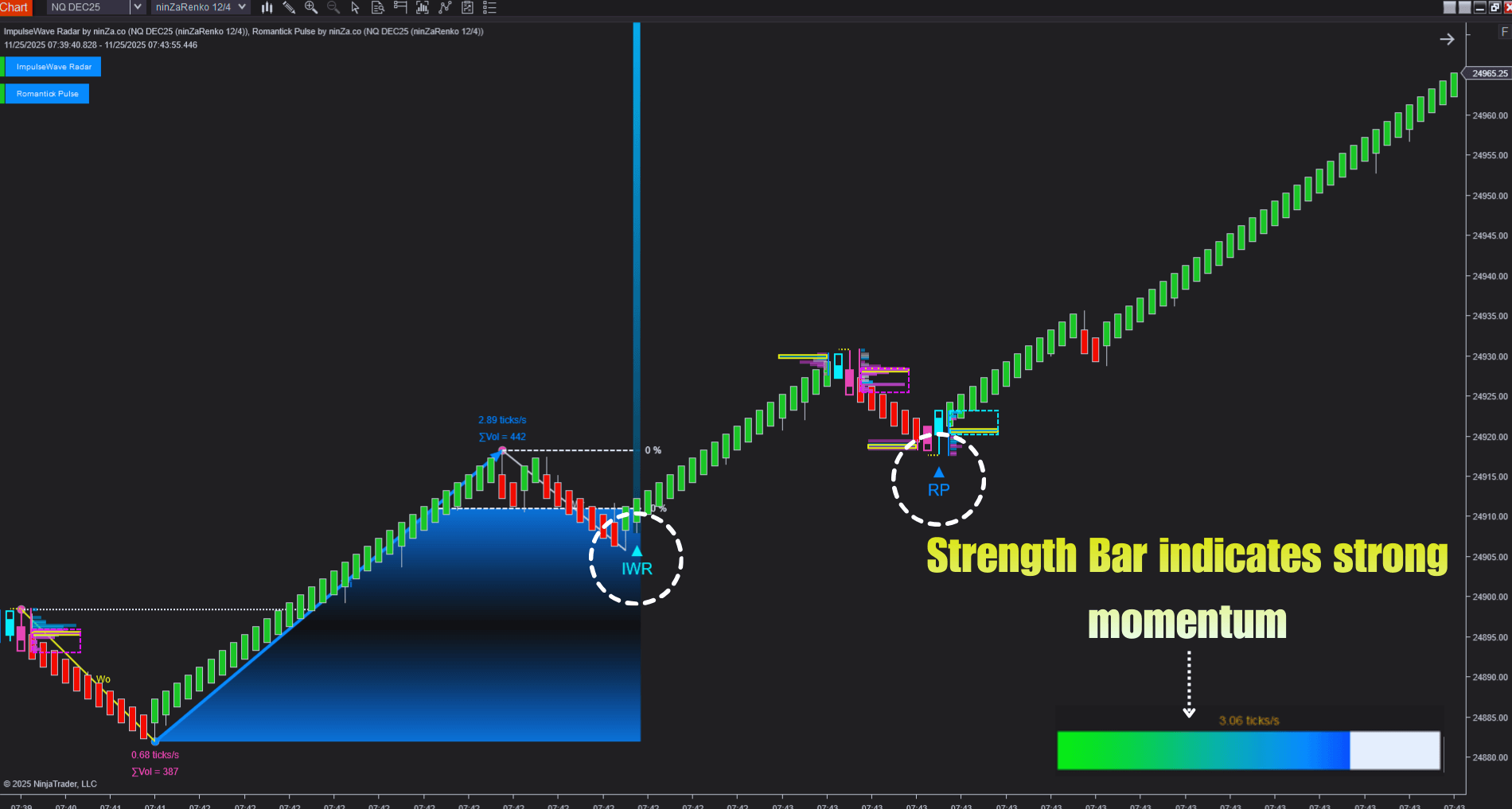
The Strength Bar directly measures the real-time speed of price action (ticks per second) for each candle, offering a clear view of the buying and selling pressure driving the market.
It uses tick data (the number of trades or price changes occurring per second) to calculate price velocity, providing a visual, quantitative representation of market momentum. Higher bars indicate faster price movement, showing stronger and more decisive buying or selling pressure.
The meter also helps traders identify the current trend at a glance:
- Green bars indicate the market is in an uptrend.
- Yellow bars indicate the market is in a downtrend.
Why choose ImpulseWave Radar?
- Capture high Reward-to-Risk trades
ImpulseWave Radar focuses on following the Impulse Wave (Wi), a multi-layer validated surge. This generates strong momentum signals, allowing you to capture explosive moves and achieve favorable reward-to-risk ratios. - Spot early trend pauses
This real-time Elliott Wave indicator for NinjaTrader 8 helps you enter positions early at the start of potential new trends. By identifying the momentum shift from W0 to Wi, you can position yourself before the price begins its strong movement. - Enhance trading efficiency
By avoiding low-volatility periods, the indicator helps you steer clear of weak market phases where the reward-to-risk ratio is low. This ensures trading activity remains focused on high-momentum environments with better opportunities.
Want to upgrade your trading setup? Explore our indicators for futures trading on NT8 to see what works for you.




_1787026707358.svg)






