
The core challenge
The gap between strategy logic & real execution
Building a trading strategy and operating it in live market conditions are 2 fundamentally different challenges.
While most discussions focus on entries, setups, and market analysis, real-world execution requires continuous decisions around order management, position handling, execution quality, and risk controls as market conditions evolve.
As a result, performance is shaped not only by the strategy itself, but by how consistently it is executed and managed in real time. Small variations in timing, order handling, and operational decisions can gradually create a gap between the original strategy design and actual trading results.
The challenge is therefore no longer only about creating a trading strategy, but about building an execution framework that allows it to be validated, controlled, and operated consistently in real market conditions.
The design philosophy
Systematic trading requires systematic execution
At ninZa.co, we believe the future of trading depends on closing the gap between strategy logic and real execution. That is why we are building the infrastructure for systematic trading.
Within this infrastructure, Captain Optimus Strong serves as the execution layer designed to help systematic traders bridge strategy logic and real-market execution through structured, rule-based operations.
To achieve this, strategy design, execution, and position management are not treated as separate actions but as a unified workflow governed by predefined rules. This helps ensure trading decisions are carried out consistently in live markets, reducing reliance on discretionary intervention.
Unlike traditional trading systems that require traders to translate every idea into complex strategy logic, Captain Optimus Strong enables strategy creation through Dedicated NinjaScript signal overlap while providing a continuous path from manual trading to Semi Auto or fully automated strategy execution.
This allows traders to gradually systematize and scale their trading process without rebuilding the workflow they already use.
Core capabilities
The core capabilities behind systematic trading operations
Organized across execution, deployment, protection, and operational control, these capabilities are designed to support the full lifecycle of systematic trading.
Captain Optimus Strong v1
Execution Layer
The execution foundation that transforms signal confluence into structured, rule-based trade execution.
Combine unlimited NinjaScript-based indicators and trading systems into a unified signal-generation workflow. By bringing different trading inputs together, traders can define stronger confirmation logic to their trading strategies
Dedicated NinjaScript signal support
Connect NinjaScript indicators as individual signal inputs.
Multi-indicator combination
Combine multiple indicators to define confirmation conditions.
Trading system integration
Include complete trading systems as part of the signal-generation process.
Execute strategies consistently by converting predefined trading logic into automated trade execution. By reducing reliance on manual order placement, traders can maintain closer alignment between strategy design and live market execution.
Automatic trade execution
Automatically enter trades when predefined overlapping signal conditions are met.
Overlap-based position exit
Automatically close positions when overlap conditions are no longer satisfied.
ATM strategy integration
Manage trade execution and position exits through NinjaTrader ATM strategies.
Evaluate how a trading strategy would have performed using historical market data before deploying them in live environments.
Backtesting
Test custom trading strategies using the built-in backtesting module.
Define when a strategy can trade and when trading activity should stop, helping traders maintain discipline and reduce emotional decision-making.
Daily trading limits
Stop trading automatically after reaching predefined profit or loss thresholds.
Trading time customization
Restrict strategy activity to selected trading sessions and market hours.
Captain Optimus Strong v2
Operations Layer
The operational layer handling strategy deployment, execution control, and trading protection.
Convert predefined trading setups into fully automated strategies, extending beyond semi-automated execution in version 1. This helps reduce manual workload, limit market monitoring, and automate repetitive execution tasks.
Auto strategy generation
Generate complete NinjaTrader strategies directly from existing trading setups.
Strategy analyzer compatibility
Backtest strategy performance through NinjaTrader's built-in Strategy Analyzer.
Automate position exits using predefined signal conditions, reducing reliance on manual intervention or ATM-only exits.
Signal-based exit conditions
Automatically exit positions when predefined signal conditions are met.
Overlap-based position exit
Close positions automatically when signal overlap conditions are no longer satisfied.
Hybrid exit logic
Combine signal-based exits and overlap-based exits within the same strategy workflow.
Safeguard strategy performance by reducing exposure to unfavorable market conditions and execution risks.
Consecutive loss protection
Automatically stop trading after a predefined number of consecutive losing trades.
Slippage & spread filter
Skip trade entries when slippage or spread exceeds predefined thresholds.
Pending order expiration
Automatically cancel pending orders when predefined time, bar, or tick conditions are no longer satisfied.
Reduce setup time and improve operational consistency through reusable indicator configurations.
Template library
Access predefined indicator input templates for faster setup.
Custom template saving
Save indicator input configurations for future reuse.
Template reusability
Apply saved configurations across multiple strategies and trading workflows.
Feature comparison
Captain Optimus Strong v1 vs v2
v1 focuses on automating execution. v2 expands into strategy operations with greater control over exits, protection, and deployment.
| Capability v1 v2 | v1 | v2 |
|---|---|---|
| Automated entry from any NinjaScript indicator signal | ✓ | ✓ |
| Automated entry from multi-indicator signal overlap | ✓ | ✓ |
| Automated exit when signal overlap conditions are no longer valid | ✓ | ✓ |
| Automated exit based on individual indicator signals | – | ✓ |
| Automated exit based on indicator plots without coding | – | ✓ |
| Slippage and spread filtering before trade entry | – | ✓ |
| Consecutive loss protection | – | ✓ |
| Daily profit/loss limit protection | ✓ | ✓ |
| Pending order expiration by time condition | – | ✓ |
| Pending order expiration by bar count | – | ✓ |
| Pending order expiration by price movement | – | ✓ |
| Strategy backtesting | ✓ | ✓ |
| Indicator template saving and loading | – | ✓ |
| Strategy export to NinjaTrader 8 Strategy Analyzer for backtesting and automated trading without an additional Captain Optimus Strong license | – | ✓ |
Workflow outcomes
Turn trading ideas into repeatable processes
A shift toward more systematic trading, where trading ideas are structured into repeatable execution processes.
Build with greater structure
Trading ideas become easier to structure, validate, and apply consistently by bringing multiple trading inputs into a unified confirmation framework. This helps transform discretionary signal evaluation into a more repeatable decision-making process.
Trade with greater consistency
Automate trade execution and position management through predefined rules that follow strategy logic consistently. Reduce manual intervention, emotional decisions, and execution gaps between strategy design and live market operations.
Deploy with greater confidence
Gain clearer confidence before deploying strategies by validating performance across historical market conditions. This helps reduce uncertainty, avoid unproven systems, and make better decisions based on measurable strategy behavior instead of assumptions.
Operate with greater control
Strengthen strategy reliability with built-in protection rules that manage execution risks and unfavorable market conditions. Reduce constant monitoring, avoid unsuitable trades, and keep automated strategies operating within predefined boundaries.
Who it's built for
Built for traders who put risk management first
A strong fit if you want to
- Exit positions by signal conditions, overlap logic, or both
- Stop trading after a predefined losing streak
- Skip entries when slippage or spread exceeds your threshold
- Cancel pending orders when timing or market context is no longer valid
- Save and reuse indicator input templates for more consistent execution
- Build a more controlled, rule-based workflow around entries, exits, and risk management
Not for signal chasing
Captain Optimus Strong v2 may not be the right fit if you only want simple buy/sell signals or do not treat risk management as a core part of your trading process.
- Random entries or one-click shortcuts
- Traders who only focus on finding more signals
- Those who do not need exit control or execution protection
If your main focus is only automated entry, Captain Optimus Strong v1 may already be enough.
Webinar replay
See how James Buchman turns trading ideas into live automated execution
In this video, James Buchman shows how he evaluates setups in real time, decides which signals are worth automating, and turns his trading ideas into automated execution in live market conditions. He also walks through how he reads changing market conditions and manages trades as they unfold on the chart.
Perfect entry, losing trade? Discover why
In this video, James Buckman walks through the key features and demonstrates how they work directly on the chart — from combining indicators and managing pending orders to responding when market conditions no longer meet your rules.
NINZA Direct: Ask the Team replay
See Captain Optimus Strong v2 in action with Grace
In this replay, Grace walks through Captain Optimus Strong v2 in action, including a practical strategy for automating entries and managing trades to optimize profit potential. She also covers what changed from v1 to v2 and compares Captain Optimus Strong v2 with Oracle Matrix and Infinity Algo Engine$.
Live trading · Combo 1
High R/R breakout workflow
Captain Optimus Strong v2 + Super JumpBoo$t + Quantum Vol-Delta
Captain Optimus Strong v2, Super JumpBoo$t, and Quantum Vol-Delta work together to identify high R/R entries, manage exits through real-time volume pressure, and execute each trade automatically.
Live trading session 1: Adaptive trade management from entry to exit
See how Captain Optimus Strong v2 combines multi-indicator entries with Quantum Vol-Delta–based exits.
Trades can remain open while momentum is supportive, then close when opposing volume pressure appears, with the ATM Strategy continuing to provide protection when no exit signal is triggered.
Live trading session 2: Protect profits with volume-based exits
This session shows how Quantum Vol-Delta can be used to manage exits rather than simply confirm entries.
Across 20 live signals, the strategy responded to shifts in buying and selling pressure to reduce exposure to sharp reversals and manage open profits more efficiently.
Live trading session 3: Consistency under high-frequency pressure
The third session tested whether the strategy could maintain its edge under high signal density and continuous execution pressure.
It completed 44 trades in approximately 2 hours, generating more than $2,000 in profit while maintaining coordinated entry, exit, and risk-management decisions.
Live trading · Combo 2
Order flow auto-entry workflow
Captain Optimus Strong v2 + ApexFlow Zignal
Turn complex order-flow activity into a structured automated trading workflow.
Live trading · Combo 3
Pullback auto-entry + signal-based exit workflow
Captain Optimus Strong v2 + ThunderZilla
Turn ThunderZilla pullback signals into a more structured automated trading workflow — from entry to exit.
Live trading · Combo 4
Trend-continuation automation workflow
Smart Dolphin Trading
Turn trend-continuation signals into a structured automated workflow designed to capture the body of the trend and exit when the move starts to weaken.
Live trading · Combo 5
VWAP-based auto-entry + volume-delta exit workflow
Captain Optimus Strong v2 + VWAP Flux
Use VWAP to identify favorable trend-aligned entries, then let volume delta detect abnormal market pressure and support more timely exits.
Live trading · Combo 6
Signal automation workflow
Captain Optimus Strong v2
Turn indicator signals into a structured, rule-based trading workflow.
Trader feedback
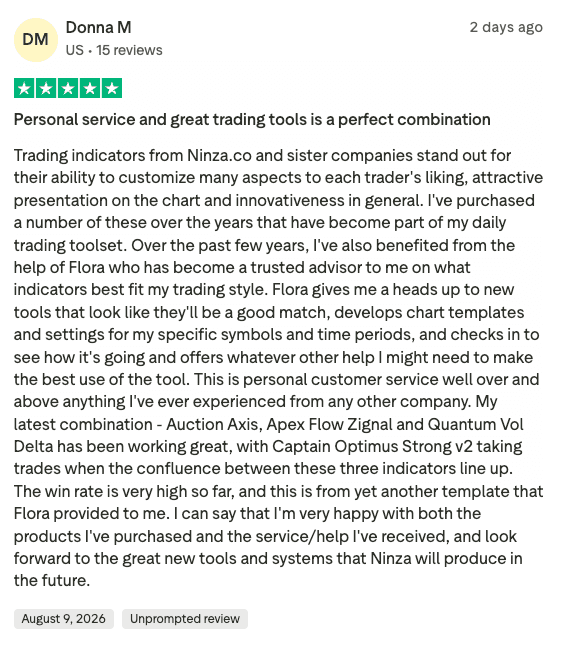
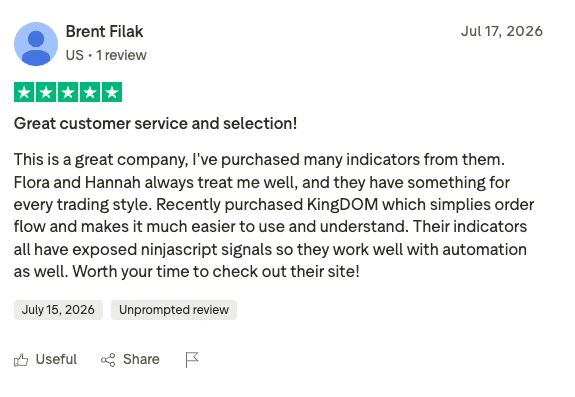
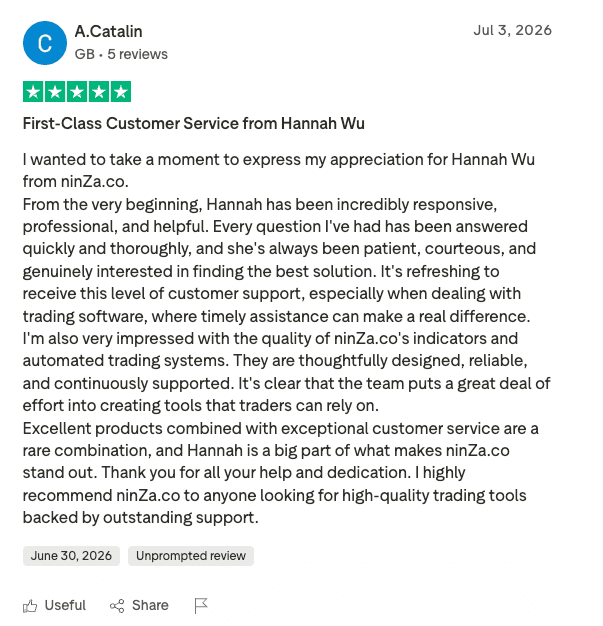
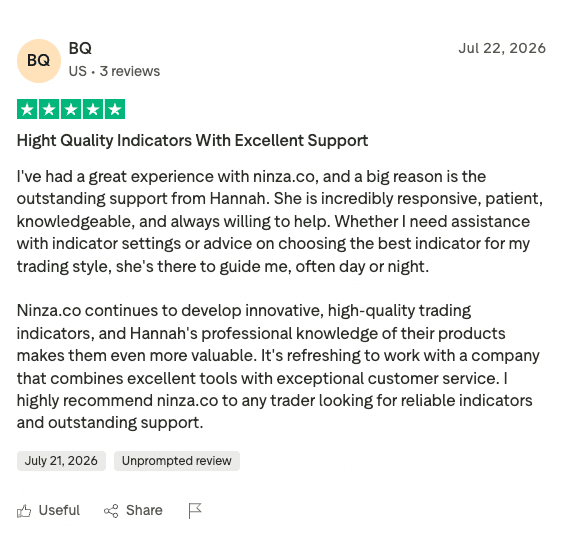
What traders say about NINZA
Smart Dolphin Trading
Read real feedback from experienced traders about our indicators, services, and overall trading experience.

Common questions
Still deciding if Captain Optimus Strong v2 is right for your workflow?
1. Is Captain Optimus Strong v2 worth the upgrade?
That's a fair question. Many traders evaluate upgrades based on whether they introduce meaningful improvements or just a few additional features.
Captain Optimus Strong v2 is not designed as a feature update to version 1. It represents the next stage in the systematic trading workflow.
While version 1 focuses on signal overlap and trade execution, version 2 extends into strategy deployment, management, protection, and operational control.
New features such as automated strategy generation, advanced exit management, risk protection rules, and reusable templates expand the framework well beyond trade execution alone.
If the additional capabilities do not provide meaningful value to your workflow, you're covered by our 30-day exchange policy.
2. Is the Strategy Builder compatibility feature coming soon?
We understand the interest. Many traders are looking for ways to further automate their workflows through Strategy Builder.
Yes. This capability is already on our development roadmap and is planned as a priority after the launch of Captain Optimus Strong v2.
The ability to convert trading setups into strategies aligns directly with our long-term vision of helping traders move from signal generation to increasingly systematic execution.
You won't need to keep checking for updates. As soon as the feature is available, we'll personally notify you by email.
3. Will I receive strategy ideas for the new features?
Learning how to apply new capabilities is often just as important as having access to them.
Captain Optimus Strong v2 is designed to provide more than new functionality. Our goal is to help traders turn those capabilities into practical, repeatable trading processes.
Along with the new features, we will share real-world strategy ideas and implementation examples covering entries, exits, risk management, and overall workflow optimization.
You'll receive ongoing educational content and practical guidance to help you apply the new capabilities with greater confidence.
4. Can I use it with 3rd-party indicators?
Many traders rely on tools from different vendors, so compatibility really matters.
Captain Optimus Strong works with any 3rd-party indicator or system as long as it provides Dedicated NinjaScript Signals. This is the universal format the engine uses to read, combine, and build consensus across multiple inputs.
Many of our customers already run Captain Optimus Strong together with indicators from other vendors and have reported that everything works smoothly without any conflicts.
If your 3rd-party tool supports Dedicated NinjaScript Signals but you still can’t get it to function properly, we’ll help you set it up via a remote session.
5. With so many features, isn’t it hard to use?
We understand — a system packed with features can feel intimidating at first.
Captain Optimus Strong is designed for simplicity. Everything is controlled from a single panel, and adding your inputs is quick and straightforward — no complicated setups or coding required.
Many users expected a steep learning curve but were using it confidently within minutes. Even NinjaTrader beginners found the setup felt “surprisingly simple”.
If you don’t feel comfortable during your first session, we’ll guide you step-by-step until you’re confident. And if you still aren’t, you’re covered by our 30-day exchange guarantee.
6. Will it slow down my computer?
Some trading systems can be heavy and impact performance.
Captain Optimus Strong is lightweight and optimized, even with 5, 10, 15 or more inputs. It won’t bog down your NinjaTrader platform or your PC.
Many of our users run dozens of inputs simultaneously and report seamless performance, even on moderately powered computers.
Our support team will help you optimize the setup for any performance issues, and a 30-day exchange guarantee ensures you’re fully covered.
7. Does Captain Optimus Strong work on my bar type?
It’s a fair question – some tools are restricted to certain bar types, which can limit your whole setup.
Captain Optimus Strong isn’t tied to any special candle format. It reads signals, not bar geometry, so it works smoothly on all common bar types – time-based, tick, volume, range, Renko, and more.
Traders in our community use it across a wide mix of bar types – from time-based ES setups to Renko-based NQ trend systems – and consistently enjoy smooth performance without needing special adjustments.
If you experience any bar-type conflicts or unexpected behavior, we’ll help you troubleshoot it directly.
About this upgrade
Why Captain Optimus Strong v2 is a paid upgrade
A major upgrade is not simply about adding a few extra features.
In practice, building a new version like Captain Optimus Strong v2 requires nearly the same development process as creating a new product. Before release, the team has to go through multiple stages, including:
- ·Researching the core idea and defining the real value it should bring to traders.
- ·Evaluating technical feasibility.
- ·Designing and developing new algorithms, features, and workflow logic.
- ·Improving the interface and user experience.
- ·Testing across different market conditions.
- ·Reviewing, optimizing, and quality-checking the product before release.
This process requires significant time, development resources, testing effort, and operational cost.
That is why, in software development, charging for major upgrades is a common practice. The upgrade fee reflects not only the value of the new improvements, but also the continued investment in research and development that allows the product to keep evolving.
In other words, the upgrade fee is not just a payment for a new version. It is an investment in the long-term improvement of the product, helping ensure that traders continue to receive stronger, more refined, and more practical solutions over time.
Access options
Choose your Captain Optimus Strong v2 access
Select the access option that best matches how you want to build and operate your strategy workflow.
Important notes
Customers who purchase or complete a paid upgrade to Captain Optimus Strong v2 will receive:
✓A $400 Voucher-F
✓Free lifetime upgrades to all future major versions released after Captain Optimus Strong v2
Upgrading from an earlier version to Captain Optimus Strong v2 remains a paid upgrade and is not covered by this lifetime upgrade benefit.
New access
Option 1
Captain Optimus Strong v2
For new Captain Optimus Strong customers
Today’s supported access price
- Captain Optimus Strong v2 license – $1600 value
- Personalized support – $100 value
- Trader's manual & templates – $100 value
Purchased over 1 year ago
Option 2
Captain Optimus Strong v2
For Captain Optimus Strong v1 license holders
Today's access price
- Captain Optimus Strong v2 license – $1600 value
- Personalized support – $100 value
- Trader's manual & templates – $100 value
To access this upgrade option, please chat with our team or contact us at [email protected].
Total included value: $1800
Purchased within 1 year
Option 3
Captain Optimus Strong v2
For Captain Optimus Strong v1 license holders
Today's access price
- Captain Optimus Strong v2 license – $1600 value
- Personalized support – $100 value
- Trader's manual & templates – $100 value
To access this upgrade option, please chat with our team or contact us at [email protected].
Total included value: $1800
Best together
Get Captain Optimus Strong v2 bundled with a trading system
Important notes
Customers who purchase or complete a paid upgrade to Captain Optimus Strong v2 will receive:
✓A $400 Voucher-F
✓Free lifetime upgrades to all future major versions released after Captain Optimus Strong v2
Upgrading from an earlier version to Captain Optimus Strong v2 remains a paid upgrade and is not covered by this lifetime upgrade benefit.
Combo 1
[AbsP] Captain Optimus Strong v2 + Super JumpBoo$t + Quantum Vol-Delta
High R/R breakout workflow
Today’s supported access price
- Captain Optimus Strong v2 license – $1600 value
- Super JumpBoo$t – $750 value
- Quantum Vol-Delta – $500 value
- Personalized support – $100 value
- Trader's manual & templates – $200 value
Combo 2
Captain Optimus Strong v2 + ApexFlow Zignal
Order flow auto-entry workflow
Today’s supported access price
- Captain Optimus Strong v2 license – $1600 value
- ApexFlow Zignal – $1400 value
- Personalized support – $100 value
- Trader's manual & templates – $200 value
Combo 3
Captain Optimus Strong v2 + ThunderZilla
Pullback auto-entry workflow
Today’s supported access price
- Captain Optimus Strong v2 license – $1600 value
- ThunderZilla – $1400 value
- Personalized support – $100 value
- Trader's manual & templates – $200 value
Combo 4
Smart Dolphin Trading
Trend-following automation with probability-based exit control
Today’s supported access price
- Captain Optimus Strong v2 license – $1600 value
- Solar Wave RK – $750 value
- QuantZone – $600 value
- KingRenko$ – $400 value
- Personalized support – $100 value
- Trader's manual & templates – $400 value
Combo 5
Captain Optimus Strong v2 + VWAP Flux
VWAP-based auto-entry + volume-delta exit workflow
Today’s supported access price
- Captain Optimus Strong v2 license – $1600 value
- VWAP Flux – $600 value
- Personalized support – $100 value
- Trader's manual & templates – $200 value
Combo 6
Captain Optimus Strong v2 setups
Today’s supported access price
- Captain Optimus Strong v2 license – $1600 value
- Your selected indicator license
- Personalized support – $100 value
- Trader's manual & templates – $200 value
Option 1 · Entropy Voltex + Captain Optimus Strong v2
Option 2 · Noble Cloud + Captain Optimus Strong v2
Combo 7
Captain Optimus Strong v2 + Williams Fractal Pro + Inside Bar Pro + Quantum Vol-Delta
Today’s supported access price
- Captain Optimus Strong v2 license – $1600 value
- Williams Fractal Pro – $350 value
- Inside Bar Pro – $300 value
- Quantum Vol-Delta – $500 value
- Personalized support – $100 value
- Trader's manual & templates – $400 value
Combo 8
Captain Optimus Strong v2 + LIQ Sweep Hunter + Quantum Vol-Delta
Today’s supported access price
- Captain Optimus Strong v2 license – $1600 value
- LIQ Sweep Hunter license – $600 value
- Quantum Vol-Delta license – $500 value
- Personalized support – $100 value
- Trader's manual & templates – $300 value
Combo 9
Captain Optimus Strong v2 + StepMA Crossover + Multi-Osc OB/OS Overlap + KingRenko$
Today’s supported access price
- Captain Optimus Strong v2 license – $1600 value
- StepMA Crossover license – $400 value
- Multi-Osc OB/OS Overlap license – $500 value
- KingRenko$ license – $400 value
- Personalized support – $100 value
- Trader's manual & templates – $400 value
30-day exchange guarantee
Test it in your live workflow for 30 days
Use Captain Optimus Strong v2 with your preferred markets, indicators, and trading process. If it does not improve your execution structure, workflow control, or strategy management, we'll offer you an exchange for another eligible ninZa.co product at little or no extra cost.
Ready to build
Build the execution layer behind your strategy
Your trading logic should not remain trapped inside manual execution, disconnected indicators, or inconsistent decision-making. Captain Optimus Strong v2 helps you turn your strategy logic into a structured operation that can be tested, controlled, and executed with greater consistency.
_1787026707358.svg)






