

Andrew Thomas
Position Sentinel is awesome! Very helpful. Love it.
Position Sentinel is awesome! Very helpful. Love it.


Part of a broad trading intelligence ecosystem comprising 300+ research projects and products.
Trusted by
60,000+ traders
worldwide
Reflected in
700+ verified
5-star reviews
Backed by
12 years of
research & innovation
Price pulls back. An entry signal appears. Now you have three decisions to make: does the setup still fit the trend, what triggers the entry, and where will the stop go?
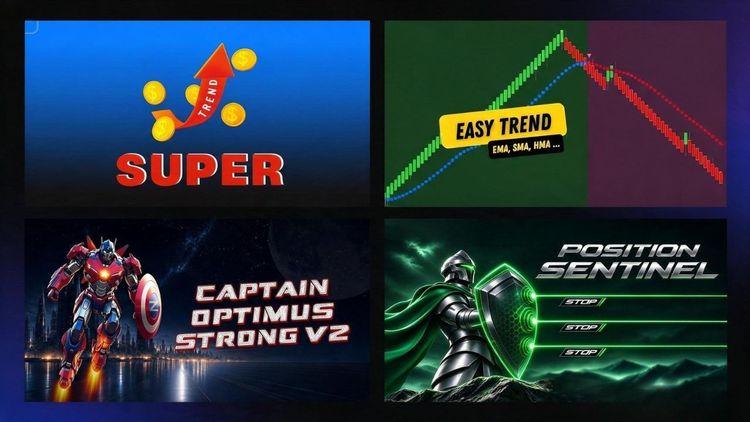
TrendSync Execution Suite gives each decision a place in the workflow. SuperTrend Pro and Easy Trend help you evaluate the setup. Captain Optimus Strong v2 can execute entries based on your rules, while Position Sentinel handles stop management after the trade is open.
Tool | Its role in the workflow |
| SuperTrend Pro | Use three sensitivity settings to check whether the trend layers agree. Select one line as a reference for stop placement. |
| Easy Trend | Identify a pullback entry signal in the direction of the confirmed trend. |
| Captain Optimus Strong v2 | Execute entries when the conditions you’ve configured are met. |
| Position Sentinel | Manage the open trade with an indicator-based trailing stop or a configured break-even rule. |
Run three instances of SuperTrend Pro on the same chart. The faster layer can flag a change in direction while the slower layers still point the other way. That disagreement gives you a clear reason to pause new entries. The three lines also give you a choice of stop references, from closer to price to farther away.
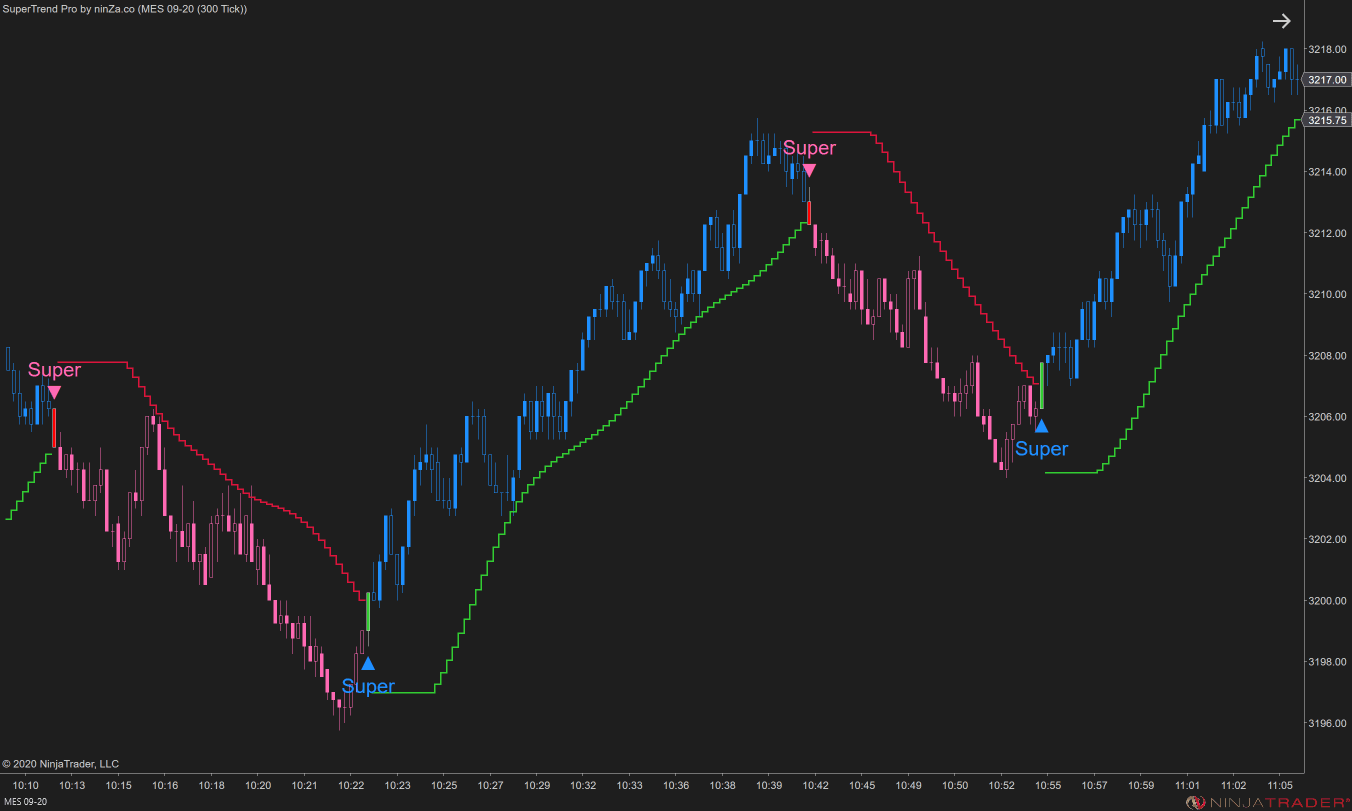
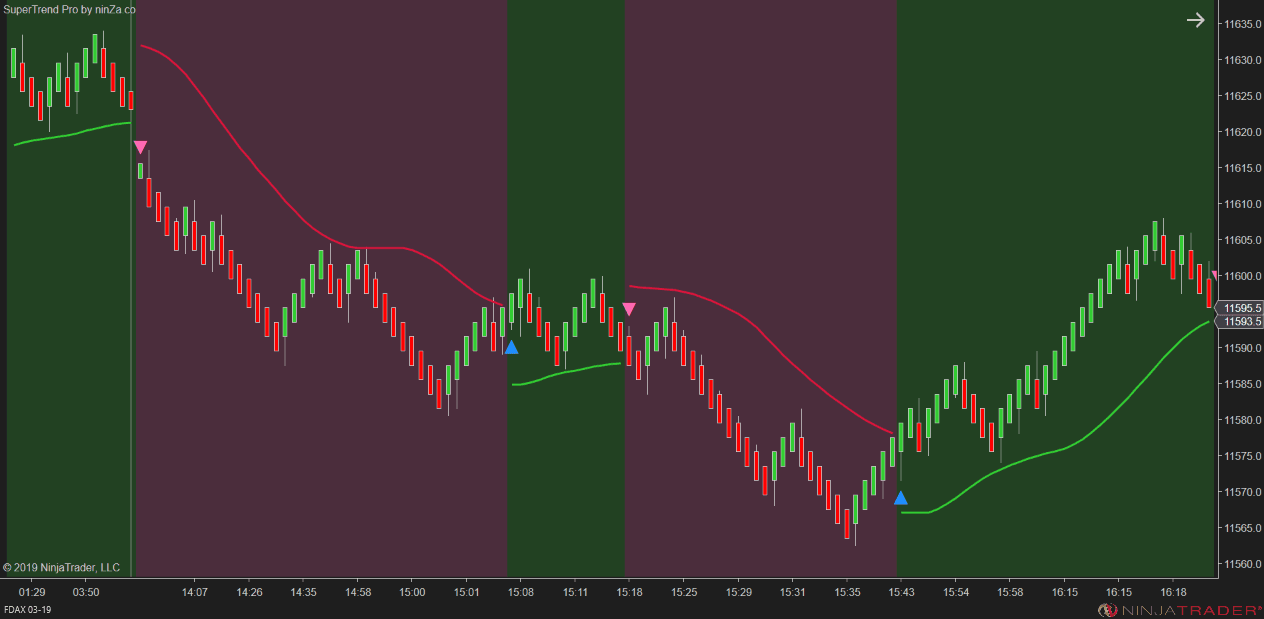
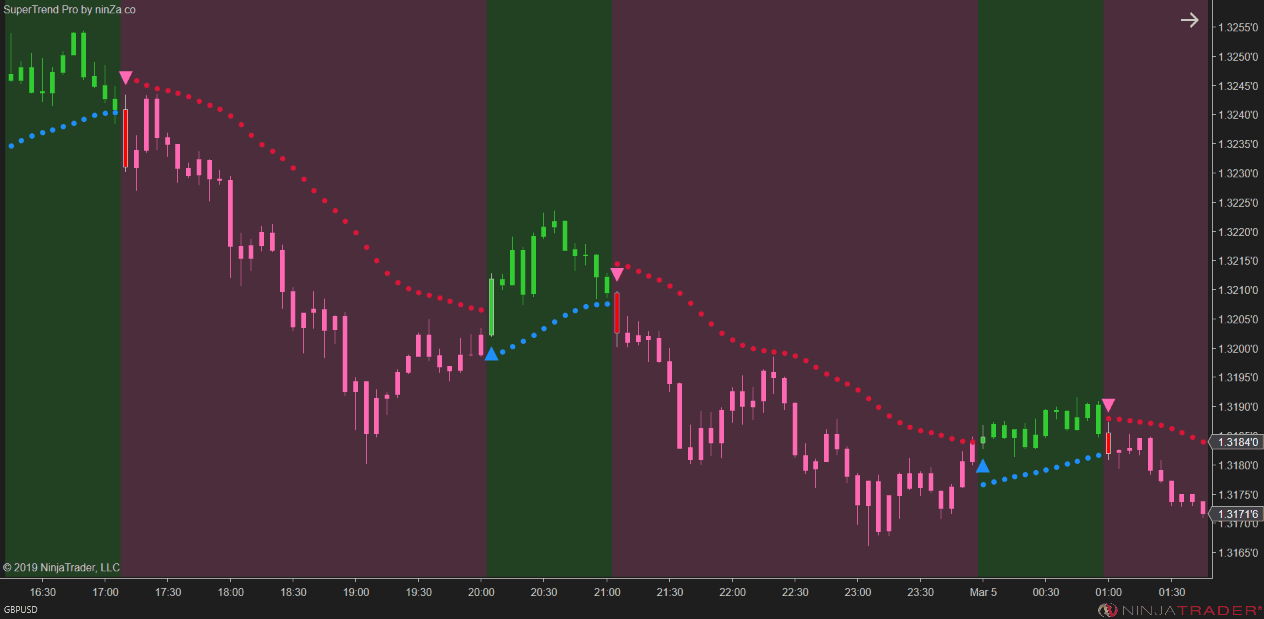
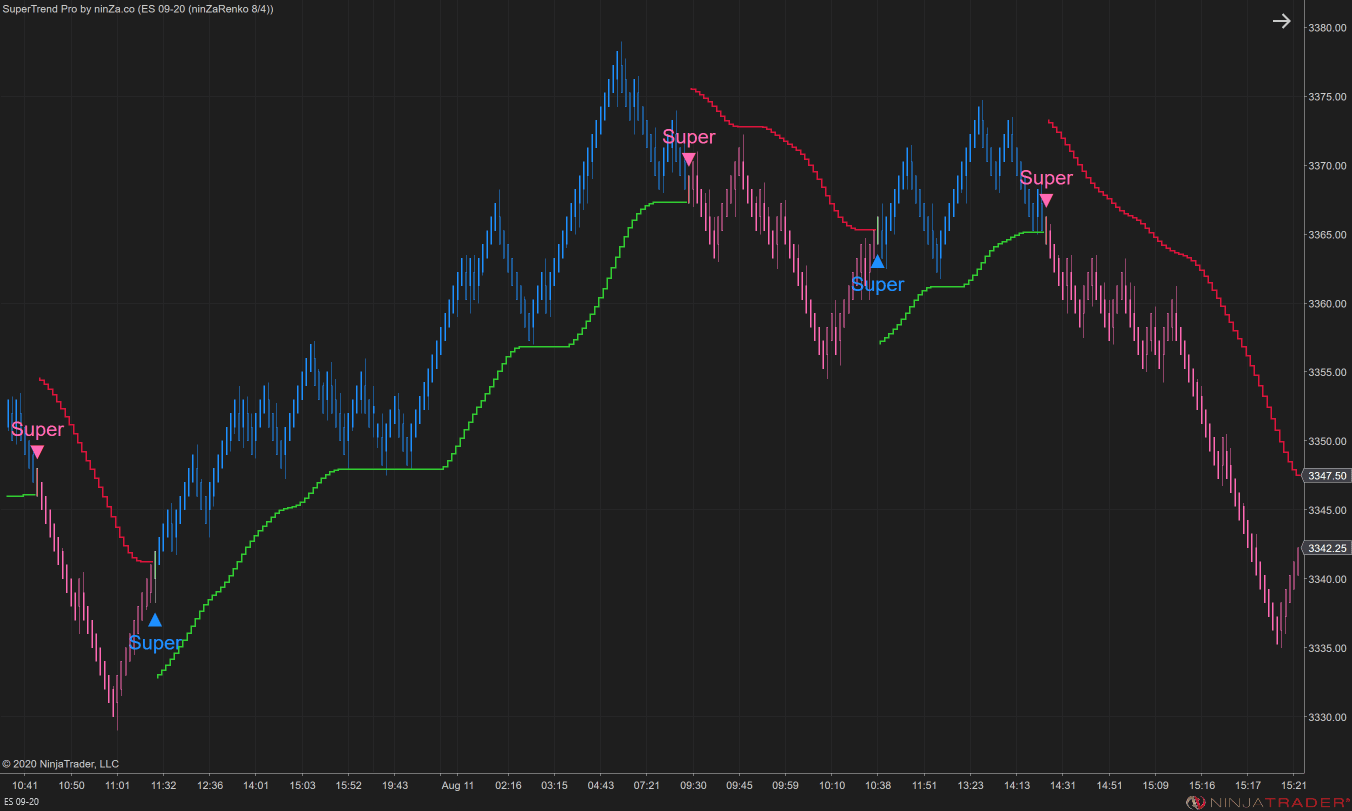
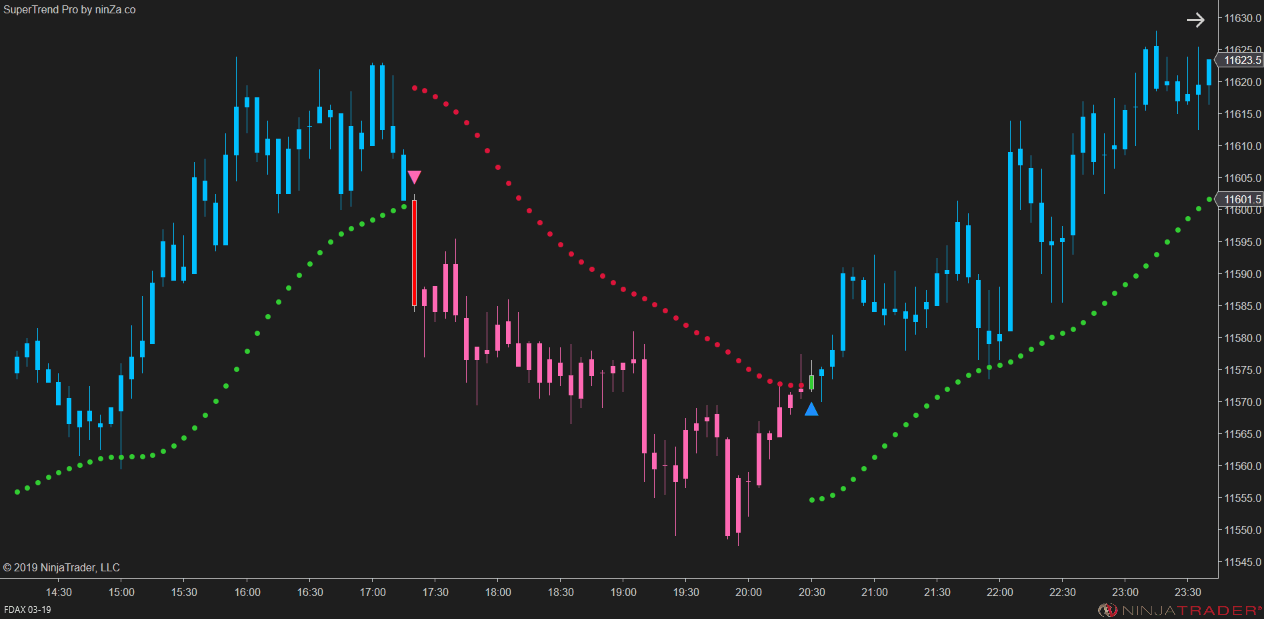
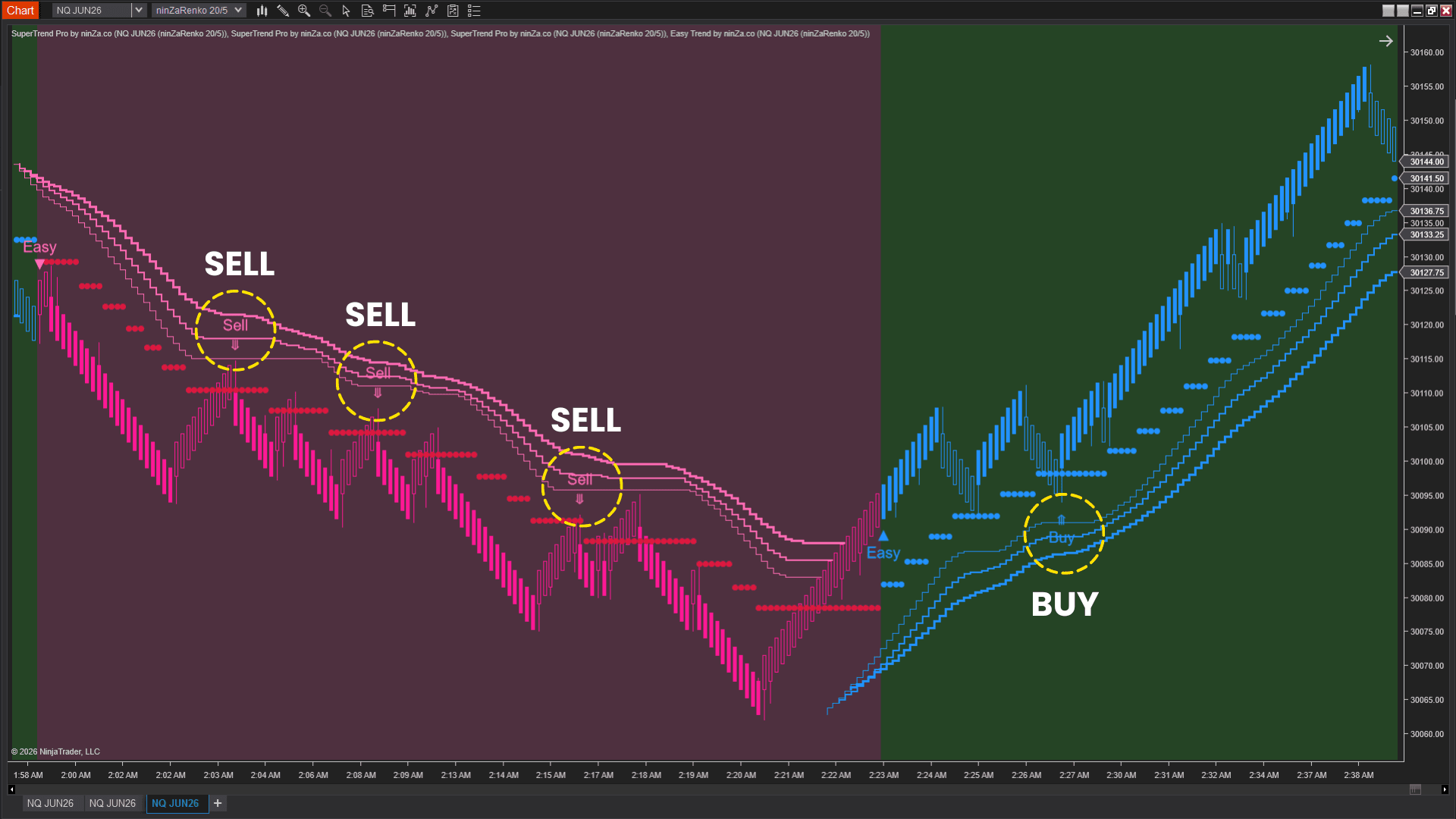
Easy Trend gives you a signal to watch once the trend filter is in place. You don’t need it to make a separate call on market direction: a signal that matches all three SuperTrend layers can qualify for entry; one that goes against them is ignored.
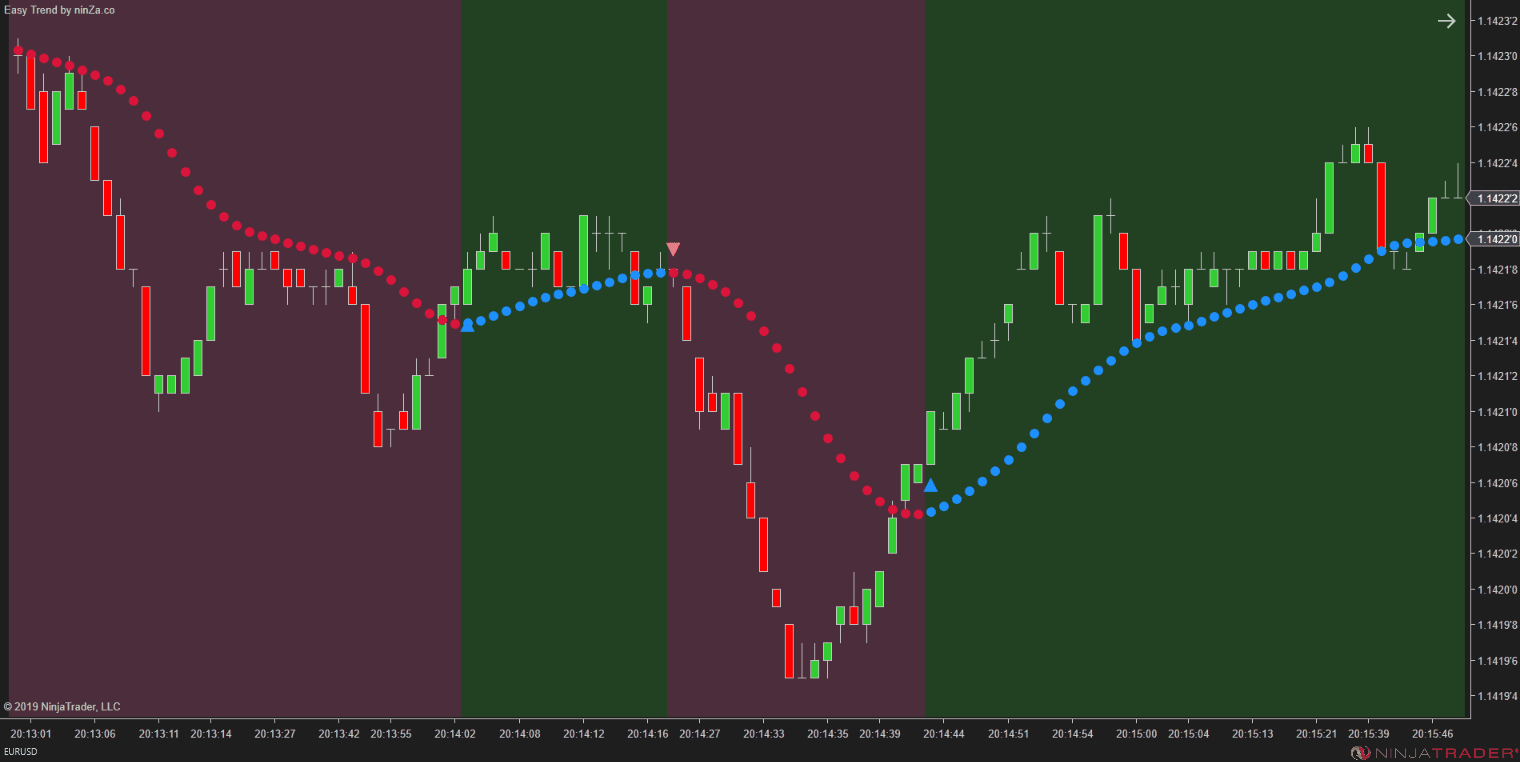
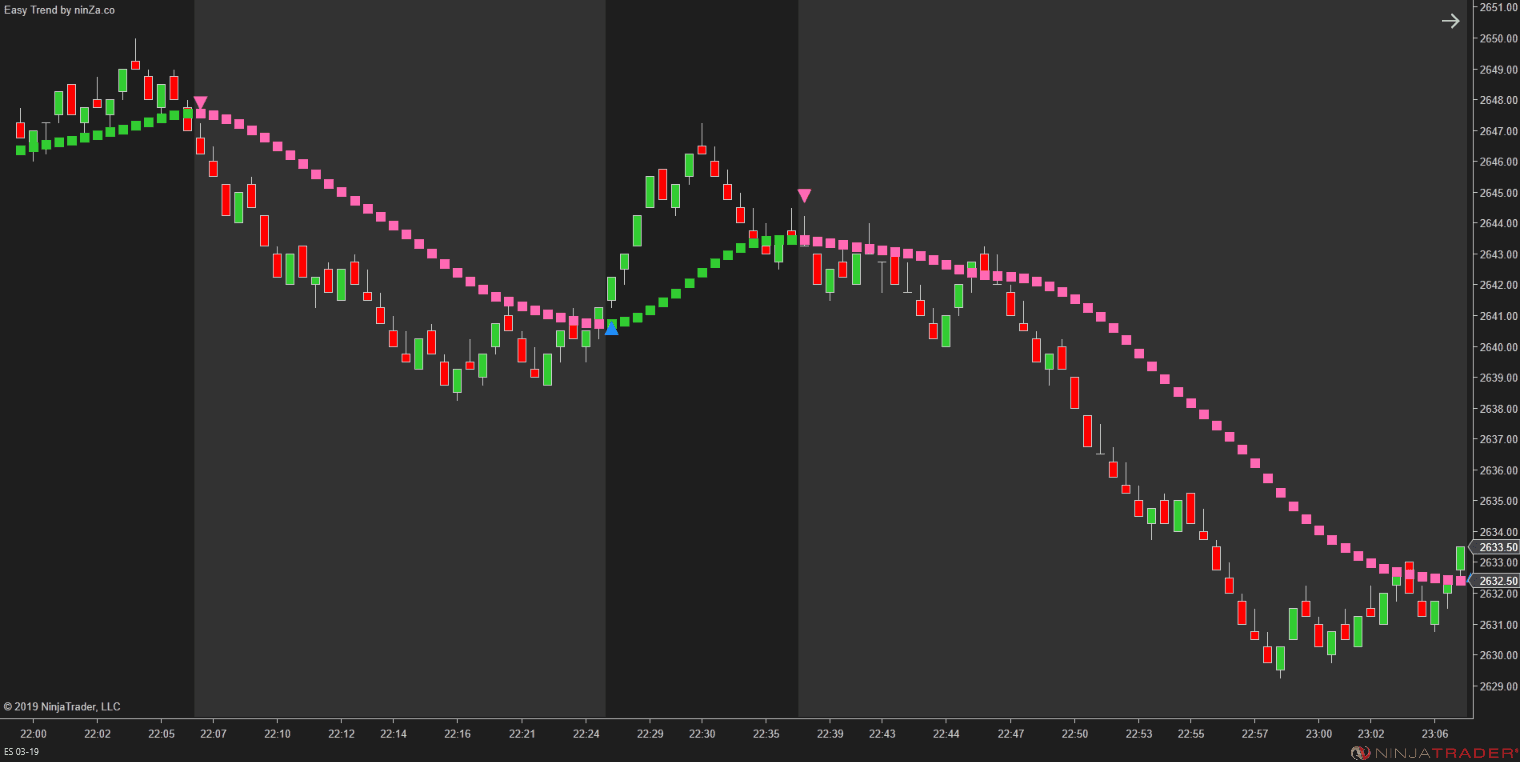
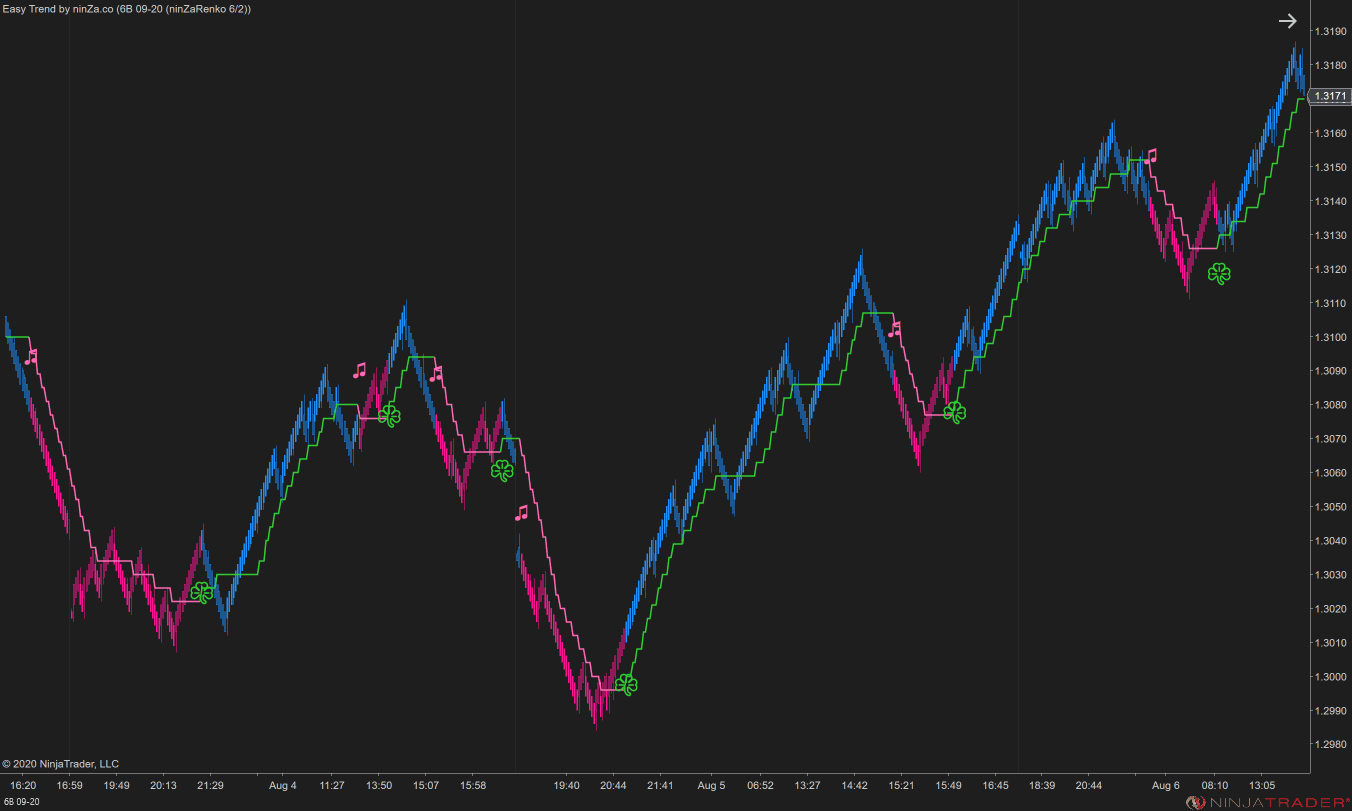
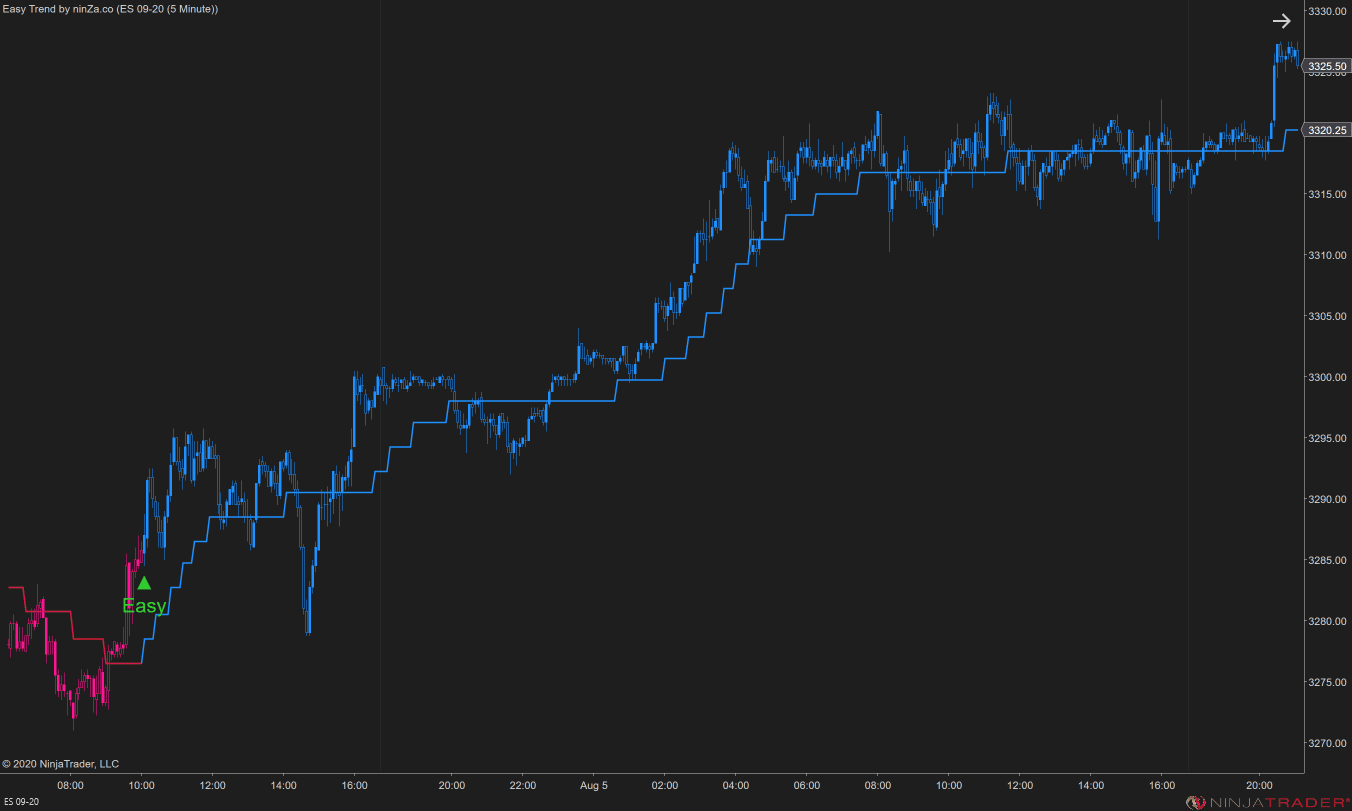
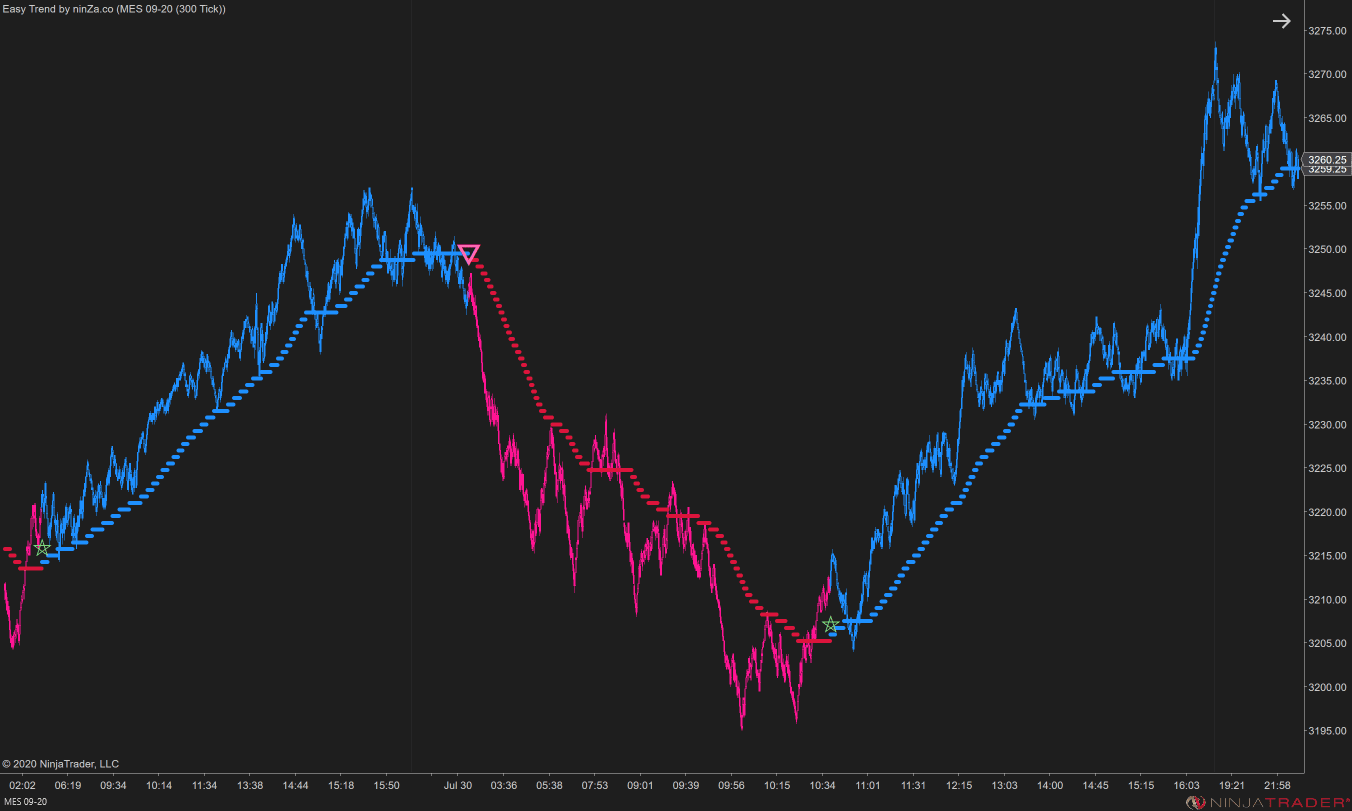
Captain Optimus Strong v2 can execute entries when the conditions you configure are met. In this setup, that means requiring both SuperTrend alignment and a matching Easy Trend signal before an entry can be placed. You can keep this step manual if you prefer to make the final entry decision yourself.
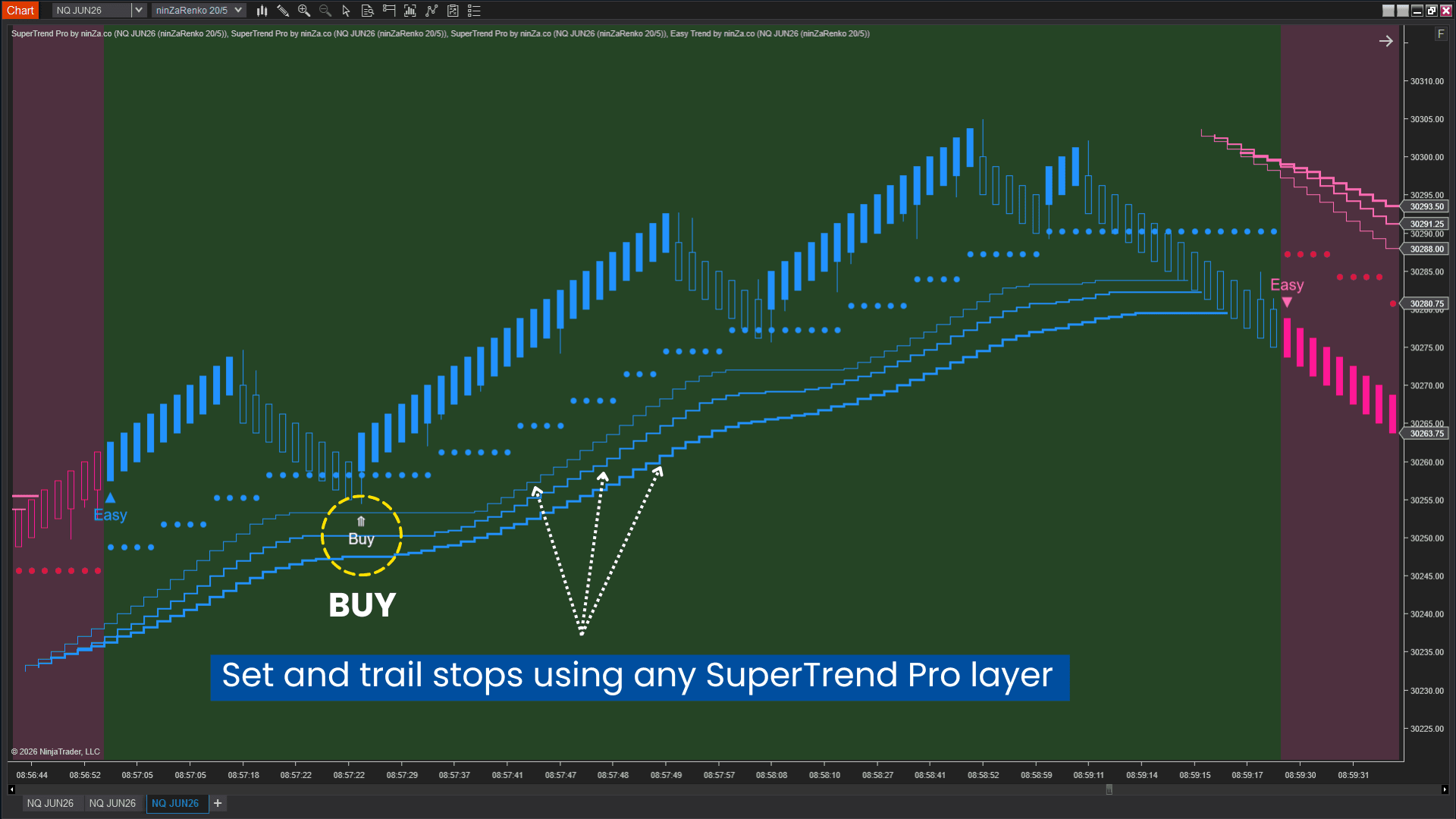
Position Sentinel can trail your stop using a selected indicator line and apply a break-even rule you configure. Its role starts after the position opens, so you can use it whether you place the entry yourself or automate it with Captain Optimus Strong v2.
Start with the three SuperTrend Pro readings. When all three point in the same direction, you have a side to watch. When they disagree, leave the setup alone. That gives you a clear reason to pass on a trade, even when the pullback looks inviting.
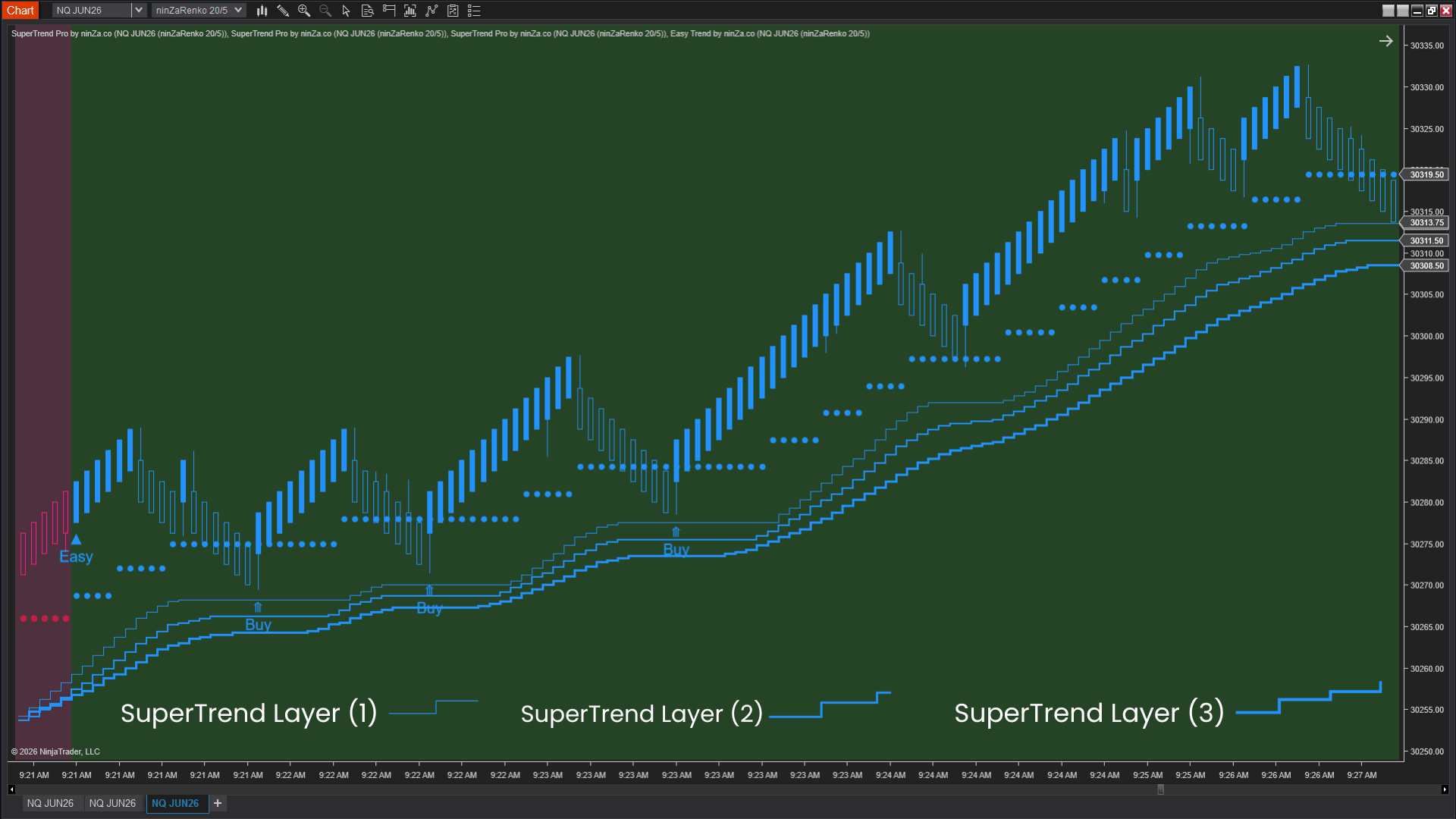
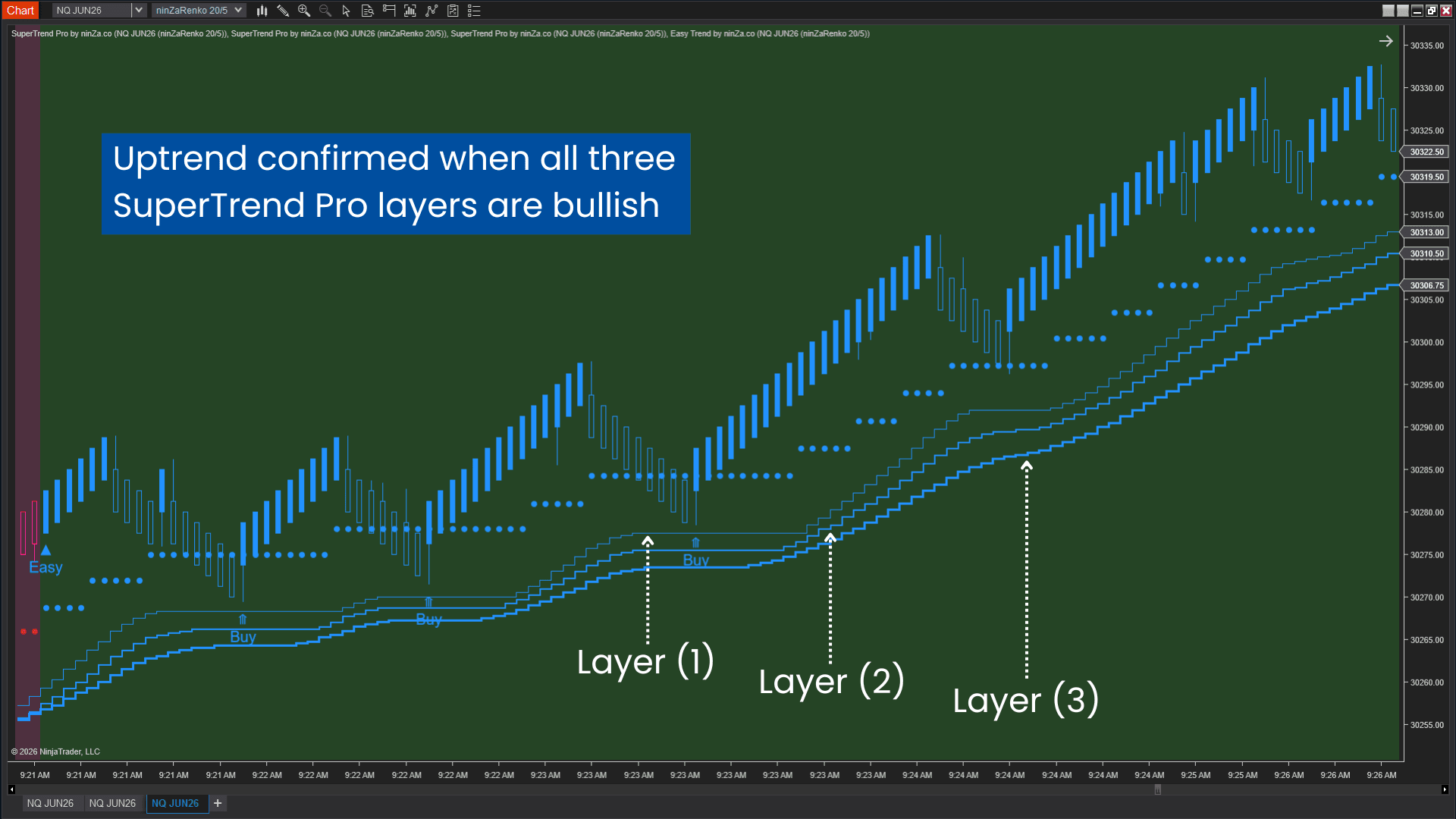
Use Easy Trend to tell you when a pullback setup appears – not whether to trade long or short. For example, if all three SuperTrend layers are bullish, a bullish Easy Trend signal can qualify for a long entry. If one of the layers turns bearish before the signal arrives, the setup no longer meets the trend rule.
Choose which SuperTrend line you’ll use as your stop reference. A closer line leaves less room for price to move against the position; a wider line leaves more. If you want the stop to follow the selected indicator line after entry, configure Position Sentinel to manage it. You can also set a separate break-even rule instead of deciding mid-trade when to move the stop.
You don’t have to automate the entire trade. Use the two indicators and place orders yourself, keep entries manual while Position Sentinel manages the stop, or use Captain Optimus Strong v2 to execute configured entries and Position Sentinel to manage the position afterward.
This distinction matters if you like making the final entry decision yourself but want a consistent rule for moving the stop once you’re in.
TrendSync Execution Suite is for traders who already look for pullbacks but want clearer rules for which signals to take and what to do after entry. It’s also a fit if you want to start with a manual workflow and automate entry execution or stop management separately.
Start by defining one setup from beginning to end: what qualifies the trend, what triggers the entry, and what rules govern the stop. Then decide which steps you want to handle yourself.
Watch the indicator in action. Step-by-step guides, live trading, and feature overviews.
Every purchase includes a perpetual software license, granting you the right to use the software indefinitely on the number of computers permitted by your license.
Every purchase includes guided installation assistance.
Purchases with Premium Services also include white-glove software setup and onboarding, along with personalized trading setup and workflow optimization.
Software updates & upgrades are provided at no additional cost.
For products with a modular structure, this coverage applies to the core product, while optional expansion modules may be offered separately.
Read the full policy
Every purchase includes lifetime support via email & chat, delivered by our renowned Customer Care team – widely recognized throughout the trading community for its world-class service.
As your NINZA product collection expands, Premium Path unlocks a growing range of enhanced Customer Care benefits & privileges, available through dedicated channels.
Explore Premium Path
Every purchase includes up to 3 complimentary remote assistance sessions, available within 30 days of purchase – with each session lasting up to 30 minutes.
Purchases with Premium Services include up to 6 sessions within 60 days of purchase, with priority scheduling and longer session durations.
Customers may request up to 3 product exchanges within 30 days of purchase, at little or no additional cost when exchanging for a comparable product.
Read the full policy
Due to the ease with which software products can be stored and copied, no returns will be accepted and no refunds will be issued.
ALL SALES ARE FINAL & NON-REFUNDABLE.
From individual traders to pros and institutional trading teams...
Trusted worldwide! Read traders' thoughts
Based on 800+ authentic reviews
Andrew Thomas
Al Sisemore
Christopher Heathman
Samuel Grossman
Abhijit Banerjee
Ben
Steffie
Lance S.
Jim
Analyze buying and selling pressure to identify where supply or demand dominates. Assess potential price reactions and help traders identify higher-probability trading opportunities.

Analyze real-time buying and selling activity to assess buyer and seller aggression. Help traders gauge the strength behind price movements and identify key shifts in market behavior.

_1787026707358.svg)
NINZA is an official member of NinjaTrader Ecosystem together with 600+ industry-leading professionals that provide traders with quality trading products & services.




even more payment methods
Quick Links
Instructions
Support
Resources & Information
© Copyright 2026 All Rights Reserved



Because software products may be copied and stored easily, we will NOT issue refunds of any kind. ALL SALES ARE FINAL & NON-REFUNDABLE!
Futures, foreign currency, and options trading contains substantial risk and is not for every investor. An investor could potentially lose all or more than the initial investment. Risk capital is money that can be lost without jeopardizing one's financial security or lifestyle. Only risk capital should be used for trading and only those with sufficient risk capital should consider trading. Past performance is not necessarily indicative of future results.
Hypothetical performance results have many inherent limitations, some of which are described below. No representation is being made that any account will or is likely to achieve profits or losses similar to those shown; in fact, there are frequently sharp differences between hypothetical performance results and the actual results subsequently achieved by any particular trading program. One of the limitations of hypothetical performance results is that they are generally prepared with the benefit of hindsight. In addition, hypothetical trading does not involve financial risk, and no hypothetical trading record can completely account for the impact of financial risk of actual trading. For example, the ability to withstand losses or to adhere to a particular trading program in spite of trading losses are material points which can also adversely affect actual trading results. There are numerous other factors related to the markets in general or to the implementation of any specific trading program which cannot be fully accounted for in the preparation of hypothetical performance results and all which can adversely affect trading results.
NinjaTrader® is a registered trademark of NinjaTrader Group, LLC. No NinjaTrader company has any affiliation with the owner, developer, or provider of the products or services described herein, or any interest, ownership or otherwise, in any such product or service, or endorses, recommends or approves any such product or service.