
[03 Jun] BigTrade Sweep: Detecting Big Trades in every candle - Discover indicator
[8 May] New Horizon: A new standard in intraday automated trading ☀️ - Discover our Super Autosystem
[27 Apr] DeepStack Confluence: Multi-Timeframe & Multi-Indicator confluence in 1 chart - Discover indicator
[22 Apr] Entropy Voltex: Trade only when market conditions support your setup - Discover indicator
[14 Apr] Imbalance Insight Matrix: Detect trading zones that attract the most attention - Discover indicator
[08 Apr] Gravity OrbitX: Where high-probability reversals actually form - Discover indicator
Product Description
Overview
A million thanks to Chelsea @ NinjaTrader! Without his super kind support, we would have had no clue how to create the NT8 version of this special tool. Yes, it's very special because it requires a huge amount of advanced (and unsupported) coding.
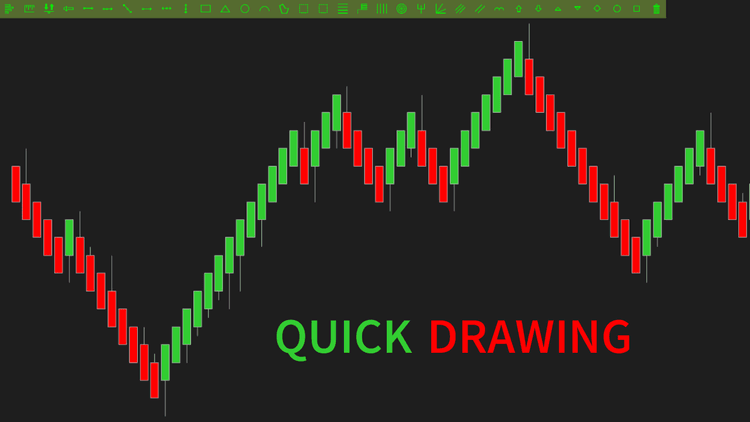
Quick Drawing adds a toolbar consisting of all NinjaTrader drawing tools, helping you draw objects quickly with just a single click.
Among all of ninZa.co's NT7 freebies, this is the most downloaded one. All traders need this toolbar! So we tried our best to make it available for NinjaTrader 8 as soon as possible. ninZa.co is proud to be the 1st vendor to release this essential NT8 toolbar.
We also offer a selection of free NinjaTrader 8 indicators – worth exploring if you're looking to expand your trading toolkit at no cost.
FAQs
1. What are highlights of NinjaTrader drawing toolbar - Quick Drawing?
Quick Drawing offers the following highlights: Position the toolbar in one of three locations on the chart: left, top, or bottom, with adjustable margins, and customize the toolbar's background and foreground colors with your favorite colors (available in NT8 only).
2.Who is Quick Drawing best for?
Quick Drawing is an indicator that all traders need. They use this tool to determine the position of the toolbar, enhancing their trading interface and overall experience.
Key Features
- List NinjaTrader drawing tools in a new separate toolbar
- Allow positioning the toolbar at one of 3 chart places (with adjustable margins): left, top, bottom
- Allow choosing which drawing tools to be displayed in the toolbar
- Colorize the toolbar's background and foreground with your favorite color NT8 only
Product Media
These media materials may have been recorded/captured in favorable markets. Please review our “acceptable marketing practices”.
Videos

Images
From Happy Customers
by M.
Indicators Improved My Charts. Hannah's Help And Great Customer Service. Will Buy Again.
I have been using the ninZa.co indicators for several months now and am very happy with what a valuable addition they have been to my charts. I recently decided to add one of the recently released indicators from ninZa.co. But after using for a few days, it wasn’t quite what I had been looking for. I contacted ninZa.co and had the pleasure of working with Hannah for an exchange to a different one of the many available indicators. At the time, the indicator I wanted to purchase to replace the one I had recently bought was on sale. Hannah put through an exchange and without my having to ask, gave me the advantage of the sale price. She also included a pdf that provided education about the indicator I chose to switch to. Any time I have had contact with one of the associates from ninZa.co, I have received excellent customer service, and will not hesitate to purchase from them again.

by Bartosz
Grace Goes Above And Beyond: A Customer Support Experience That Exceeds Expectations!
Thank You, Grace! Your support is extraordinary I wish all companies have such great support. Keep going I’m 200% satisfied.
by Kari L.
ConnorsRSI Pro With Grace's Outstanding Customer Service
Thank you very much for your excellent customer service, Grace! You are doing an excellent job making customers' lives much easier.
by T.
An Exemplary Customer Experience At NinZa.Co: Unveiling The Power Of Cumulative Delta
I'm a new customer with ninZa.co and i was needing help today in making a purchase. I made a request on your chat platform and Hannah came to my rescue. She helped me find the what I needed and even offered me a discount. Everything went very smoothly from that point. I made the purchase and she even provided me some documentation on the indicator. I am very pleased with her assistance. Thanks again Hannah for your excellent customer service !!
Which of these 10 trader types are you?
Discover your trader type and find the trading path that fits you best ↓
ninZa.co Indicators
0 online
10 layers of trade confirmation: Trend Following + Order Flow →
[Auto Trading] VWAP & Order Flow: 19 winning trades in 150 minutes
When order flow confirms your entries →
Software Changelog
30 Sep 2025
An issue regarding incompatibility with NT 8.1.6.0 was fixed.
16 Aug 2021
The indicator was re-exported to be compatible with recent changes of the platform.
22 Nov 2018
The drawing toolbar was moved into chart; vertical arrangement of buttons was made possible again.
![June Exclusive: [AbsP] Summer Wave Bundle](https://forestcms.nyc3.digitaloceanspaces.com/media/small_Summer Wave bundle banner (1280x720)_1780571380106.jpg)
![[NEW] The one thing Smart Money can’t hide: Big trades](https://forestcms.nyc3.digitaloceanspaces.com/media/small_BigTrade Sweep banner_1780571714850.jpg)
![[Live Trading] Scalping Strategy using DeepStack Confluence](https://forestcms.nyc3.digitaloceanspaces.com/media/small_đeep-stack-hdhd_1780572796432.png)

![[AbsP] Daily Specials](https://forestcms.nyc3.digitaloceanspaces.com/media/small_Daily Specials General banner_1780902861035.png)