M.
Do you want/need a professional NinjaTrader single-click order entry tool?
The ultimate one-click NinjaTrader order entry solution
We believe that a fantastic NinjaTrader one-click trading addon is the dream of every trader, especially those who want a faster and more reliable NinjaTrader order entry workflow.
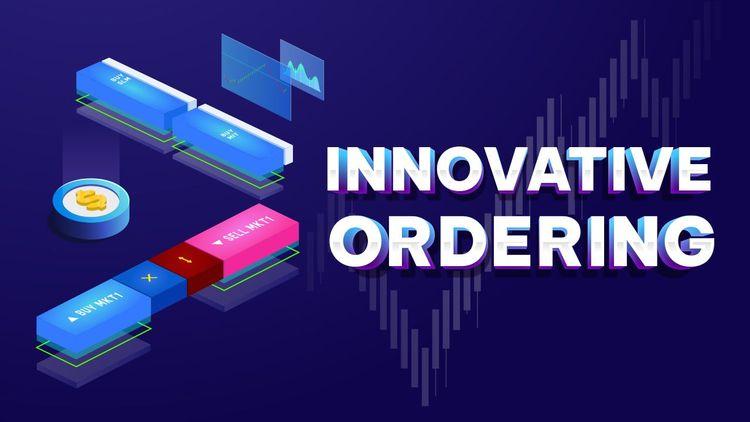
You have come to the right place, ninZa.co's Innovative Ordering provides a marvelous solution for order placement and management. It is designed to give traders the smoothest, fastest, and most intuitive quick order entry experience possible.
Faster, smarter, professional order execution for every trader
It comes with 2 modules, which can be enabled or disabled independently: Market Order & Pending Order. This tool is the best choice for:
- Traders who want to place pending orders (LMT, MIT, SLM, STP) with just a single click
- Traders who want super-big Buy/Sell buttons to place market orders easily & quickly (critical for lightning-fast reactions)
- Traders who are computer-slow and find it challenging to locate small Buy/Sell buttons in Chart Trader
- Traders who don't have perfect eyesight (commonly seen at ages 50+)
- Traders who simply enjoy the powerful, innovative features of this highly refined NinjaTrader order entry enhancement
Innovative Ordering is your professional, efficient, and trader-friendly order entry tool â built to simplify your workflow and elevate your speed in the markets.Â
Want to keep leveling up your skills? Take a look at our other best-selling NinjaTrader indicators and discover what fits your strategy best.
Key Features
- Place market orders
- Support "Close" button
- Support "Reverse" button NT8 only
- Support 4 quantity presets NT8 only
- Support ATM selector NT8 only
- Place LMT orders
- Place MIT orders NT8 only
- Place SLM orders (with predefined offset)
- Place STP orders
- Allow trading at market price NT8 only
- Support buy mode & sell mode for pending orders NT8 only
- Display real-time status of pending orders
Software Changelog
- 26 Feb 2026:The âAccount Selectorâ & âAuto Expand pending order panelâ features were added.
- 07 Dec 2020:The indicator was re-exported to be compatible with recent changes of the platform.
- 24 Nov 2020:Massive changes, fixes and improvements were made (DPI, display name, Z order, property naming/positioning/grouping).
Policies
Software license
Every purchase includes a perpetual software license, granting you the right to use the software indefinitely on the number of computers permitted by your license.
Installation & Onboarding
Every purchase includes guided installation assistance.
Purchases with Premium Services also include white-glove software setup and onboarding, along with personalized trading setup and workflow optimization.
Software updates & upgrades
Software updates & upgrades are provided at no additional cost.Â
For products with a modular structure, this coverage applies to the core product, while optional expansion modules may be offered separately.
Read the full policy
Customer service
Every purchase includes lifetime support via email & chat, delivered by our renowned Customer Care team â widely recognized throughout the trading community for its world-class service.
As your NINZA product collection expands, Premium Path unlocks a growing range of enhanced Customer Care benefits & privileges, available through dedicated channels.
Explore Premium Path
Remote assistance
Every purchase includes up to 3 complimentary remote assistance sessions, available within 30 days of purchase â with each session lasting up to 30 minutes.
Purchases with Premium Services include up to 6 sessions within 60 days of purchase, with priority scheduling and longer session durations.
Product exchange
Customers may request up to 3 product exchanges within 30 days of purchase, at little or no additional cost when exchanging for a comparable product.
Read the full policy
Returns & refunds
Due to the ease with which software products can be stored and copied, no returns will be accepted and no refunds will be issued.
ALL SALES ARE FINAL & NON-REFUNDABLE.