Zaccess extended through September Use coupon “ZACCESS” for up to 20% purchase assistance on this product’s R2B price. Learn more → https://ninza.co/zaccess
Earn $0 back in Zuture Wallet • Online orders only ✓
Part of a broad trading intelligence ecosystem comprising 300+ research projects and products.
Trusted by
60,000+ traders
worldwide
Reflected in
700+ verified
5-star reviews
Backed by
12 years of
research & innovation
Scalping with a clearer decision process
Trend for direction. Order flow for entry. Support and resistance for location and targets.
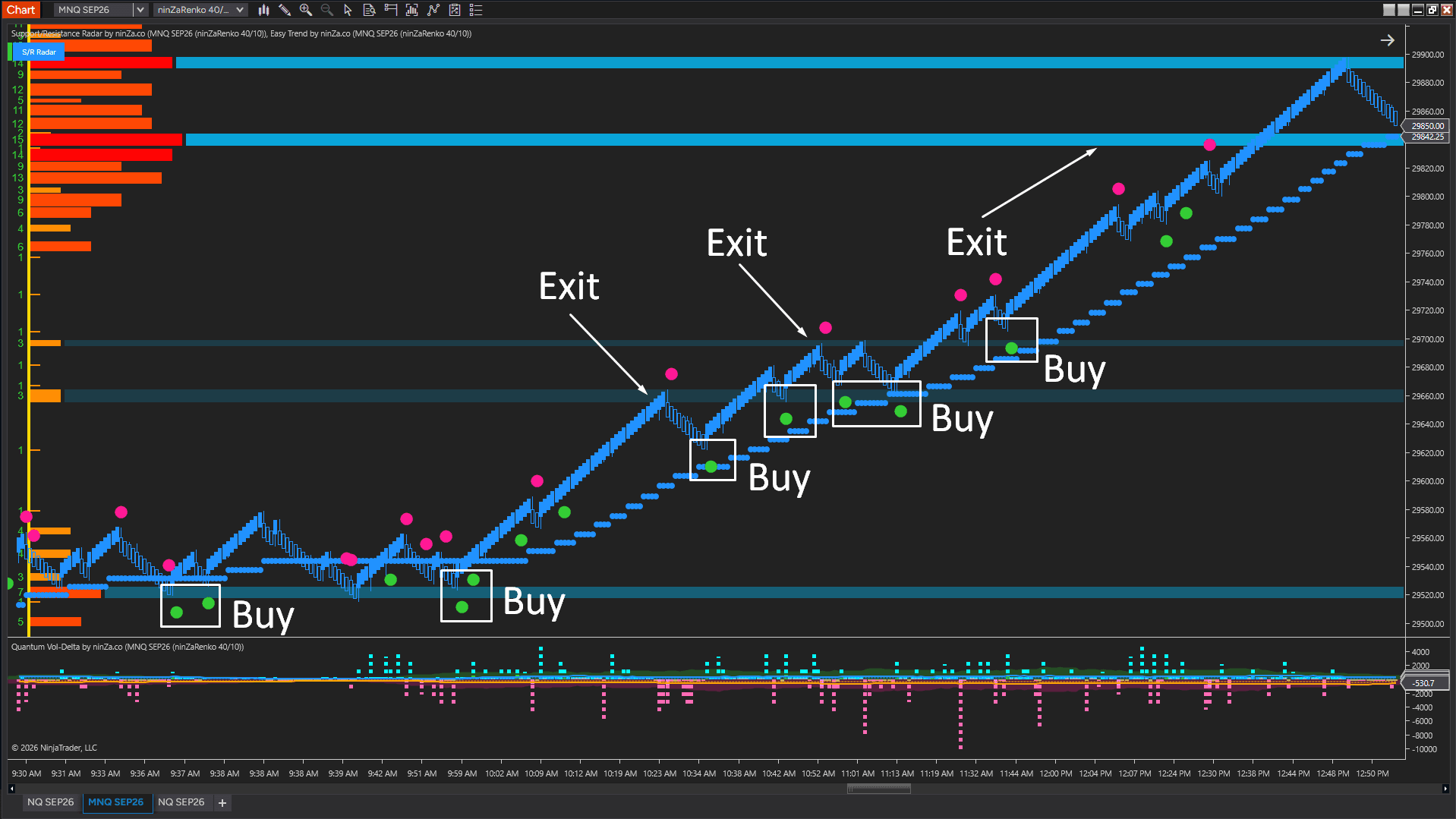
This 3-indicator setup combines Easy Trend, Quantum Vol-Delta, and Support/Resistance Radar into a practical scalping workflow.
Each tool has one clear role: identify the trend, look for an entry signal in that direction, then use support and resistance zones for additional confirmation or target planning.
3 indicators, 3 clear roles
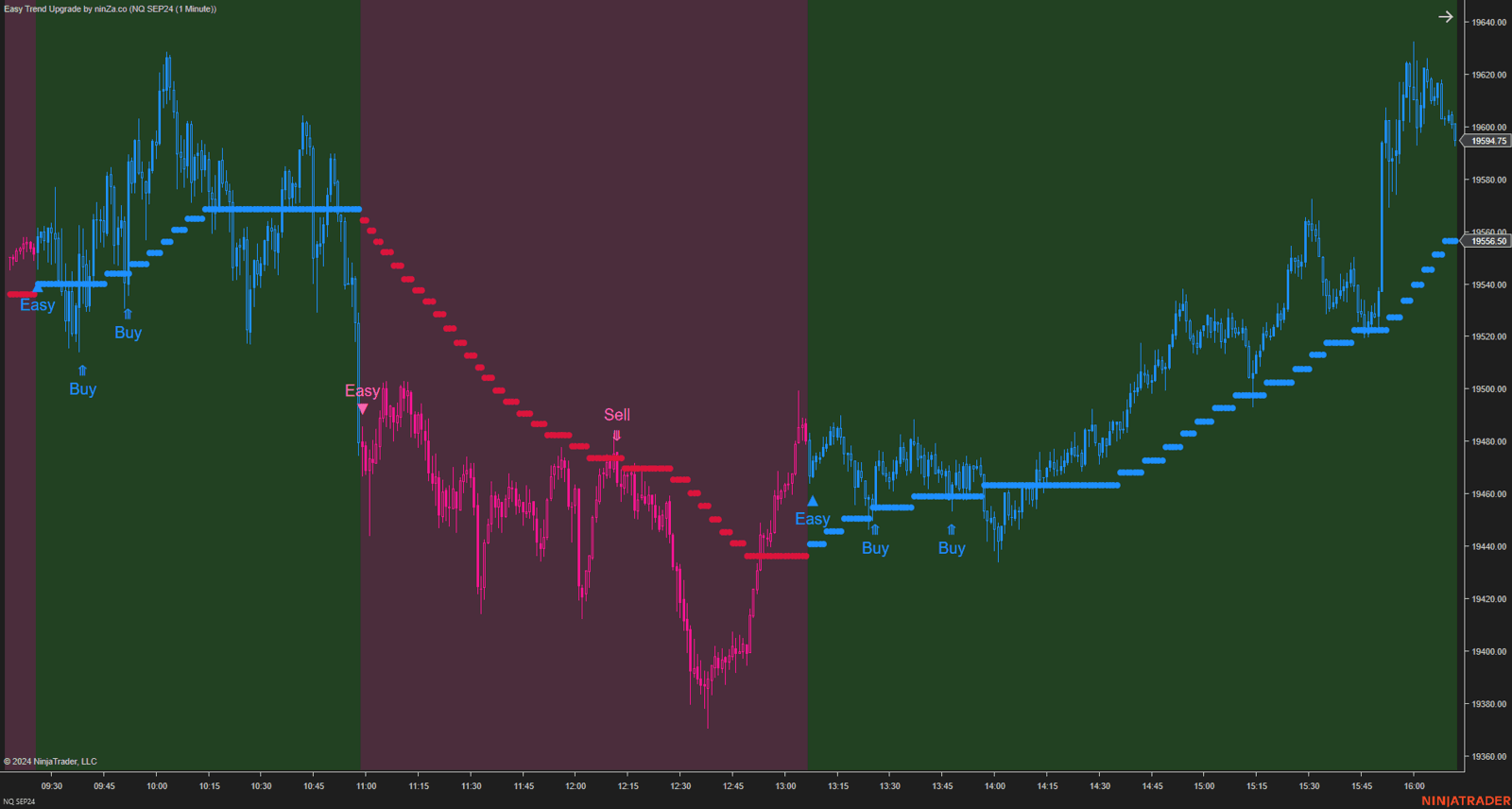
Easy Trend: Which direction should I trade?
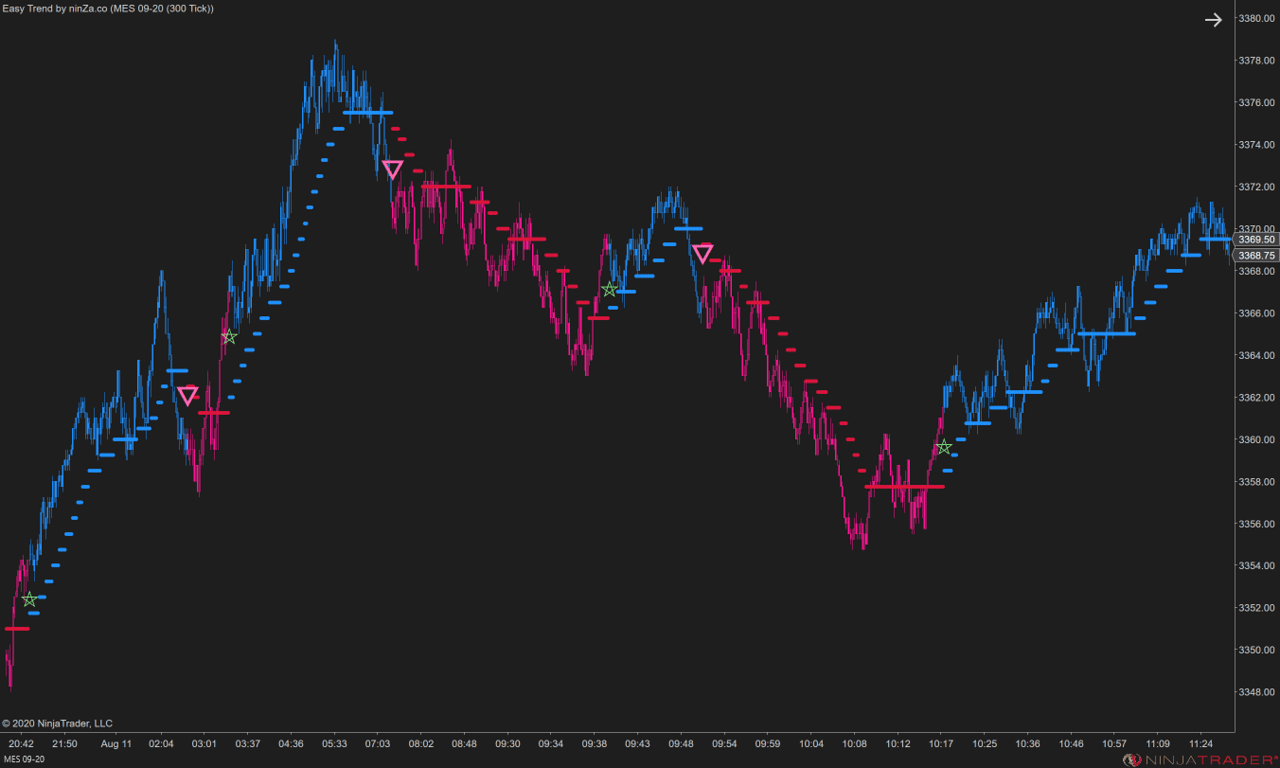
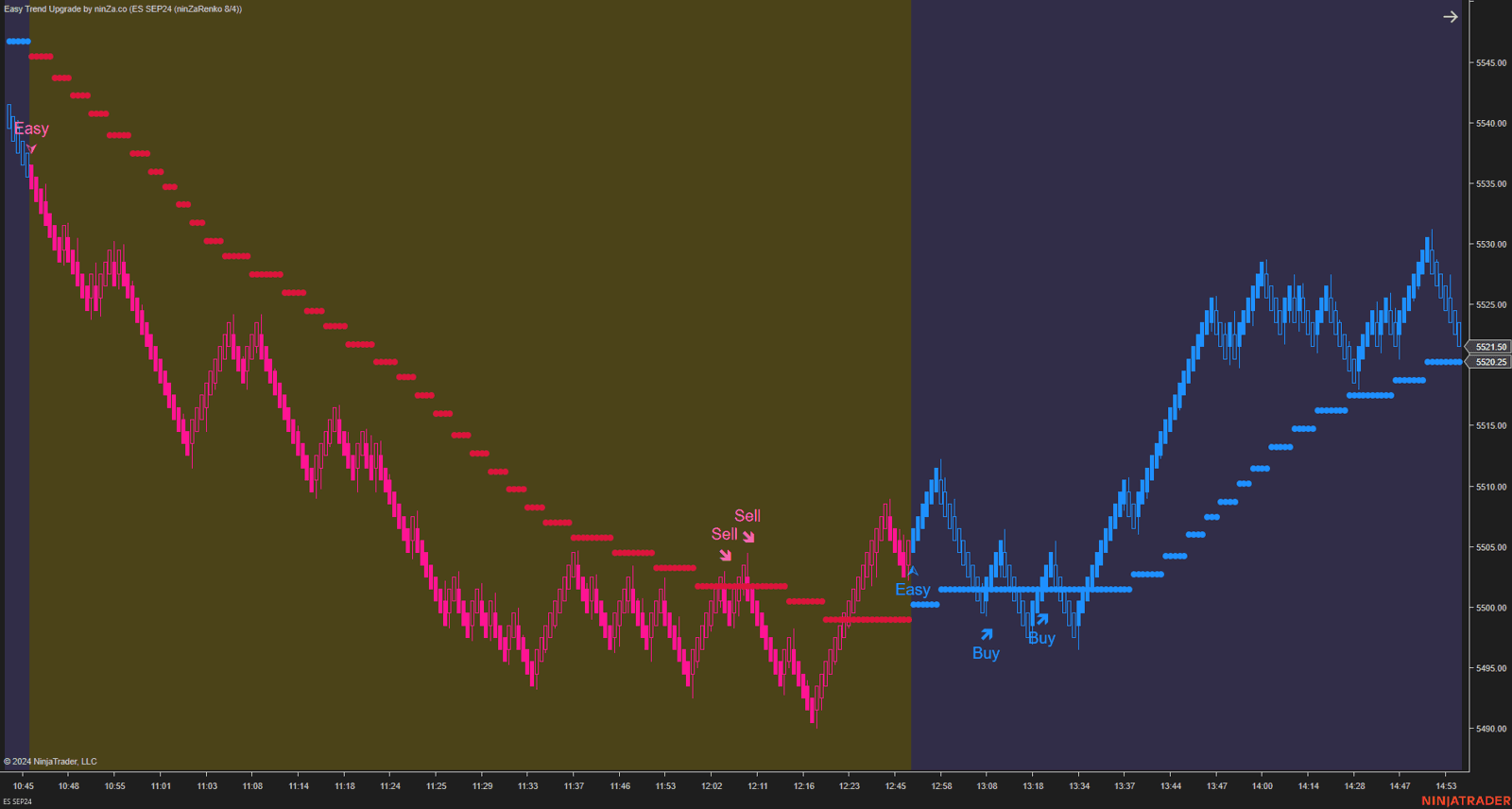
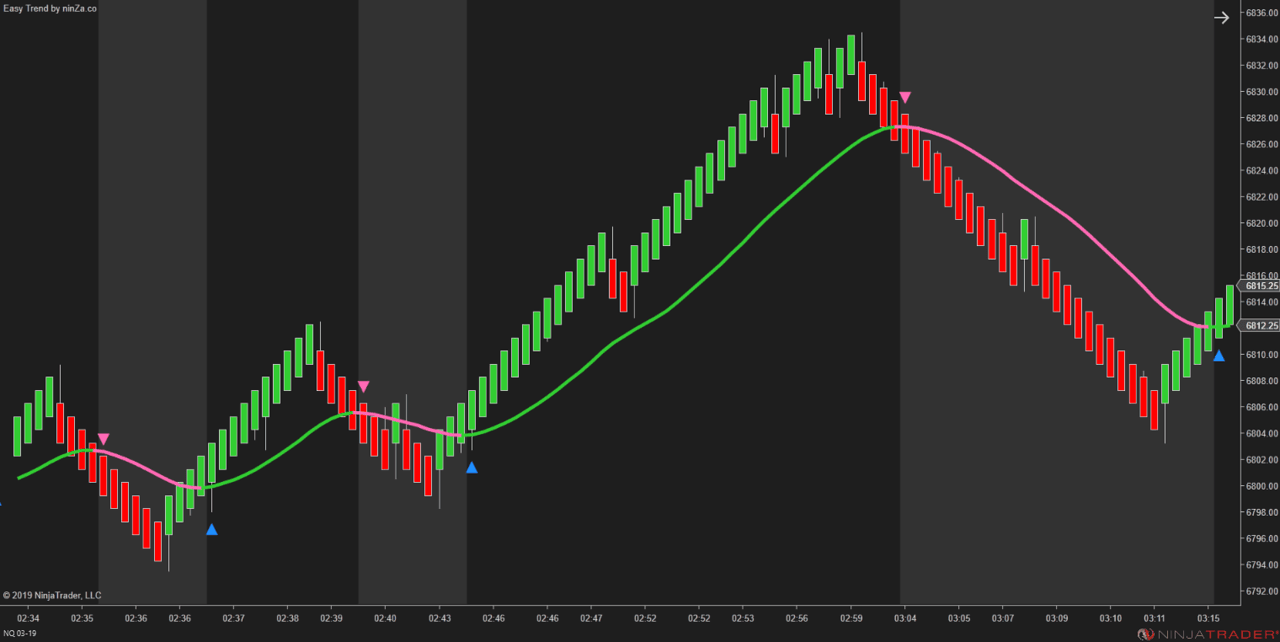
Easy Trend acts as the directional filter.
When the trend is up, focus on long opportunities. When the trend is down, focus on short opportunities. Signals against the current trend can be ignored.
The indicator visually distinguishes uptrend, downtrend, and flatter conditions. It also offers 11 moving average types, 11 smoothing methods, and a configurable plot-change filter.
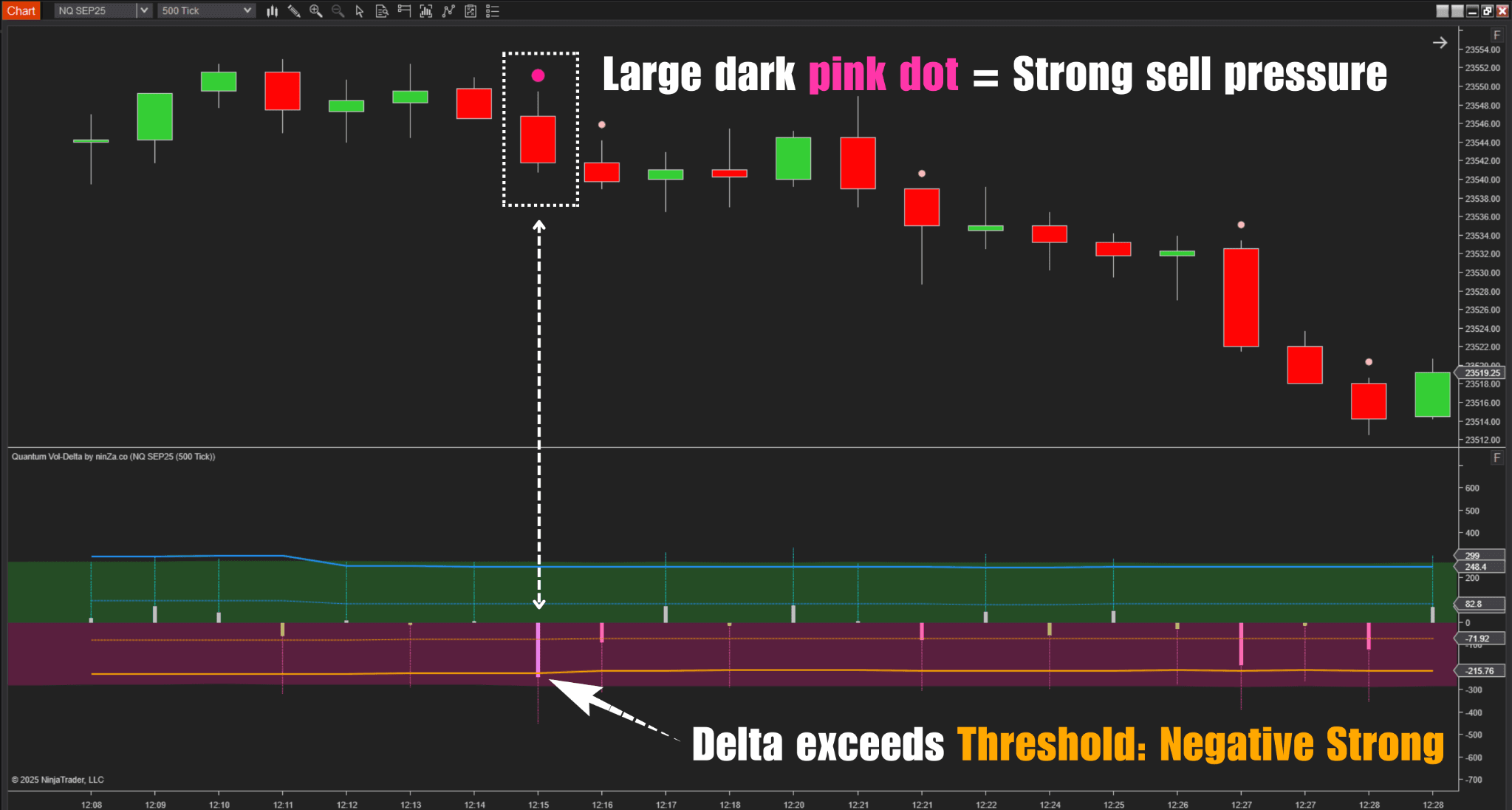
Quantum Vol-Delta: Is there an entry signal?
Quantum Vol-Delta is the entry indicator in this workflow.
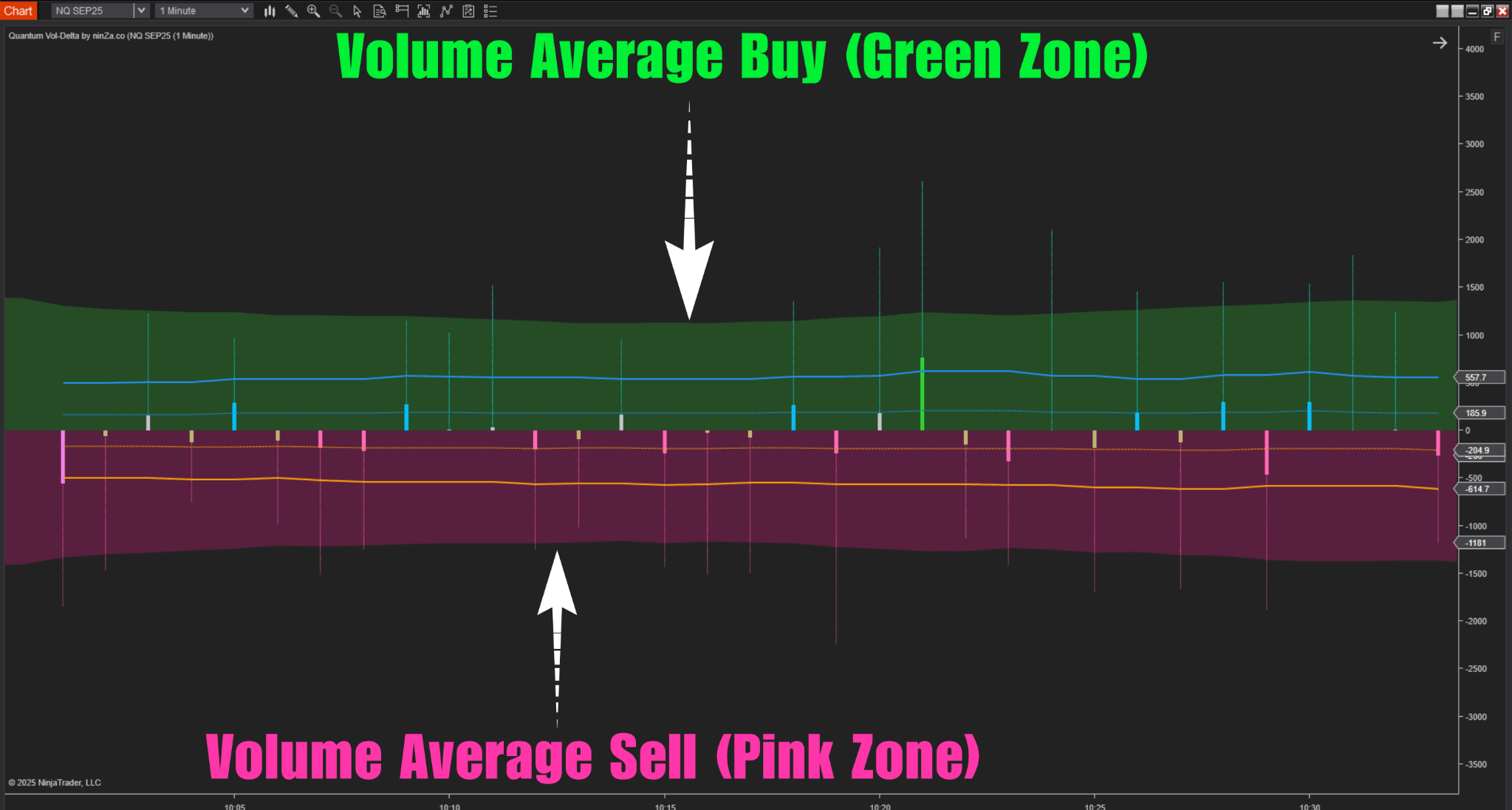
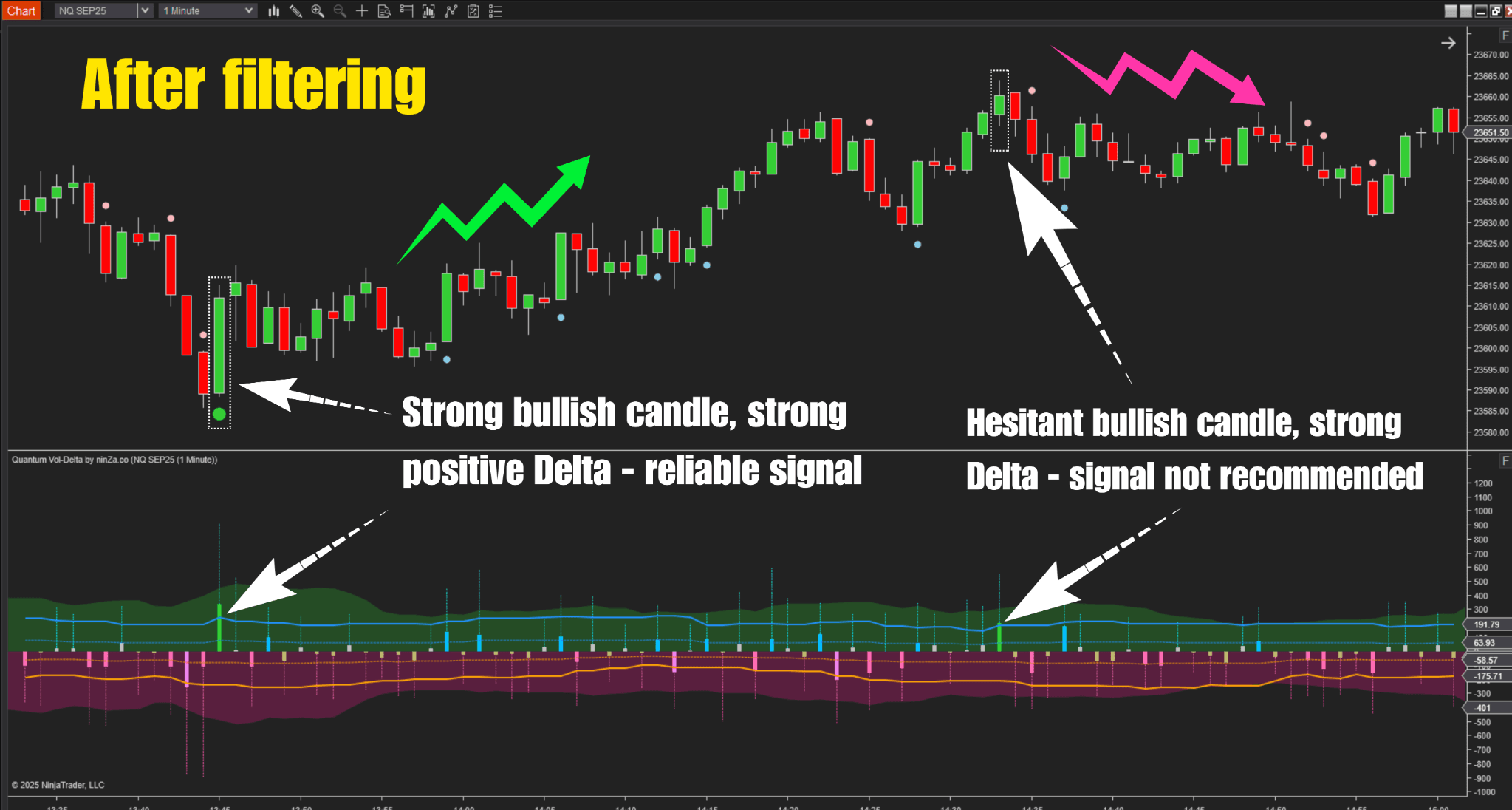
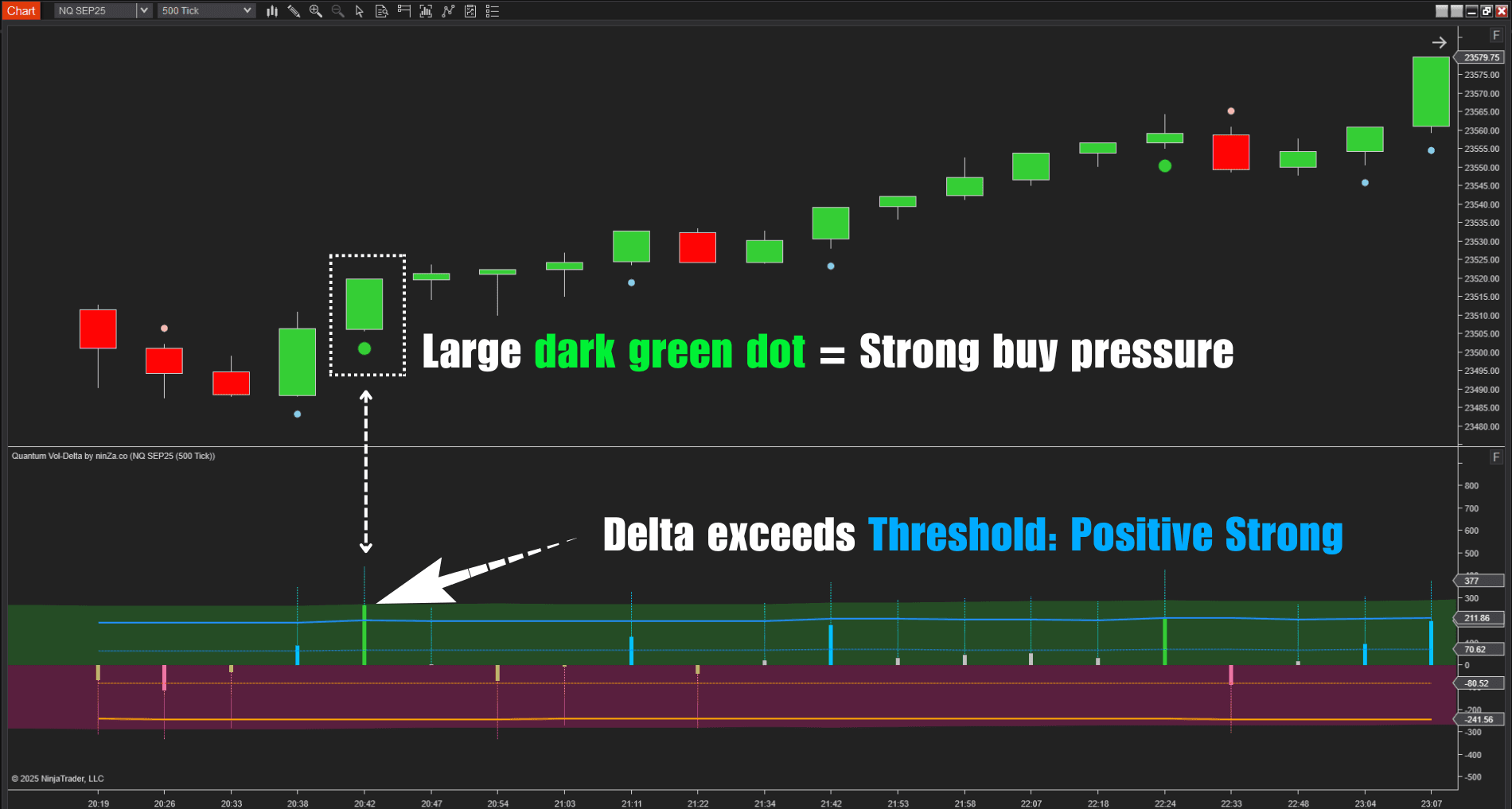
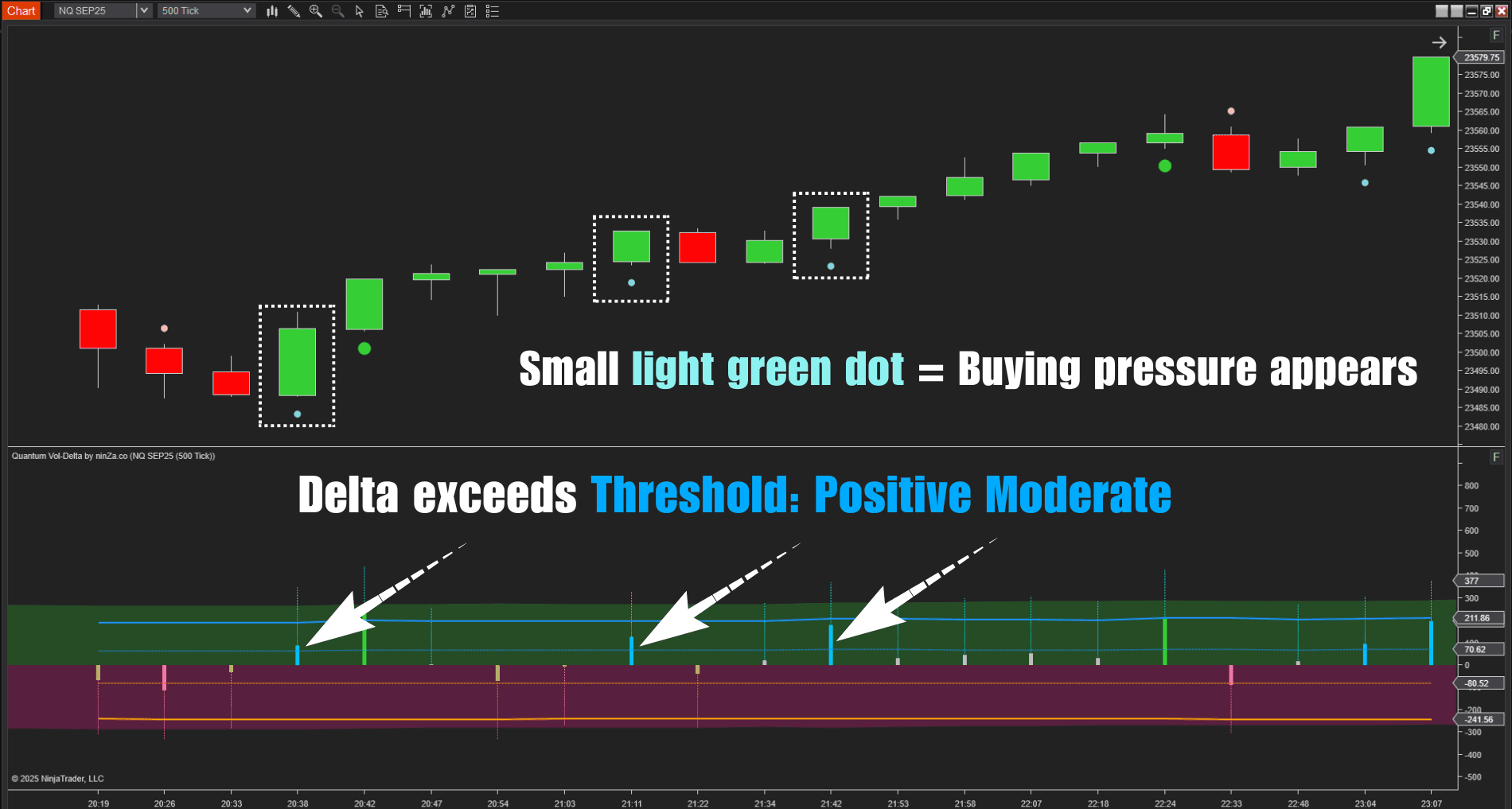
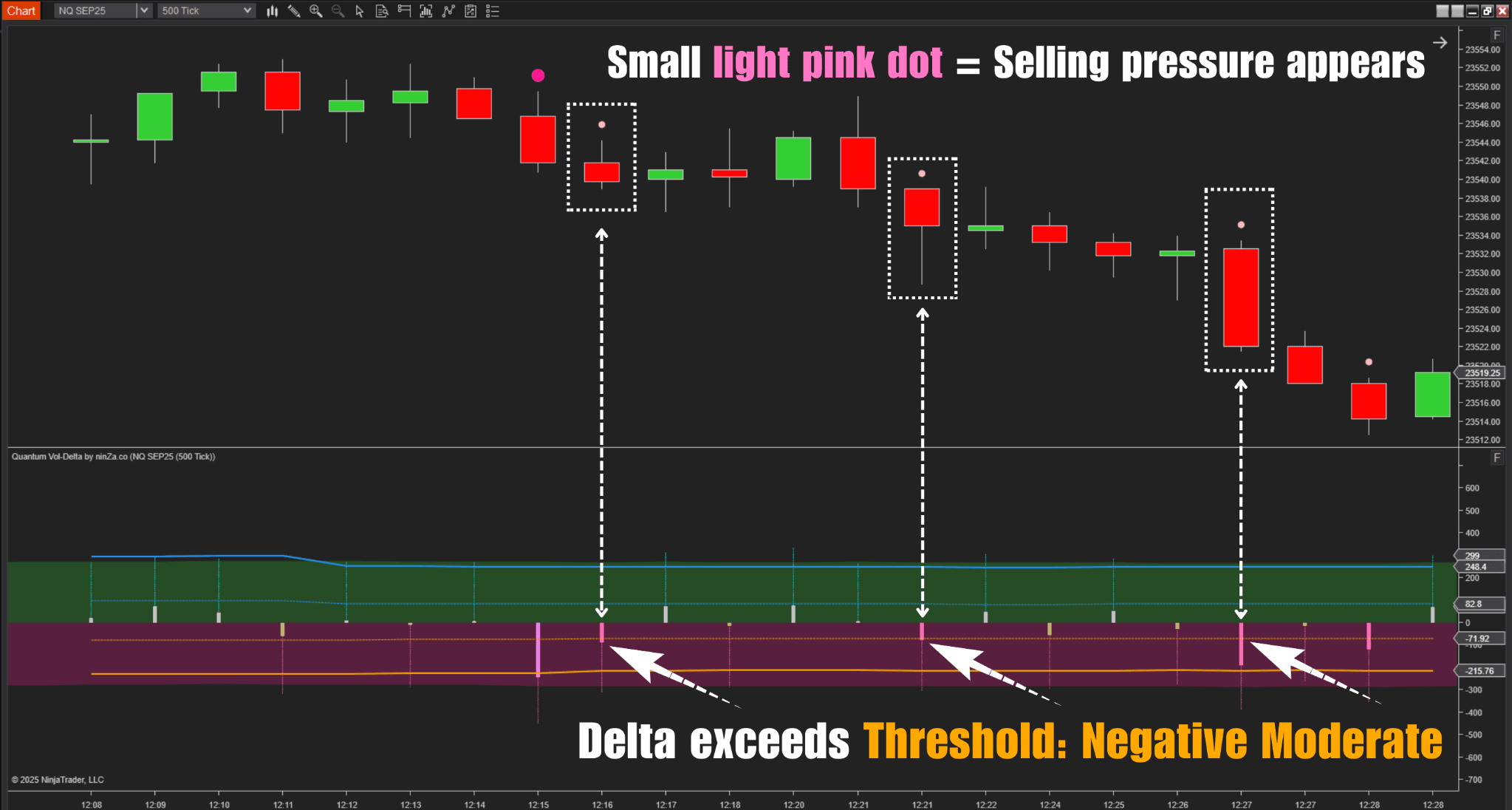
Instead of relying on a fixed Delta threshold, it automatically adjusts its low and high thresholds as market volume changes.
This matters because the same Delta value may not carry the same significance during different levels of market activity.
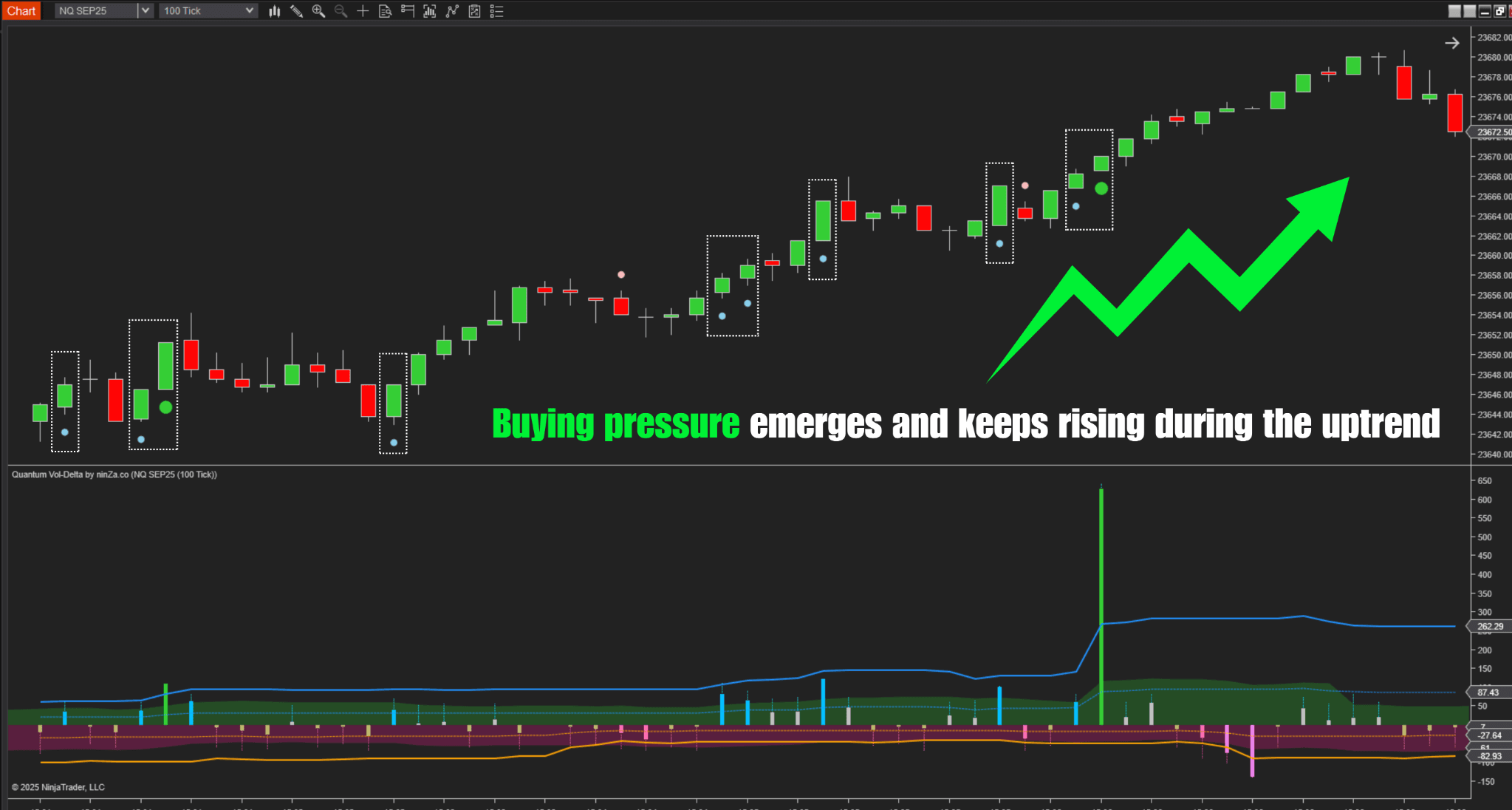
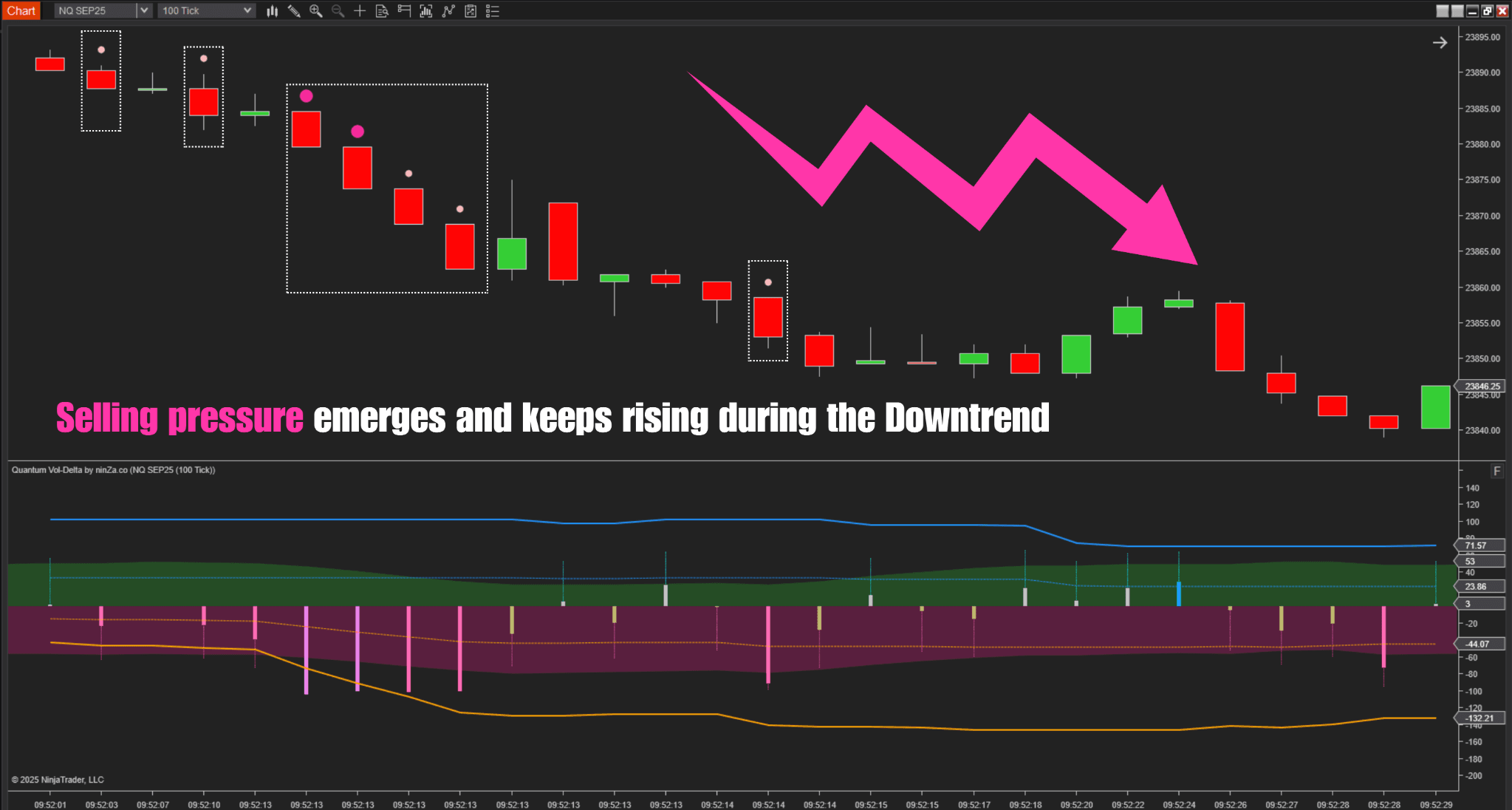
Quantum Vol-Delta can also filter signals using candle direction, average volume, and dominant buy or sell volume. Delta wicks provide an additional visual reference for unusually strong buying or selling pressure.
Once Easy Trend establishes direction, Quantum Vol-Delta provides the signal to evaluate for a potential entry.
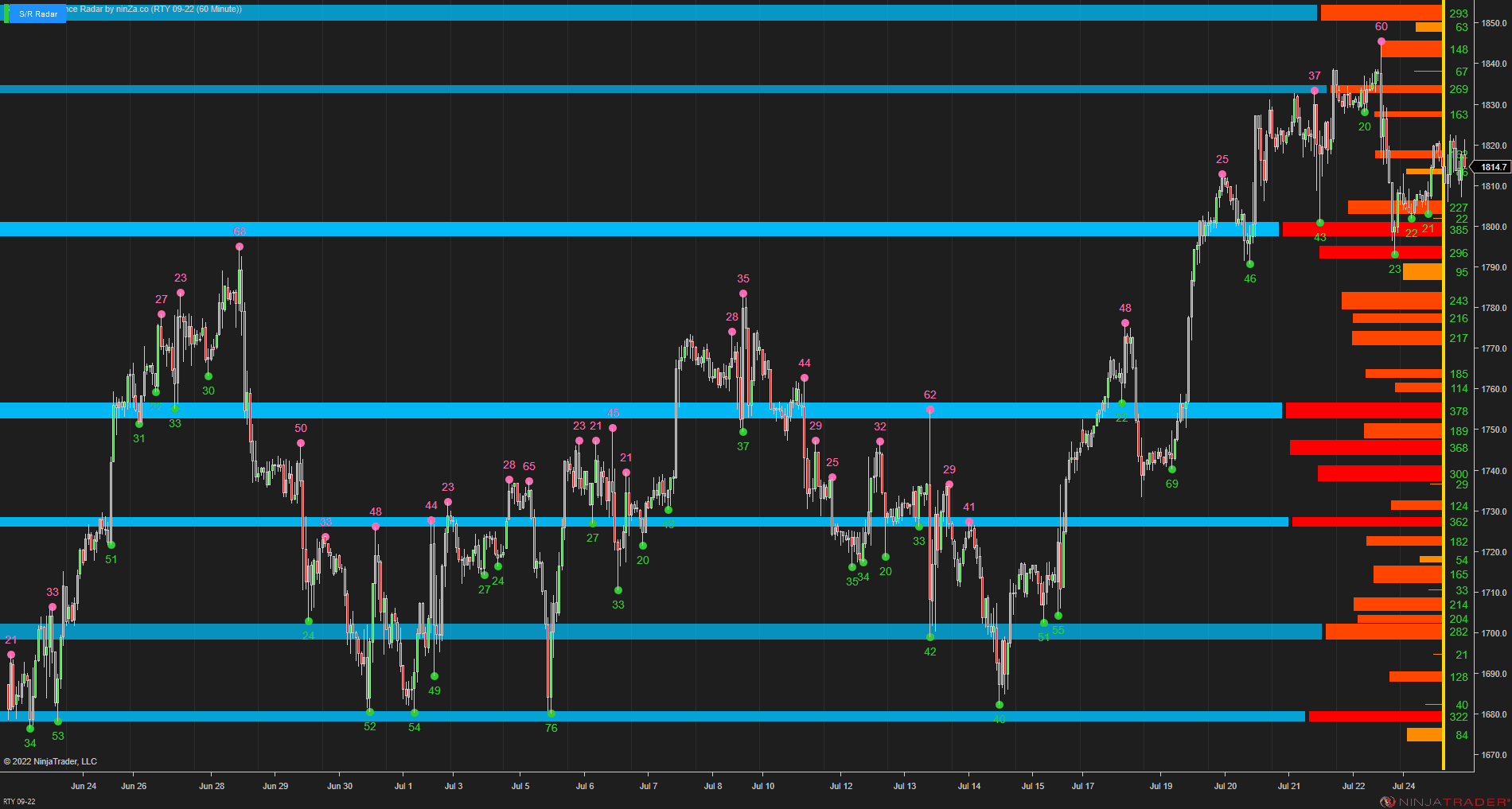
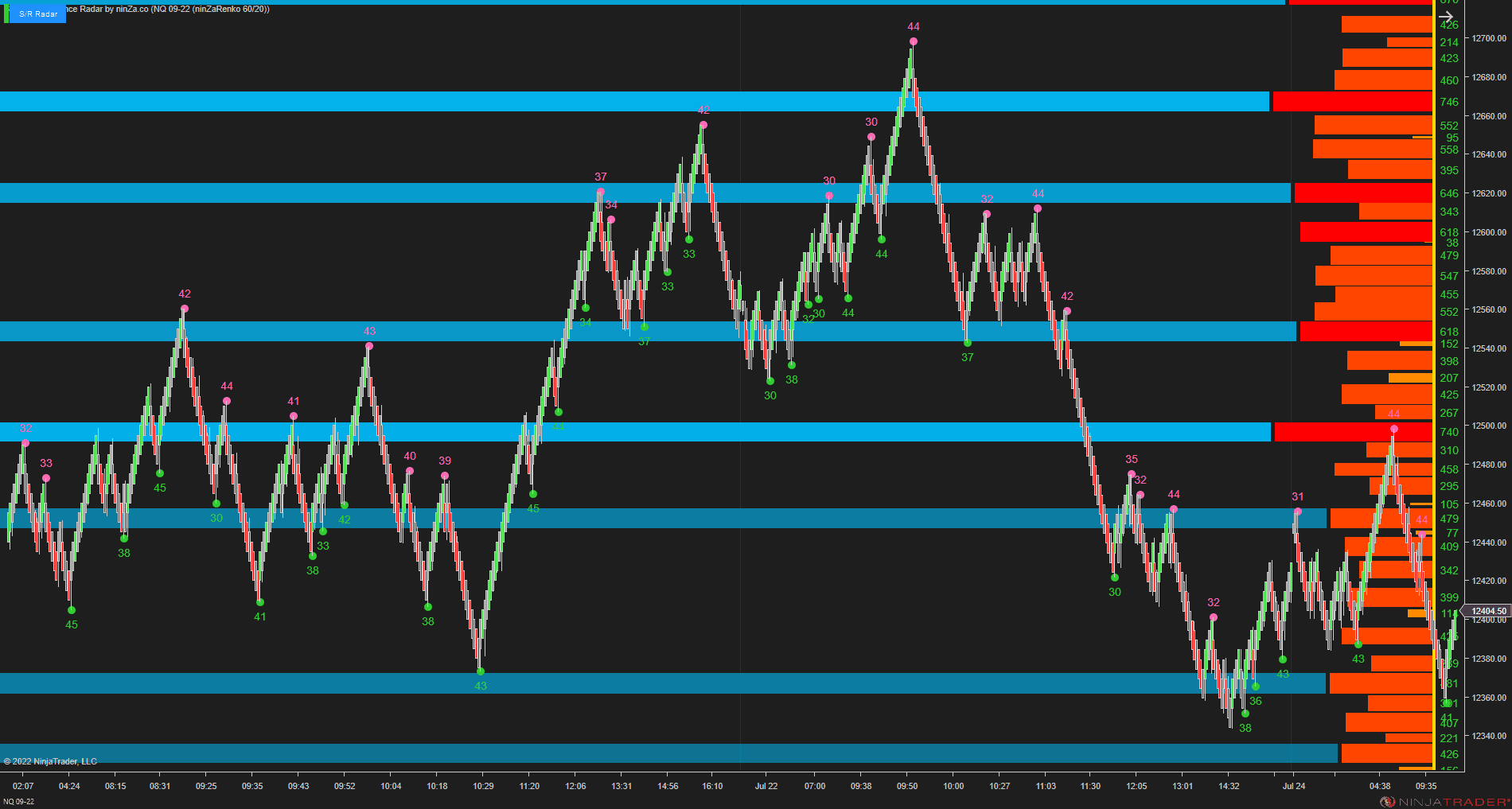
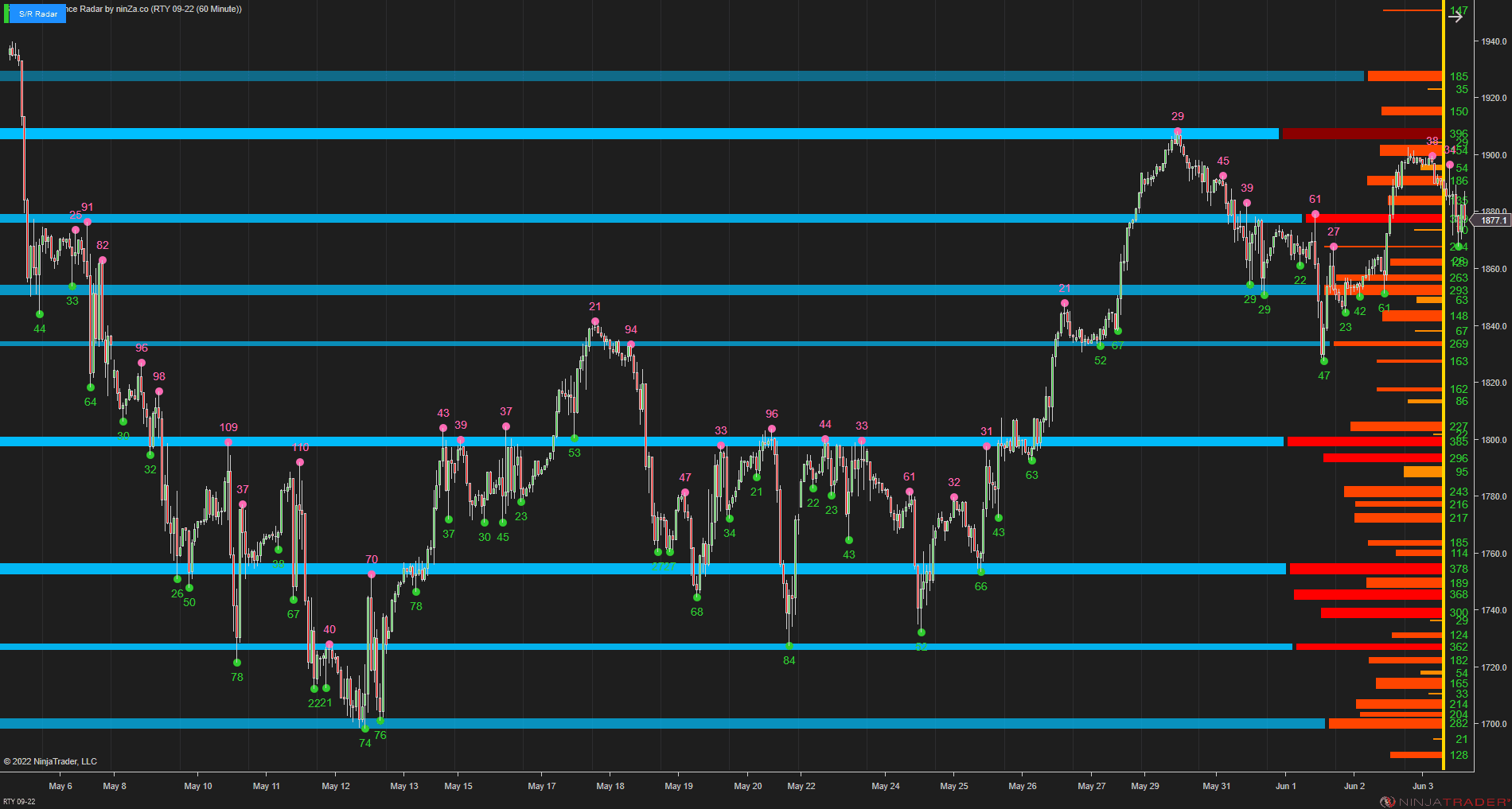
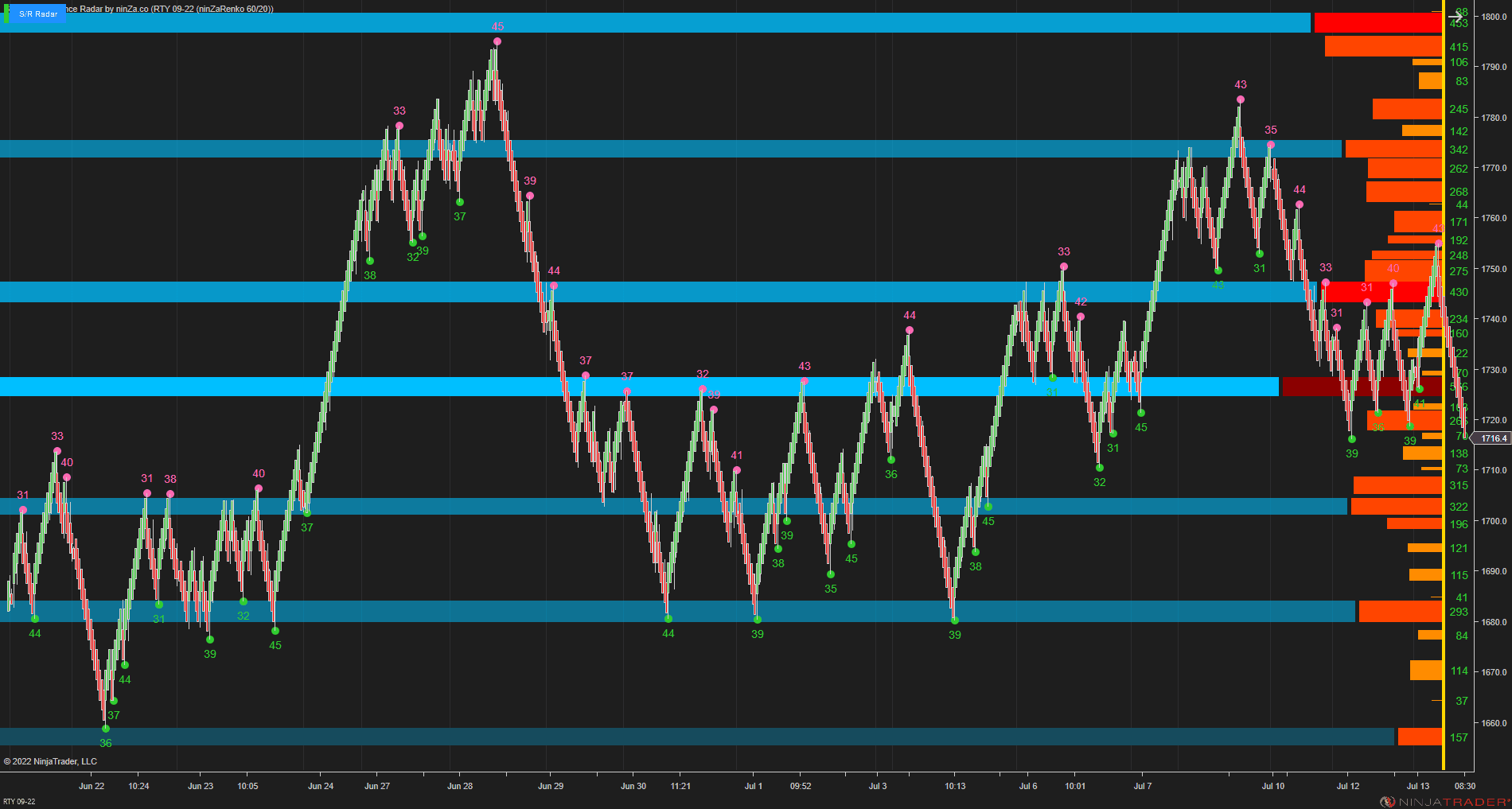
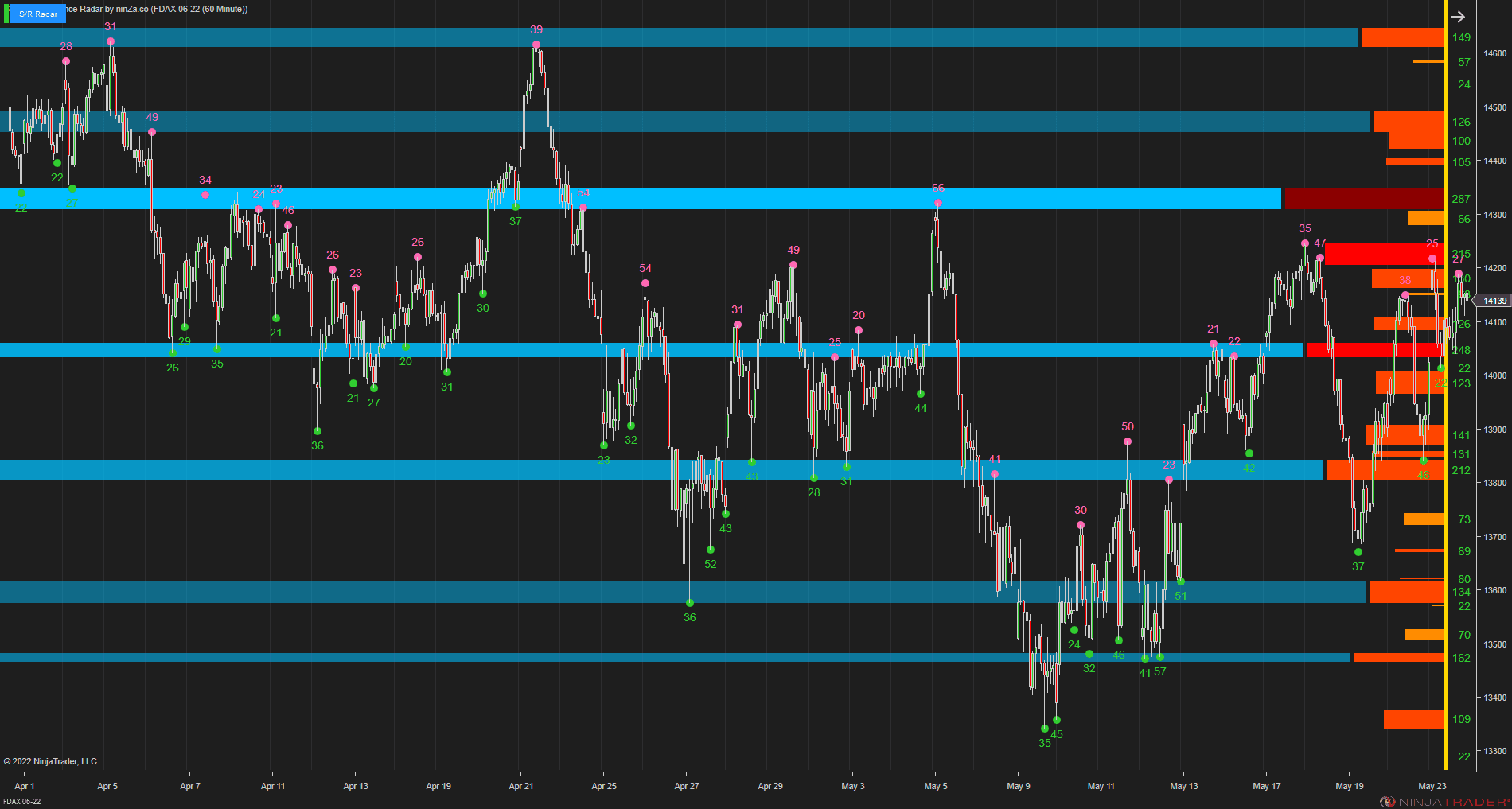
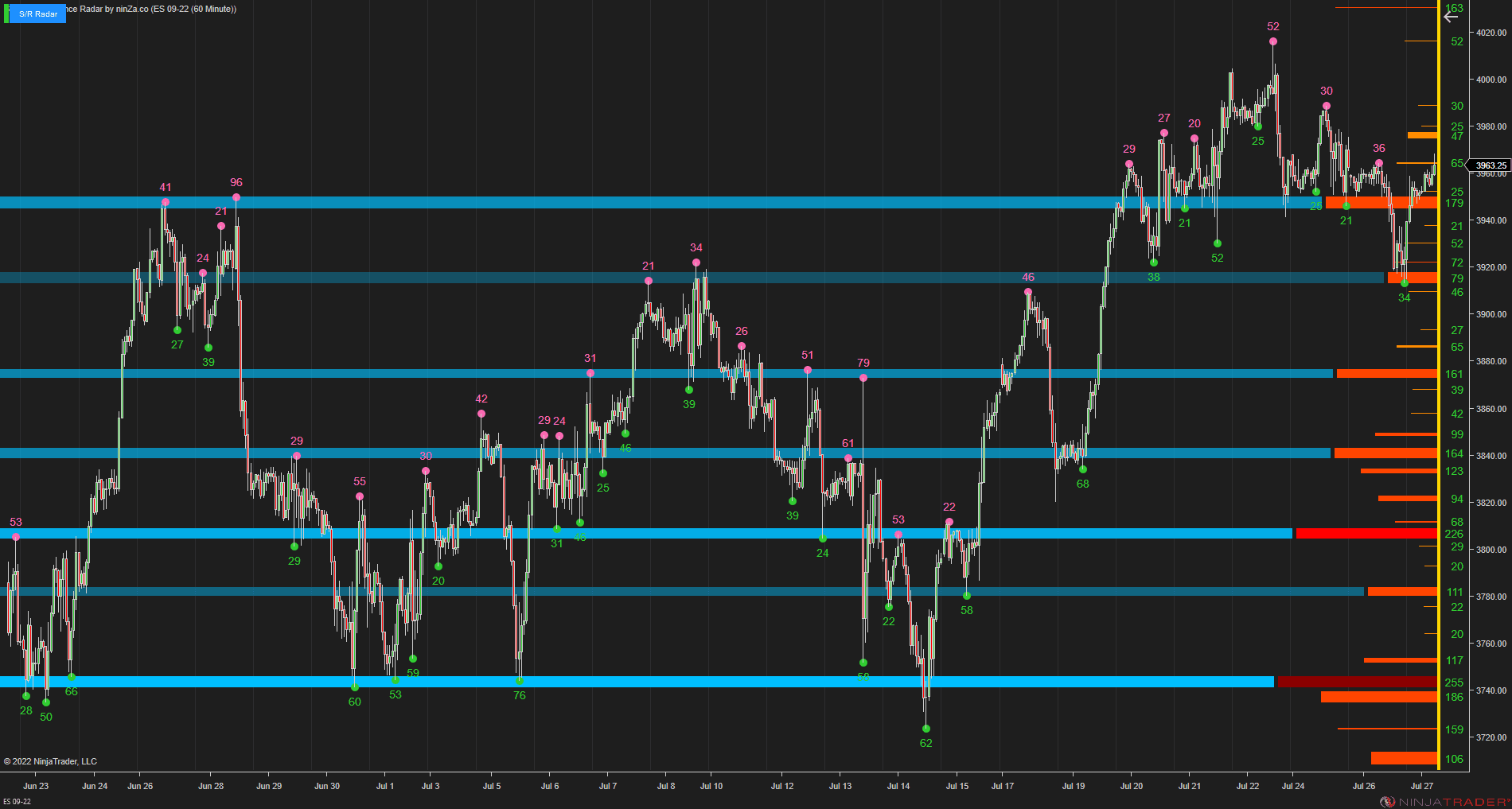
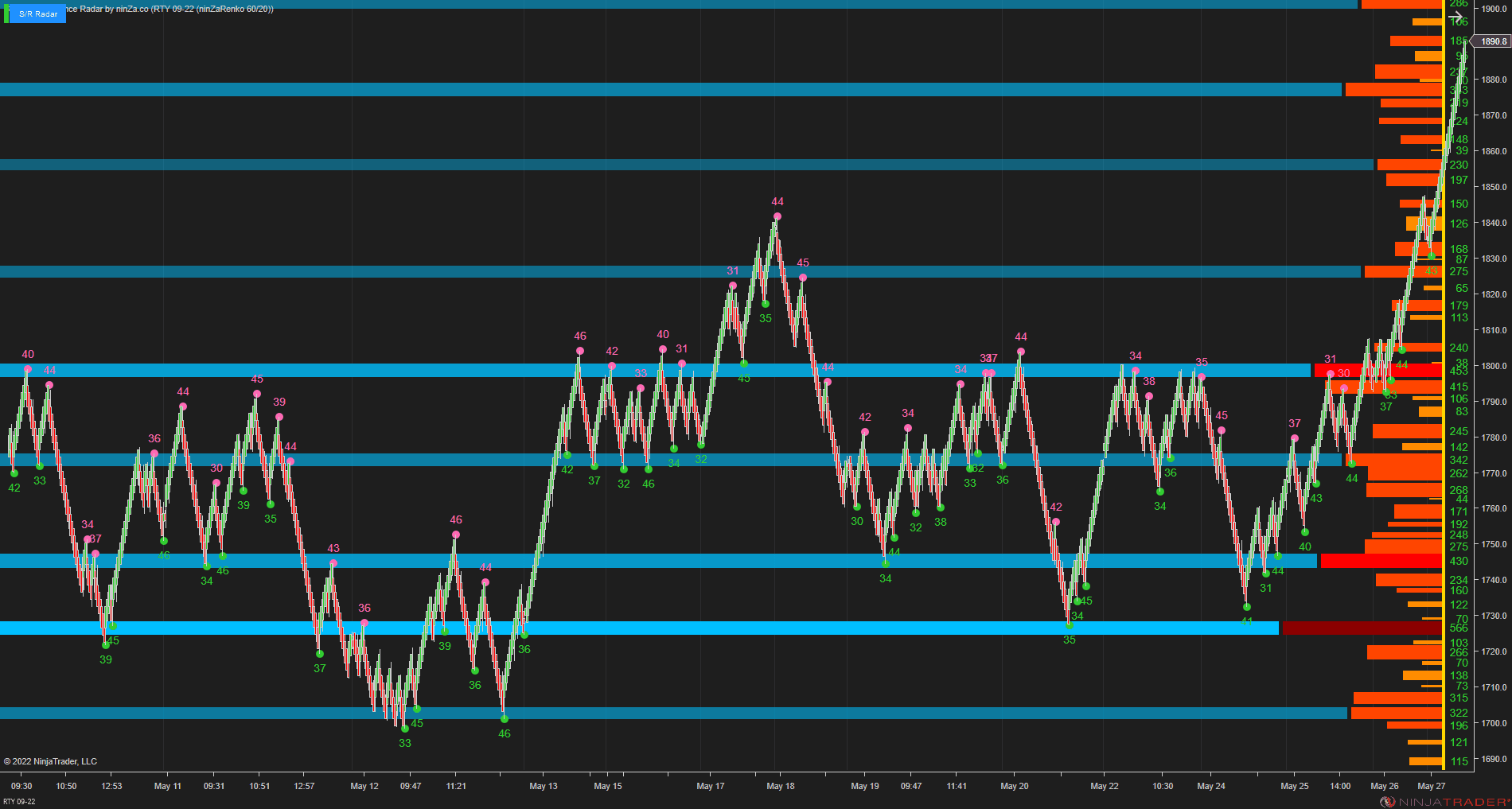
It identifies qualified swing points and groups nearby points into support and resistance zones.
Within this setup, those zones can be used in 2 ways:
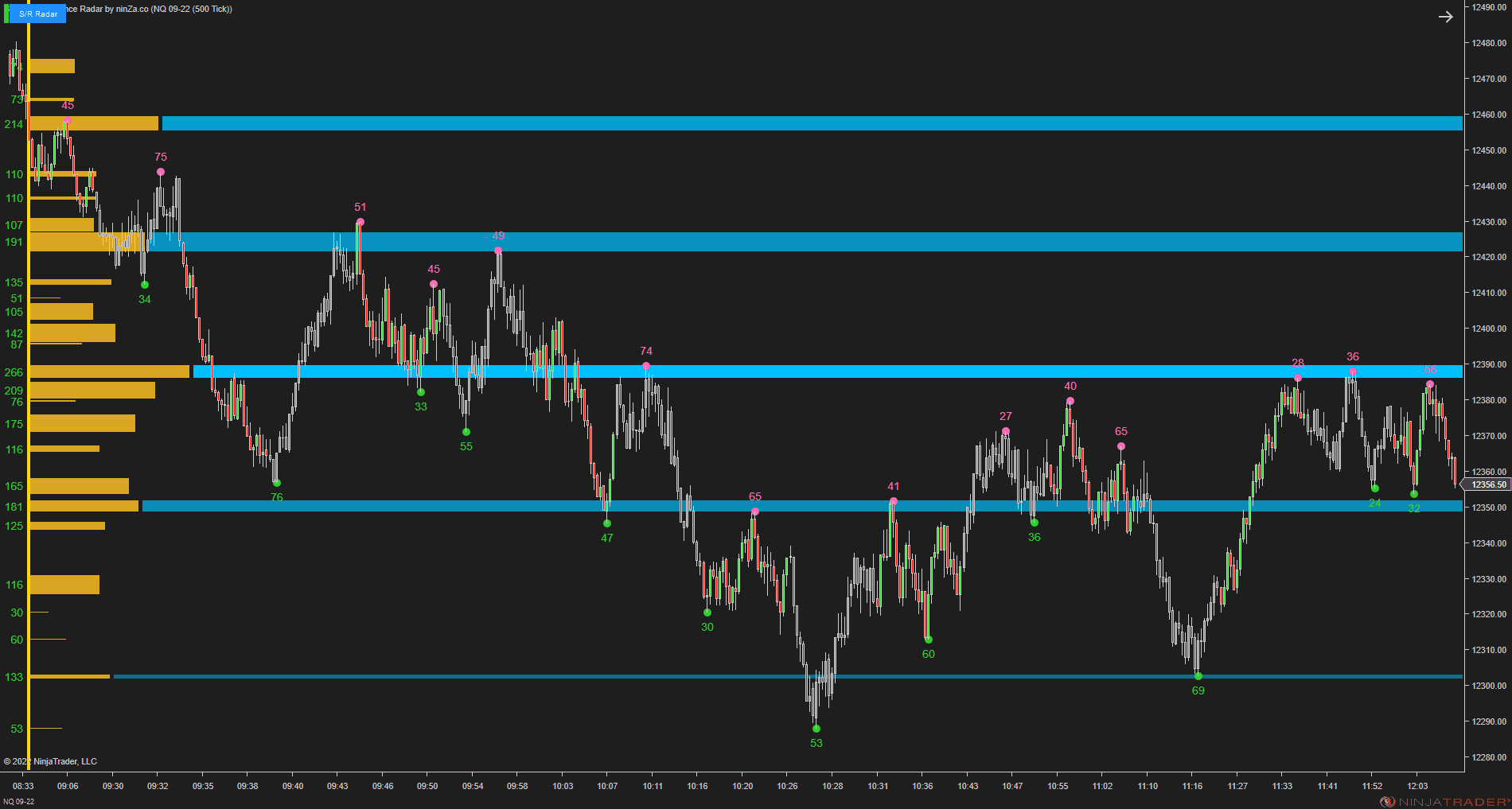
To add location confirmation when a Quantum Vol-Delta signal appears around a relevant S/R zone.
To provide context for a potential target or exit when the trade is entered before price reaches the next zone.
A practical scalping workflow
Start with the trend.
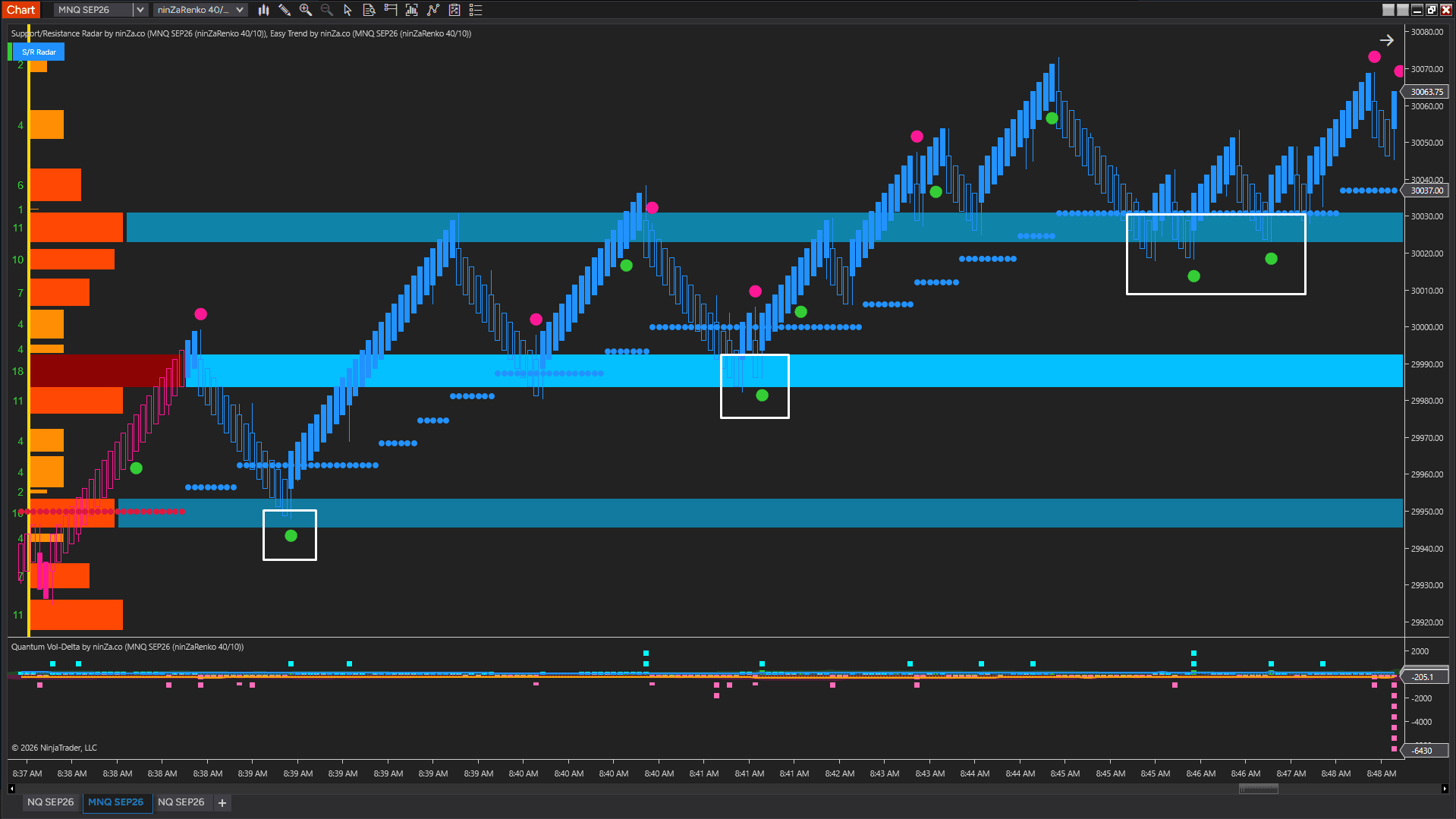
If Easy Trend is bullish, focus on Quantum Vol-Delta buy signals. If it is bearish, focus on sell signals.
Then use Support/Resistance Radar to evaluate where the signal is occurring.
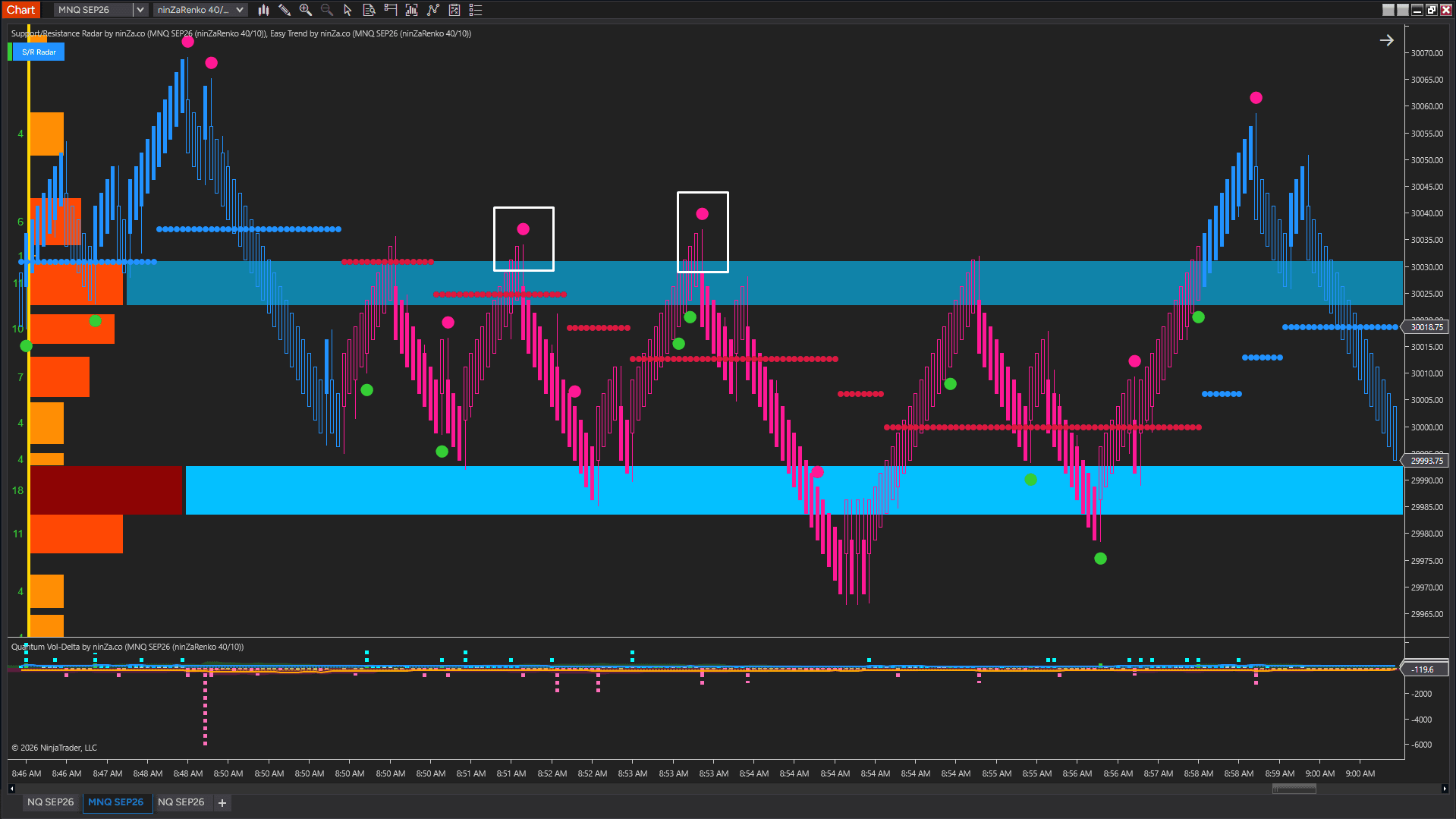
For example, during an uptrend, price may pull back toward a support zone while Quantum Vol-Delta produces a buy signal. That support area can provide additional confirmation for the setup.
You do not always need to wait for price to reach an S/R zone before entering. If a trend-aligned signal appears earlier, the next relevant resistance zone can instead help frame a potential target or exit.
The same logic applies in reverse during a downtrend.
A simple scalping checklist
Check the trend with Easy Trend.
Focus on signals that align with the current direction.
Wait for a Quantum Vol-Delta signal.
Use it as the entry layer within the workflow.
Check the location with Support/Resistance Radar.
A relevant S/R zone can add context to the signal.
Use the next relevant zone for target context when appropriate.
If the entry happens away from an S/R zone, the next support or resistance area may help frame a potential exit.
The structure stays simple: direction first, entry second, location and target context third.
Why adaptive Delta matters
Market volume changes throughout the trading day, so a fixed Delta threshold may become less useful as activity expands or contracts.
Quantum Vol-Delta adapts its thresholds to actual market volume rather than requiring one fixed number to represent meaningful buying or selling pressure across all conditions.
Its additional filters can also require Delta, candle condition, and dominant-side volume to align before a signal appears.
Support and resistance built from swing activity
Support/Resistance Radar builds its zones from qualified swing points.
Nearby swing points are grouped into S/R zones, which can be viewed through:
SwingStrength: Cumulative strength of the swing points within the zone.
SwingCount: Total number of qualifying points within the zone.
Because swing points require confirmation, they appear with a delay of N bars. The default is 10 bars, with a minimum setting of 1.
Its role here is not to identify the exact turning point in real time, but to provide established support and resistance zones for trade context.
Investment
Product value: $1,300
Ready-to-Buy investment: $500
With Zaccess – Supporting traders when it matters most, the selling price is reduced by 20%.
Current investment: $400
Policies
Software license
Every purchase includes a perpetual software license, granting you the right to use the software indefinitely on the number of computers permitted by your license.
Installation & Onboarding
Every purchase includes guided installation assistance. Purchases with Premium Services also include white-glove software setup and onboarding, along with personalized trading setup and workflow optimization.
Software updates & upgrades
Software updates & upgrades are provided at no additional cost. For products with a modular structure, this coverage applies to the core product, while optional expansion modules may be offered separately. Read the full policy
Customer service
Every purchase includes lifetime support via email & chat, delivered by our renowned Customer Care team – widely recognized throughout the trading community for its world-class service. As your NINZA product collection expands, Premium Path unlocks a growing range of enhanced Customer Care benefits & privileges, available through dedicated channels. Explore Premium Path
Remote assistance
Every purchase includes up to 3 complimentary remote assistance sessions, available within 30 days of purchase – with each session lasting up to 30 minutes. Purchases with Premium Services include up to 6 sessions within 60 days of purchase, with priority scheduling and longer session durations.
Product exchange
Customers may request up to 3 product exchanges within 30 days of purchase, at little or no additional cost when exchanging for a comparable product. Read the full policy
Returns & refunds
Due to the ease with which software products can be stored and copied, no returns will be accepted and no refunds will be issued. ALL SALES ARE FINAL & NON-REFUNDABLE.
Community Perspectives
From individual traders to pros and institutional trading teams... Trusted worldwide! Read traders' thoughts
4.9
Based on 800+ authentic reviews
M.
Indicators Improved My Charts. Hannah's Help And Great Customer Service. Will Buy Again.
I have been using the ninZa.co indicators for several months now and am very happy with what a valuable addition they have been to my charts. I recently decided to add one of the recently released indicators from ninZa.co. But after using for a few days, it wasn’t quite what I had been looking for. I contacted ninZa.co and had the pleasure of working with Hannah for an exchange to a different one of the many available indicators. At the time, the indicator I wanted to purchase to replace the one I had recently bought was on sale. Hannah put through an exchange and without my having to ask, gave me the advantage of the sale price. She also included a pdf that provided education about the indicator I chose to switch to. Any time I have had contact with one of the associates from ninZa.co, I have received excellent customer service, and will not hesitate to purchase from them again.
Bartosz
Grace Goes Above And Beyond: A Customer Support Experience That Exceeds Expectations!
Thank You, Grace! Your support is extraordinary I wish all companies have such great support. Keep going I’m 200% satisfied.
Kari L.
ConnorsRSI Pro With Grace's Outstanding Customer Service
Thank you very much for your excellent customer service, Grace! You are doing an excellent job making customers' lives much easier.
T.
An Exemplary Customer Experience At NinZa.Co: Unveiling The Power Of Cumulative Delta
I'm a new customer with ninZa.co and i was needing help today in making a purchase. I made a request on your chat platform and Hannah came to my rescue. She helped me find the what I needed and even offered me a discount. Everything went very smoothly from that point. I made the purchase and she even provided me some documentation on the indicator. I am very pleased with her assistance. Thanks again Hannah for your excellent customer service !!
Mike W.
Smart Ruler
I use ninZa.co's Smart Ruler every day !!! It is on all charts and helps me a great deal. Smart Ruler is one great tool for NinjaTrader !!!!!!!
A. B.
The indicator is working perfectly
The indicator is working perfectly. You guys are the best - Purchased Smart Zoom + Supply/Demand Discovery
Sandeep Rao
Awesome Indicator And Pi Rocks
This is my story, I ordered the Day Range indicator for NIFTY India. To my dismay, it didn't work well as it calculated ranges in ticks. I asked Larry Pi if there was a workaround, and he created a new version with all the choices for range unit: points, ticks, pips. He was with me all through the process, with very short turnaround cycles. So don't hesitate at all to pick what you want! You won't regret.
J.
Grateful For Excellent Support From Hannah!
Hi Hannah, Thank you for your great support. You got back to me right away, provided links to solve the problem, and they worked great! All is well that ends well, and your kind and more than adequate support ended very well! Thanks.
David P. From Connecticut
- Purchased Supply/Demand Discovery + TDI Pro + Solar Wind + Intraday Adaptive S/R + Ruby River + Market Profile (Daily) + Day Range
Just got your new Supply/Demand Discovery and it is truly a great improvement over everything else on the market. It will take me days to determine the best values for the variables for my different charts, but it will be worth the effort.
Research Domains
Full spectrum of trading intelligence across diverse domains. Explore all domains
Supply & Demand
Spot where supply or demand takes control
Analyze buying and selling pressure to identify where supply or demand dominates. Anticipate potential price reactions and uncover higher-probability trading opportunities around these areas.
Analyze smart money activity and liquidity to identify concentrated liquidity and areas vulnerable to liquidity sweeps. Recognize price movements that may reflect institutional activity.




_1787026707358.svg)






