
Strategy backtesting tutorial: Easier testing using NinjaTrader add-ons (with Black Friday deals)
NinjaTrader backtest strategy: A useful guide for any trader
It’s obvious that backtesting is the backbone of any serious trading approach. Without it, we might be gambling, making decisions just based on gut feeling rather than proven ideas.
But the challenge is, backtesting can feel complex for beginners, and even experienced traders often do it wrong: trusting unrealistic results or over-optimizing until strategies fail live.
NinjaTrader 8, along with some trusted 3rd-party add-ons like HelloWin Backtest, StrategyQuant X, or BloodHound, provides powerful features to make your testing easier and more accurate.
In this blog, you’ll learn why backtesting matters, how to do it properly in NinjaTrader 8, common mistakes to avoid, and which add-ons can simplify the process. Stay tuned for a special Black Friday bonus at the end!
Why is proper backtesting important?
Choosing proper backtesting plays an important role because it helps you avoid surprises when moving from past data to live markets.
The risk of skipping backtests
Trading without backtesting is like launching a plane without testing it in a wind tunnel. You might get lucky once, but the odds are against you.
How poor backtests mislead you
- Overfitting: Optimizing parameters until they fit past data perfectly, but fail in the future.
- Ignoring slippage and commissions: Unrealistic results that look profitable but wouldn’t survive real markets.
- Bad data: Missing bars, time gaps, or incorrect history create false expectations.
Key performance metrics to track
- Profit Factor – gross profit ÷ gross loss.
- Max Drawdown – biggest equity drop.
- Expectancy – average return per trade.
- Sharpe Ratio – risk-adjusted returns.
How to backtest a strategy in NinjaTrader 8
NinjaTrader provides full instructions on this process, along with optimization details, in its support guide:
→ https://ninjatrader.com/support/helpguides/nt8/NT%20HelpGuide%20English.html?backtest_a_strategy.htm
Here are the first steps to backtest a strategy in NinjaTrader 8:
Step 1. Prepare your historical data
- Import clean data via Tools > Import > Historical Data.
- Double-check for missing bars or unrealistic spikes.
Step 2. Choose your backtesting method
- Strategy Analyzer – NinjaTrader’s automated backtesting engine.
- Chart-based simulation – For quick, visual testing directly on charts.
Step 3. Configure settings
- Instrument (ES, NQ, YM, CL are popular with US futures traders).
- Bar type and timeframe (minute, tick, Renko, etc.).
- Slippage and commission.
- Starting capital.
Step 4. Run the backtest & review results
- Review equity curve, trade list, and summary metrics.
- Pay attention to drawdown and consistency, not just net profit.
Step 5. Validate visually
- Load trades on a chart to confirm entries and exits match your logic.
Avoid some common pitfalls in NinjaTrader backtesting
Backtesting a strategy in NinjaTrader can provide valuable insights, but the results are only useful if they reflect real trading conditions.
Many traders fall into the same traps that make their backtests look stronger than they truly are. Here are some of the most common pitfalls to avoid:
- Backtest vs live mismatch: Strategy Analyzer often looks better than live results.
- Ignoring market events: Economic releases and news shocks are not reflected in historical testing.
- Over-optimization: Tuning parameters too tightly leads to fragile systems.
- Data quality issues: Gaps or survivorship bias skew results.
- Intrabar limitations: Without tick replay, results may not capture real intrabar behavior.
Add-ons to simplify your backtesting process
While NinjaTrader 8’s Strategy Analyzer is powerful, it has limits. That’s why many traders use 3rd-party tools for deeper, more realistic backtesting like HelloWin Backtest, BloodHound, or QuantAnalyzer.
HelloWin Backtest: Simplifying and extending capabilities
One standout solution is HelloWin Backtest, an add-on built to push NinjaTrader’s backtesting further.
With HelloWin Backtest, you can:
- Visualize results with an accumulated PnL graph, instead of relying only on tables.
- Backtest on multiple bar types, including custom ones like ninZaRenko that Strategy Analyzer struggles with.
- Add realism by defining slippage and round-turn commissions.
- Use 2-round entry logic: one condition triggers a “watch period,” another confirms entry – closer to how real trading works.
- Expand backtesting sets easily with HelloWin Unlimited Sets
- Gain deeper insights through HelloWin Analytics
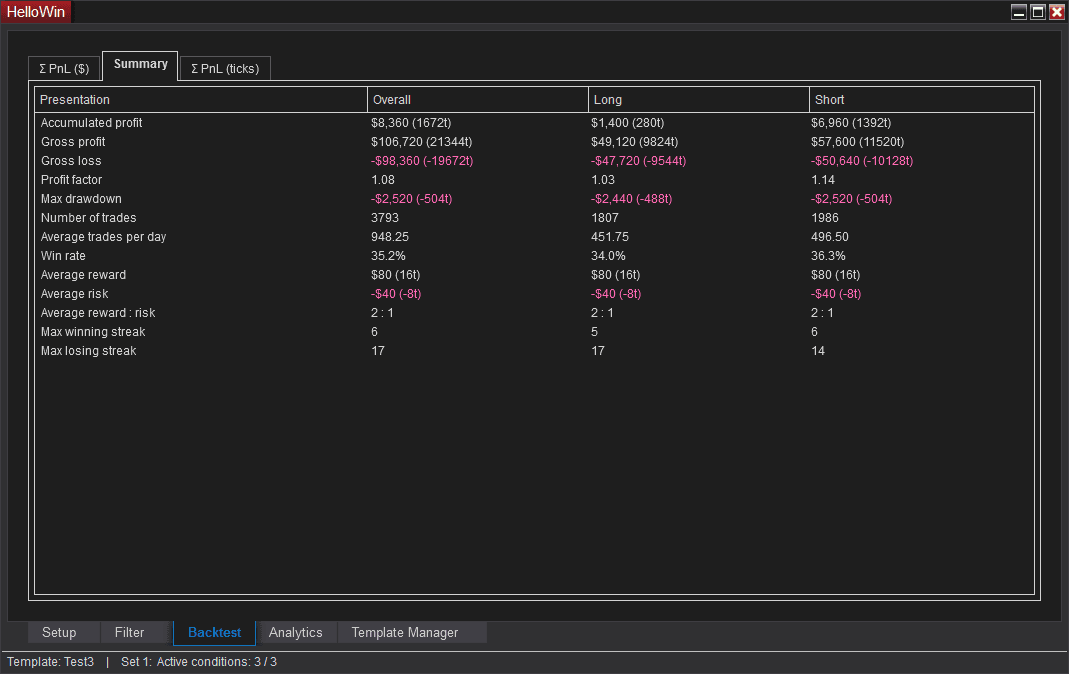
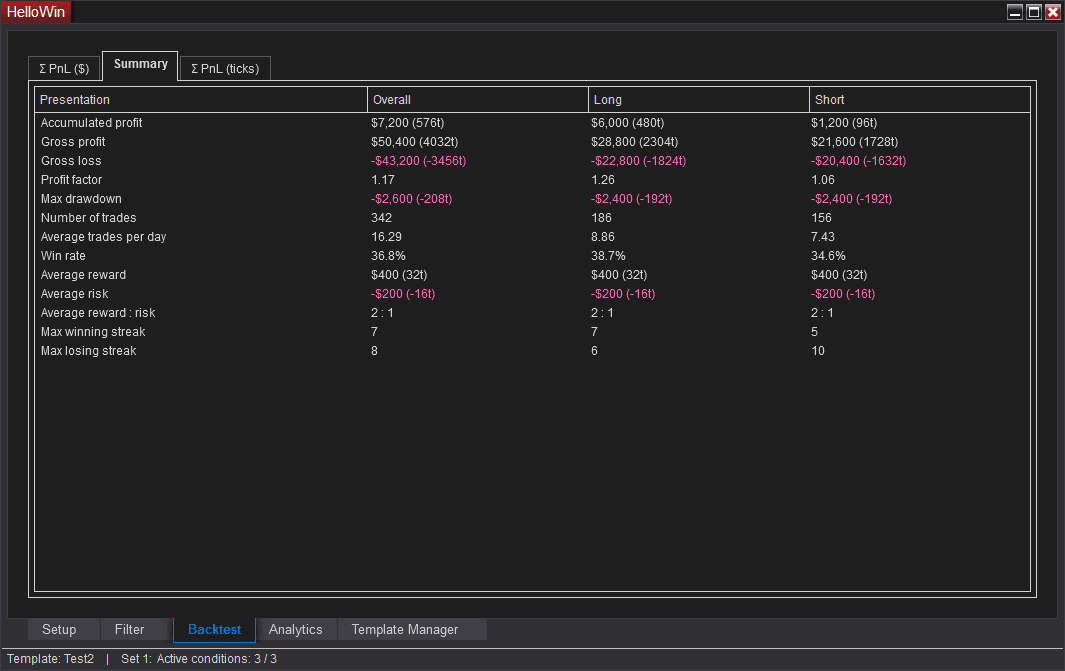
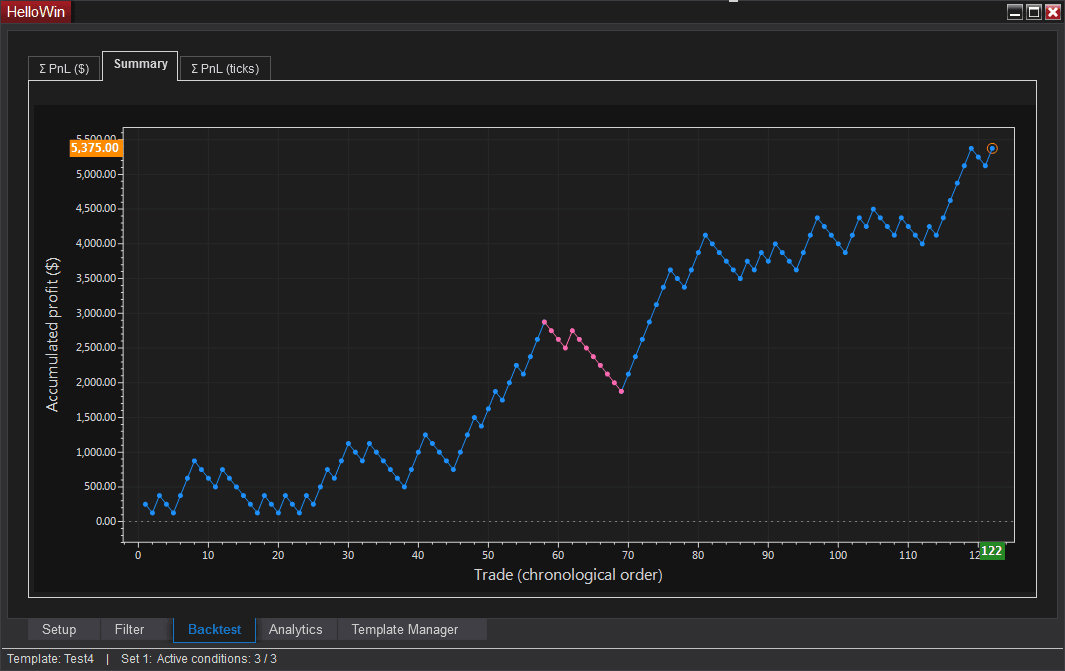
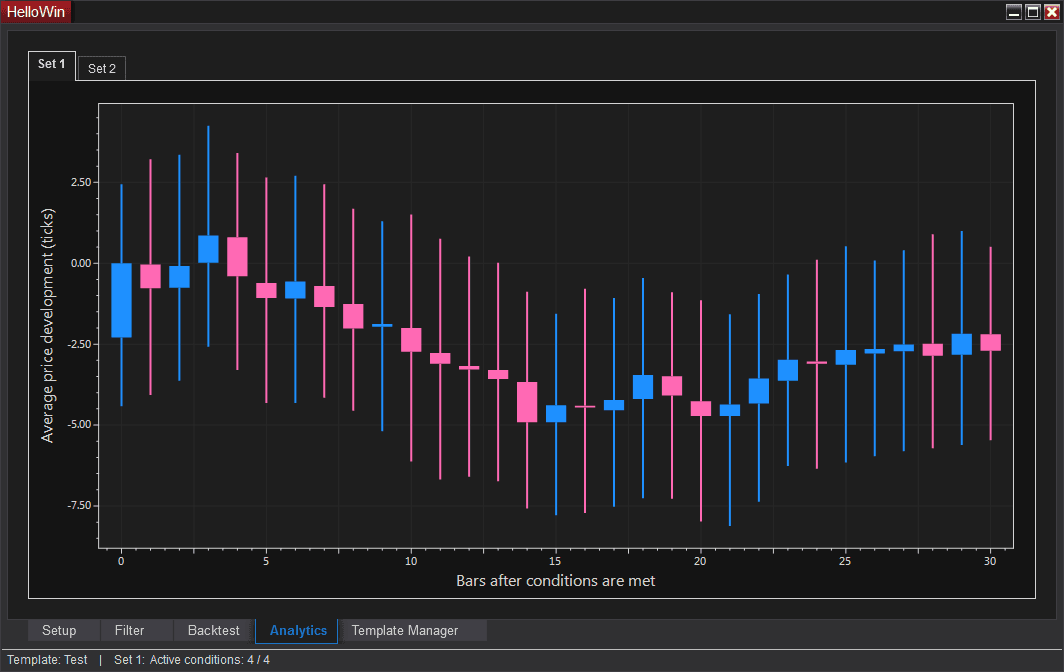
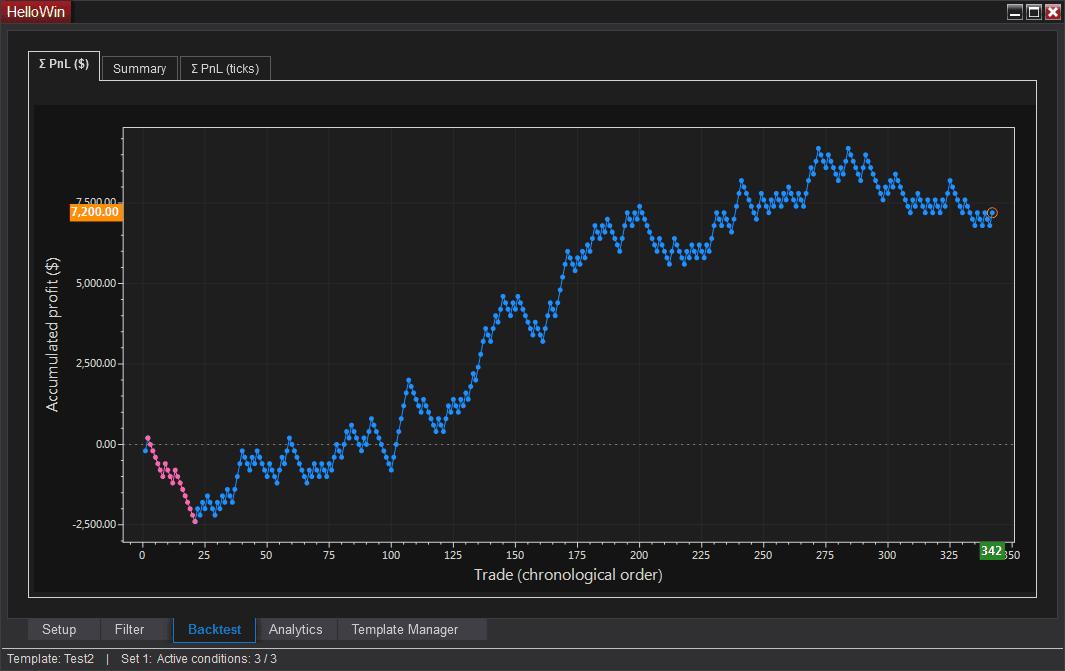
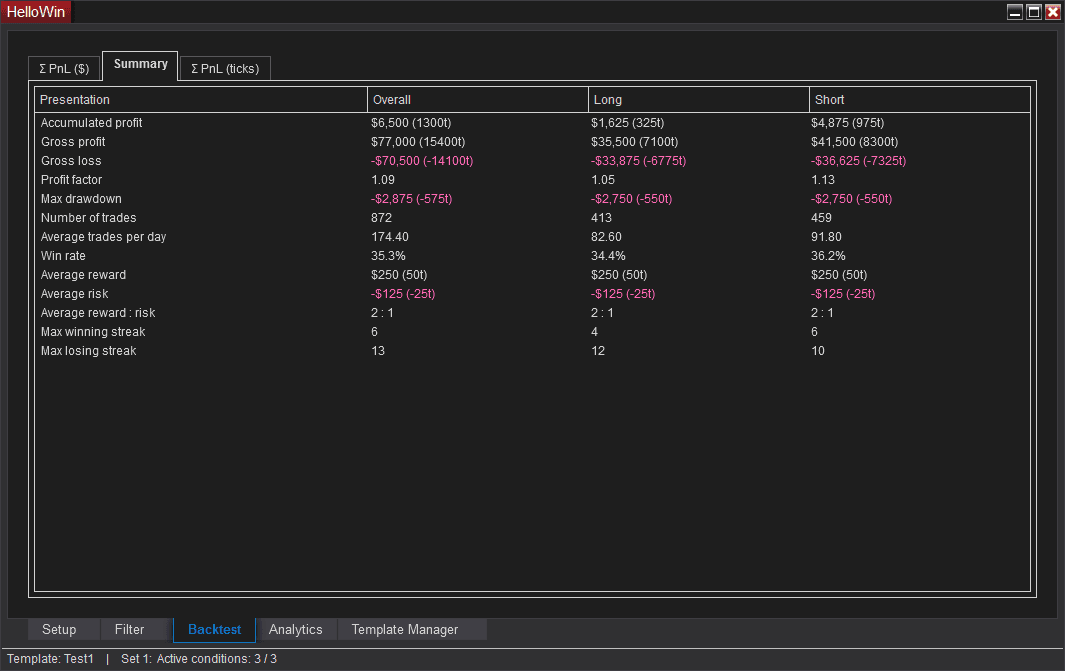
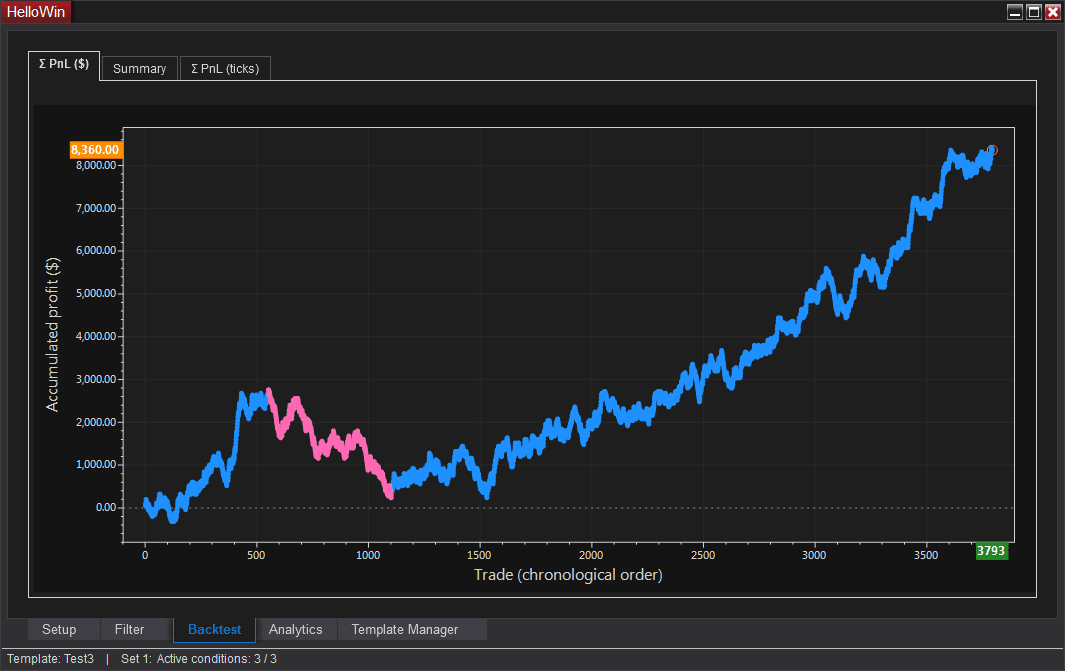
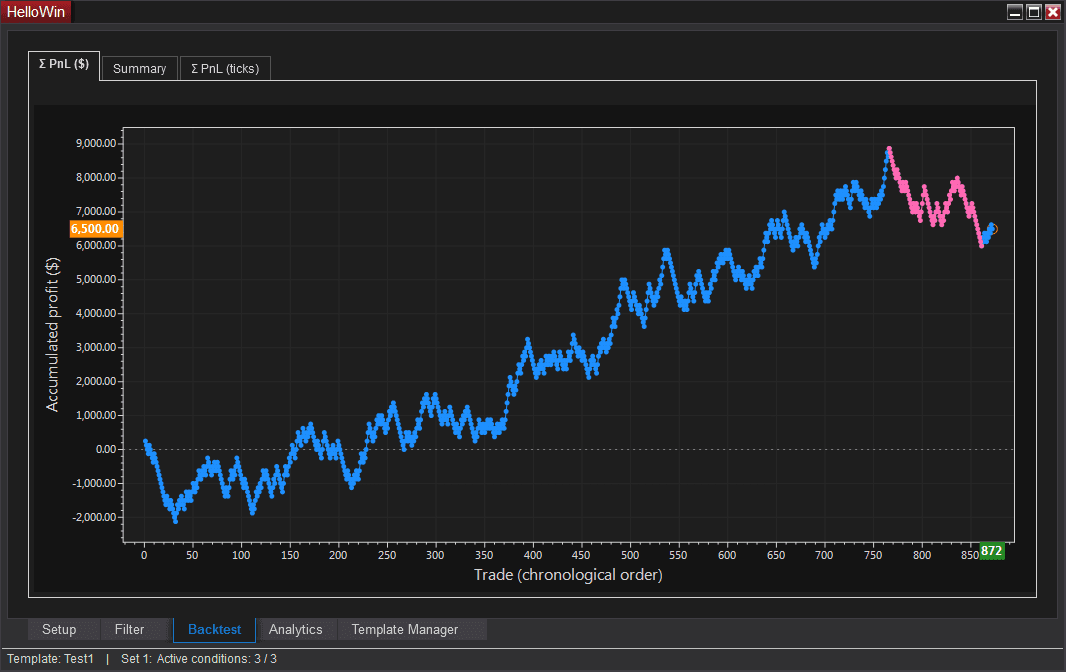
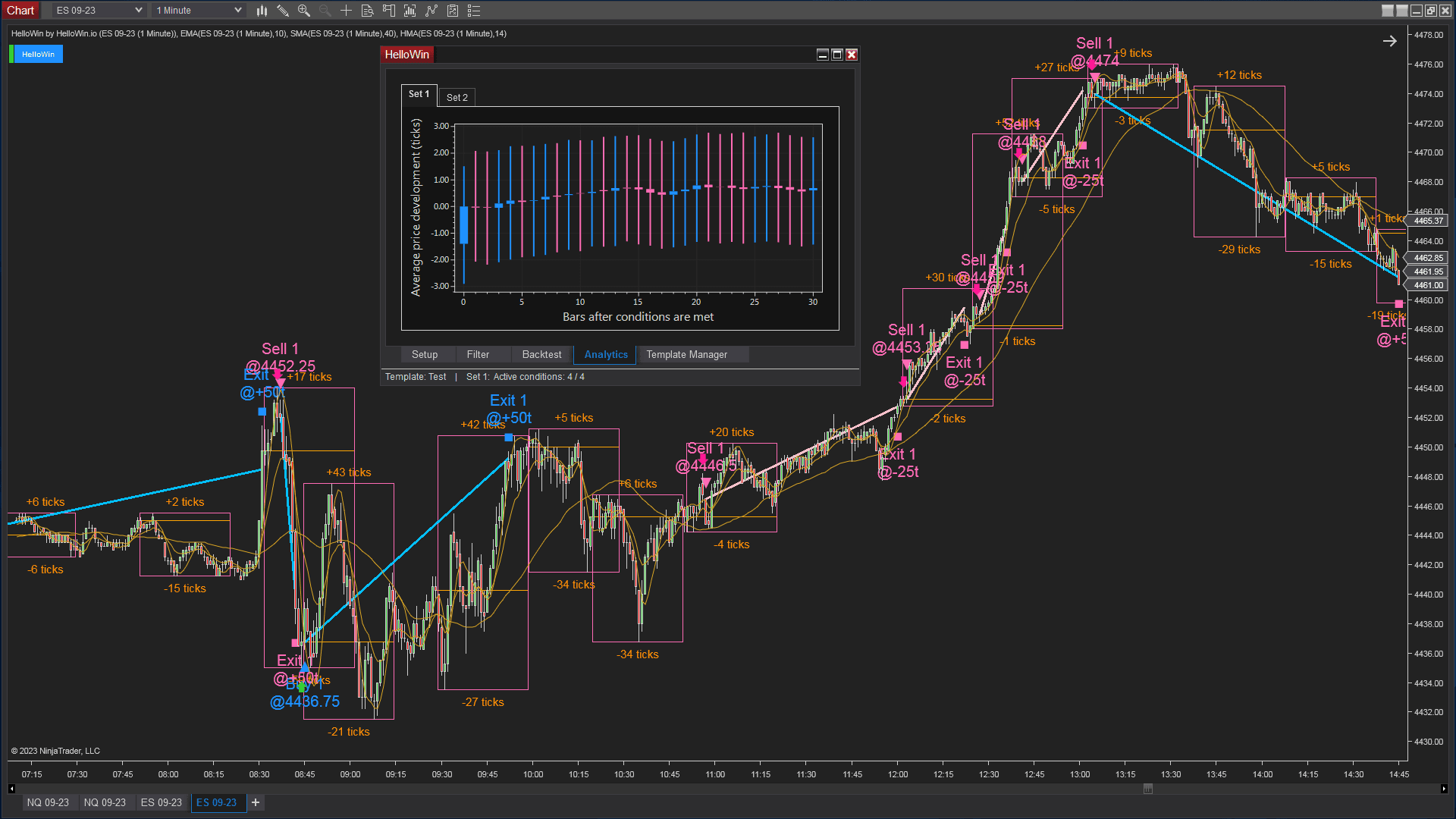
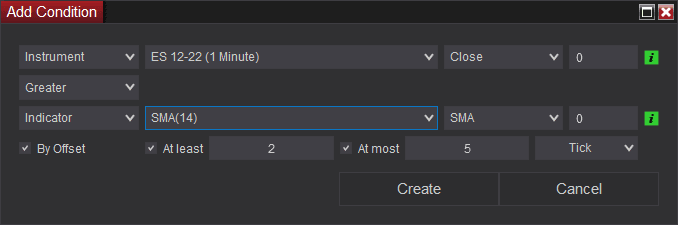
Here’s a demo showing how it analyzes the Super JumpBoo$t strategy across multiple timeframes:
Feature | NinjaTrader Strategy Analyzer | HelloWin Backtest (Basic, Features, Analysis) |
| PnL Visualization | Basic tables only | Accumulated PnL graph |
| Bar Types Supported | Standard bars | Includes ninZaRenko & custom |
| Slippage/Commission | Yes (basic) | Customizable |
| Entry Logic | Single rule per signal | 2-round logic |
| Flexibility | 1 set of conditions at once | 2 and more sets of conditions (buy & sell), expandable |
Best practices & quick checklist
Before running your next NinjaTrader backtest strategy:
- Use clean, reliable historical data.
- Configure realistic slippage & commissions.
- Don’t overfit your parameters.
- Validate with charts, not just tables.
- Forward test before going live.
- Keep testing as market conditions evolve.
Boost your backtesting with HelloWin Backtest (Black Friday deals)
During our Black Friday event, you can enjoy flexible subscription options and exclusive lifetime deals on HelloWin Backtest – all at a special discount:
- HelloWin Backtest: https://hellowin.io/product/hellowin
- Unlock more sets of conditions with HelloWin Unlimited Set: https://hellowin.io/product/hellowin-unlimited-sets
- Gain more insights with HelloWin Analytics: https://hellowin.io/product/hellowin-analytics
Conclusion
A solid NinjaTrader backtest strategy is the foundation of trading success. Done right, it gives you confidence, highlights weaknesses, and saves you from expensive mistakes.
Don’t leave your results to chance. Upgrade your backtesting process today and claim your exclusive Black Friday deal.
Download ~ 40 FREE indicators & reach more useful resources !!!
LIVE Intraday Trading | Stop chasing Early Entries. Let Timing guide your entry →

NINZA Indicators
0 online
_1787026707358.svg)
NINZA is an official member of NinjaTrader Ecosystem together with 600+ industry-leading professionals that provide traders with quality trading products & services.




even more payment methods
Quick Links
Instructions
Support
Resources & Information
© Copyright 2026 All Rights Reserved



Because software products may be copied and stored easily, we will NOT issue refunds of any kind. ALL SALES ARE FINAL & NON-REFUNDABLE!
Futures, foreign currency, and options trading contains substantial risk and is not for every investor. An investor could potentially lose all or more than the initial investment. Risk capital is money that can be lost without jeopardizing one's financial security or lifestyle. Only risk capital should be used for trading and only those with sufficient risk capital should consider trading. Past performance is not necessarily indicative of future results.
Hypothetical performance results have many inherent limitations, some of which are described below. No representation is being made that any account will or is likely to achieve profits or losses similar to those shown; in fact, there are frequently sharp differences between hypothetical performance results and the actual results subsequently achieved by any particular trading program. One of the limitations of hypothetical performance results is that they are generally prepared with the benefit of hindsight. In addition, hypothetical trading does not involve financial risk, and no hypothetical trading record can completely account for the impact of financial risk of actual trading. For example, the ability to withstand losses or to adhere to a particular trading program in spite of trading losses are material points which can also adversely affect actual trading results. There are numerous other factors related to the markets in general or to the implementation of any specific trading program which cannot be fully accounted for in the preparation of hypothetical performance results and all which can adversely affect trading results.
NinjaTrader® is a registered trademark of NinjaTrader Group, LLC. No NinjaTrader company has any affiliation with the owner, developer, or provider of the products or services described herein, or any interest, ownership or otherwise, in any such product or service, or endorses, recommends or approves any such product or service.