
UTF Execution Kit
Execute UTF through a clear Trend → Zone → Signal workflow
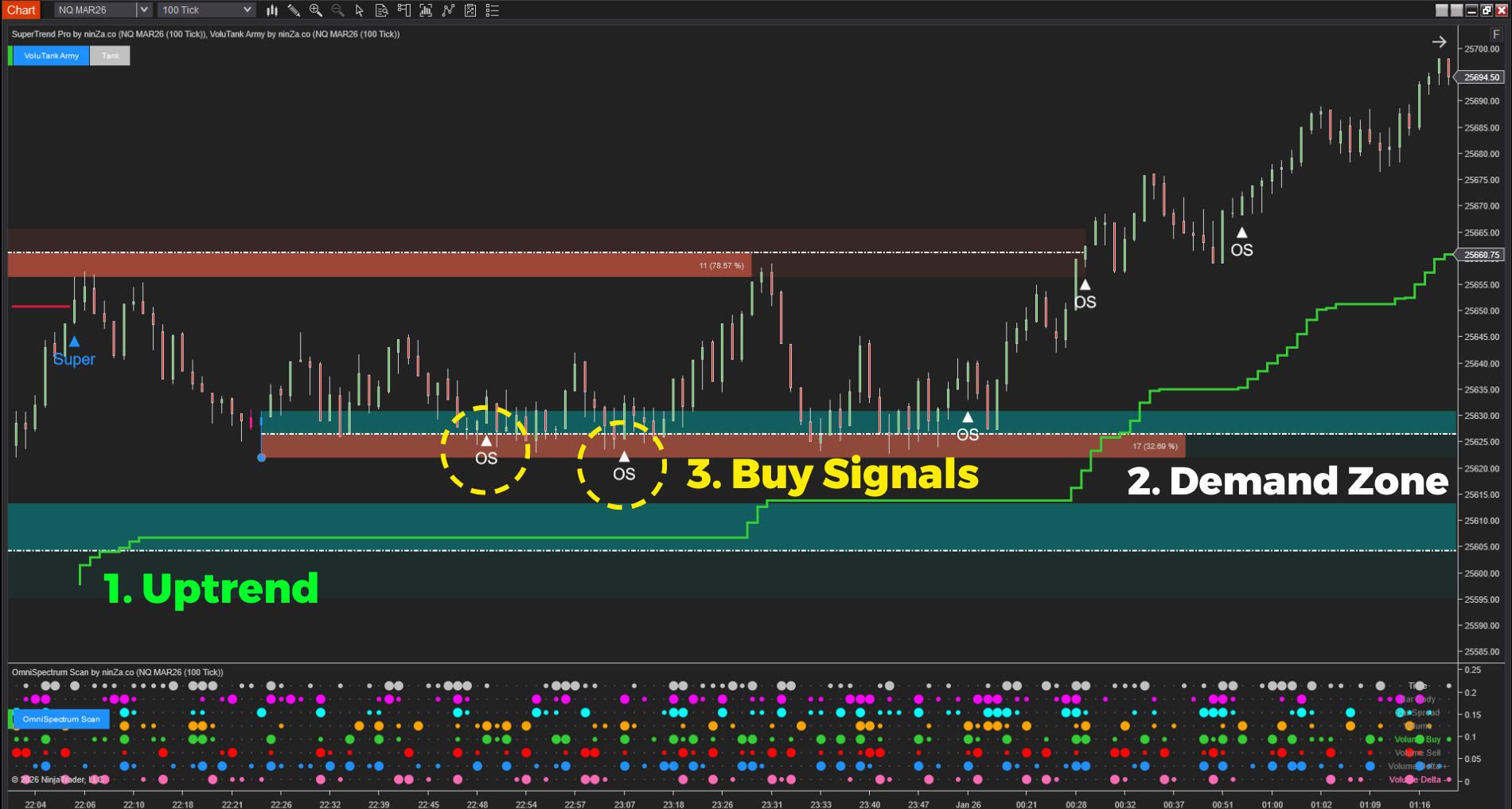
The UTF Execution Kit gives each layer of the Universal Trading Framework one clearly defined role. SuperTrend Pro establishes directional context, VoluTank Army identifies objective trade locations, and OmniSpectrum Scan confirms execution timing.
Understanding UTF is one thing. Executing it clearly is another
The logic is simple
UTF is designed to bring structure, clarity, and probability-based thinking to trading decisions. One layer defines Trend. One layer defines Zone. One layer defines Signal.
Execution tells a different story
Applying that structure to a live chart is often more difficult than understanding it in theory. A tool selected for Trend may behave more like a short-term signal. Zones may appear inconsistently. Multiple indicators may repeat the same information or provide conflicting interpretations.
Not a tool problem — a role problem
The problem is not necessarily a lack of tools. The problem is that each tool may not have a clearly defined responsibility within the framework.
Overlap breaks the decision sequence
When Trend, Zone, and Signal overlap, the chart becomes harder to interpret. Traders may begin reacting to whichever signal appears most convincing instead of following the UTF decision sequence consistently.
Context first. Signal second
UTF is built on a simple principle — a signal should not be evaluated in isolation. Direction comes first. Location comes next. Timing comes last. A signal may look strong, but it has less meaning when it conflicts with the broader trend or appears away from a relevant price area.
The purpose of the chart is not to display as much information as possible. It is to organize information so that each layer answers one specific question.
Trend
Which direction currently has permission?
Zone
Where does a trade idea become relevant?
Signal
When does market participation support execution?
3 layers. 2 responsibilities. One structured process.
Trend layer
Direction
The Trend layer establishes directional bias before an entry is considered. Its purpose is to filter out ideas that conflict with the broader market direction and provide a stable foundation for the remaining UTF layers.
Zone layer
Location
The Zone layer defines where a trade becomes relevant. Instead of considering entries at random locations, traders can focus on objective areas supported by market activity.
Signal layer
Timing
The Signal layer determines when execution should be considered. It evaluates the activity within the current candle so that timing is assessed in relation to both Trend and Zone.
When these 3 layers are clearly separated, UTF becomes easier to apply, review, and repeat.
A structured execution kit, not a collection of indicators
UTF does not require these exact 3 indicators. Any tools that clearly perform the Trend, Zone, and Signal roles may be used within the framework.
The UTF Execution Kit is designed for traders who do not want to spend weeks comparing tools, testing overlapping functions, or deciding which indicator belongs to which layer. Each component is assigned one primary responsibility:
SuperTrend Pro
Provides directional context.
VoluTank Army
Defines volume-supported trade locations.
OmniSpectrum Scan
Evaluates the internal strength of the execution candle.
The value of the kit does not come from placing more indicators on the chart. It comes from reducing functional overlap and creating a clearer path from market context to trade execution.
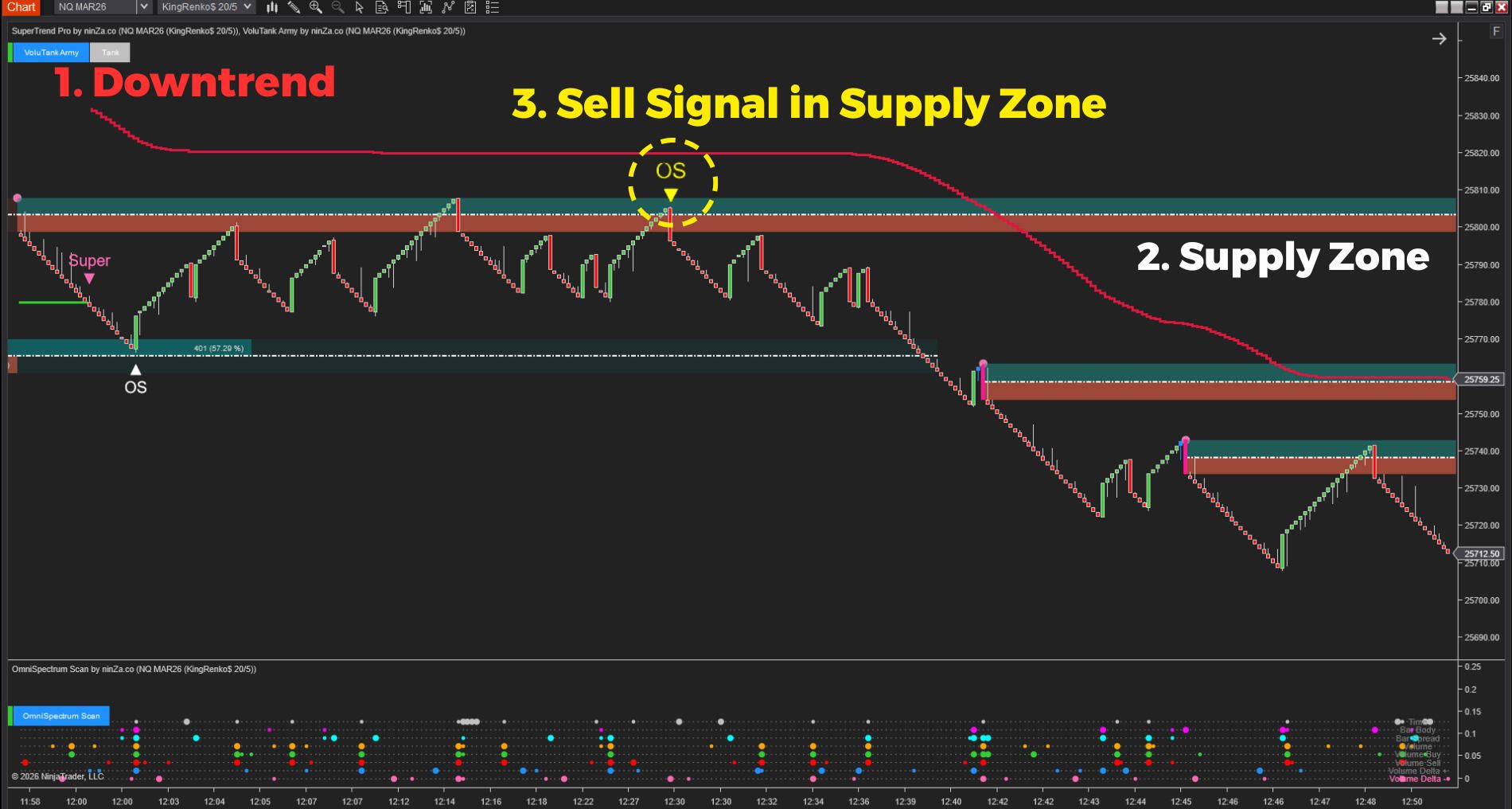
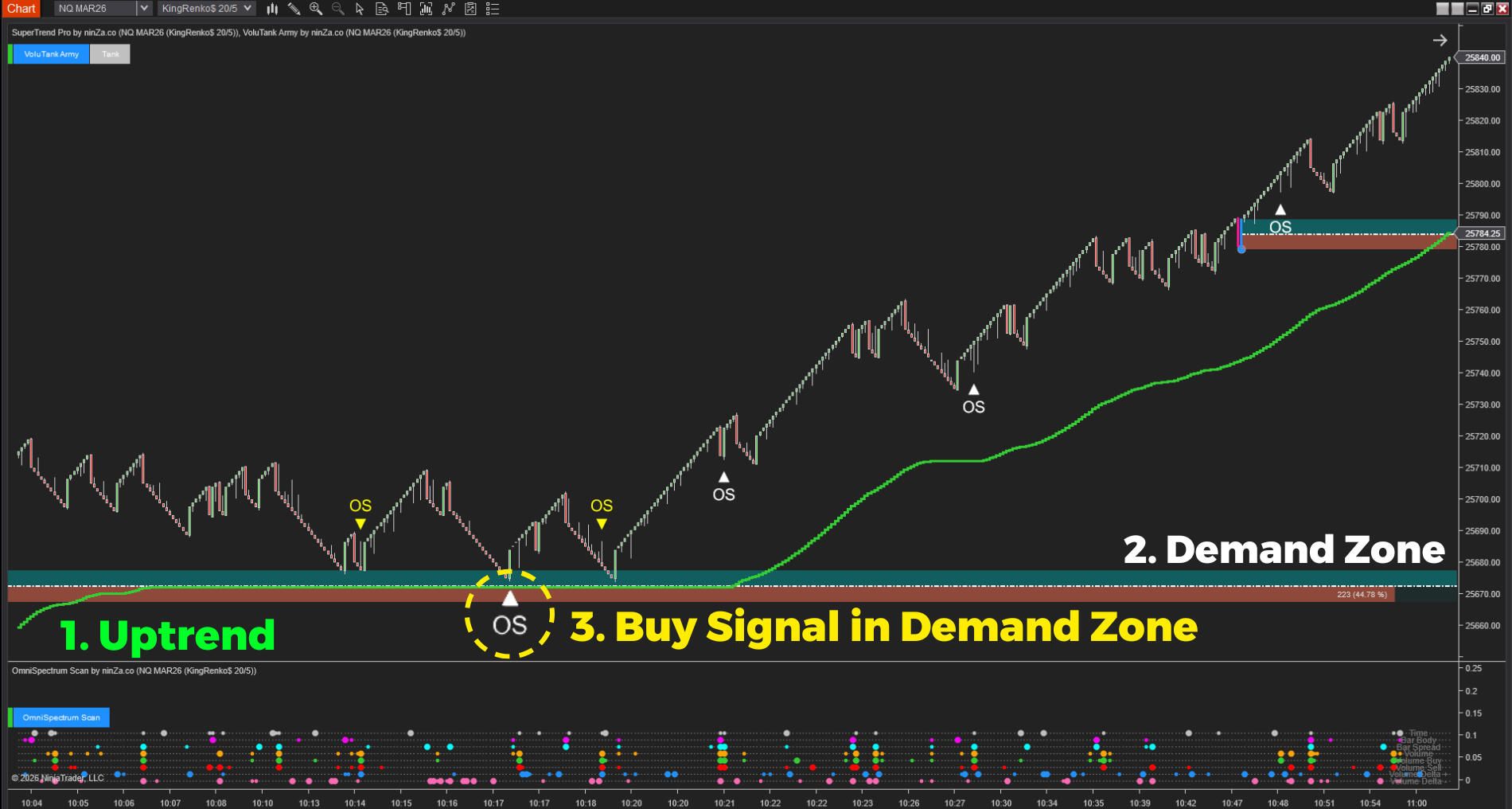
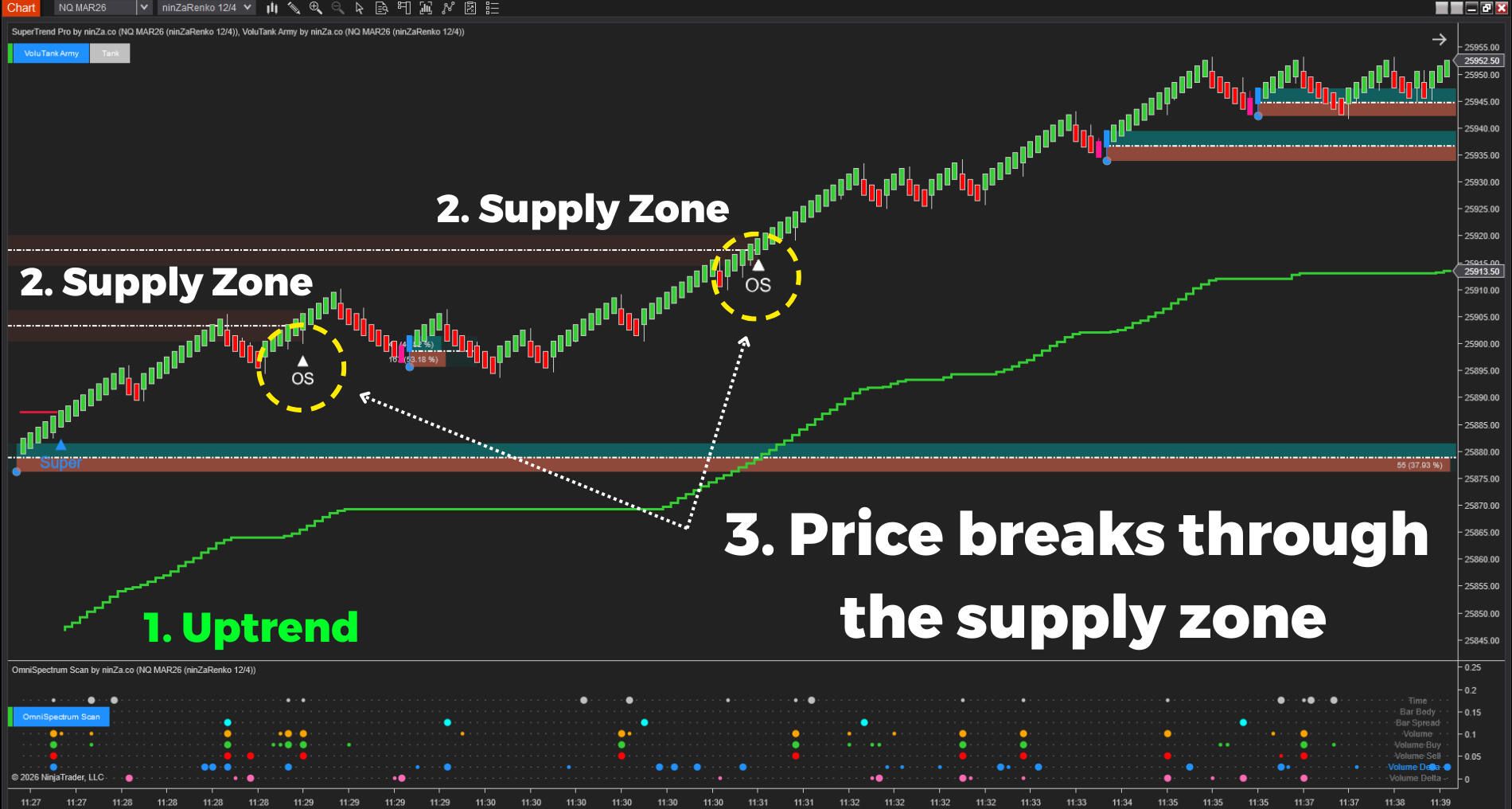
 2025_04_24 (11_09_26 PM)_1784100291193.png)
 2025_05_06 (10_16_52 PM)_1784100291335.png)
What the UTF Execution Kit helps you do
Trend
Filter trade ideas earlier
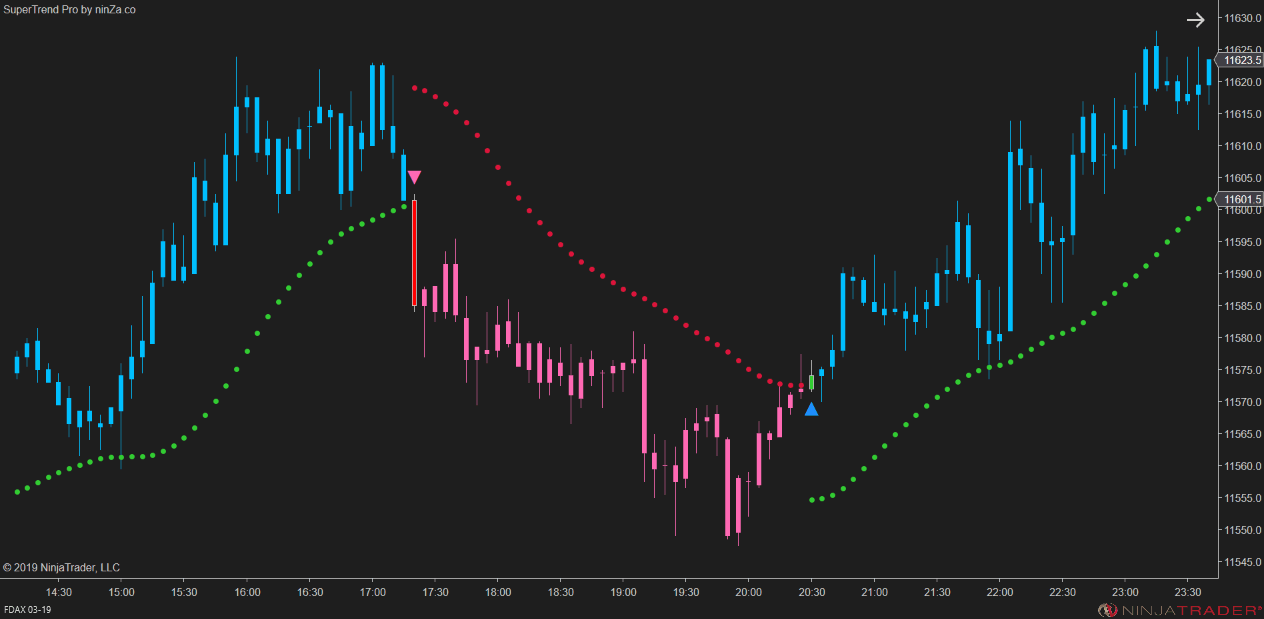
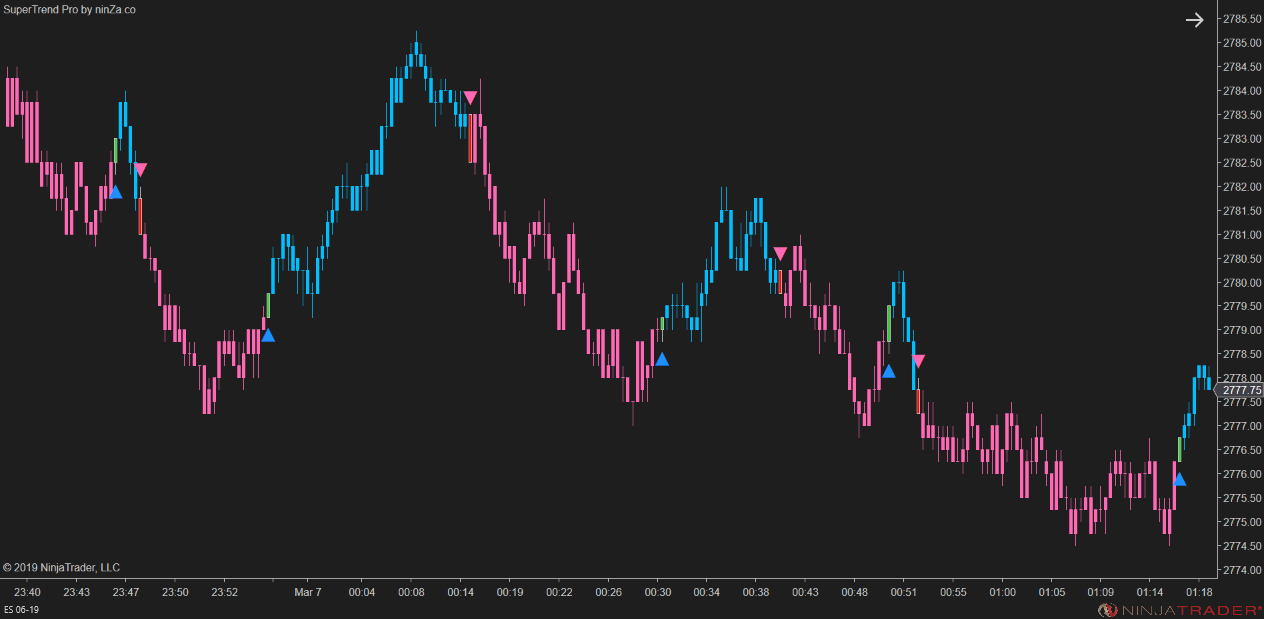
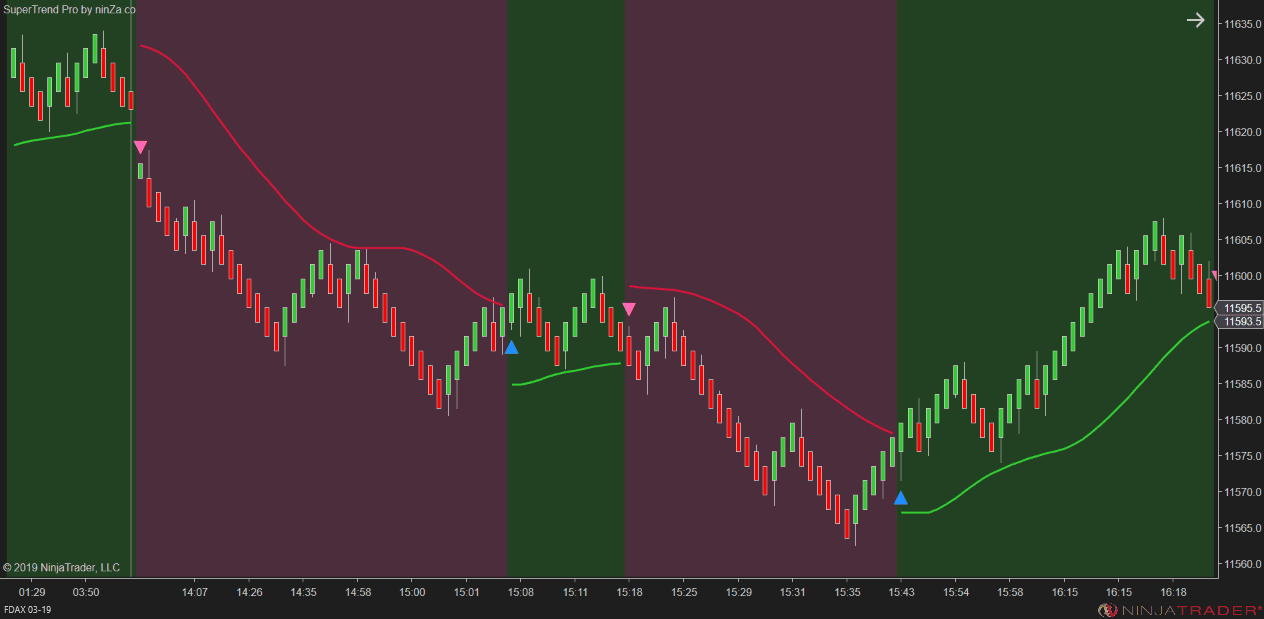
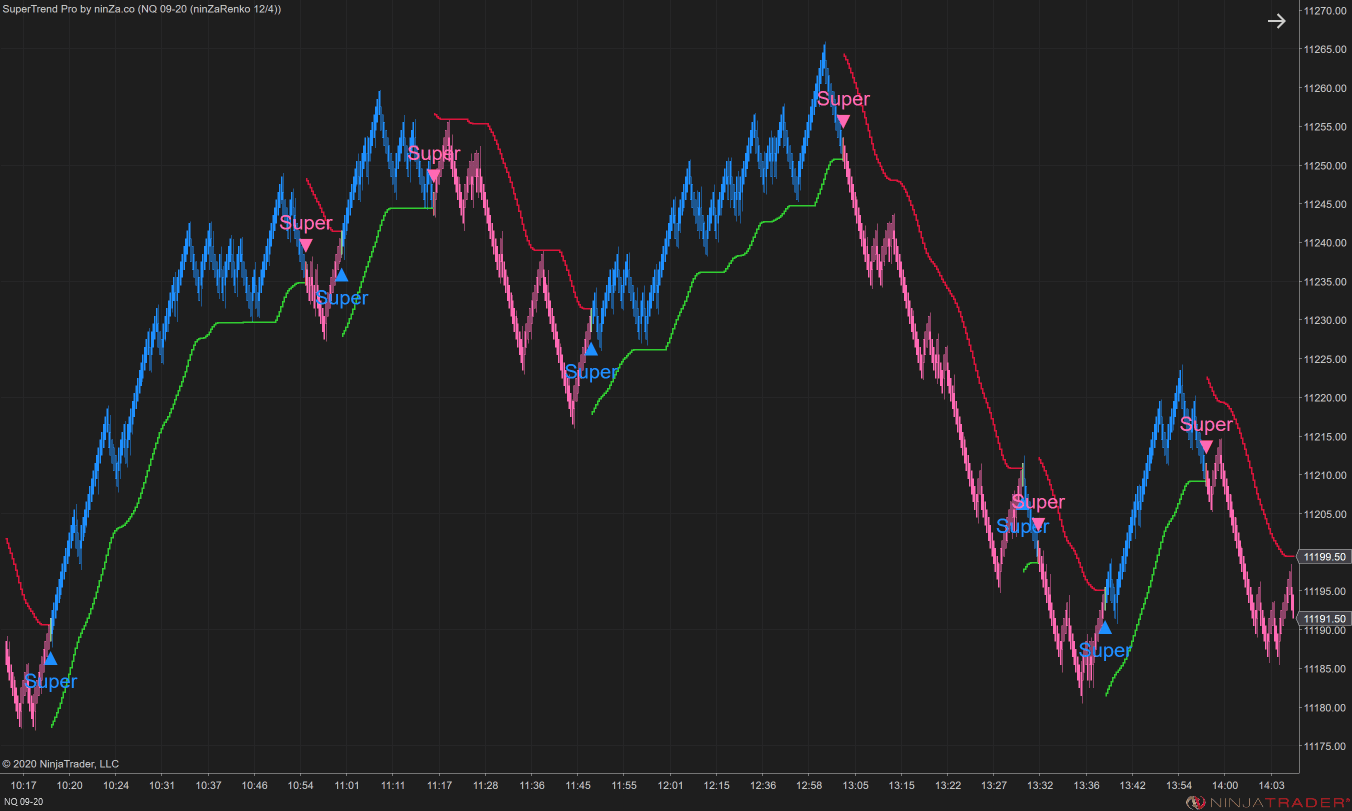
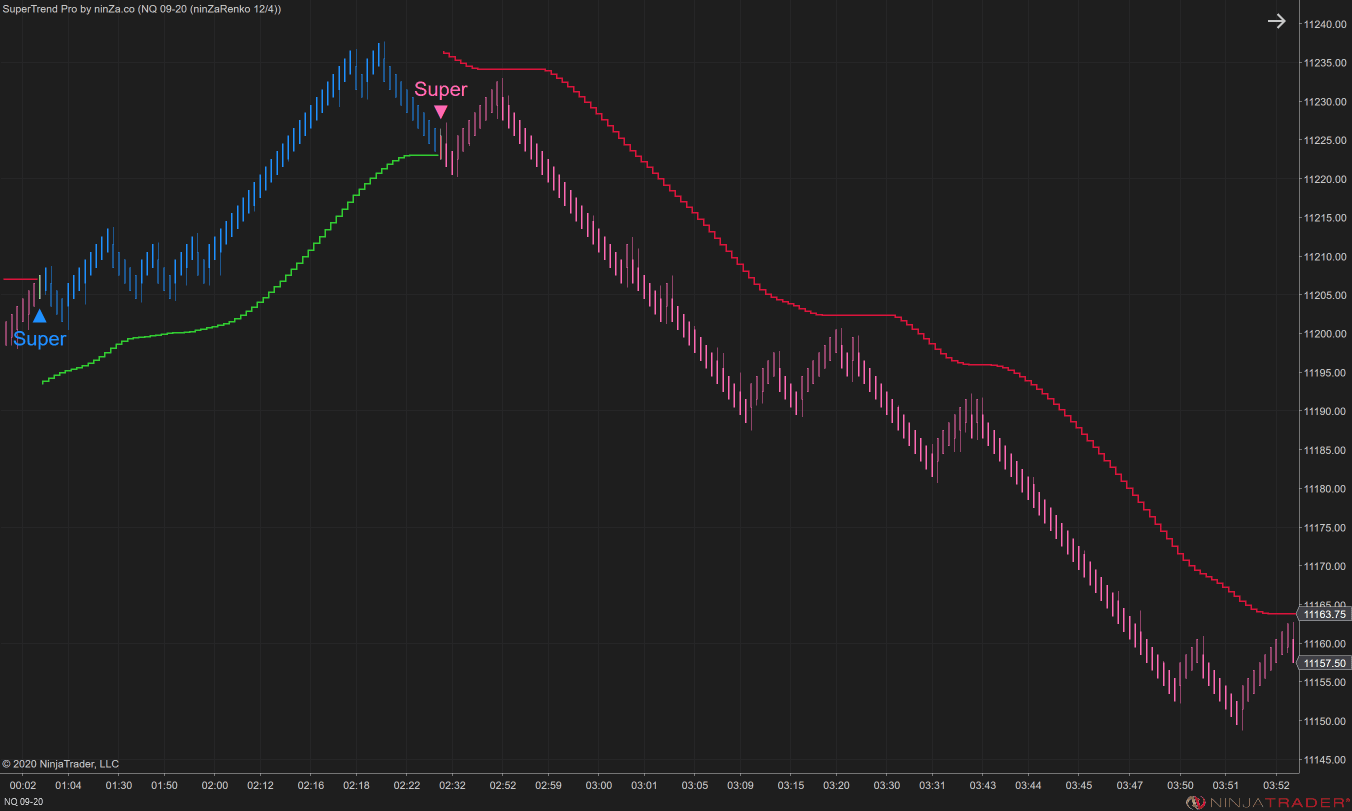
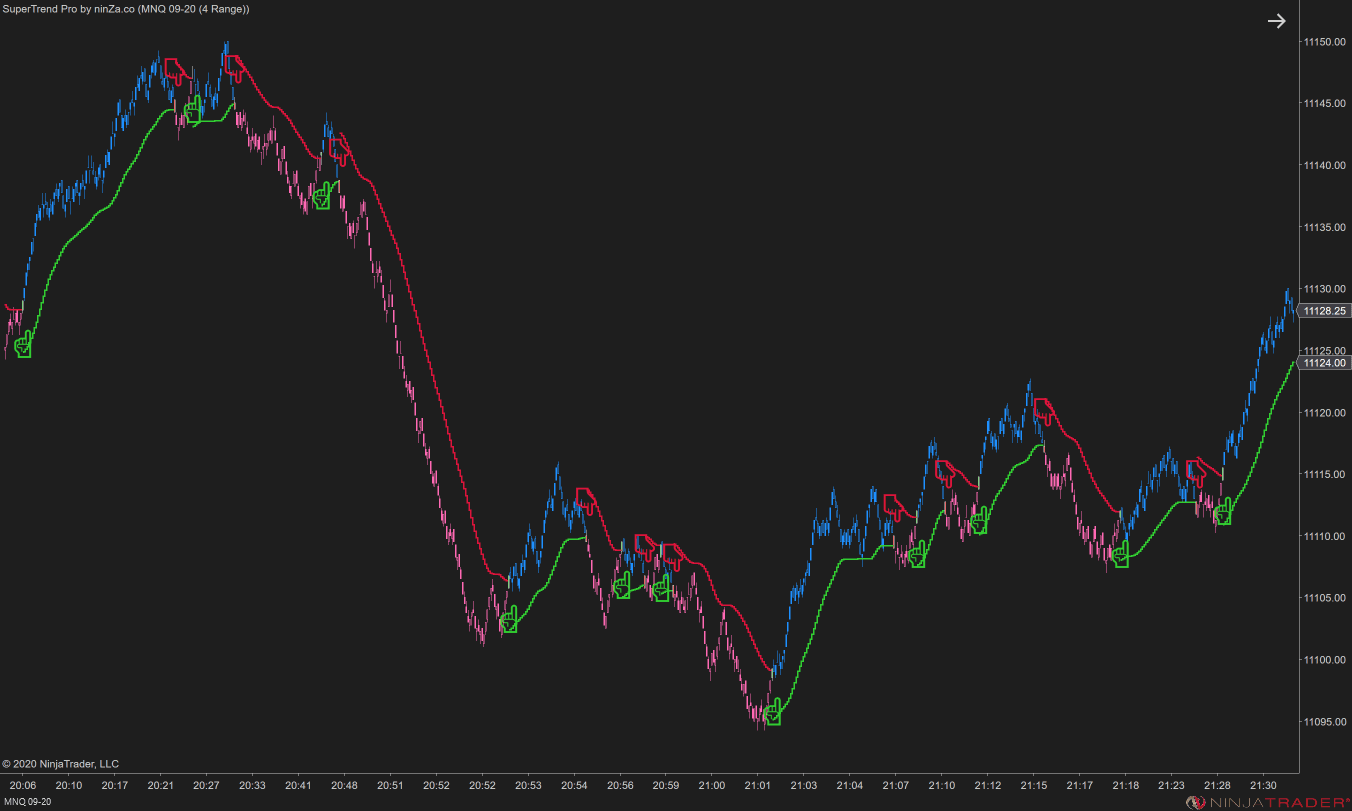
SuperTrend Pro establishes directional permission before a setup develops. This helps reduce attention given to counter-trend ideas and keeps the remaining analysis aligned with the broader market structure.
Zone
Focus on more meaningful locations
VoluTank Army identifies Supply and Demand areas using Buy and Sell volume. This gives the Zone layer an objective basis and helps reduce entries taken at arbitrary or poorly defined price levels.
 2025_05_07 (10_20_48 PM)_1784100291450.png)
Signal
Evaluate execution beyond candle appearance
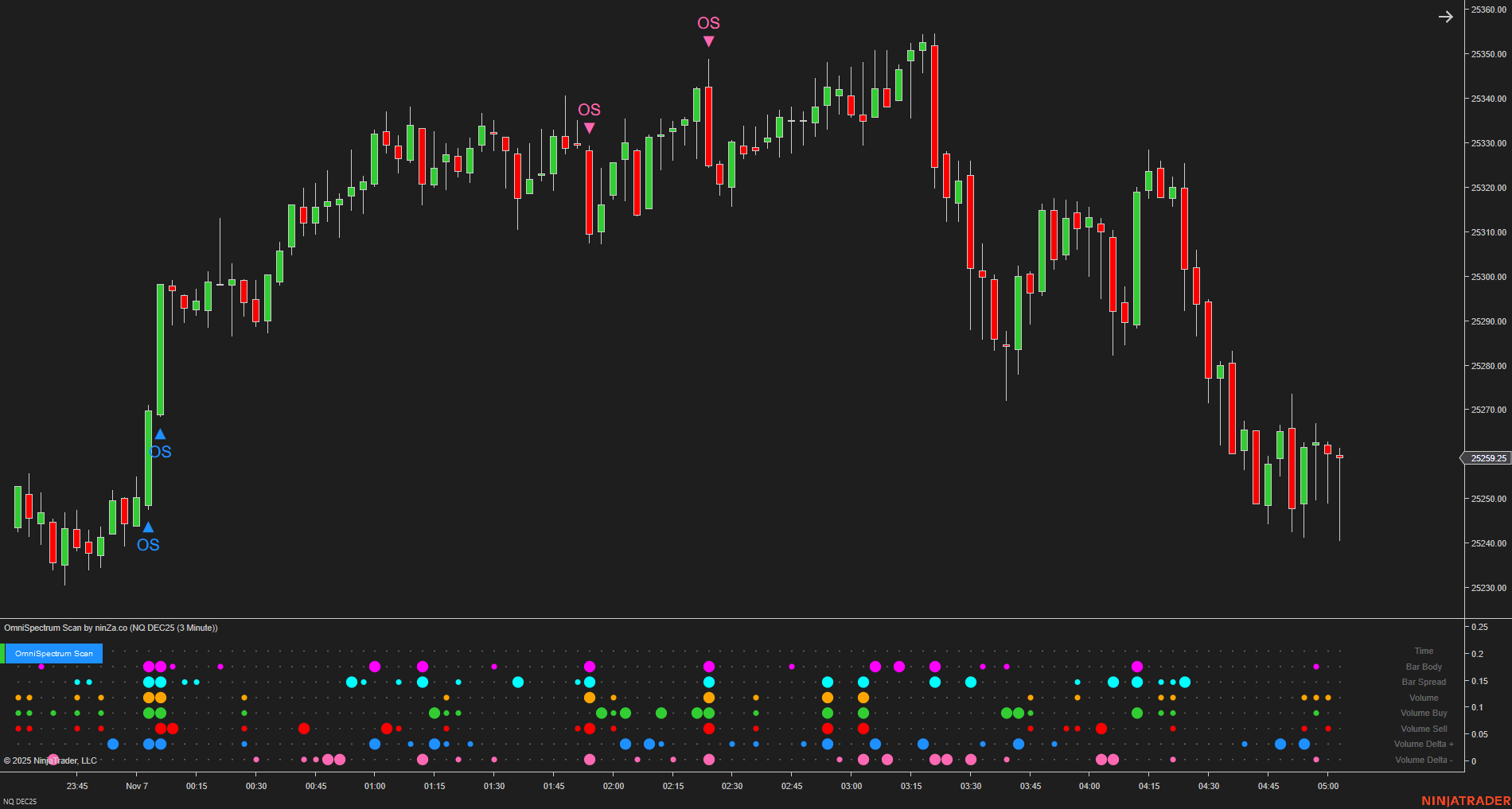
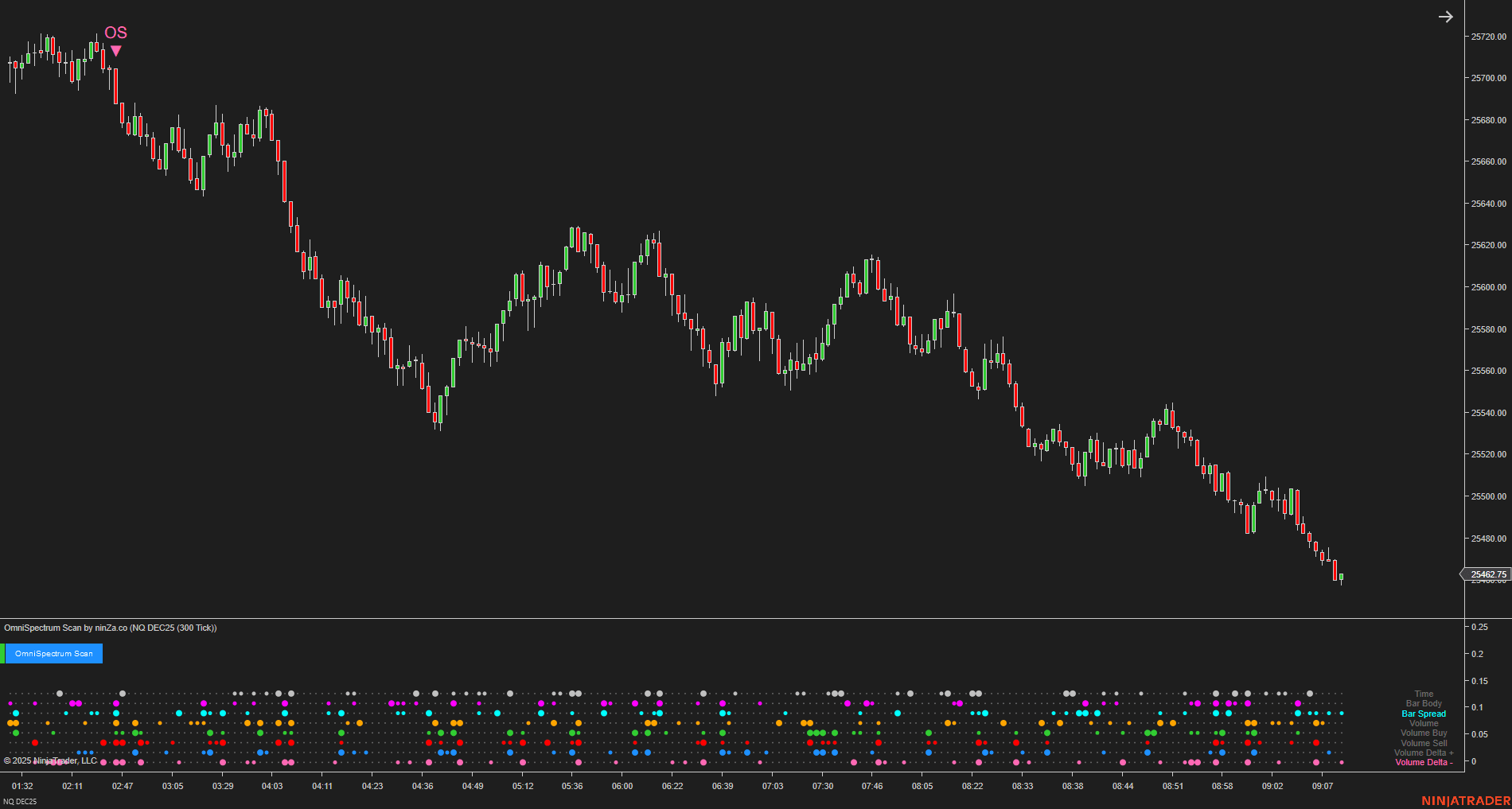
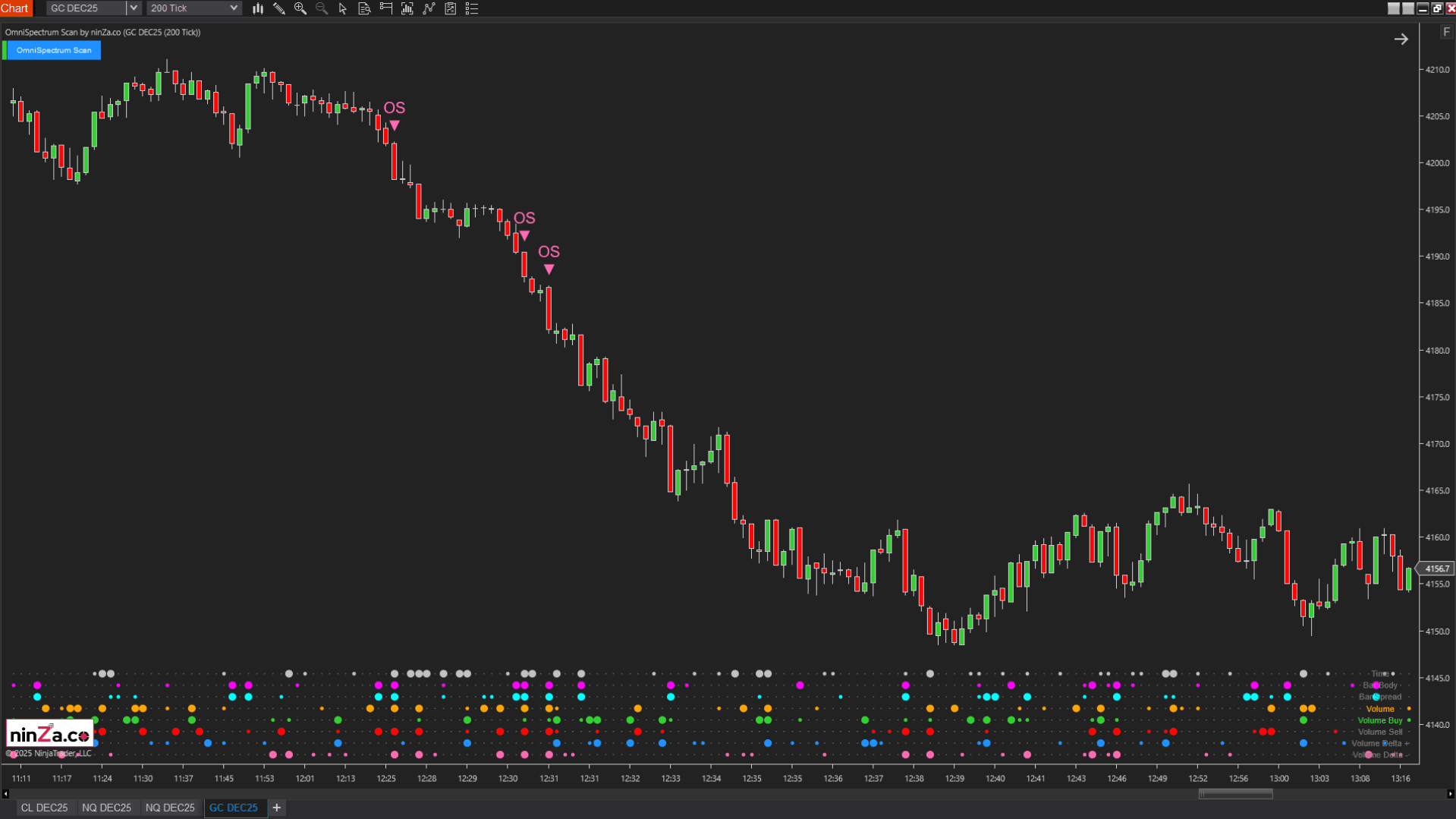
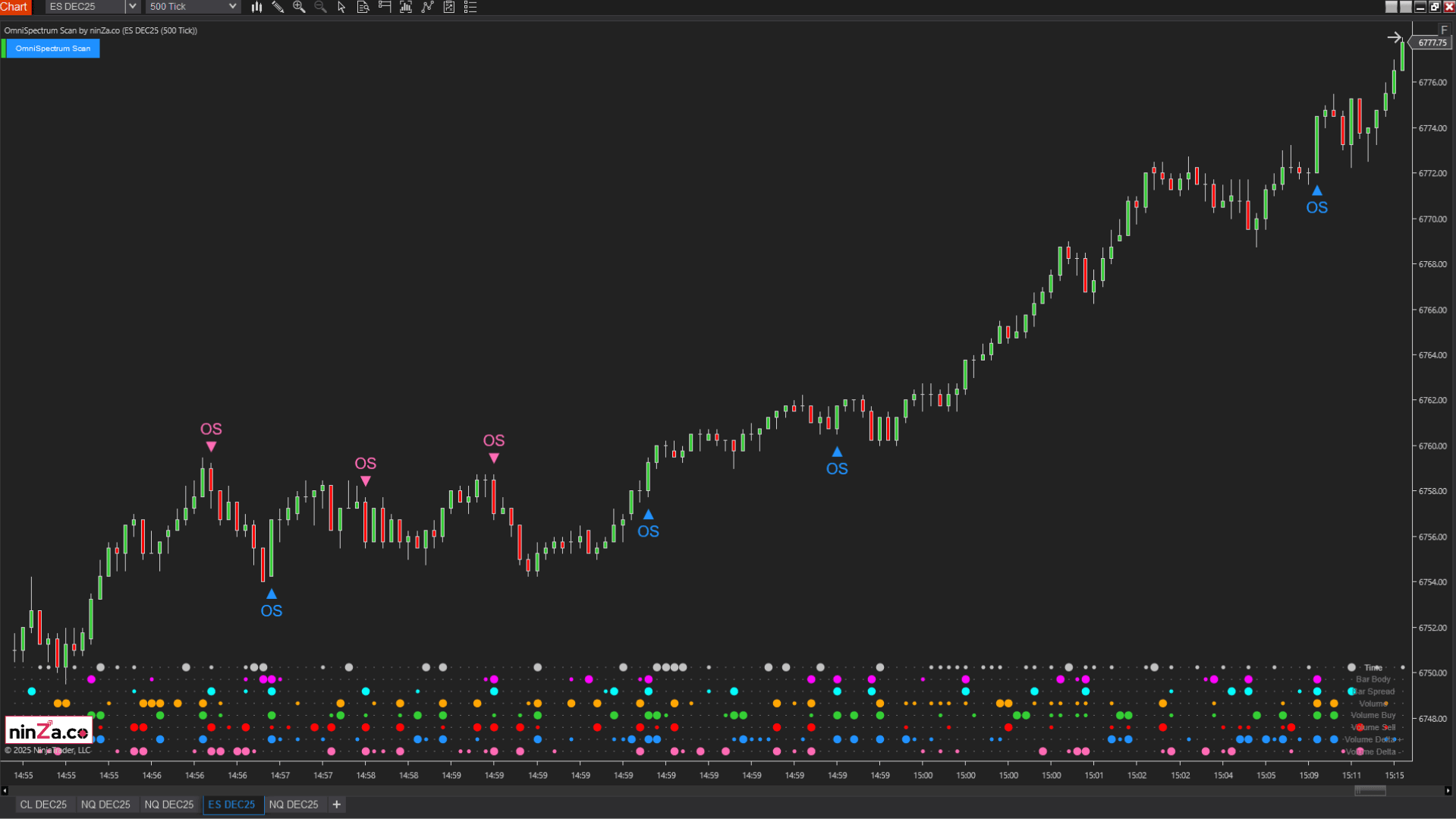
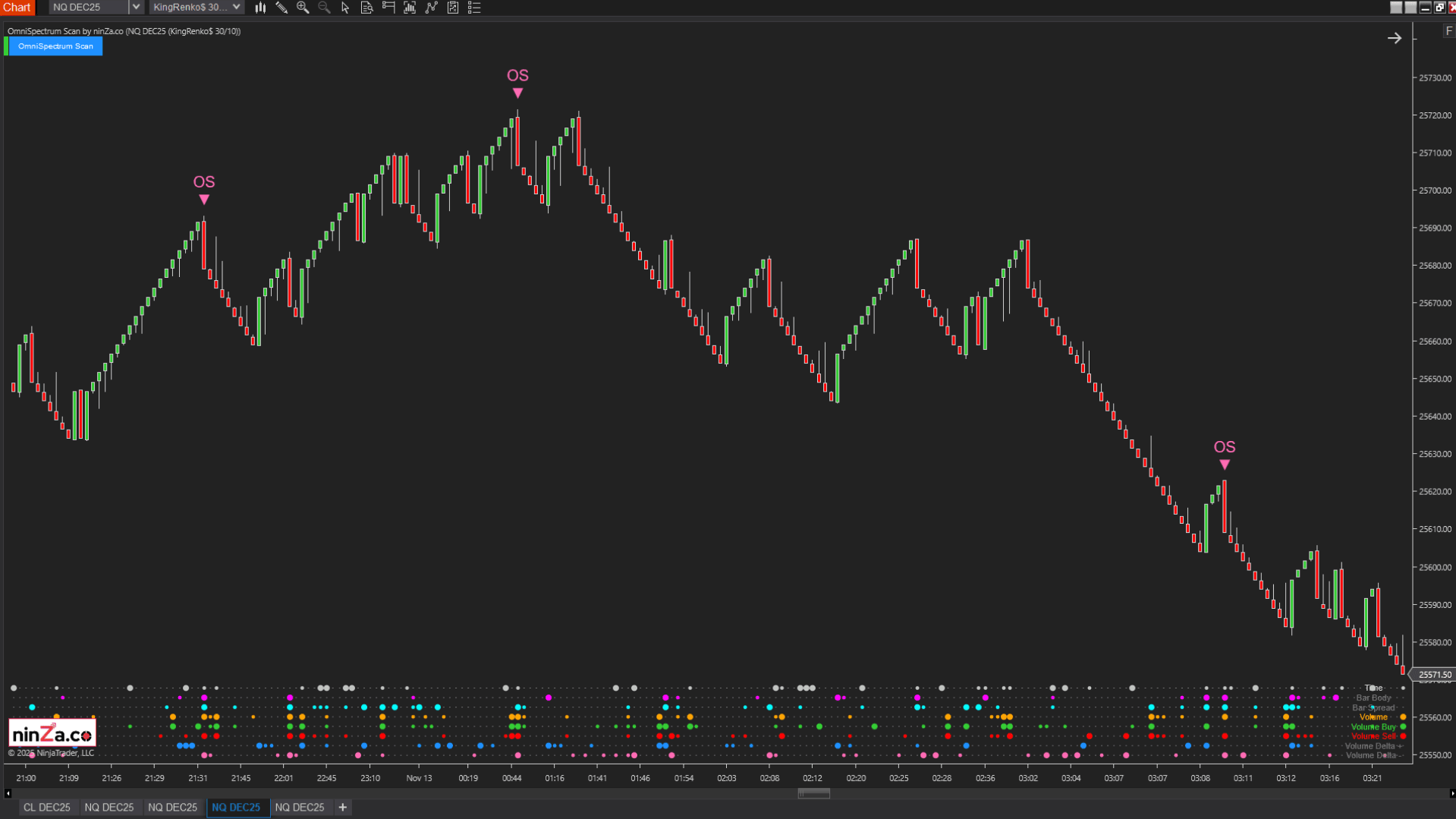
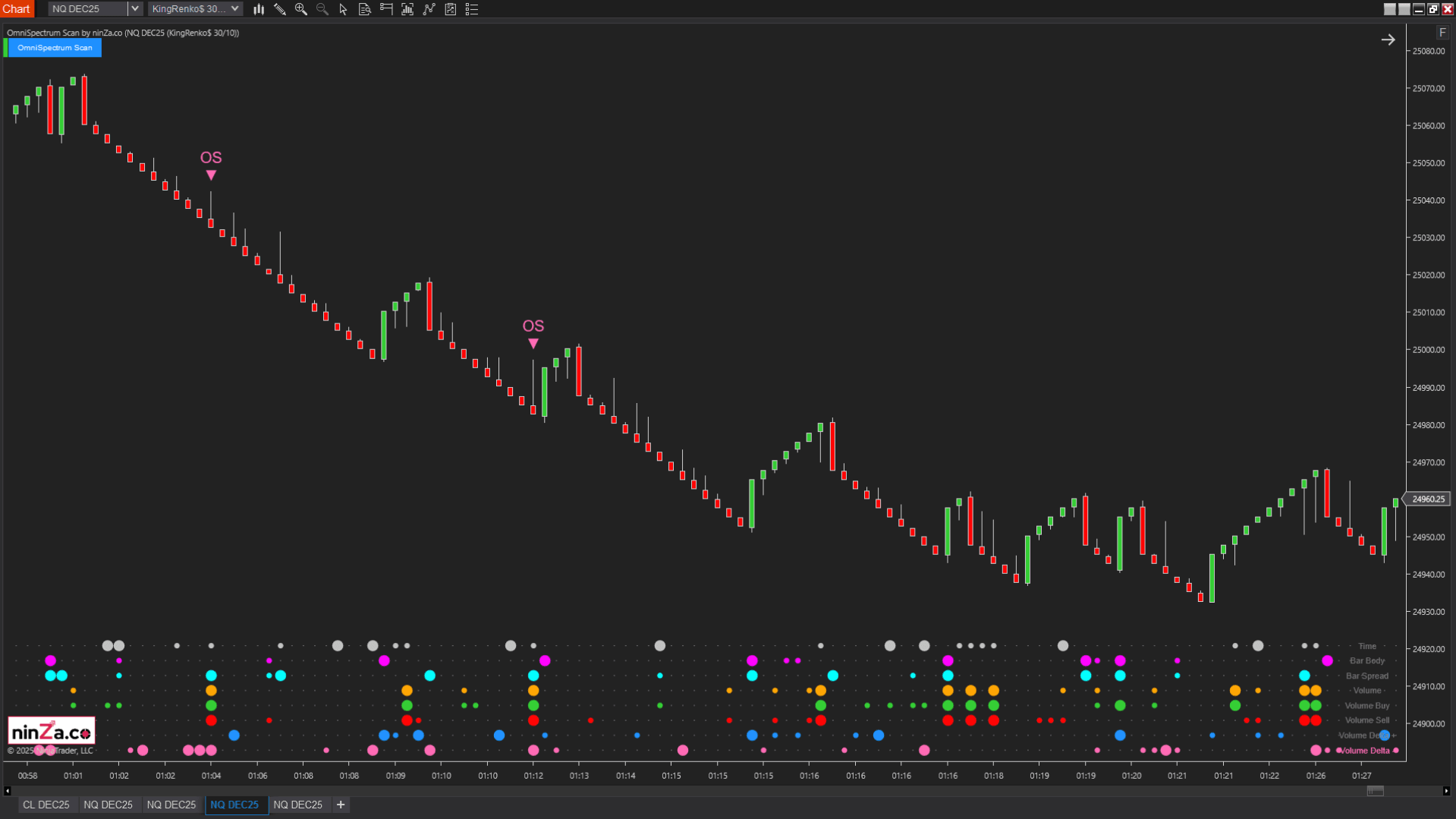
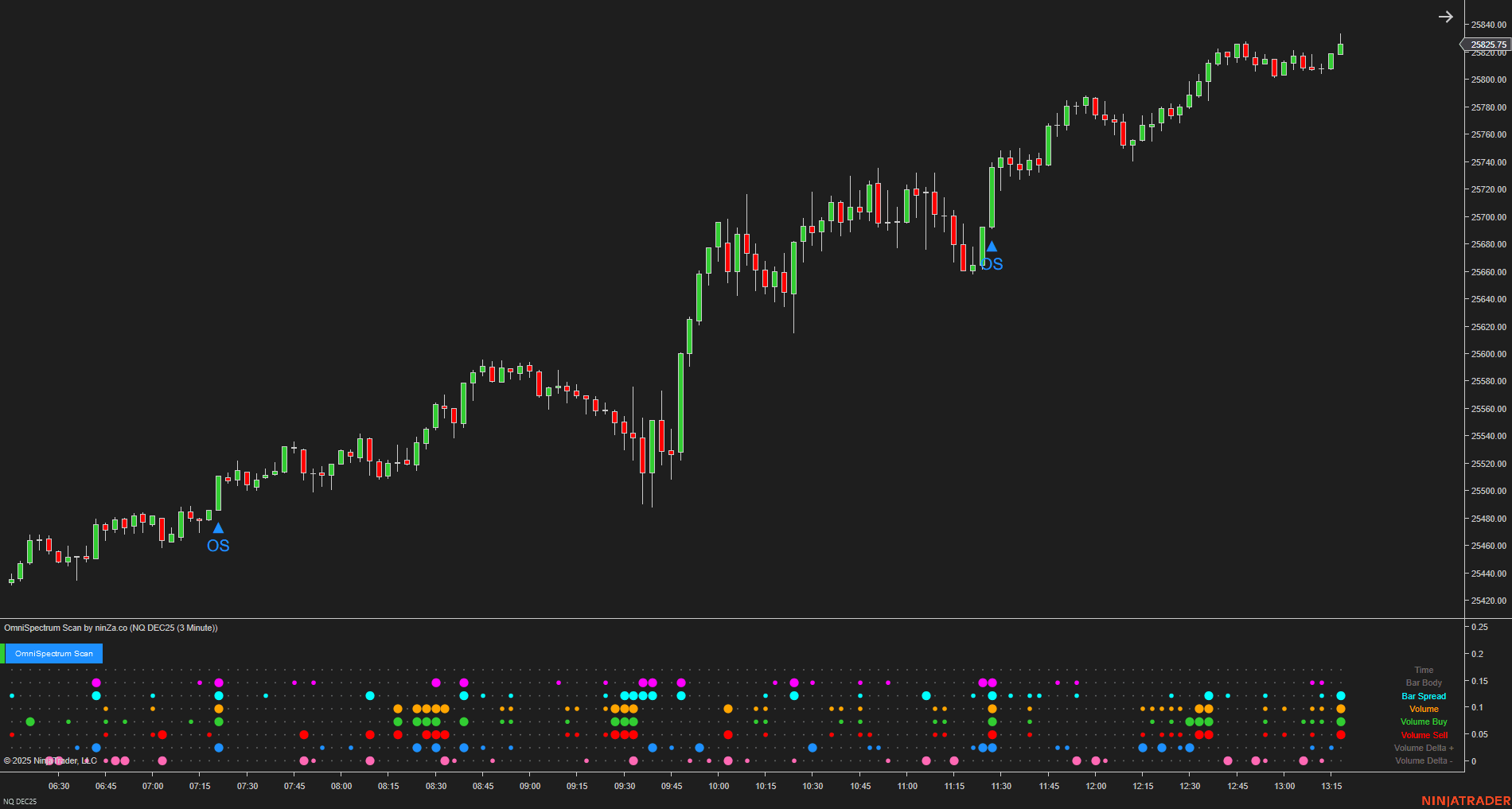
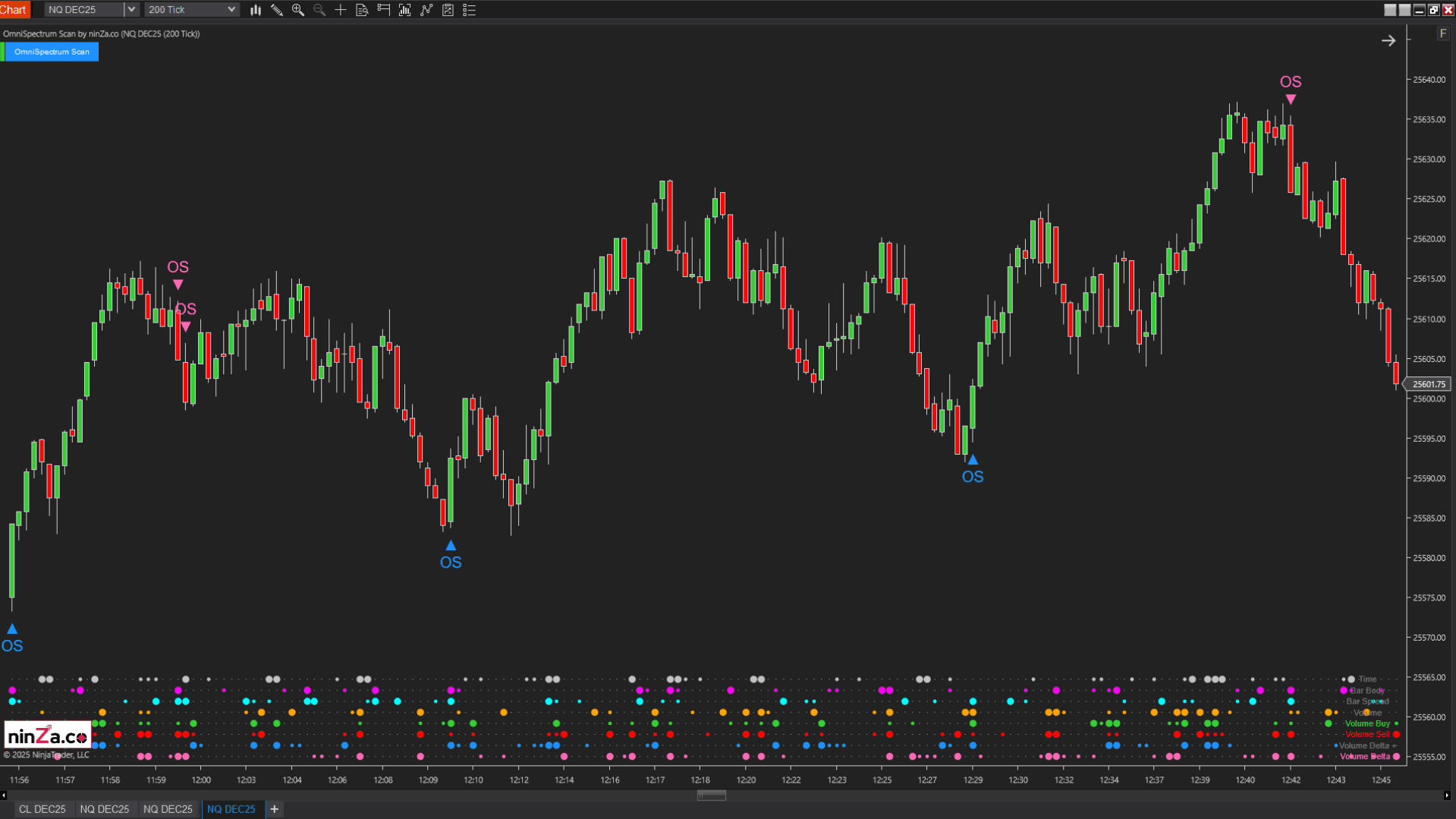
OmniSpectrum Scan examines what is happening inside each candle, including formation speed, body structure, range, volume, pressure, and delta. This helps determine whether current participation supports the setup defined by the Trend and Zone layers.
Process
Apply the process more consistently
Each tool answers a different question. That separation makes the workflow easier to follow during live trading and easier to review after the session.
The role of each indicator within UTF
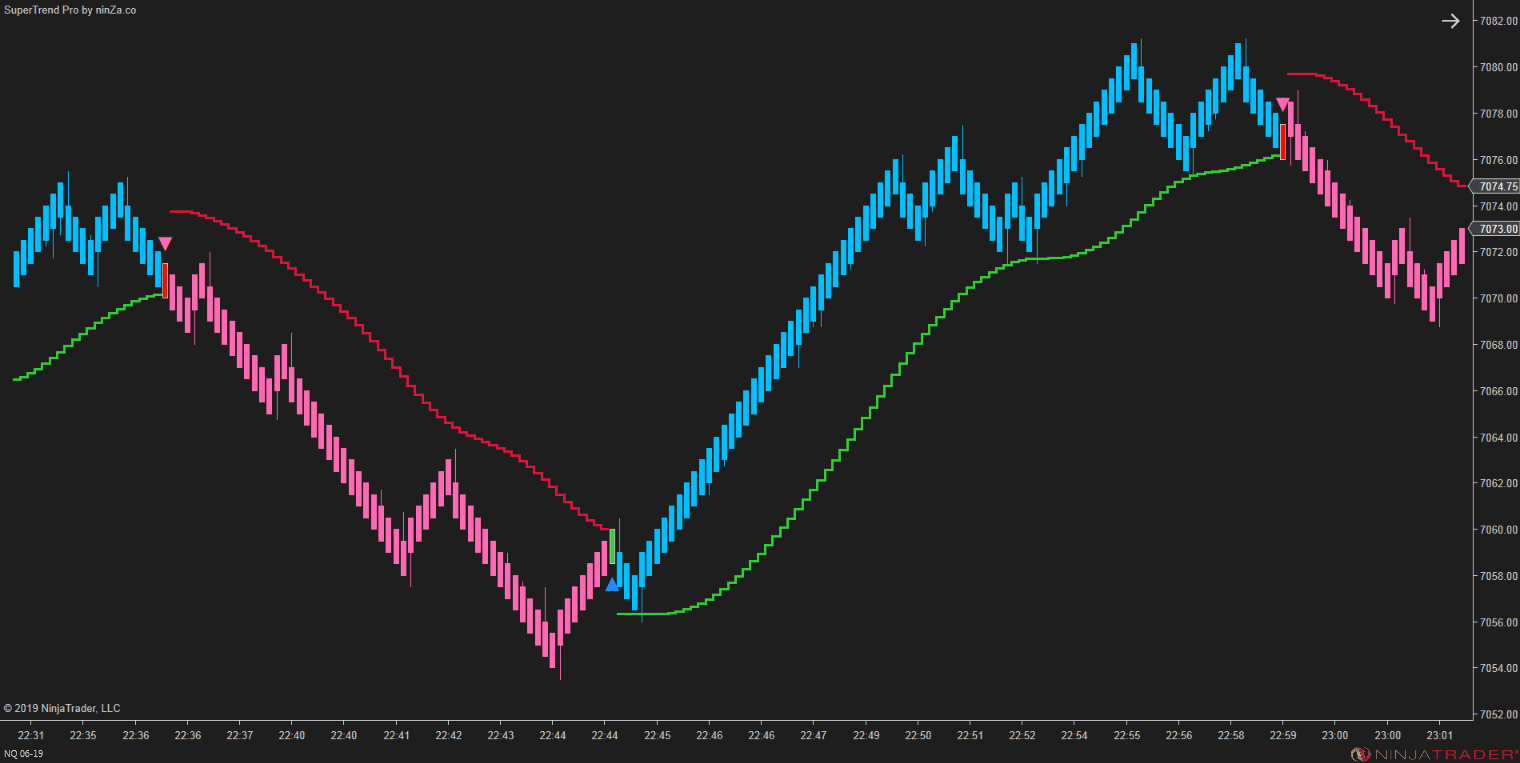
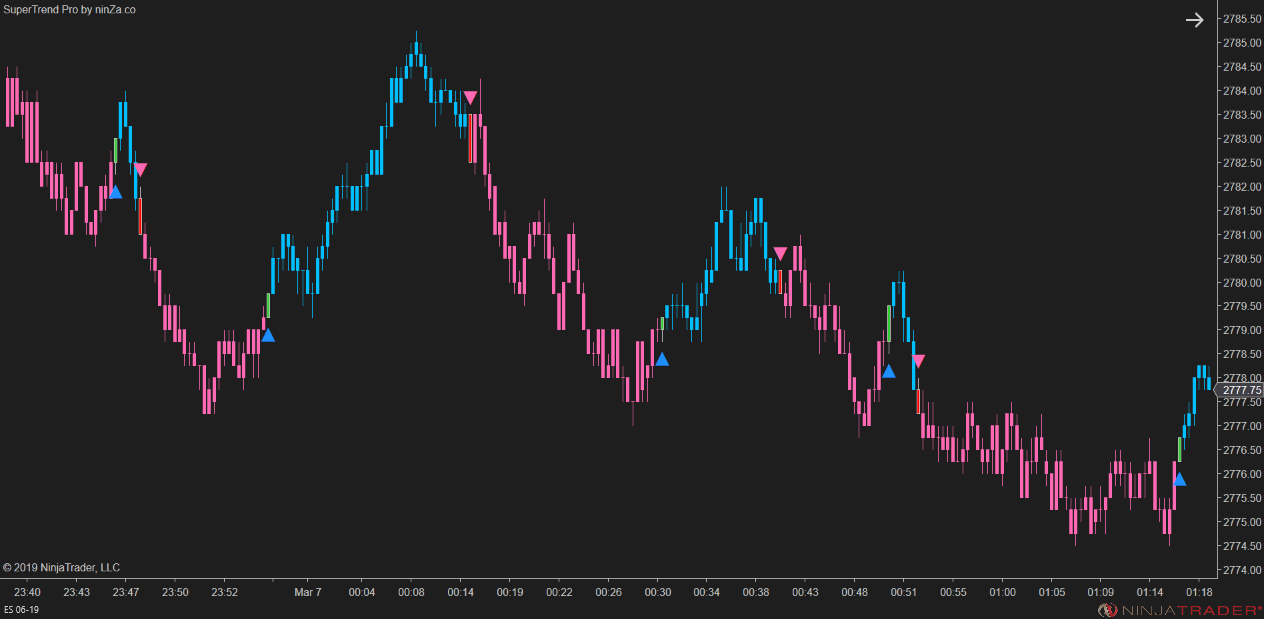
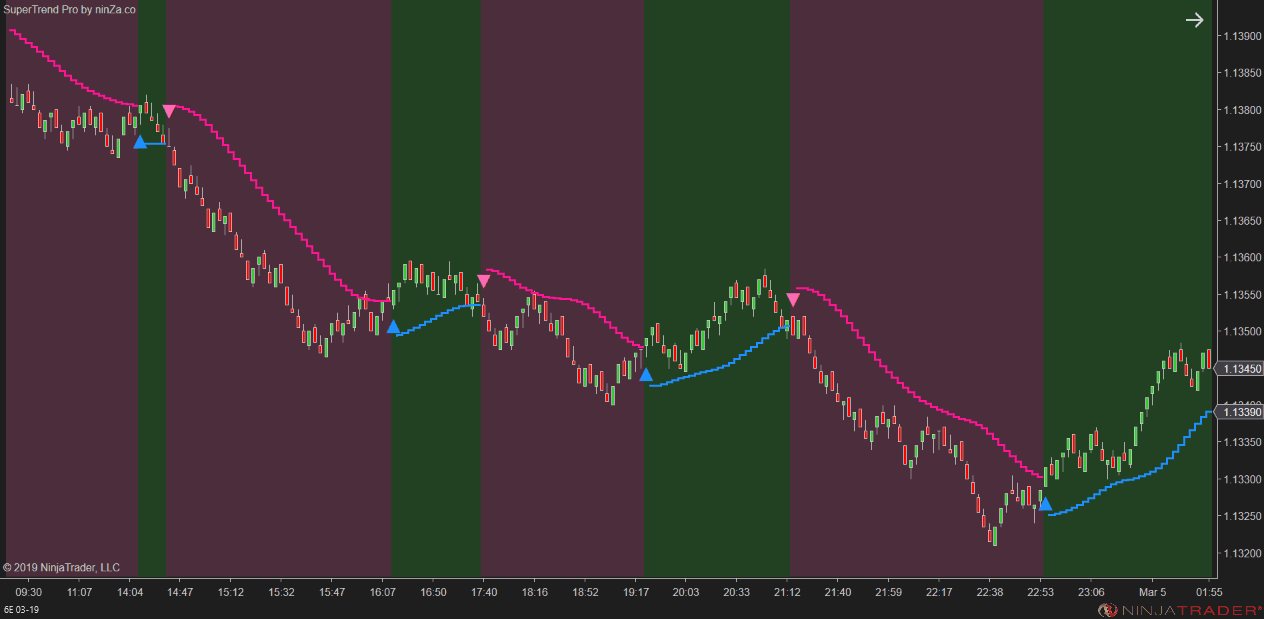
SuperTrend Pro
Trend layer
Establish a clear directional bias so that trade ideas can be filtered before the Zone and Signal layers are evaluated.
The Trend layer defines directional permission. Without a stable directional foundation, Zones and Signals may be interpreted without sufficient context.
- Extends the classic SuperTrend Pro approach for NinjaTrader 8.
- Provides stable, lower-noise trend context.
- Includes 11 moving-average types for sensitivity adjustment.
- Offers smoothing controls to reduce unnecessary fluctuations.
- Supports separate moving-average inputs for uptrend and downtrend conditions.
VoluTank Army
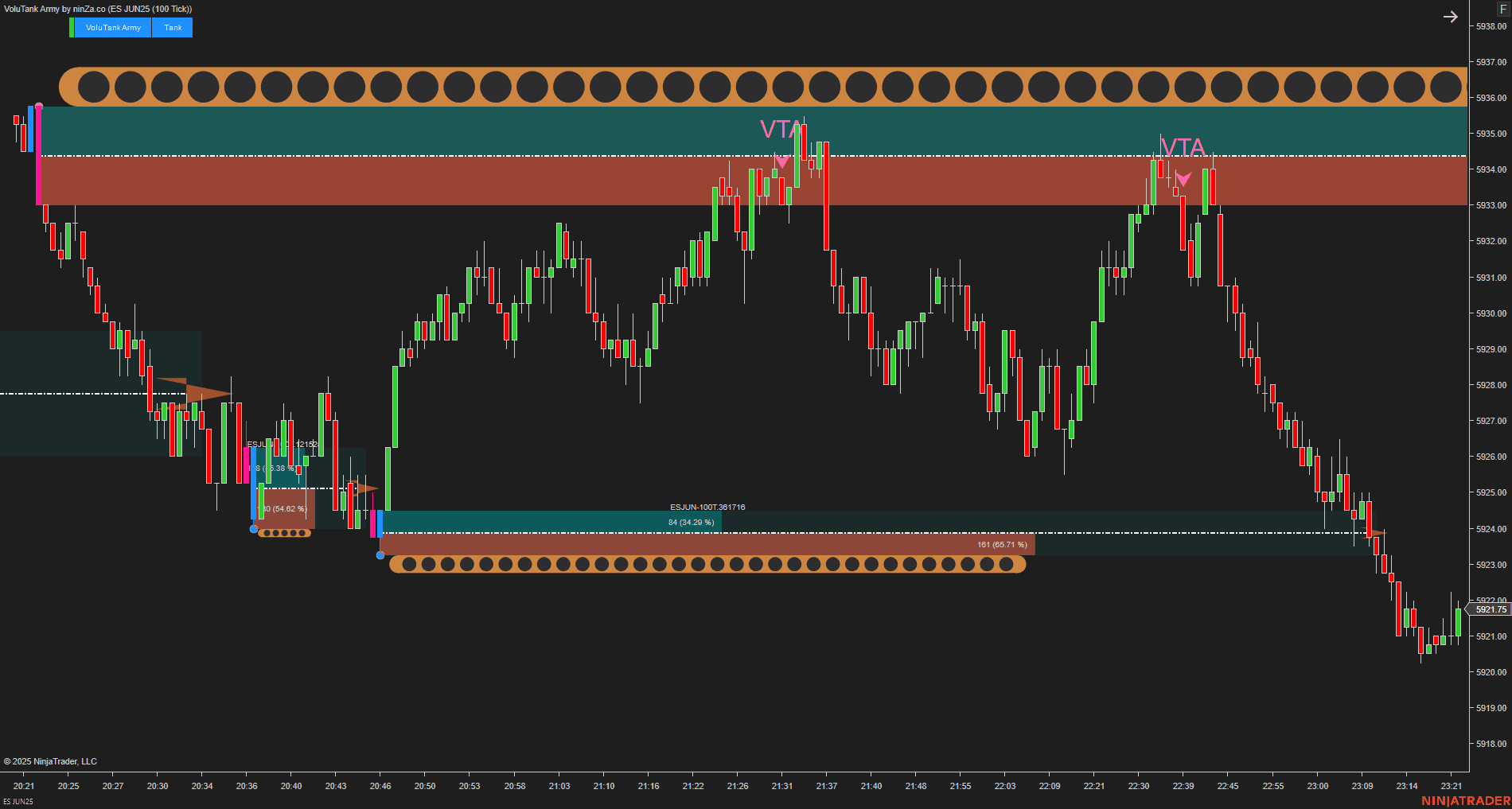
Zone layer
Identify meaningful price areas where trade opportunities may become relevant.
UTF requires objective and repeatable trade locations. The Zone layer helps traders avoid forcing entries simply because a signal has appeared.
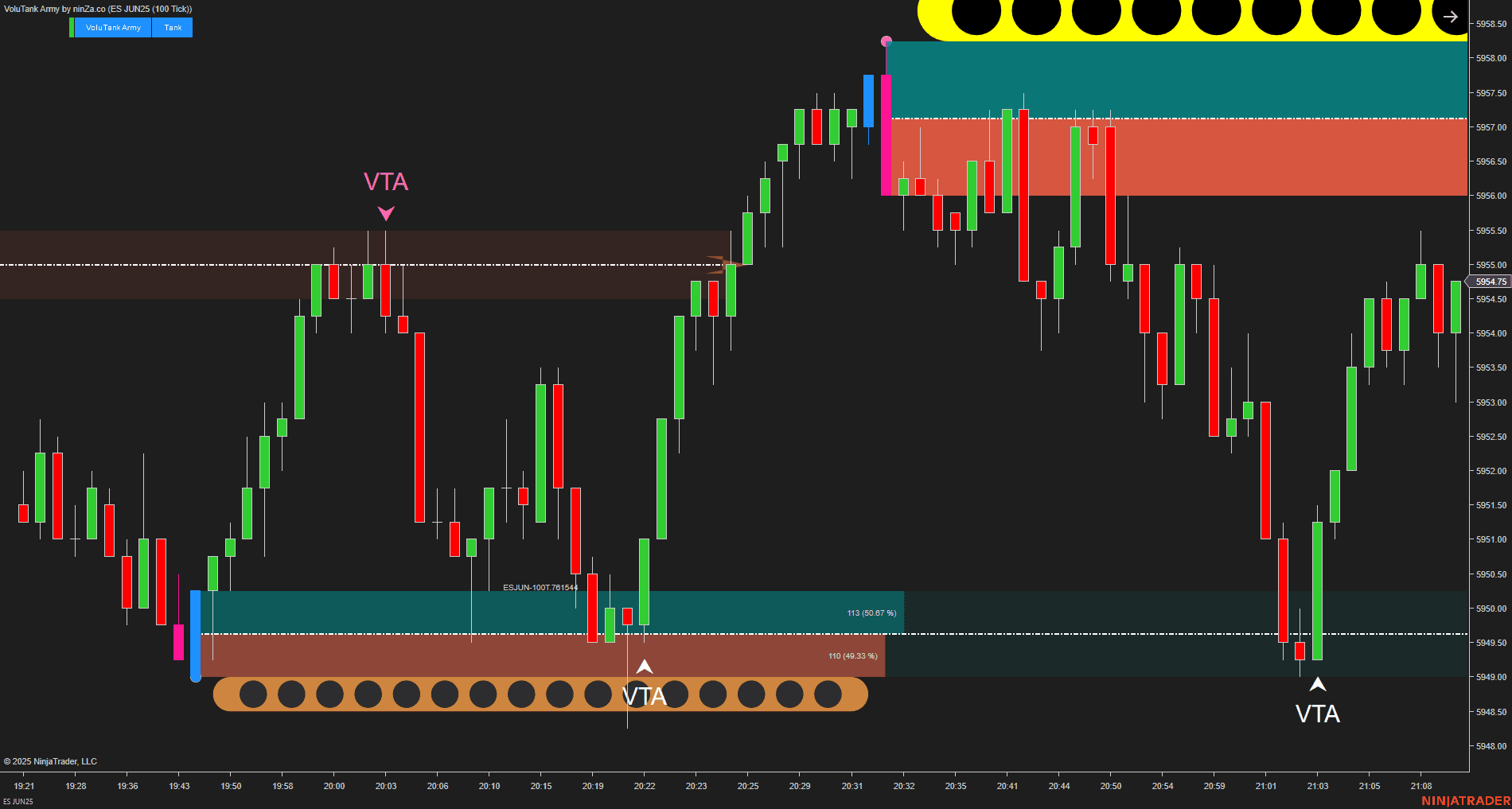
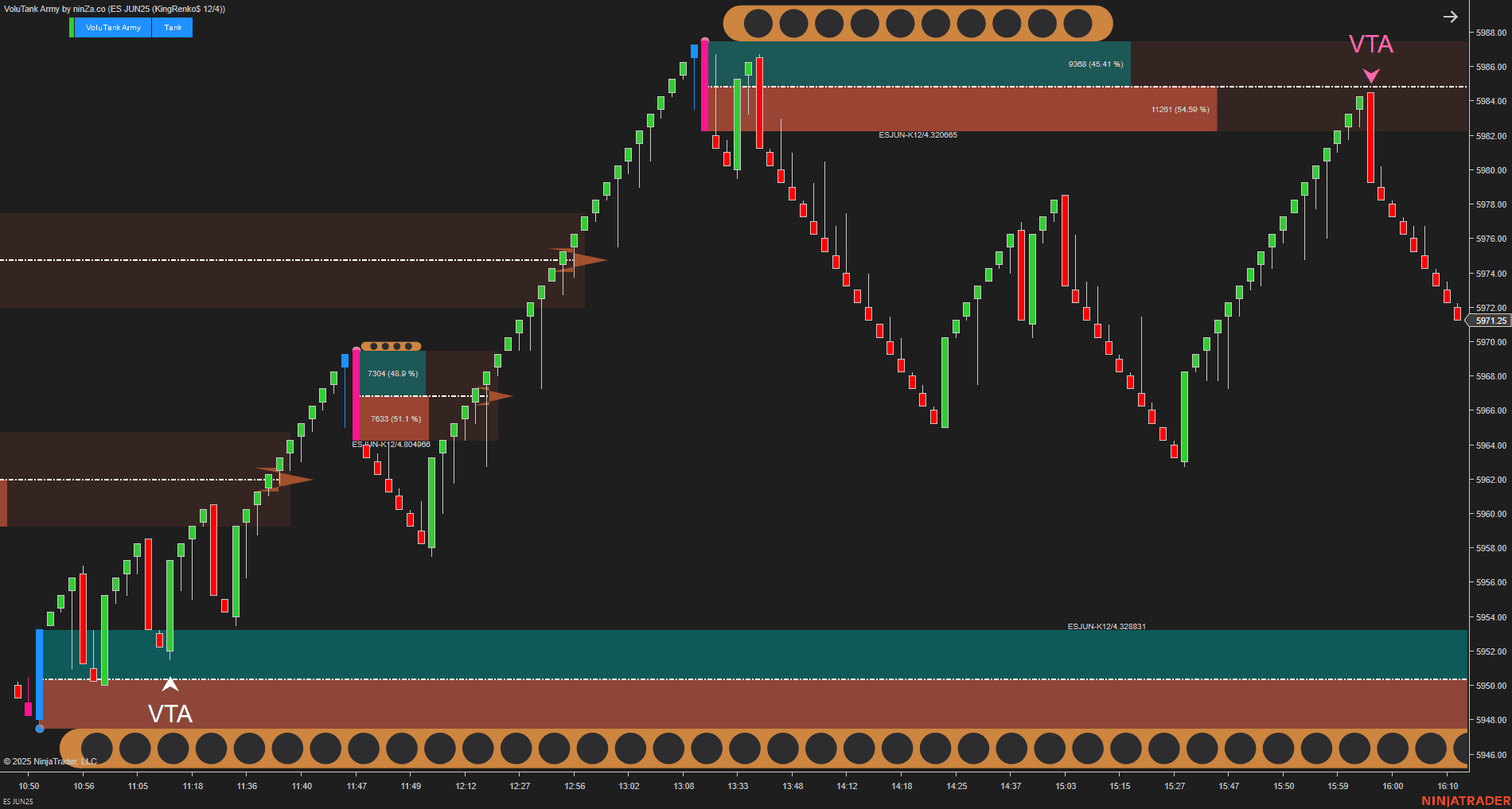
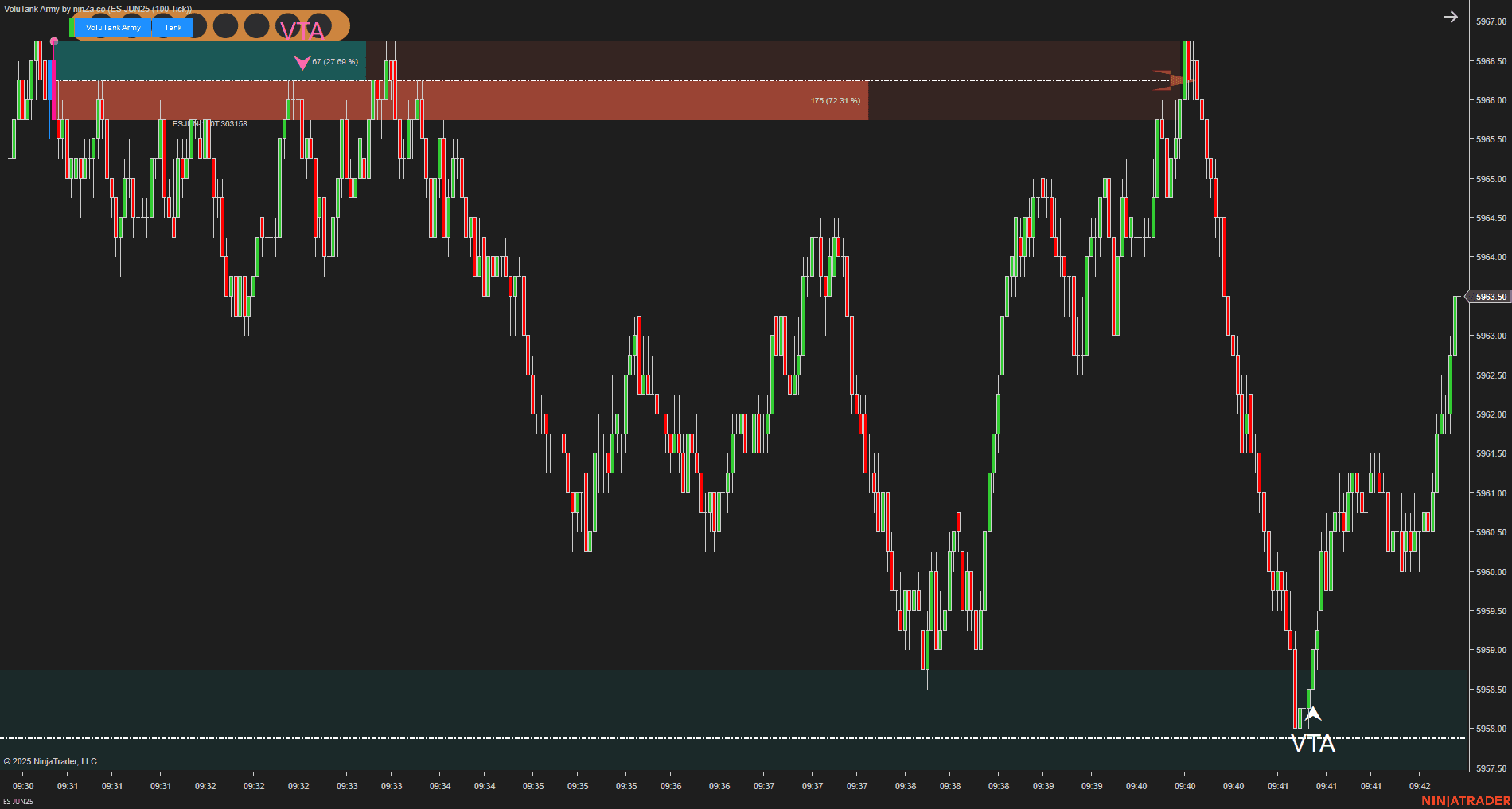
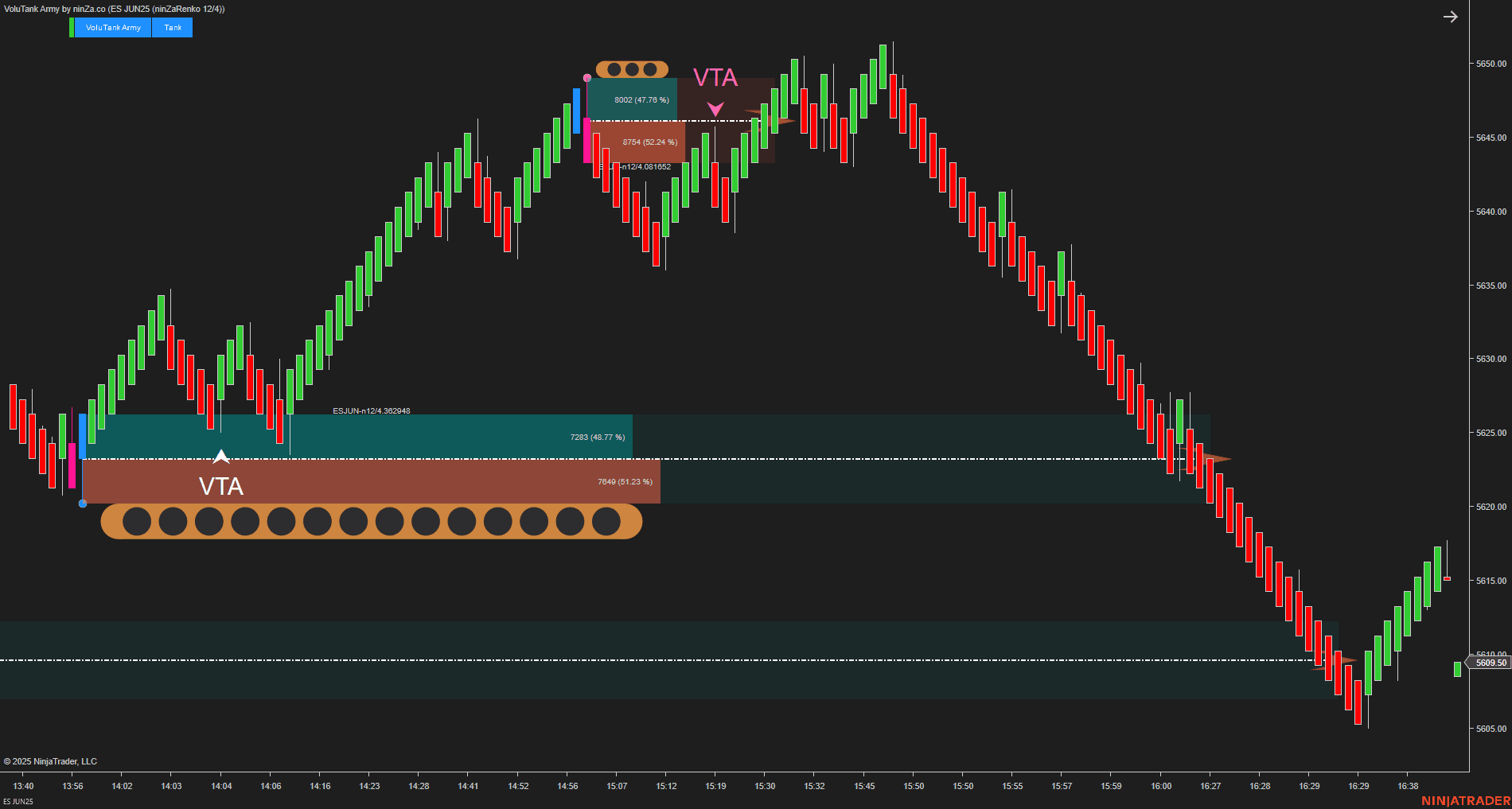
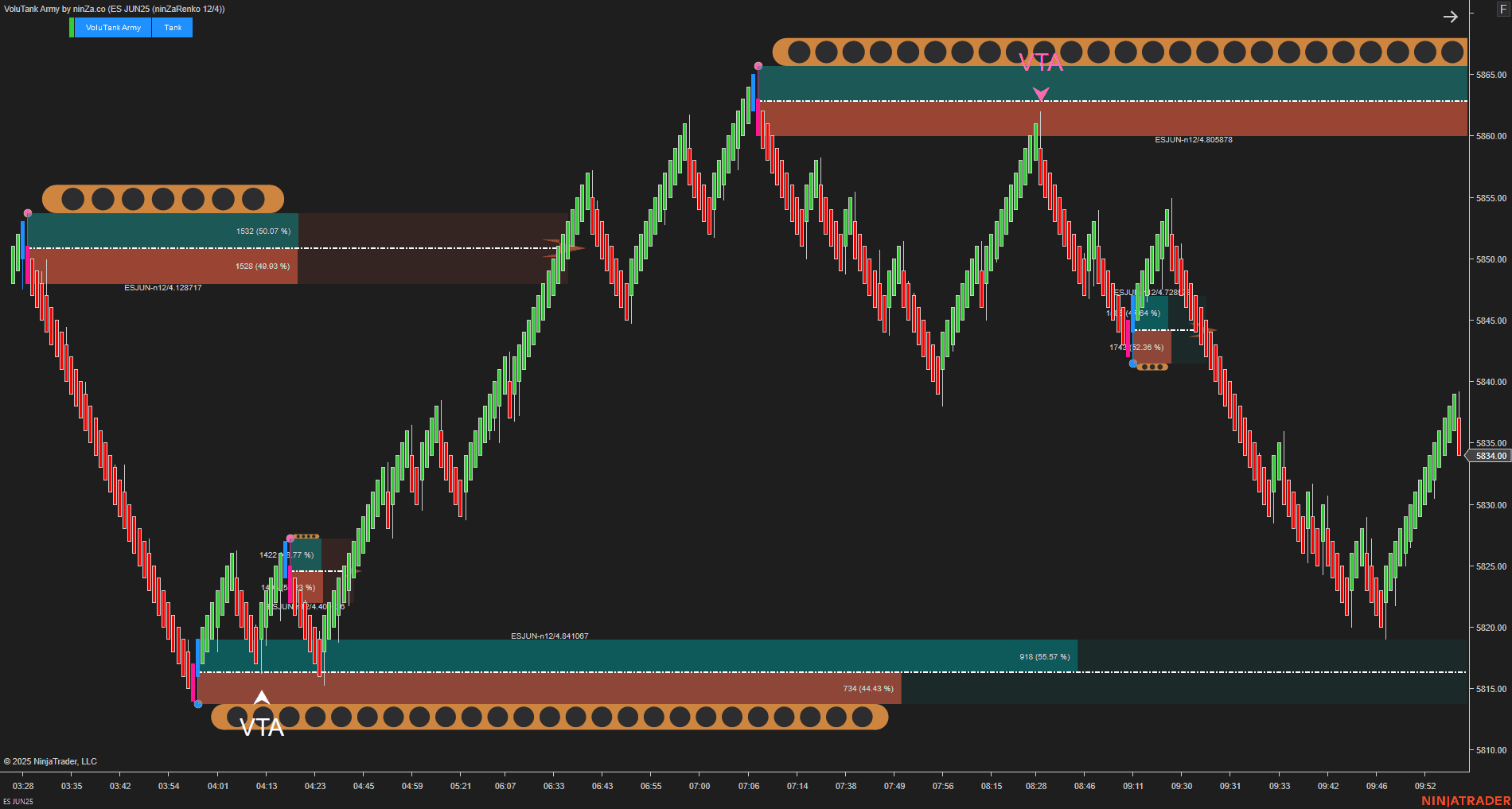
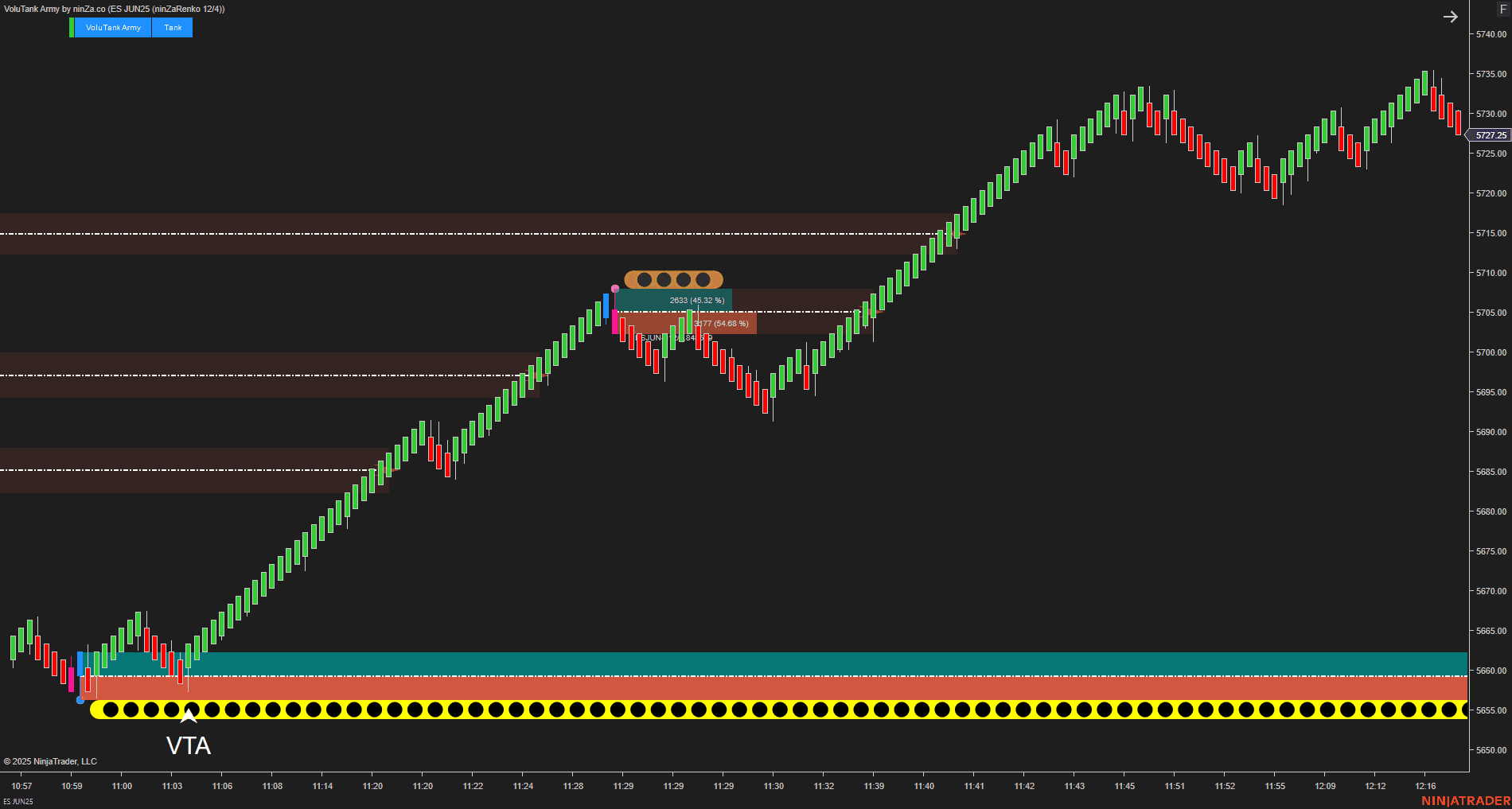
- Builds Supply and Demand zones from Buy and Sell volume.
- Applies volume filters to reduce weaker zones.
- Displays Buy and Sell volume metrics within each zone.
- Helps evaluate the relative strength of individual areas.
- Detects Power Shifts that may indicate a transition in control between buyers and sellers.
OmniSpectrum Scan
Signal layer
Provide execution information that aligns with the established Trend and Zone context.
A candle can appear strong on the surface without meaningful participation behind it. The Signal layer helps traders evaluate the internal behavior of the candle before acting.
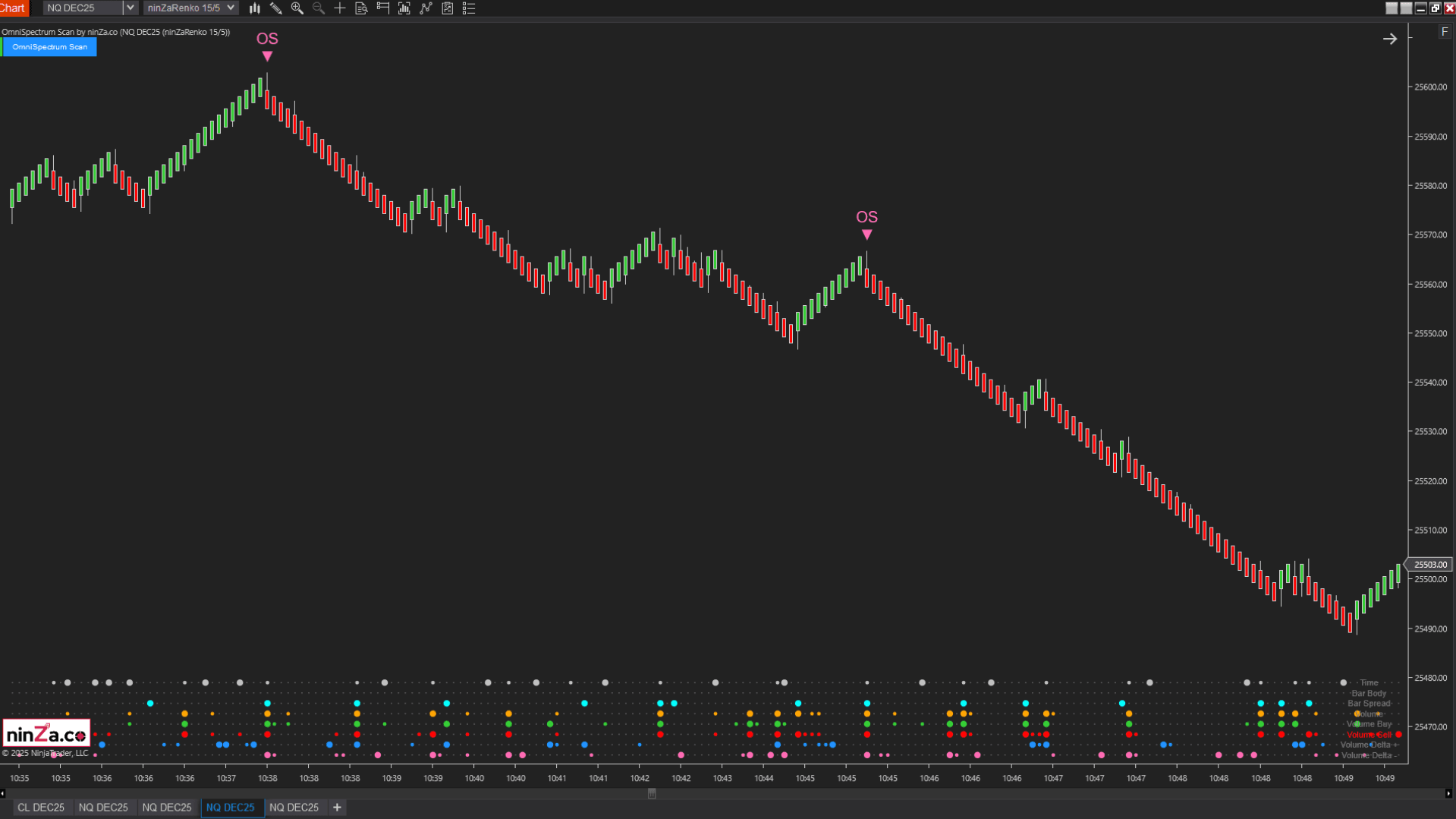
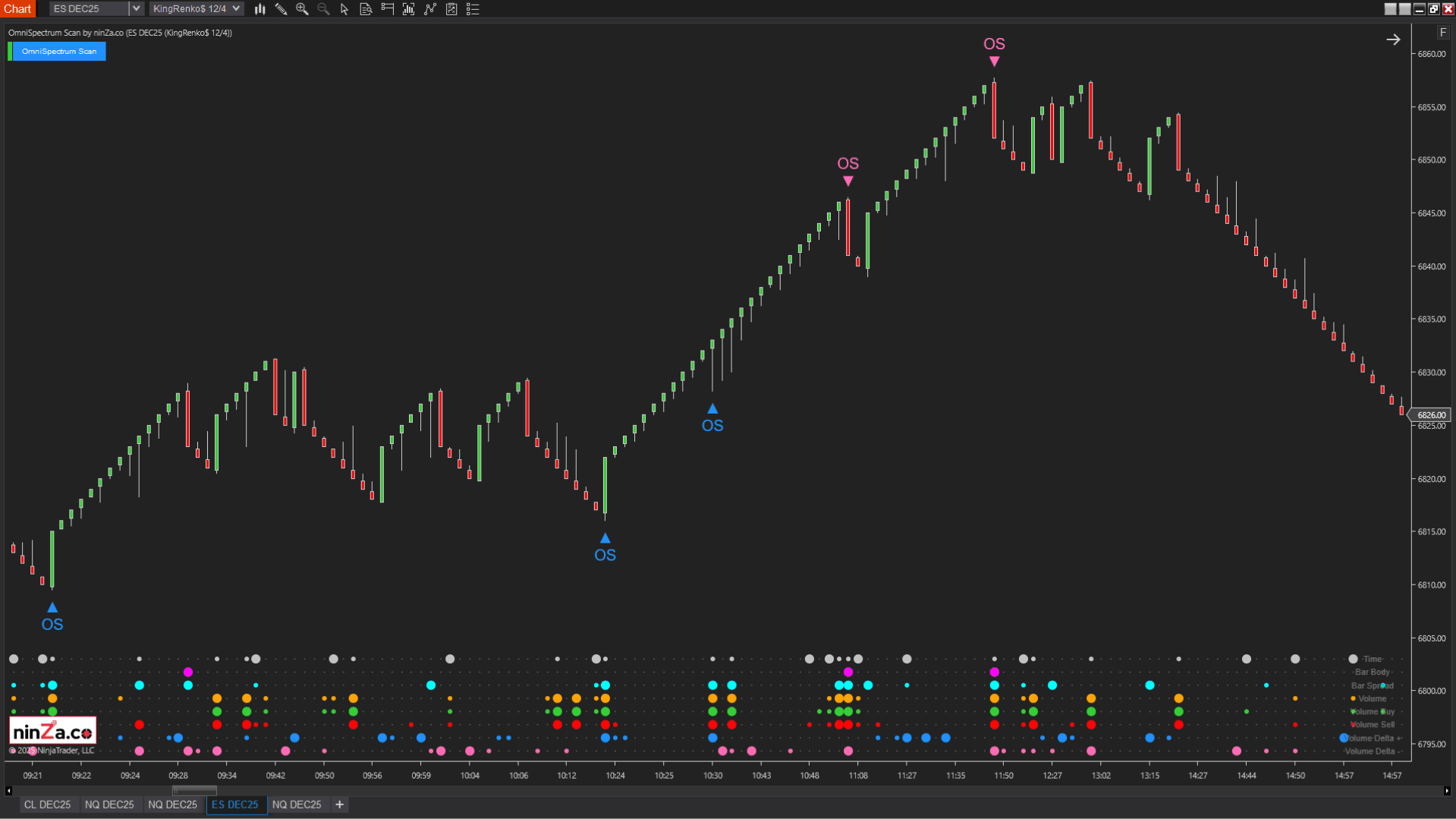
- Analyzes 16 intrabar data points, including body size, range, formation speed, volume, pressure, and delta.
- Allows traders to build custom Buy and Sell conditions without coding.
- Scans the previous N candles and highlights statistically notable extremes.
- Helps identify breakouts, absorption, and changes in buyer or seller control.
- Separates Volume and Delta information for clearer participation analysis.
Captain Optimus Strong
Automation — optional
Apply predefined trading and risk-management logic consistently over time. Captain Optimus Strong can be added when you want to automate execution and risk-management rules.
A clearly structured setup may still produce inconsistent results when execution changes from one trade to another. Automation helps reduce discretionary changes caused by hesitation, urgency, or emotion.
- Automates logic built with compatible NinjaScript indicators and systems.
- Executes trades with predefined stop-loss and target rules.
- Supports historical strategy validation.
- Enforces daily profit and loss limits.
- Restricts execution to selected trading hours.
Captain Optimus Strong does not replace the Trend, Zone, and Signal structure. It applies the rules you define after that structure has been established.
From reacting to signals to following a defined process
The UTF Execution Kit is designed to improve the structure of the trading process, not simply add more signals. With clearly separated layers, traders can:
- Establish directional bias before considering an entry.
- Wait for price to reach a meaningful location.
- Evaluate participation before executing.
- Reduce conflicting or duplicated chart information.
- Follow the same decision sequence across different sessions.
- Review trading decisions according to a consistent framework.
The transformation is not from uncertainty to guaranteed results.
It is from reacting to isolated chart events to following a defined context-to-execution workflow.
See the UTF workflow in real market conditions
In the walkthrough, professional trader Antonino Venuto demonstrates how the 3 indicators work together as one structured UTF process. You will see how he:
01
Establishes directional context with SuperTrend Pro.
02
Identifies a relevant price area with VoluTank Army.
03
Waits for an aligned execution condition from OmniSpectrum Scan.
04
Manages the resulting trade according to predefined rules.
The purpose of the demonstration is not to present a standalone signal. It is to show how each trading decision connects back to Trend, Zone, and Signal.
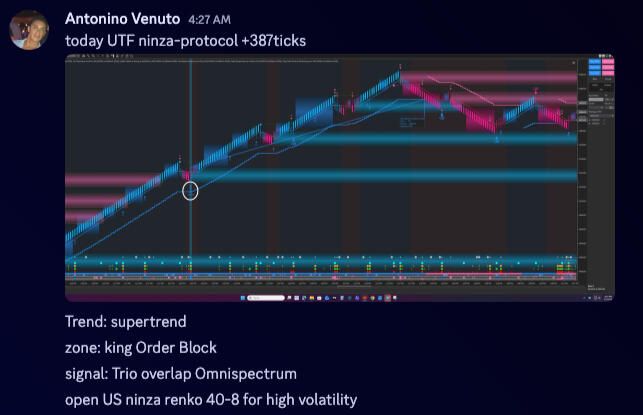
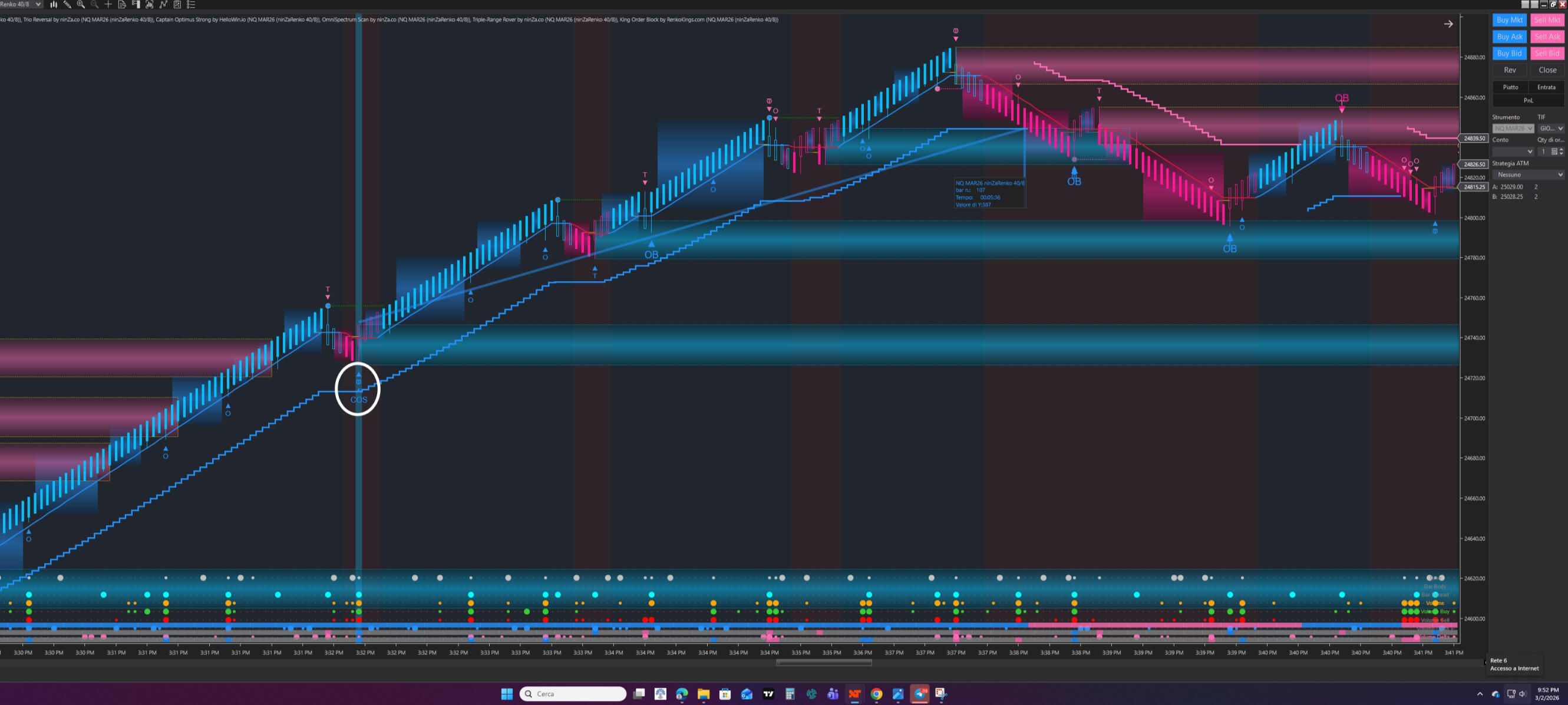
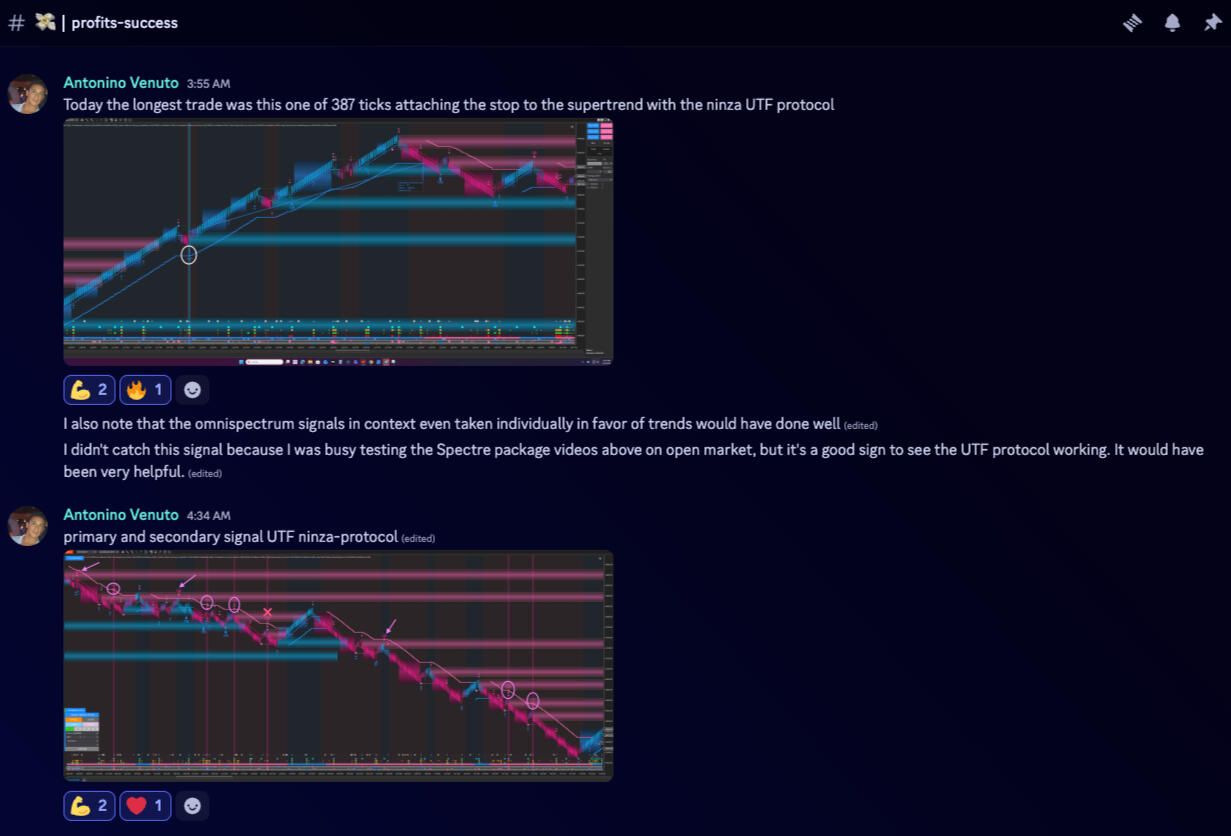
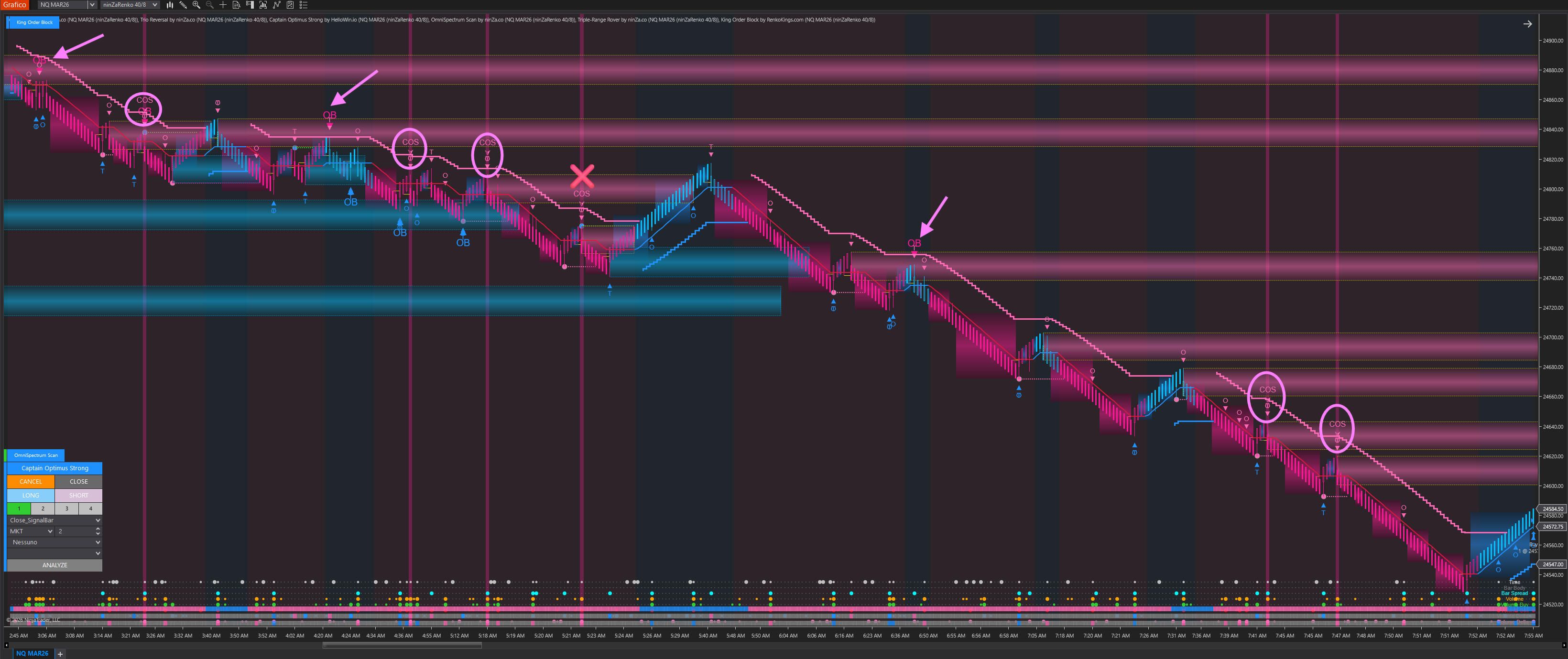
Professional trader Antonino put the complete UTF bundle into practice and achieved strong results in live market conditions.
Frequently asked questions
Why were these 3 indicators selected?
UTF does not require these exact indicators. They were selected because each one can be assigned a clear and separate responsibility within the Trend, Zone, and Signal structure.
The kit is intended for traders who want a ready-to-deploy workflow without spending significant time comparing overlapping indicator combinations.
Is the kit compatible with my trading style?
The kit is not built around one specific style such as scalping, intraday trading, or swing trading. It is built around decision structure.
It can fit workflows that benefit from a clear sequence of directional context, objective trade location, and execution confirmation. Settings and interpretation should still be adapted to your market, timeframe, and risk approach.
Do I need the full kit if I already own other indicators?
No. If your current tools already perform the Trend, Zone, or Signal role clearly, there is no need to replace them simply to use UTF. You may purchase only the layer that is missing from your current setup.
Our team can also help you identify which UTF roles your existing tools already cover before recommending another product.
Will you help with installation and setup?
Yes. Our support team can assist with installation, configuration, and placing each indicator within the correct UTF layer.
The objective is not only to help you load the indicators, but also to ensure that the Trend, Zone, and Signal roles remain clearly separated on your chart.
Choose the UTF setup that fits your workflow
You can deploy the 3-layer framework manually or add automation for execution and risk management.
UTF Execution Kit
- SuperTrend Pro license
- VoluTank Army license
- OmniSpectrum Scan license
- Personalized support
- Trader manual and templates
Automated UTF bundle
- SuperTrend Pro license
- VoluTank Army license
- OmniSpectrum Scan license
- Captain Optimus Strong v2 license
- Personalized support
- Trader manual and templates
Build the framework one layer at a time
You do not need to replace tools that already work well within your current UTF structure. Each component is also available separately.
Trend
SuperTrend Pro
Includes SuperTrend Pro license and personalized support.
Zone
VoluTank Army
Includes VoluTank Army license and personalized support.
Signal
OmniSpectrum Scan
Includes OmniSpectrum Scan license and personalized support.
Automation
Captain Optimus Strong
Includes Captain Optimus Strong license and personalized support.
Your purchase is covered by Zuture Exchange
Use the indicators in your own market conditions, preferred markets, timeframes, and trading workflow for up to 30 days. If the setup is not the right fit, you may request an exchange for another eligible product under the applicable Zuture Exchange terms.
Zuture Exchange is an exchange program, not a refund policy. Product eligibility, price differences, and other conditions may apply.
Build a clearer path from context to execution
UTF provides the framework. The UTF Execution Kit provides a practical way to deploy that framework
on your NinjaTrader 8 charts.
Download ~ 40 FREE indicators & reach more useful resources !!!
LIVE Intraday Trading | Stop chasing Early Entries. Let Timing guide your entry →

NINZA Indicators
0 online
_1787026707358.svg)
NINZA is an official member of NinjaTrader Ecosystem together with 600+ industry-leading professionals that provide traders with quality trading products & services.




even more payment methods
Quick Links
Instructions
Support
Resources & Information
© Copyright 2026 All Rights Reserved



Because software products may be copied and stored easily, we will NOT issue refunds of any kind. ALL SALES ARE FINAL & NON-REFUNDABLE!
Futures, foreign currency, and options trading contains substantial risk and is not for every investor. An investor could potentially lose all or more than the initial investment. Risk capital is money that can be lost without jeopardizing one's financial security or lifestyle. Only risk capital should be used for trading and only those with sufficient risk capital should consider trading. Past performance is not necessarily indicative of future results.
Hypothetical performance results have many inherent limitations, some of which are described below. No representation is being made that any account will or is likely to achieve profits or losses similar to those shown; in fact, there are frequently sharp differences between hypothetical performance results and the actual results subsequently achieved by any particular trading program. One of the limitations of hypothetical performance results is that they are generally prepared with the benefit of hindsight. In addition, hypothetical trading does not involve financial risk, and no hypothetical trading record can completely account for the impact of financial risk of actual trading. For example, the ability to withstand losses or to adhere to a particular trading program in spite of trading losses are material points which can also adversely affect actual trading results. There are numerous other factors related to the markets in general or to the implementation of any specific trading program which cannot be fully accounted for in the preparation of hypothetical performance results and all which can adversely affect trading results.
NinjaTrader® is a registered trademark of NinjaTrader Group, LLC. No NinjaTrader company has any affiliation with the owner, developer, or provider of the products or services described herein, or any interest, ownership or otherwise, in any such product or service, or endorses, recommends or approves any such product or service.