
KingDOM$
Depth of market execution system
See the liquidity behind price. Confirm the trade before you execute.
KingDOM$ is an advanced NinjaTrader 8 Depth of Market system that transforms raw Level II data into a structured process for evaluating resting liquidity, confirming trade conditions, and timing entries with greater clarity.
Instead of relying on price action alone, observe how displayed Bid and Ask liquidity develops around your trading area, then determine whether current DOM conditions support the setup you have already identified.
- See how resting liquidity is distributed beyond the current market price
- Evaluate Buy Wall and Sell Wall imbalances objectively
- Confirm entries using both chart context and live DOM conditions
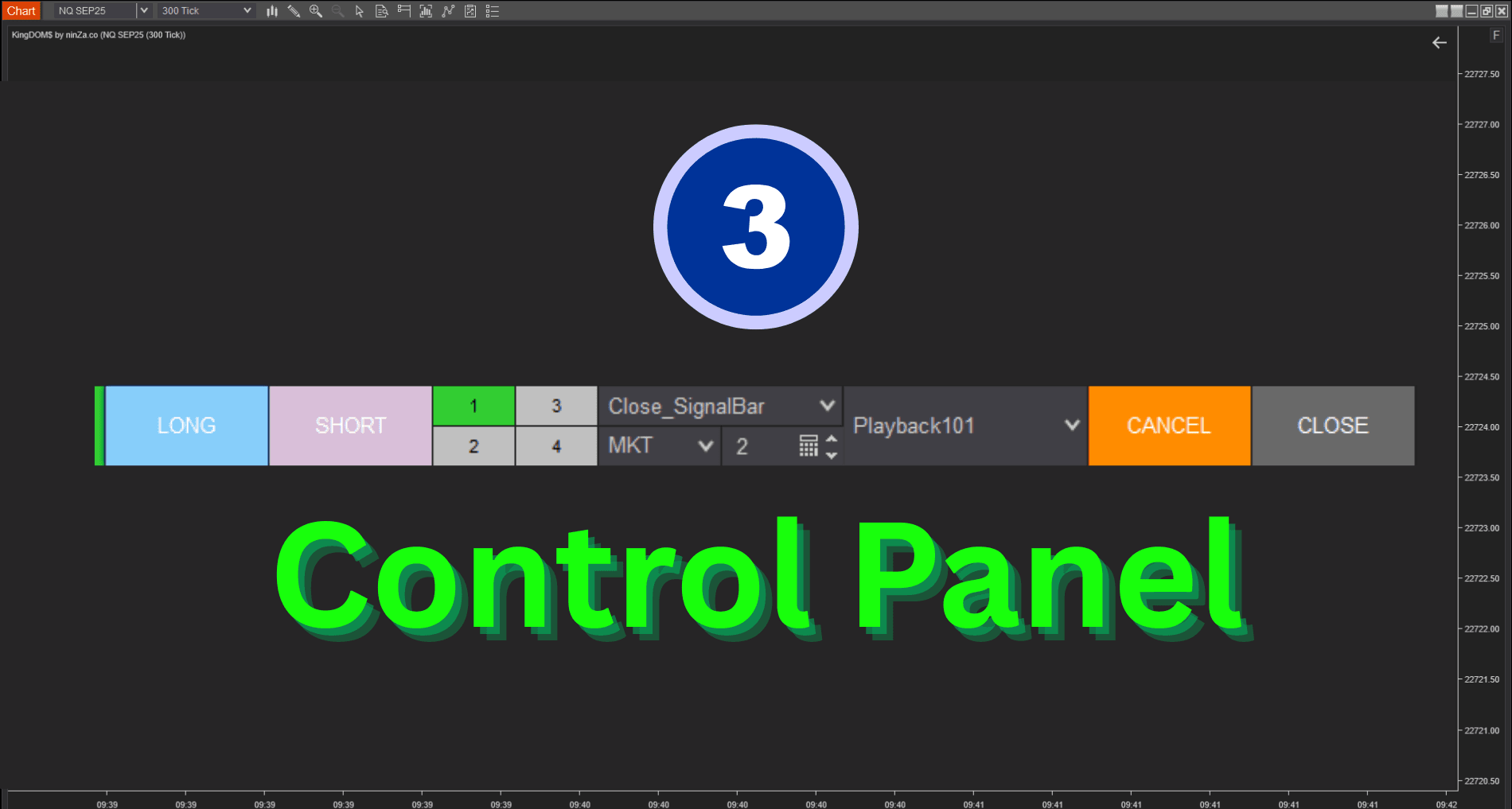
- Trade manually or automate execution through predefined rules
The problem
Price shows what has happened. DOM adds context to what is happening now.
Chart-only entries
Most trading decisions begin with the chart. You identify the trend, locate a support or resistance area, and wait for price to reach your intended entry zone. The chart alone may not show how resting liquidity is positioned as price approaches that level.
Standard SuperDOM
NinjaTrader SuperDOM provides access to this information, but traders still need to interpret the order book manually — with limited analytical support for comparing Bid and Ask liquidity, tracking recurring walls, or connecting DOM conditions to a broader strategy.
KingDOM$ was created to turn raw market depth into a more structured and usable decision process.
Philosophy
A trading location identifies where an opportunity may exist. Current liquidity conditions help determine whether the timing is appropriate.
KingDOM$ is built around a simple principle. A Buy Wall or Sell Wall does not guarantee that price will reverse or continue — displayed orders may change, move, or be cancelled.
For that reason, KingDOM$ does not treat DOM data as a standalone prediction signal. It helps you evaluate resting liquidity within the context of your existing strategy, market location, and execution rules.
The objective is not to predict every price movement. It is to make the entry process more observable, disciplined, and repeatable.
Core capabilities
Core capabilities
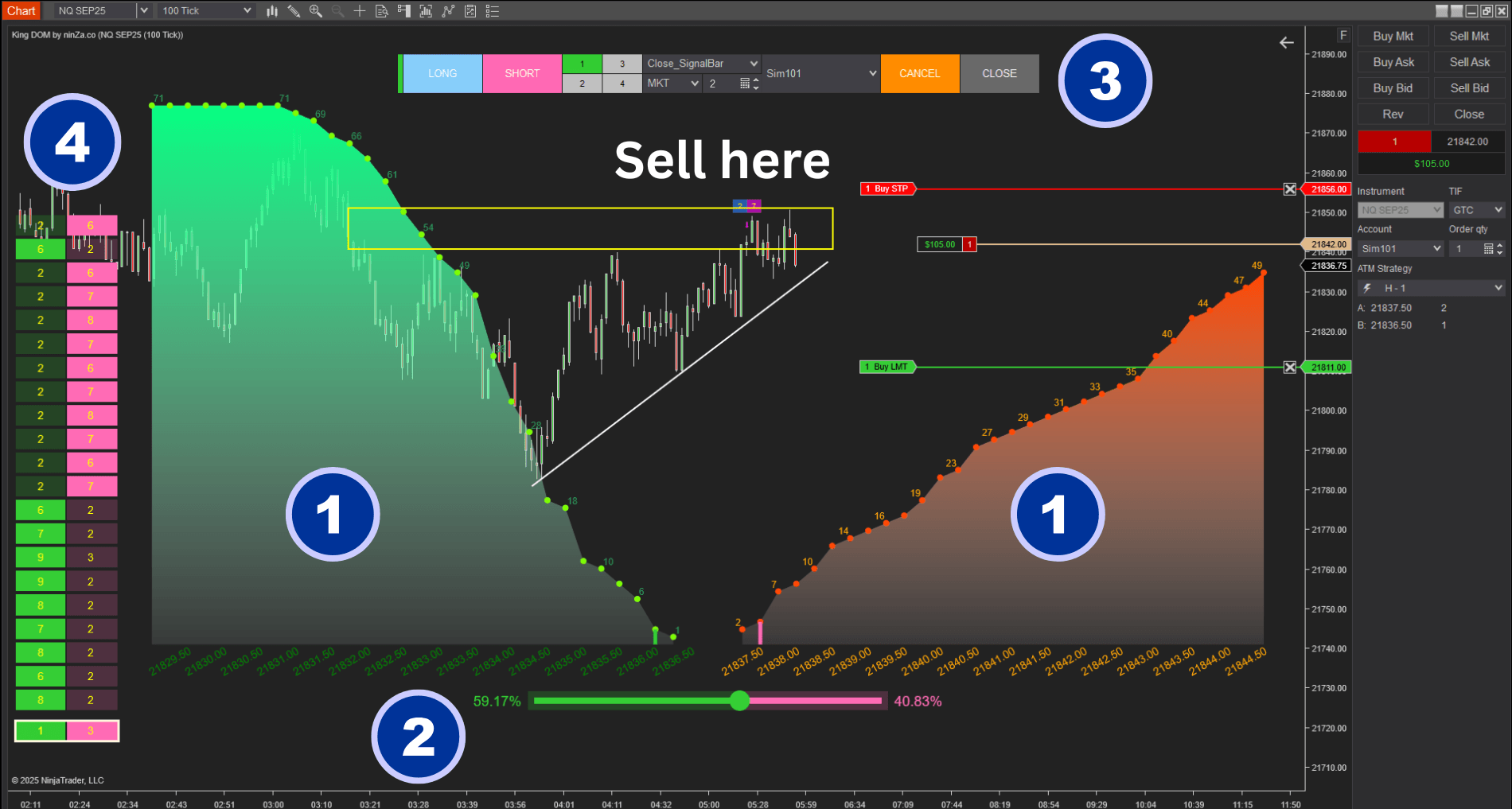
Four building blocks that turn raw Level II data into a repeatable execution process.
See deeper into resting liquidity
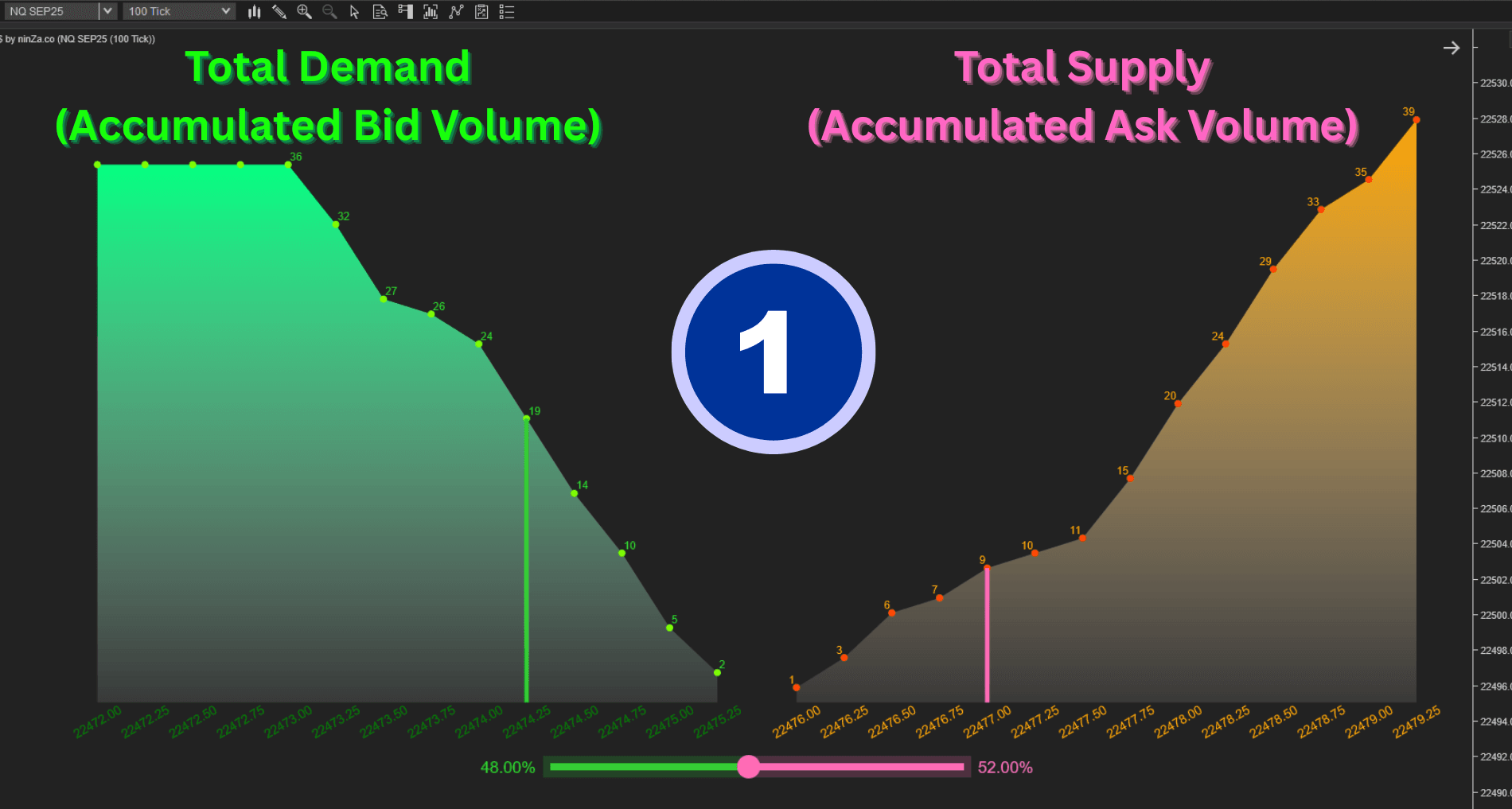
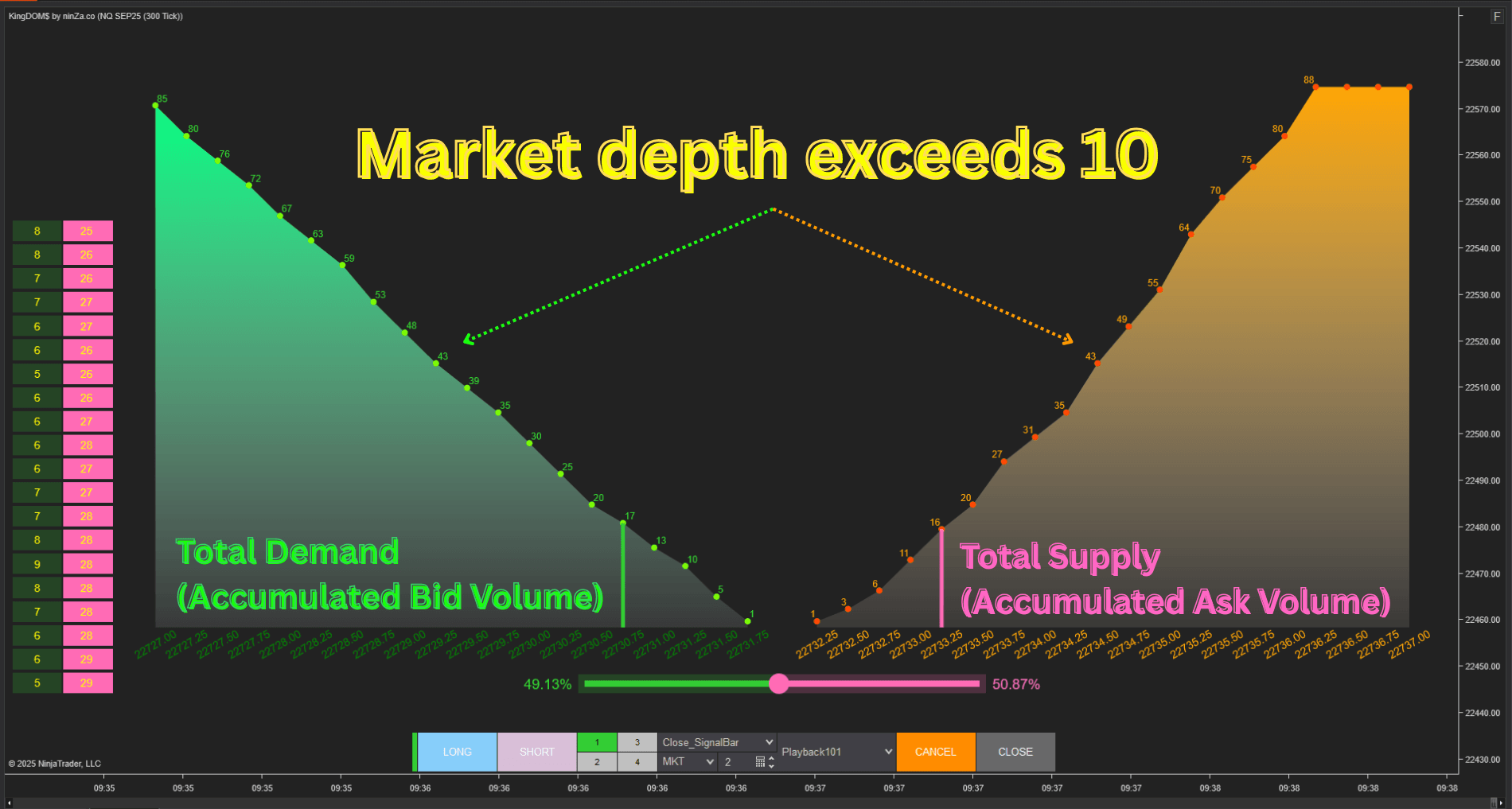
Display and aggregate up to 100 price levels of resting Bid and Ask orders, subject to the instrument and data provider — a broader view of liquidity beyond the levels immediately surrounding the current price.
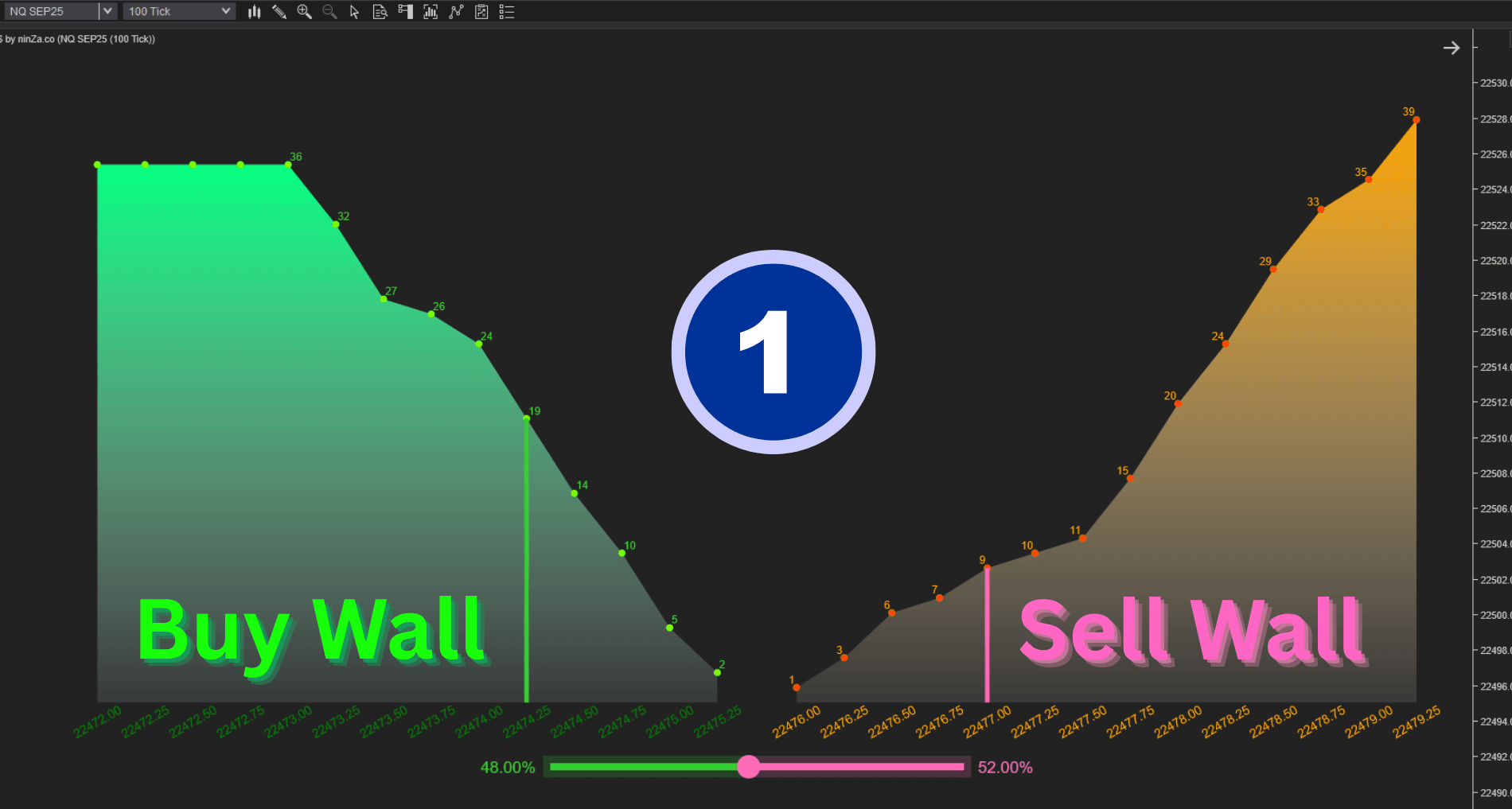
Analyze walls objectively
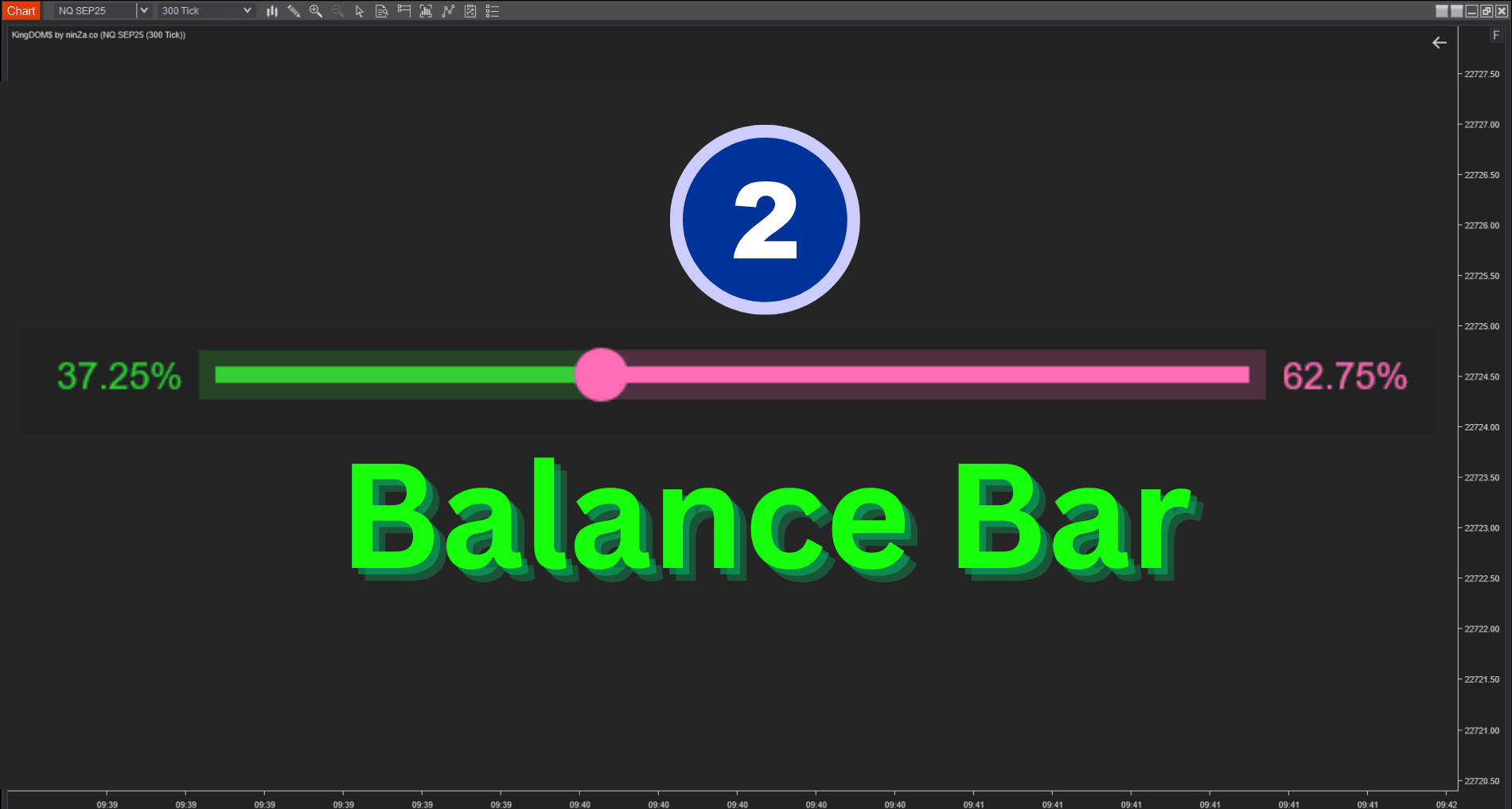
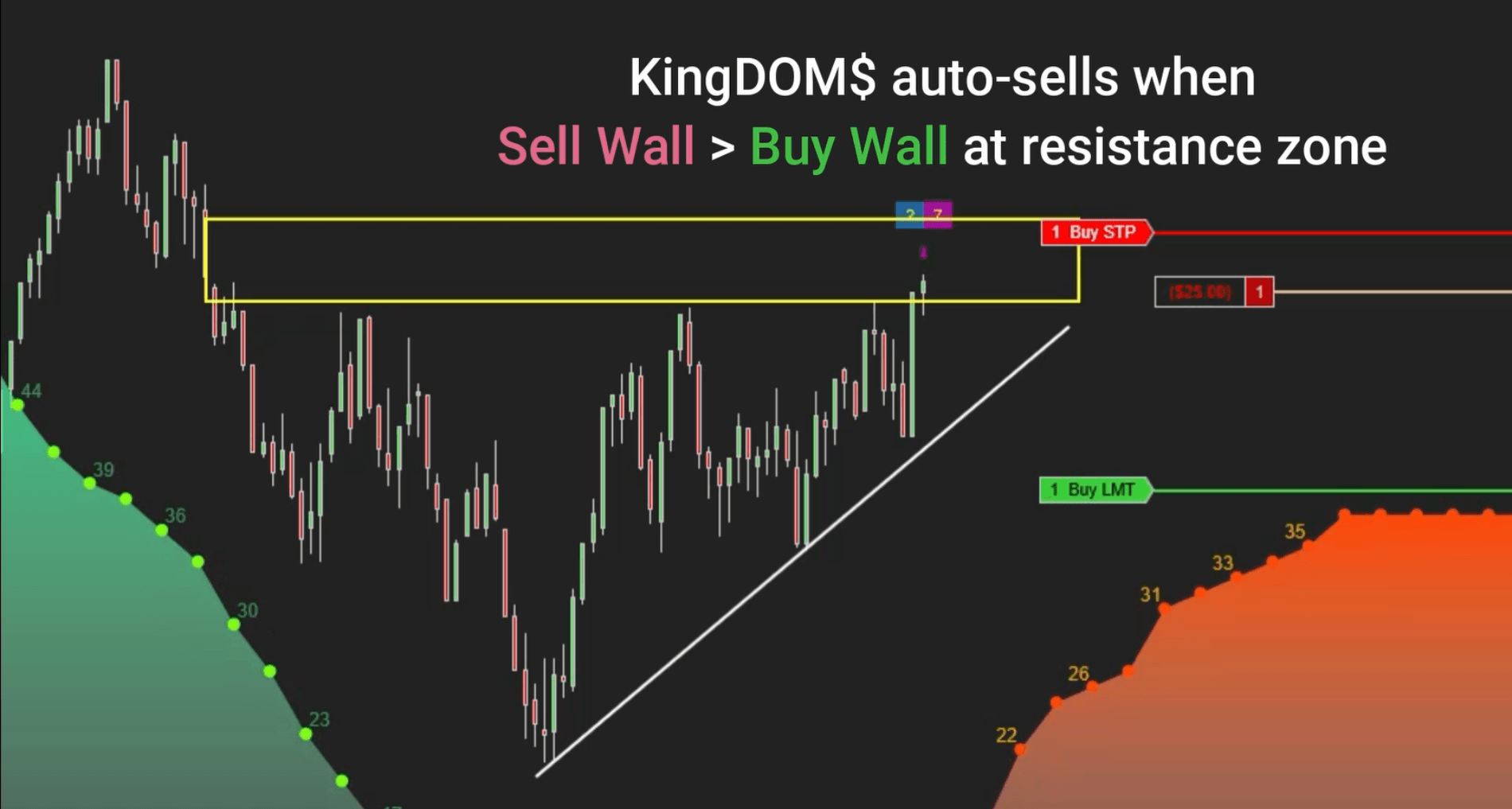
KingDOM$ continuously compares displayed Bid and Ask liquidity to identify meaningful imbalances. Define measurable conditions for what qualifies as a significant wall, instead of relying on visual estimation.
Combine chart logic with DOM
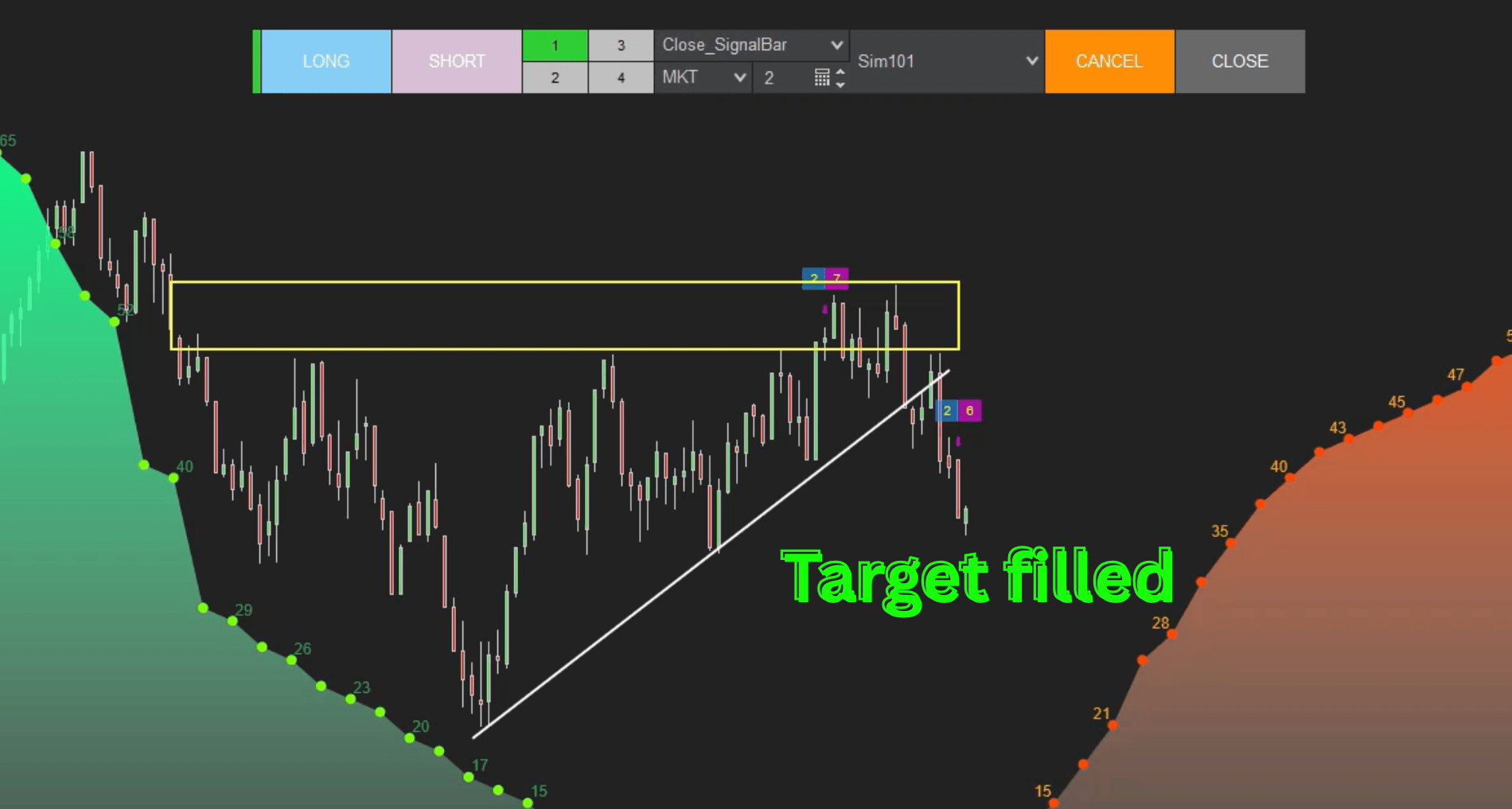
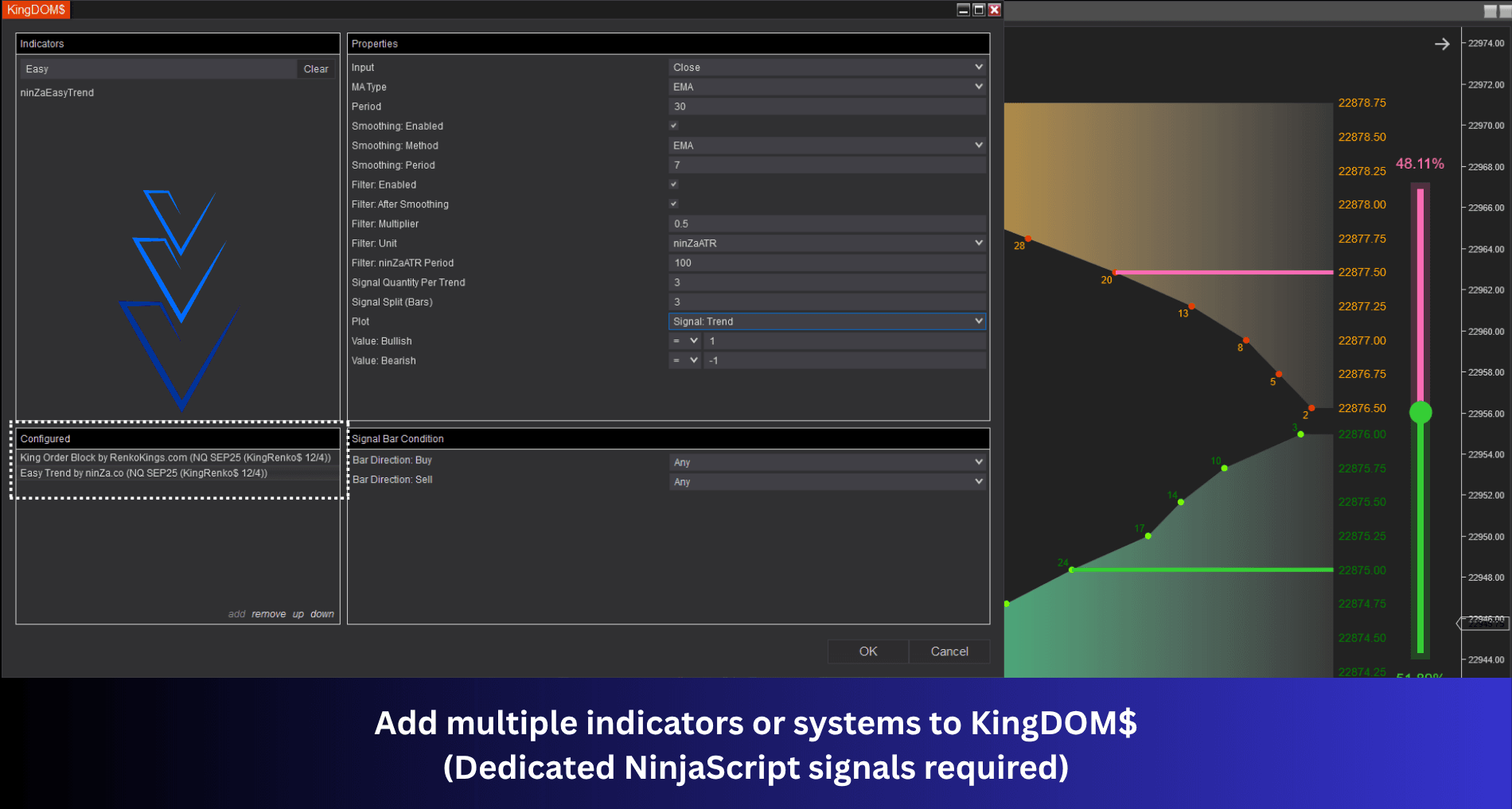
Use compatible technical indicators — for example a Supply and Demand indicator to define the trading location. KingDOM$ then waits until conditions align before permitting or executing the trade.
- Price enters the selected zone
- Required wall condition appears
- All configured conditions align
Review the conditions behind each trade
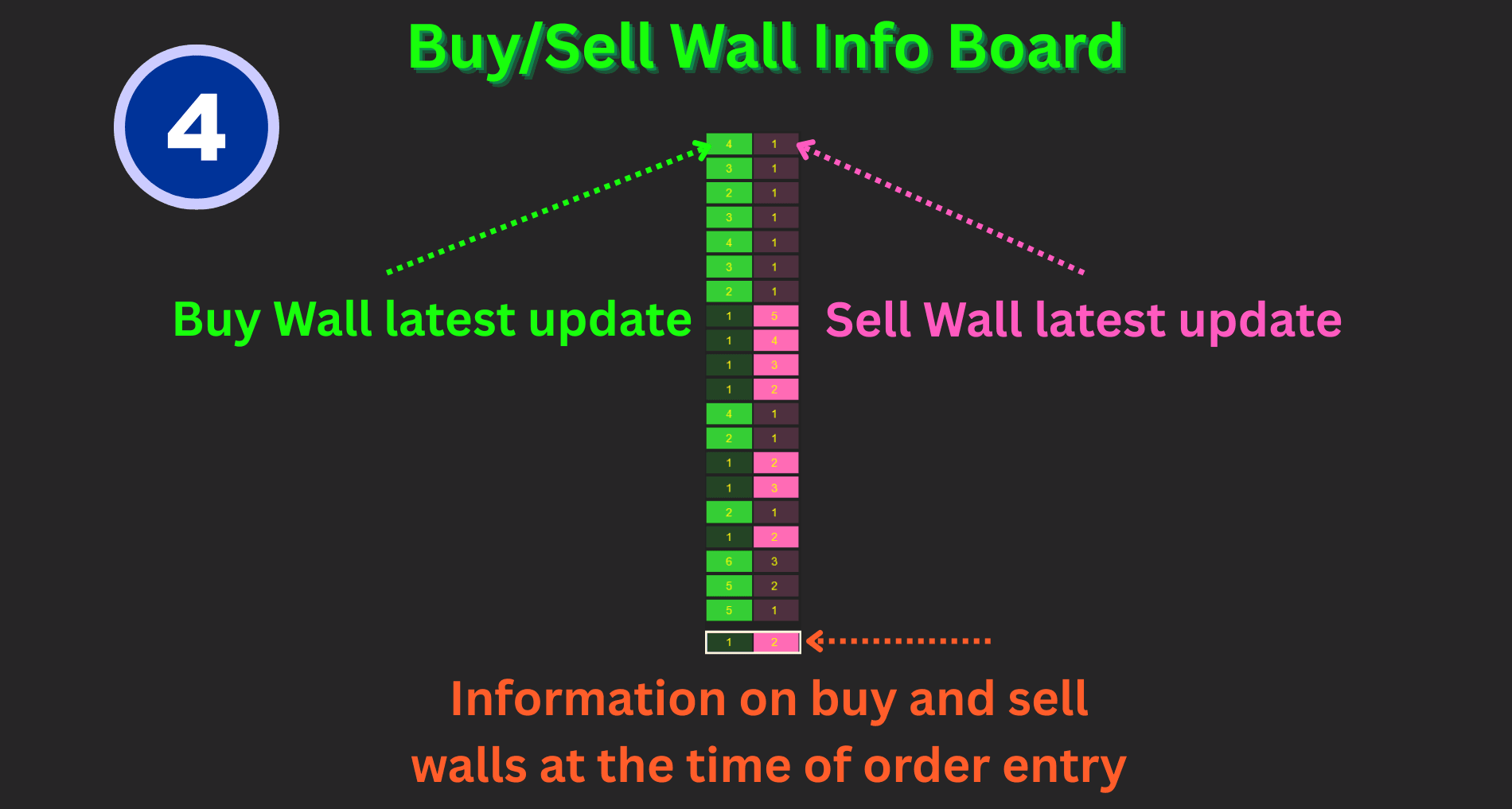
KingDOM$ adapts to traders who prefer discretionary control as well as those who want structured automation, and records the wall conditions present when a trade was entered — so you can review whether it followed your rules.
Execution
Flexible execution, controlled by your rules
KingDOM$ supports both discretionary and automated trading while keeping execution aligned with the conditions and risk parameters you define.
Auto mode
Rule-based execution
A trade executes only when the required chart and DOM conditions align — for example, a Buy entry triggered when the Buy Wall reaches a specified multiple of the Sell Wall and all additional strategy conditions are satisfied.
- Configure the imbalance threshold
- Set permitted trading sessions
- Define position size
- Enforce minimum time between entries
Manual mode
Discretionary confirmation
Live Buy Wall and Sell Wall information stays visible while every entry decision remains under your control. Evaluate conditions as price approaches your level.
- Persistent Ask liquidity as price struggles higher
- Persistent Bid liquidity as price holds above a key area
- Repeated wall activity within the current candle
- Changes in liquidity as price tests a level
These controls do not remove trading risk, but they help keep execution more consistent with your predefined plan.
How to read it
How to interpret wall imbalance
Ask-side confirmation
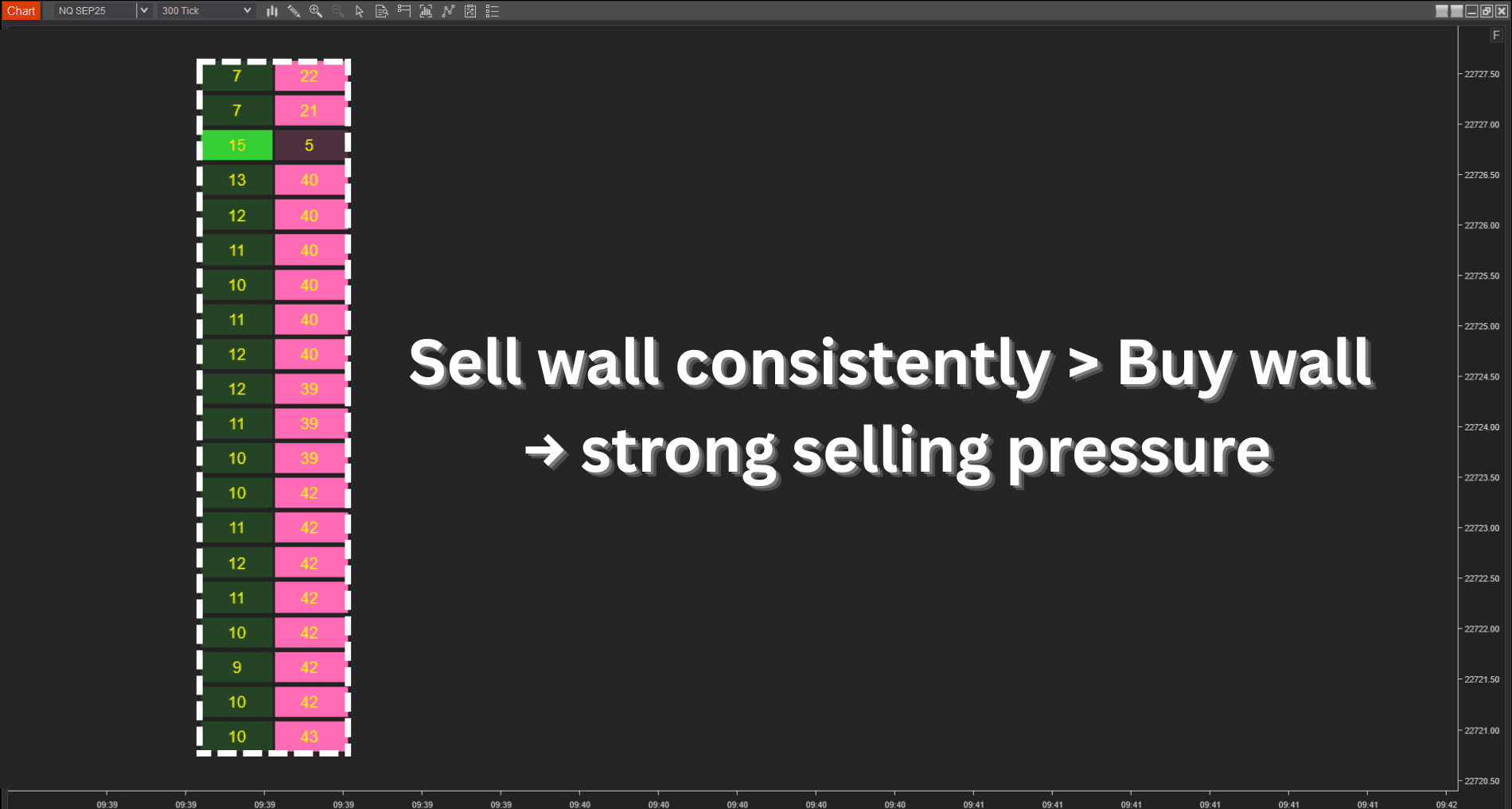
Sell Wall > Buy Wall
When the displayed Sell Wall is significantly larger than the Buy Wall and remains persistent as price approaches a key area, Ask-side liquidity may provide additional confirmation for a short setup.
Bid-side confirmation
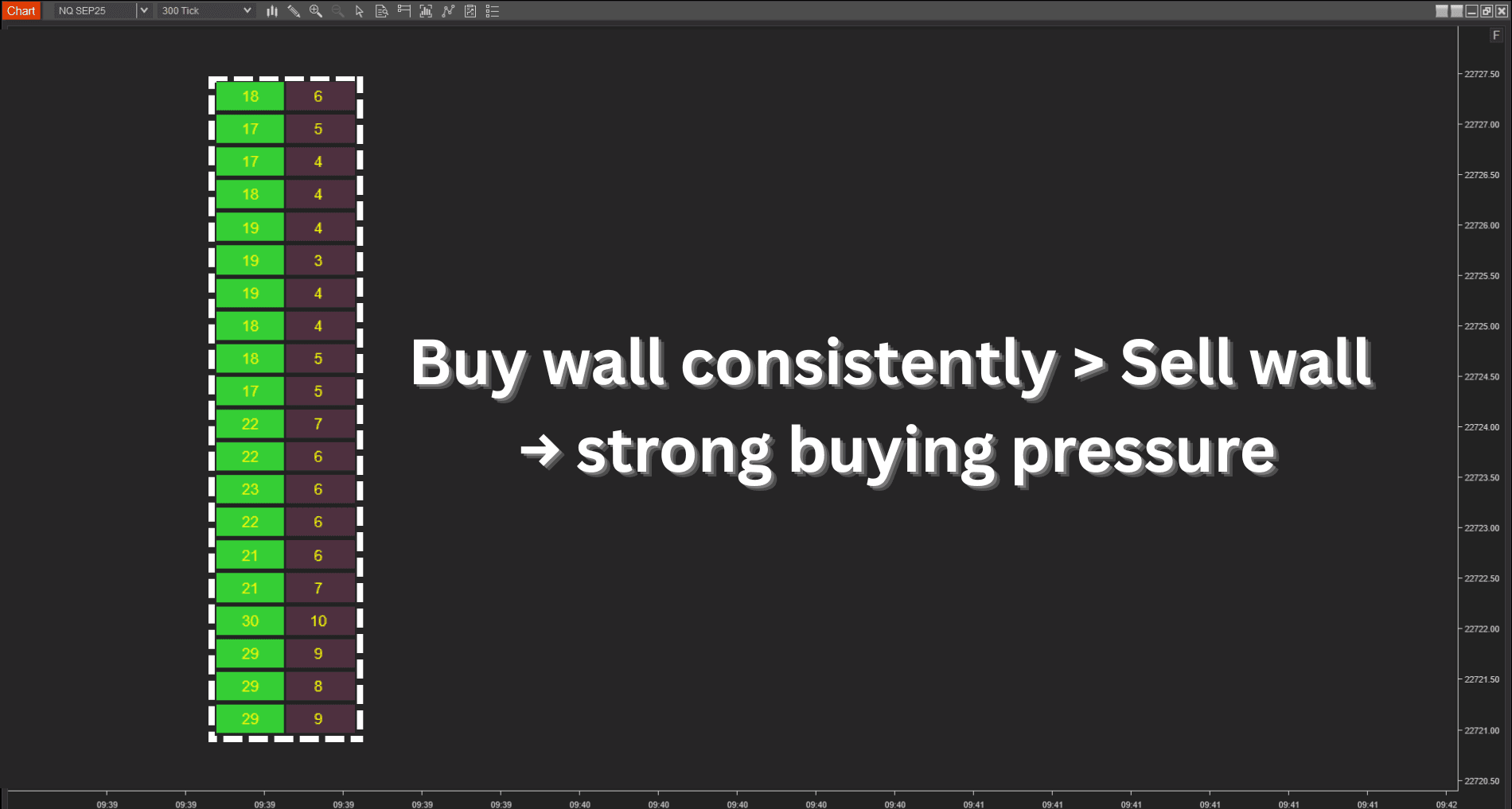
Buy Wall > Sell Wall
When the displayed Buy Wall is significantly larger than the Sell Wall and remains persistent near a relevant level, Bid-side liquidity may provide additional confirmation for a long setup.
Wall size should not be evaluated in isolation. Consider:
- Where the wall appears
- How long it remains visible
- Whether it is repeatedly added or removed
- How price reacts near the wall
- Whether the condition aligns with your broader setup
Proof
Watch KingDOM$ in live order flow analysis
See how an experienced trader uses KingDOM$ to move from chart context into a confirmed execution.
- Evaluate Buy Wall and Sell Wall activity
- Compare resting Bid and Ask liquidity
- Confirm entries near predefined trading areas
- Combine chart context with real-time DOM conditions
- Manage the transition from analysis to execution
Analyzing Buy/Sell wall imbalance to time entries with KingDOM$
*** IMPORTANT NOTE: You will need Level II data to use KingDOM$.
From reversal zones to automated execution
See how KingRenko$, King Order Block, and KingDOM$ work together to identify reversal zones, enter earlier when market pressure aligns, and automate execution with greater consistency.
The result is a cleaner workflow, better entry timing, and more control over automated trades.
Automate entries around your trading conditions
See how the upgraded KingDOM$ combines external indicators with Buy Wall and Sell Wall logic to monitor key zones and execute trades automatically when your conditions align.
Using the Triple King Strategy, KingDOM$ can detect supply and demand zones, respond as price reaches them, and reduce the need to watch the chart continuously for entry opportunities.
Proven in research. Recognized by traders.
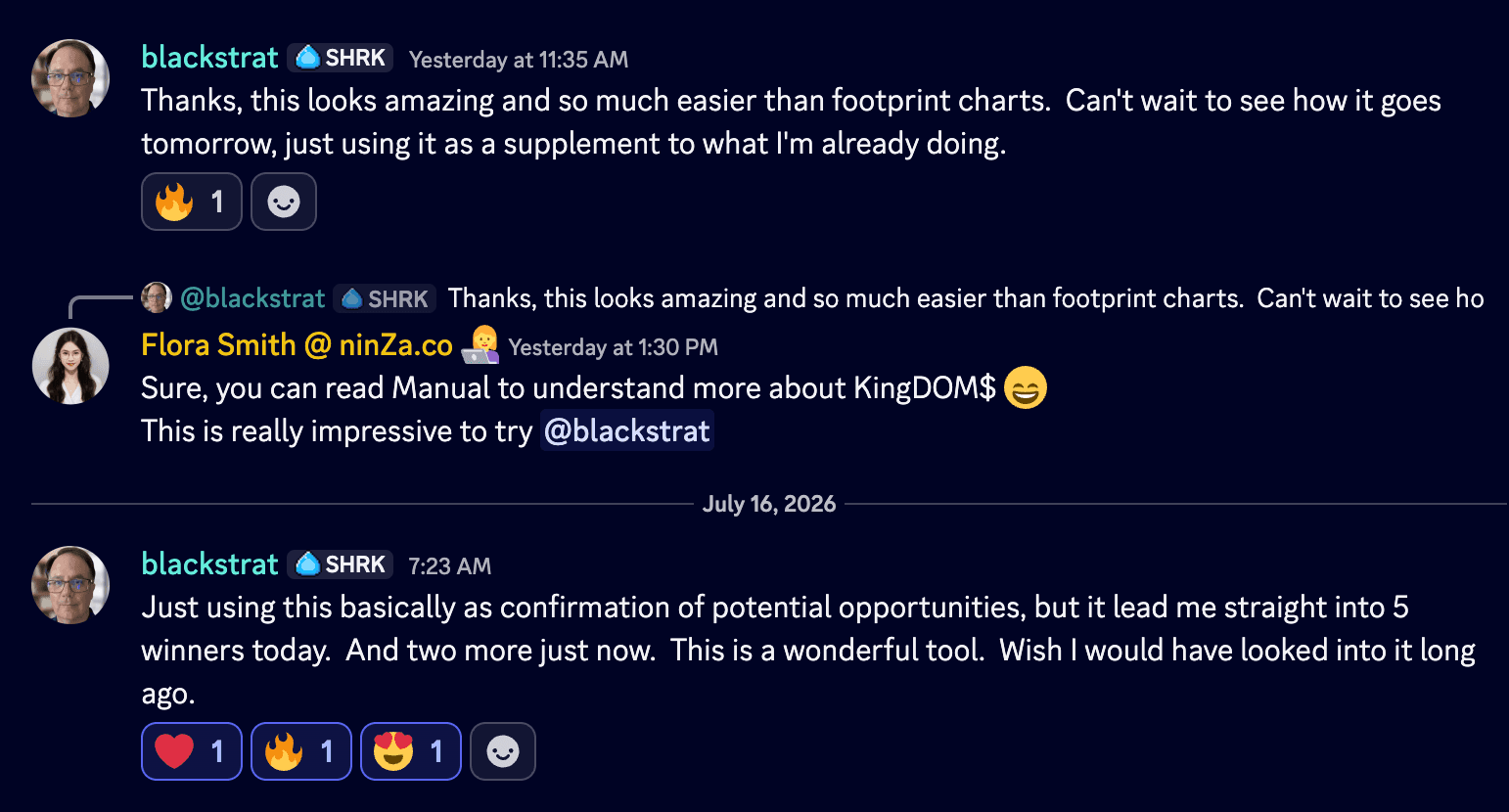
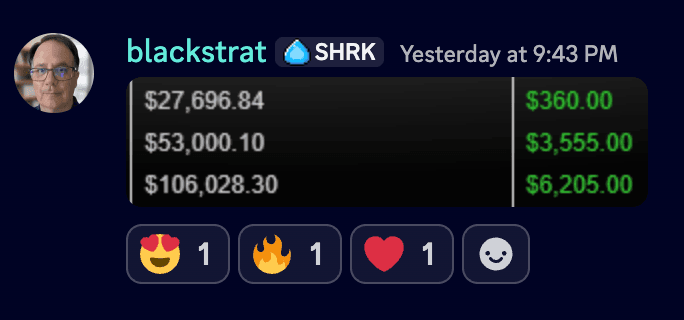
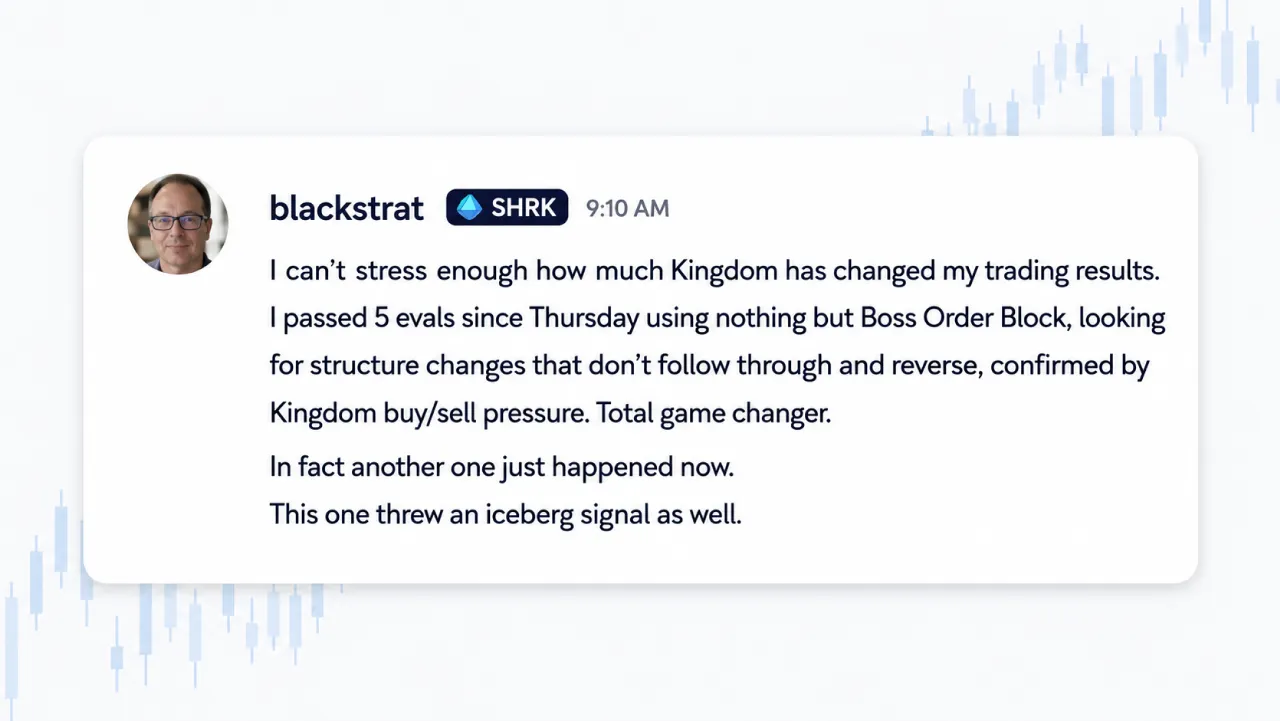
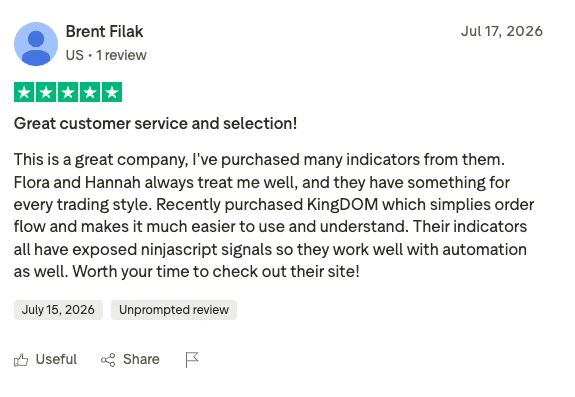
KingDOM$ is built on structured research and measurable trading logic. See how traders who have experienced the system describe its value, practical application, and role in their trading workflow.





Access
Choose your KingDOM$ access option
Two paths into KingDOM$, depending on whether you already have a chart-based strategy in place.
FAQ
Still deciding whether KingDOM$ fits your trading?
1. I already use chart indicators. Why do I need DOM analysis?
Your existing indicators may already help you identify trend direction, trading zones, or potential setups. The remaining challenge is often deciding whether the current conditions support entering at that moment.
KingDOM$ is not designed to replace your chart analysis. It adds a final confirmation and execution layer by evaluating displayed Bid and Ask liquidity as price approaches your trading area.
You can connect compatible indicators with KingDOM$ so a trade is considered only when both your chart conditions and predefined DOM conditions align. You keep your existing strategy and decide how much control KingDOM$ should have.
2. Can I rely on Buy Walls and Sell Walls when orders can be cancelled?
It is reasonable to be cautious. Resting orders can be added, moved, reduced, or cancelled, so a single wall should never be treated as a guaranteed trading signal.
KingDOM$ addresses this by helping you evaluate walls within a broader context, including their size, persistence, frequency, location, and relationship to your existing setup. The system can also require multiple conditions to align before an automated entry is permitted.
KingDOM$ does not present DOM walls as predictions or guarantee future price direction. It gives you a structured way to evaluate the information before acting.
3. Is KingDOM$ too advanced if I am new to DOM trading?
Traditional DOM displays can feel fast, crowded, and difficult to interpret, especially when you are expected to analyze every change manually.
KingDOM$ organizes market depth into clearer Buy Wall, Sell Wall, imbalance, and frequency information. You can begin in Manual Mode, observe how the data behaves around your existing trading zones, and build familiarity before considering automation.
Your access also includes a trader manual, setup templates, and personalized support. You are not expected to understand or automate everything from the beginning — you can introduce KingDOM$ into your workflow gradually.
Get started
Turn market depth into a clearer execution process
Your chart can identify where a trade may develop. KingDOM$ helps you evaluate whether current liquidity conditions support the entry before you commit capital — as a manual confirmation tool, an automated execution layer, or a structured connection between your existing strategy and NinjaTrader Depth of Market.
Download ~ 40 FREE indicators & reach more useful resources !!!
LIVE Intraday Trading | Stop chasing Early Entries. Let Timing guide your entry →

NINZA Indicators
0 online
_1787026707358.svg)
NINZA is an official member of NinjaTrader Ecosystem together with 600+ industry-leading professionals that provide traders with quality trading products & services.




even more payment methods
Quick Links
Instructions
Support
Resources & Information
© Copyright 2026 All Rights Reserved



Because software products may be copied and stored easily, we will NOT issue refunds of any kind. ALL SALES ARE FINAL & NON-REFUNDABLE!
Futures, foreign currency, and options trading contains substantial risk and is not for every investor. An investor could potentially lose all or more than the initial investment. Risk capital is money that can be lost without jeopardizing one's financial security or lifestyle. Only risk capital should be used for trading and only those with sufficient risk capital should consider trading. Past performance is not necessarily indicative of future results.
Hypothetical performance results have many inherent limitations, some of which are described below. No representation is being made that any account will or is likely to achieve profits or losses similar to those shown; in fact, there are frequently sharp differences between hypothetical performance results and the actual results subsequently achieved by any particular trading program. One of the limitations of hypothetical performance results is that they are generally prepared with the benefit of hindsight. In addition, hypothetical trading does not involve financial risk, and no hypothetical trading record can completely account for the impact of financial risk of actual trading. For example, the ability to withstand losses or to adhere to a particular trading program in spite of trading losses are material points which can also adversely affect actual trading results. There are numerous other factors related to the markets in general or to the implementation of any specific trading program which cannot be fully accounted for in the preparation of hypothetical performance results and all which can adversely affect trading results.
NinjaTrader® is a registered trademark of NinjaTrader Group, LLC. No NinjaTrader company has any affiliation with the owner, developer, or provider of the products or services described herein, or any interest, ownership or otherwise, in any such product or service, or endorses, recommends or approves any such product or service.