
ATR Ordering
Lock in Risk per trade. No matter the volatility.
The moment your order fills, ATR Ordering reads the market's actual volatility, sets your Stop and Target, and sizes your position – so the trade never risks more than the dollar amount you've set, whether the market is calm or violent, whether you're at the screen or not.
Dynamic contract count sizes automatically to preserve Max Loss
Volatility doesn't wait for anyone to be at the desk
ATR on the same instrument can sit at 8 ticks one day and 18 the next. A fixed Stop – say, always 10 ticks – ends up too tight on a volatile day and too loose on a quiet one.
For a Stop to reflect real volatility, it has to be measured at the exact moment the order fills – not when a pending order is placed, but when price actually reaches it.
Doing this by hand means pulling the ATR at that moment, converting it to tick distance, working out dollar value per tick for the instrument, adding commission, and only then arriving at a contract count that keeps the trade within a set max loss – a chain with several places for error to creep in, especially under the pressure of a live fill.
For a trader who sets a pending order and steps away, that pressure compounds: getting back to the screen at the right second just to start this chain, before the market moves further.
Stay on plan. Even when volatility changes.
A trading plan holds up not because its Stop stays the same in every condition, but because its dollar risk per trade stays the same regardless of the condition. When the Stop moves with ATR and position size moves opposite it to hold the risk constant, a trader keeps discipline without giving up responsiveness to the market.
ATR Ordering gives traders a faster, more consistent way to carry that trade plan into execution – across both Market Orders and Pending Orders. Instead of working through each calculation when a setup appears, a trader only needs to define 3 settings in advance:
Parameter 01
how far the Stop should sit relative to market volatility
Parameter 02
how far the Target should sit relative to the Stop
Parameter 03
the maximum amount the trade is allowed to risk
From there, the position size adjusts with the Stop and the Target follows the chosen Reward automatically – without that, every shift in volatility means going through the math again, one setting at a time.
A single click on the chart is enough to set the trade in motion. The sizing accounts for commission as well, not just the Stop distance – so when the Stop gets hit, the real loss lands close to the Max Loss set, not beyond it.
One fill. Three decisions handled automatically.
Auto Calculation 01
• Stop Distance = N × ATR, with N set by the trader (1.5, 2, or whatever fits their style).
• No need to work out a new distance every time the ATR reading changes.
Auto Calculation 02
• Target Distance = Stop Distance × R:R.
• The ratio holds no matter how the Stop shifts from one fill to the next.
For example: A 20-tick Stop with a 3 R:R sets a 60-tick Target automatically.
Auto Calculation 03
• Stop distance and commission are converted to dollar terms per contract.
• Then: Contract Count = Max Loss ÷ (Loss per Contract + Commission per Contract)
* rounded down to keep the trade within Max Loss
Instead of pulling tick value and running the multiplication by hand, the count is set automatically.
Entry + Position Size + Stop + Target – all 4 set in milliseconds, no manual math in between.
Put your trading plan on autopilot
Hands-Free
Your trading setup doesn't depend on you being at the screen when price reaches your entry.
A Pending Order can stay in place while you're away.
When it fills, ATR Ordering uses the current ATR to size the position and place the Stop and Target automatically – so you don't have to come back at the exact moment of the fill to complete the trade manually.
This is especially practical for swing and intraday traders who set up trades in advance but can't stay in front of the market all day.
Consistency
Professional traders don't change their risk per trade every time volatility changes. They keep the risk limit fixed and let position size adapt around it.
A lower ATR means a tighter Stop, so more contracts can be taken within the same risk limit.
A higher ATR means a wider Stop, so fewer contracts are used.
ATR Ordering automatically adjusts the position size to match the Stop distance, so the trade stays within the Max Loss defined in your plan – even as volatility changes from one trade to the next.
That means you can eliminate the tedious manual calculations behind every trade – from ATR and Stop distance to tick value, contract size, and commission.
Execution Control
ATR Ordering builds the R:R ratio into the order itself, so your planned Reward is applied consistently from trade to trade.
If your Trading Plan calls for a 1:3 Reward, the tool automatically sets the Target at 3R based on the actual Stop distance.
Without ATR Ordering, you keep having to double-check your R:R ratio on every trade, adding another repetitive step to live execution. And when that check gets skipped, a trade can end up with a different R:R than the one defined in your Trading Plan.
Live execution in action
See how ATR Ordering evaluates volatility upon execution, sets Stop and Target brackets, and sizes contract volume in real time.
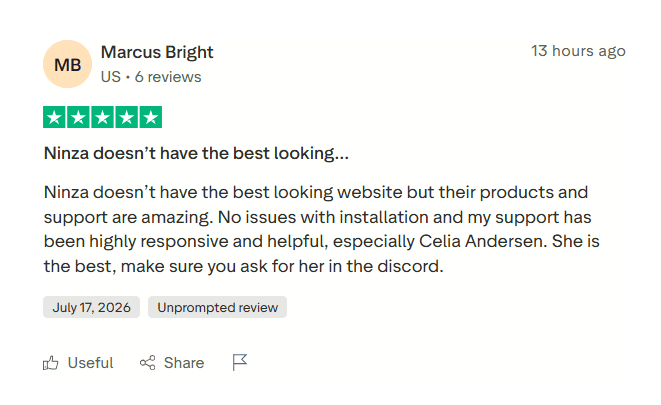
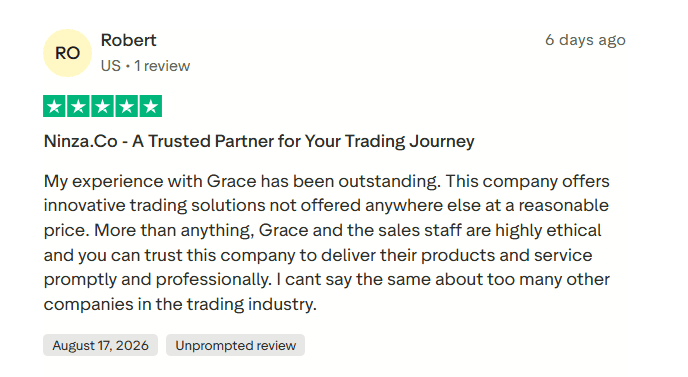
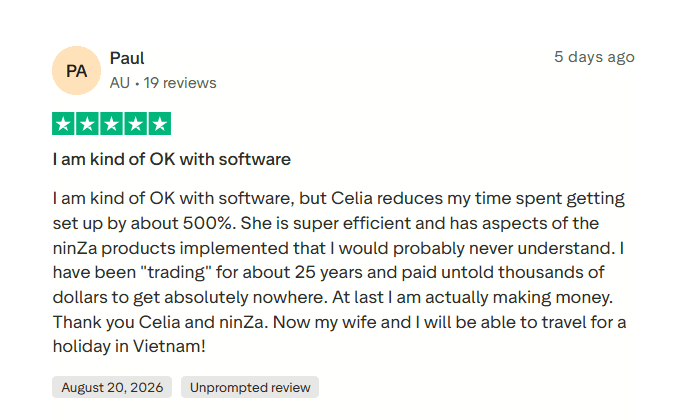
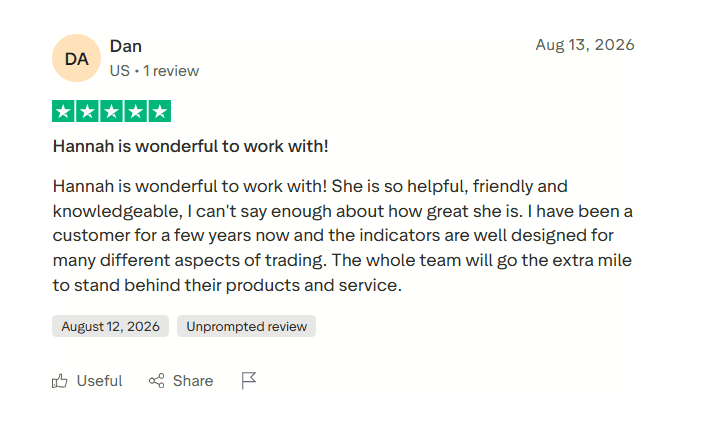
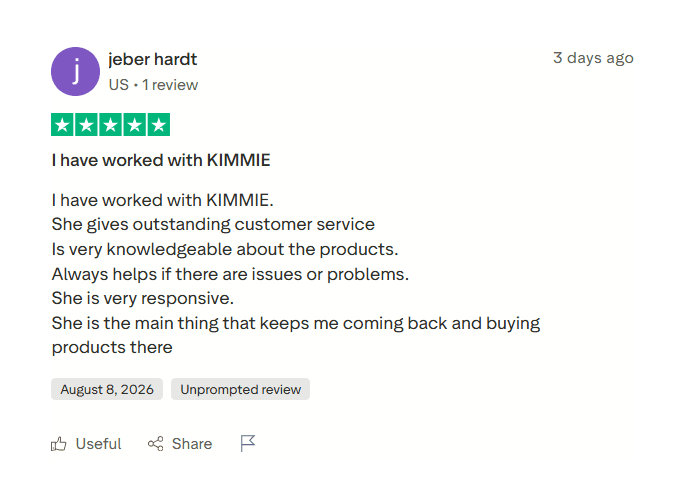
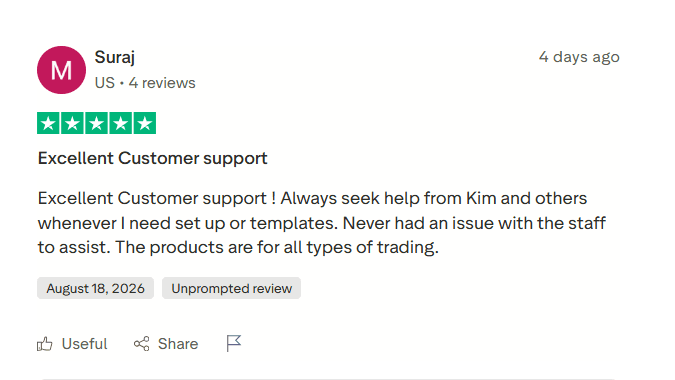
Hear what traders say about their experience with our products and support.

Common Questions & Clarifications
Does ATR Ordering support unattended pending limit orders?
Yes. For pending orders, ATR is sampled at the precise moment of fill rather than placement. The tool evaluates current volatility, calculates the bracket distances, and establishes contract volume within your set risk threshold.
How does contract rounding manage maximum loss?
Calculations round down to the nearest whole contract. Factoring in stop distance and estimated round-turn commission, this approach keeps calculated risk within your predefined dollar limit.
Can brackets be modified manually after the fill?
Yes. ATR Ordering automates the initial entry, position size, and brackets. Once filled, orders remain standard NinjaTrader chart elements that can be dragged, adjusted, or trailed manually.
Does this integrate with existing chart templates?
Yes. ATR Ordering operates as a dedicated execution layer on NinjaTrader 8, functioning alongside your current indicators and templates without requiring chart changes.
Choose your ATR Ordering access
Start with ATR Ordering on its own, or pair it with another tool that complements your trading workflow.
To continue supporting traders through current market and financial conditions, ZACCESS has been extended through September. Apply coupon ZACCESS at checkout to receive up to 20% purchase assistance on eligible products and offers, including Absolute Price offers. The assistance is applied to the Investment shown above.
Single License
Current Investment: $250
With Zaccess (20% purchase assistance): $200
- ATR Ordering License ($400 value)
- Comprehensive Manual ($100 value)
- Dedicated Support ($100 value)
- Lifetime Updates ($100 value)
Recommended Pair
Current Investment: $350
With Zaccess (20% purchase assistance): $280
- Both Software Licenses ($950 value)
- Complete Manuals ($200 value)
- Dedicated Support ($200 value)
- Lifetime Updates ($200 value)
Momentum Suite
Current Investment: $500
With Zaccess (20% purchase assistance): $400
- Both Software Licenses ($1150 value)
- Complete Manuals ($200 value)
- Dedicated Support ($200 value)
- Lifetime Updates ($200 value)
Institutional Profile
Current Investment: $550
With Zaccess (20% purchase assistance): $440
- Both Software Licenses ($1300 value)
- Complete Manuals ($200 value)
- Dedicated Support ($200 value)
- Lifetime Updates ($200 value)
Evaluate ATR Ordering in your workflow for 30 days. If the tool does not align with your execution model, submit an exchange request under Zuture Exchange for another qualifying indicator. Depending on the replacement selected, minimal to no additional investment is required.
Trade the Volatility. Keep the Risk Constant.
Stop relying on fixed tick distances and live math. Let your position size adapt to current market movement automatically.
(function () { var root = document.querySelector('.atr-landing-scope'); if (!root || !('IntersectionObserver' in window)) return; root.classList.add('atr-js-ready'); var targets = root.querySelectorAll('.atr-fade-text'); var io = new IntersectionObserver(function (entries) { entries.forEach(function (entry) { if (entry.isIntersecting) { entry.target.classList.add('atr-inview'); io.unobserve(entry.target); } }); }, { threshold: 0.12, rootMargin: '0px 0px -8% 0px' }); targets.forEach(function (el) { io.observe(el); }); // Risk Simulator var slider = document.getElementById('atrSlider'); if (slider) { slider.addEventListener('input', function () { var atr = parseInt(this.value, 10); var stop = Math.round(atr * 1.5); var target = Math.round(stop * 3); var lossPerContract = (stop * 5) + 4; var contracts = Math.max(1, Math.floor(500 / lossPerContract)); document.getElementById('atrValText').textContent = atr + ' Ticks'; document.getElementById('stopDisplay').textContent = stop + ' Ticks (1.5x)'; document.getElementById('targetDisplay').textContent = target + ' Ticks (3R)'; document.getElementById('contractsDisplay').textContent = contracts + (contracts > 1 ? ' Contracts' : ' Contract'); }); } // Accordion FAQ var faqBtns = document.querySelectorAll('.atr-landing-scope .clean-faq-btn'); faqBtns.forEach(function (btn) { btn.addEventListener('click', function () { var row = this.parentElement; var panel = row.querySelector('.clean-faq-content'); var isActive = row.classList.contains('active'); document.querySelectorAll('.atr-landing-scope .clean-faq-row').forEach(function (r) { r.classList.remove('active'); var p = r.querySelector('.clean-faq-content'); if (p) p.style.maxHeight = null; }); if (!isActive) { row.classList.add('active'); panel.style.maxHeight = panel.scrollHeight + 'px'; } }); }); })();
_1787026707358.svg)
NINZA is an official member of NinjaTrader Ecosystem together with 600+ industry-leading professionals that provide traders with quality trading products & services.




even more payment methods
Quick Links
Instructions
Support
Resources & Information
© Copyright 2026 All Rights Reserved



Because software products may be copied and stored easily, we will NOT issue refunds of any kind. ALL SALES ARE FINAL & NON-REFUNDABLE!
Futures, foreign currency, and options trading contains substantial risk and is not for every investor. An investor could potentially lose all or more than the initial investment. Risk capital is money that can be lost without jeopardizing one's financial security or lifestyle. Only risk capital should be used for trading and only those with sufficient risk capital should consider trading. Past performance is not necessarily indicative of future results.
Hypothetical performance results have many inherent limitations, some of which are described below. No representation is being made that any account will or is likely to achieve profits or losses similar to those shown; in fact, there are frequently sharp differences between hypothetical performance results and the actual results subsequently achieved by any particular trading program. One of the limitations of hypothetical performance results is that they are generally prepared with the benefit of hindsight. In addition, hypothetical trading does not involve financial risk, and no hypothetical trading record can completely account for the impact of financial risk of actual trading. For example, the ability to withstand losses or to adhere to a particular trading program in spite of trading losses are material points which can also adversely affect actual trading results. There are numerous other factors related to the markets in general or to the implementation of any specific trading program which cannot be fully accounted for in the preparation of hypothetical performance results and all which can adversely affect trading results.
NinjaTrader® is a registered trademark of NinjaTrader Group, LLC. No NinjaTrader company has any affiliation with the owner, developer, or provider of the products or services described herein, or any interest, ownership or otherwise, in any such product or service, or endorses, recommends or approves any such product or service.