
![[NEW] Why most ICT traders keep falling short](https://forestcms.nyc3.digitaloceanspaces.com/media/small_ICT PhantomTrace banner (ninZaco)(76x549)_1781317050194.jpg)
![June Exclusive: [AbsP] Summer Wave Bundle](https://forestcms.nyc3.digitaloceanspaces.com/media/small_Summer Wave bundle banner (1280x720)_1780571380106.jpg)
_1780570996067.jpg)
![[NEW] Smart Money footprints ahead of yesterday's 6000-tick drop](https://forestcms.nyc3.digitaloceanspaces.com/media/small_Thumbnail Live Trading với BigTrade Sweep_1781164676930.jpg)
![[New trading strategy] Trend following + Order Flow](https://forestcms.nyc3.digitaloceanspaces.com/media/small_Thumbnail ApexFlow Zignal + ThunderZilla (Ông James)_1780572025026.jpg)

![[AbsP] Daily Specials](https://forestcms.nyc3.digitaloceanspaces.com/media/small_daily-specails-hdhd-banner-13_1781342187664.png)

[12 Jun] ICT PhantomTrace: Why most ICT traders keep falling short - Discover indicator
[03 Jun] BigTrade Sweep: Detecting Big Trades in every candle - Discover indicator
[8 May] New Horizon: A new standard in intraday automated trading ☀️ - Discover our Super Autosystem
[27 Apr] DeepStack Confluence: Multi-Timeframe & Multi-Indicator confluence in 1 chart - Discover indicator
[22 Apr] Entropy Voltex: Trade only when market conditions support your setup - Discover indicator
[14 Apr] Imbalance Insight Matrix: Detect trading zones that attract the most attention - Discover indicator
Product Description
Note:
- This indicator DOES NOT work on Range or Renko charts.
- The volatility of volume varies depending on different instruments.
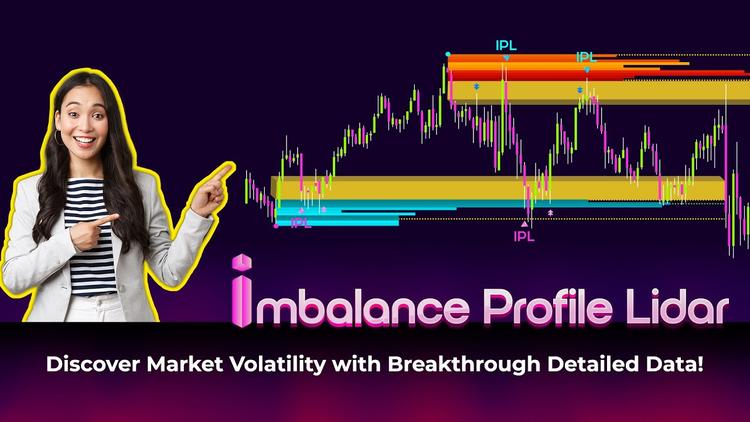
If you’re always struggling with drawing or identifying support and resistance levels or volume concentration zones to find manual entry points, then with Imbalance Profile Lidar, you can automatically pinpoint volume concentration zones based on price action. No more manual work needed!
This advanced indicator combines price action analysis, imbalance phases, and volume profiles to help you easily spot critical value areas.
What are key features of Imbalance Profile Lidar?
This NinjaTrader imbalance indicator, Imbalance Profile Lidar, will satisfy you because it:
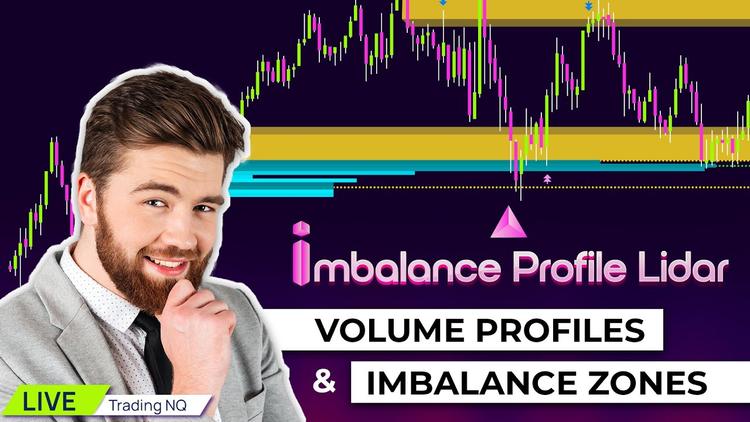
- Offers imbalance zones that enable you to recognize areas where buying and selling forces are uneven, often leading to significant price volatility.
- Automatically identifies the value areas based on a certain price range, helping you determine whether buyers or sellers are in control within that price range.
- Determines the POC zones (Point of Control - the price level with the highest trading volume within a certain period) and suggests return signals within these zones.
- Automatically analyzes and highlights important volume profile zones, eliminating the need for manual drawing or zone identification.
- Provides a user-friendly interface with specific data on the suggested volume profile zones.
- Suitable for different trading styles such as day trading and swing trading.

How does Imbalance Profile Lidar work?
Let's check out how this NinjaTrader imbalance indicator works as below:
- Identifies n consecutive rising or falling bars, signifying strong supply or demand forces.
- Searches for imbalance zones within these consecutive bars.
- Determines the nearest swing point to the imbalance zone.
- Draws the value area from the swing point to the imbalance.
- Automatically analyzes POC using an algorithm within the volume profile zone.
- Suggests signals within the Imbalance and POC zones.

Includes 3 signal types:
- IPL signal: A primary signal generated within the POC zone.
- Imbalance signal: A secondary signal based on the nature of imbalance (also known as a gap), where the price tends to fill back into the imbalance zone and then continue in the opposite direction.
- Break signal: Another secondary signal alerts you when the value area has been broken, preventing unnecessary trades.

Imbalance Profile Lidar gives you the confidence to know that high-volume zones are no longer vague traces on a chart. They are clearly identified through real trading volume, helping you truly understand how the market operates. You can visit ninZa.co to explore more NinjaTrader's indicators!
Dedicated NinjaScript Signals
- Signal_Trade: 1 = bullish volume return, 2 = bullish imbalance return, 3 = break up, -1 = bearish volume return, -2 = bearish imbalance return, -3 = break down, 0 = no signal
- Signal_State: 1 = low in zone, 2: close in zone, -1 = high in zone, -2 = close in zone, 0 = no signal
- Signal_Zone: 1 = zone bullish, -1 = zone bearish, 0 = both zone bullish and zone bearish, 9 = no signal
Product Media
These media materials may have been recorded/captured in favorable markets. Please review our “acceptable marketing practices”.
Videos
Images
From Happy Customers
by M.
Indicators Improved My Charts. Hannah's Help And Great Customer Service. Will Buy Again.
I have been using the ninZa.co indicators for several months now and am very happy with what a valuable addition they have been to my charts. I recently decided to add one of the recently released indicators from ninZa.co. But after using for a few days, it wasn’t quite what I had been looking for. I contacted ninZa.co and had the pleasure of working with Hannah for an exchange to a different one of the many available indicators. At the time, the indicator I wanted to purchase to replace the one I had recently bought was on sale. Hannah put through an exchange and without my having to ask, gave me the advantage of the sale price. She also included a pdf that provided education about the indicator I chose to switch to. Any time I have had contact with one of the associates from ninZa.co, I have received excellent customer service, and will not hesitate to purchase from them again.
by Bartosz
Grace Goes Above And Beyond: A Customer Support Experience That Exceeds Expectations!
Thank You, Grace! Your support is extraordinary I wish all companies have such great support. Keep going I’m 200% satisfied.
by Kari L.
ConnorsRSI Pro With Grace's Outstanding Customer Service
Thank you very much for your excellent customer service, Grace! You are doing an excellent job making customers' lives much easier.
by T.
An Exemplary Customer Experience At NinZa.Co: Unveiling The Power Of Cumulative Delta
I'm a new customer with ninZa.co and i was needing help today in making a purchase. I made a request on your chat platform and Hannah came to my rescue. She helped me find the what I needed and even offered me a discount. Everything went very smoothly from that point. I made the purchase and she even provided me some documentation on the indicator. I am very pleased with her assistance. Thanks again Hannah for your excellent customer service !!
Which of these 10 trader types are you?
Discover your trader type and find the trading path that fits you best ↓

ninZa.co Indicators
0 online
10 layers of trade confirmation: Trend Following + Order Flow →
[Auto Trading] VWAP & Order Flow: 19 winning trades in 150 minutes
When order flow confirms your entries →
Software Changelog
29 Apr 2026
Signal_State & Signal_Zone were added.
20 Jun 2025
The marker tags were separated by direction.
31 Dec 2024
A minor issue regarding the Breakout signal was fixed.